

The Nintendo Switch has changed how people play video games. When the Nintendo Switch OLED launched, it brought new features and a higher price. Many gamers now ask: Is the Nintendo Switch OLED worth it? Let’s break down what makes this model different and help you decide if it’s the right choice for you.
What Makes The Nintendo Switch Oled Unique?
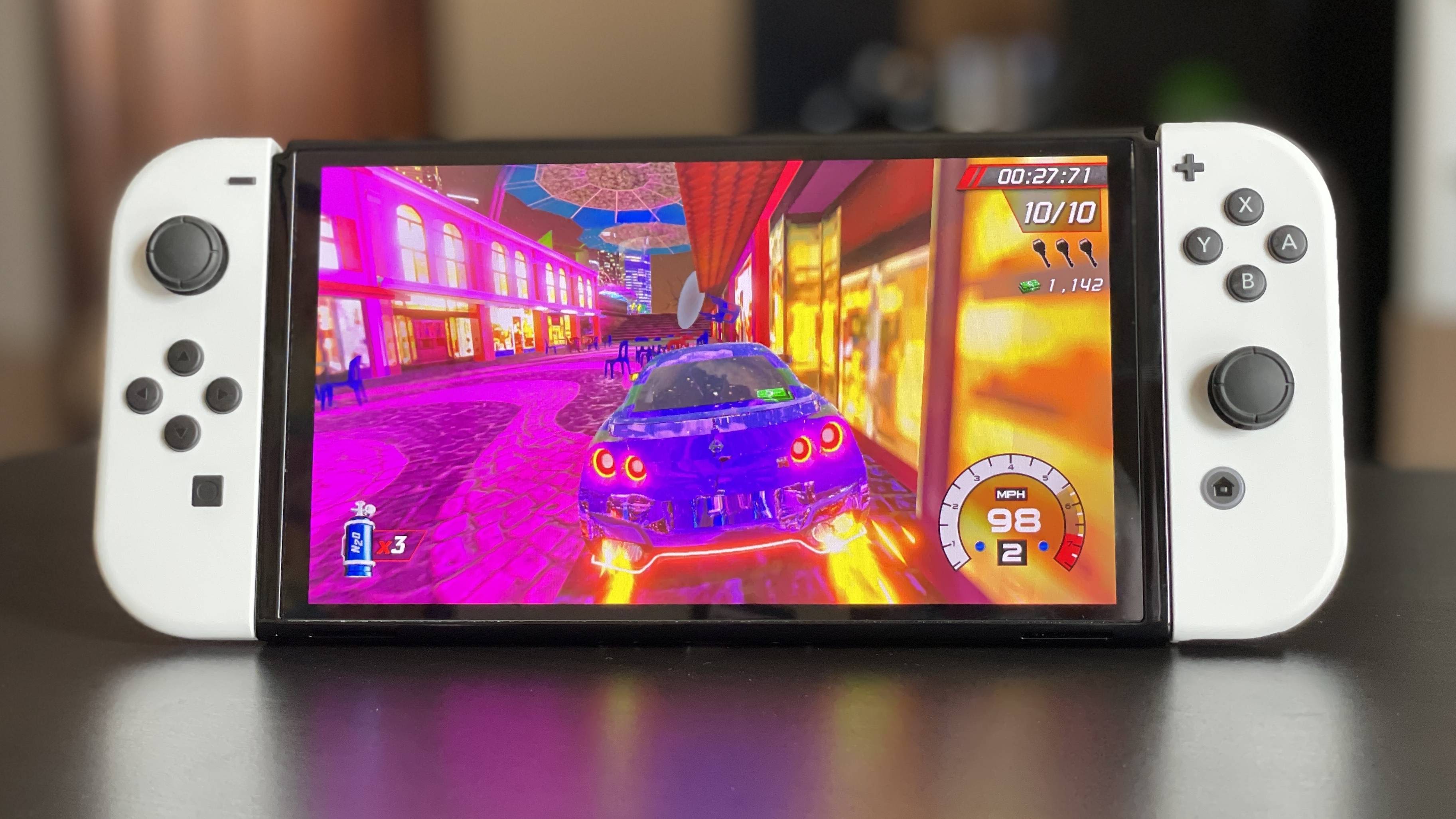
The main upgrade is the OLED screen. It’s a 7-inch display, bigger than the standard Switch’s 6.2-inch LCD screen. OLED screens have brighter colors, deeper blacks, and clearer contrast. This means games look more vivid, especially when playing in handheld mode.

36% off Today’s Exclusive Deals
Limited-time Exclusive Deals. Check current discount on Amazon.
Check Price on Amazon As an Amazon Associate I earn from qualifying purchases.Besides the display, the OLED model has:
- Double the internal storage (64GB vs 32GB)
- A wider, more stable kickstand
- Improved speakers for handheld and tabletop play
- A new dock with a built-in wired LAN port
Even with these changes, the core hardware (CPU and RAM) is the same as the regular Switch. Games play at the same speed on both.
Comparing Switch Oled Vs. Other Switch Models
Here’s a quick look at how the three main Switch models compare:
| Feature | Nintendo Switch OLED | Original Nintendo Switch | Nintendo Switch Lite |
|---|---|---|---|
| Screen Size & Type | 7″ OLED | 6.2″ LCD | 5.5″ LCD |
| Handheld Battery Life | 4.5–9 hours | 4.5–9 hours | 3–7 hours |
| Storage | 64GB | 32GB | 32GB |
| Kickstand | Wide, adjustable | Small, basic | None |
| TV Docking | Yes (with LAN port) | Yes | No |
The OLED model is the most premium, but the core gaming experience is very similar.

Pros And Cons Of The Switch Oled
Pros
- Display Quality: The OLED screen is the best part. Colors pop, and everything looks more detailed.
- Better Sound: The new speakers are louder and clearer, making handheld or tabletop play more fun.
- Kickstand Upgrade: The wide, sturdy kickstand makes playing on a table much easier.
- Extra Storage: 64GB gives you more room for games before needing a microSD card.
- Wired LAN Port: Smoother online play if you use a wired connection.
Cons
- Higher Price: The Switch OLED is about $50 more than the regular Switch.
- No Performance Boost: Games don’t run faster or look better on your TV—only in handheld mode.
- Not for Docked-Only Players: If you always play on your TV, the OLED screen offers no benefit.
- Still 720p in Handheld: The screen is better, but the resolution is the same as before.
Who Should Buy The Nintendo Switch Oled?
The OLED model is best for people who:
- Play mostly in handheld or tabletop mode. The screen upgrade is most noticeable here.
- Want the best visual experience. If you care about graphics, the OLED is worth it.
- Share their Switch with family. The sturdy kickstand is helpful for group play.
If you mostly use your Switch docked to a TV, or if you want the cheapest model, the regular Switch or Switch Lite might be better.
Real-world Experiences
Many reviewers say the OLED screen is a big improvement for games like “The Legend of Zelda: Breath of the Wild” and “Metroid Dread.” Dark scenes look deeper, and bright colors stand out.
One common surprise: The better speakers make a bigger difference than most people expect. Watching cutscenes or listening to music in games feels more immersive.
However, some buyers are disappointed that the performance (frame rates, load times) is exactly the same. If you hope for faster or “next-gen” graphics, the OLED model will not deliver that.
Price Breakdown And Value
Let’s look at how the prices compare in the US:
| Model | Typical Retail Price |
|---|---|
| Nintendo Switch OLED | $349.99 |
| Original Nintendo Switch | $299.99 |
| Nintendo Switch Lite | $199.99 |
For $50 more, the OLED model gives you a better display, better audio, and more storage. That’s a fair deal if you value those features. But if you just want to play Switch games and don’t care about the screen quality, the original Switch is still a strong choice.

Non-obvious Insights
Many beginners don’t realize that:
- OLED screens can show burn-in if the same image stays too long. This is rare with normal use, but it can happen if you leave menus or static images on for hours.
- The extra storage on the OLED model is helpful, but if you download many games, you’ll still need a microSD card. Storage fills up fast with big games.
Also, some accessories for the regular Switch (like cases or screen protectors) may not fit perfectly on the OLED model because of the larger screen.
Should You Upgrade From An Older Switch?
If you already own a working Switch, upgrading is mostly about the new screen. There’s no must-have feature for everyone. But if you play on the go a lot, or your old model is worn out, the OLED can feel like a nice refresh.
If you’re new to Nintendo Switch, the OLED model is the most “premium” version, but you’re not missing critical features on the original.
For official details and technical specifications, check the Nintendo website.
Frequently Asked Questions
Is The Nintendo Switch Oled Faster Than The Original Switch?
No. Both models use the same processor and RAM. Games load and run at the same speed.
Does The Oled Switch Have Better Battery Life?
Battery life is similar to the regular Switch—about 4. 5 to 9 hours, depending on the game.
Can I Use My Old Switch Dock And Joy-cons With The Oled Model?
Yes. The Switch OLED works with all standard Switch docks and Joy-Con controllers.
Will My Digital Games And Save Data Transfer To The Oled Model?
Yes, you can transfer your Nintendo account, games, and save data using built-in tools.
Is The Oled Screen More Fragile Than The Old Model?
OLED screens are durable, but they can be damaged by drops or scratches. A screen protector is a good idea if you travel often.
The Nintendo Switch OLED is a solid upgrade for handheld players who want the best visuals and sound. If you mostly play on your TV or want to save money, the original Switch still offers great value. Choose based on how you play—your experience is what matters most.

