

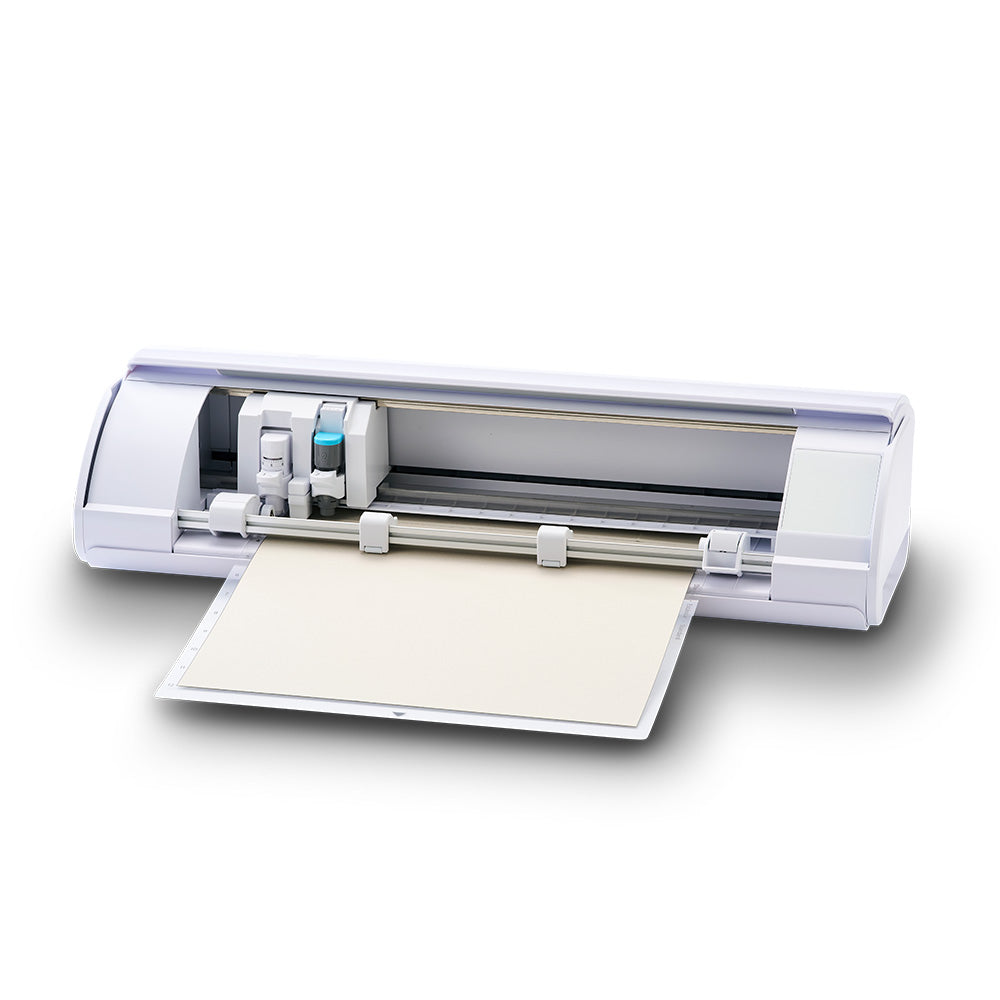
Thinking about buying the Silhouette Cameo 5? This cutting machine promises sharper cuts, faster speeds, and new features. But is it actually worth your money? With so many craft tools available, deciding can feel confusing—especially if you already own a previous Cameo or a competitor’s model. This article explores if the Cameo 5 lives up to its hype, looking at every key factor you should consider before spending your hard-earned cash.
What Makes The Silhouette Cameo 5 Unique?
The Cameo 5 introduces several changes compared to its predecessor, the Cameo 4. Some upgrades are obvious, while others are easy to miss if you don’t read the fine print. Here are five standout aspects:

36% off Today’s Exclusive Deals
Limited-time Exclusive Deals. Check current discount on Amazon.
Check Price on Amazon As an Amazon Associate I earn from qualifying purchases.1. Improved Cutting Power And Speed
The Silhouette Cameo 5 boasts a maximum cutting force of 5,000 grams and can cut materials up to 3 mm thick. That’s a noticeable jump from the Cameo 4, which had a 5 kg force but often struggled with thicker or denser materials.
- Speed: The Cameo 5 claims up to 30% faster cutting on standard materials like vinyl or cardstock. For users who process large projects or run a small business, this translates to valuable time savings.
- Real-world impact: While the increased force is great for challenging materials (like leather or chipboard), many crafters won’t use the full potential daily. But if you want to experiment or sell custom goods, this upgrade matters.
2. Enhanced Print & Cut Accuracy
One of the major complaints about older Cameos was the print and cut feature. The Cameo 5 now uses a new registration mark sensor that’s more accurate, especially under different lighting.
- Practical benefit: If you create stickers or labels, you’ll notice fewer misalignments and wasted sheets.
- Beginner insight: You still need to calibrate the sensor for best results. Skipping this step can lead to frustration, even with the new hardware.
3. Quieter Operation
Noise is a hidden dealbreaker for many. The Cameo 5’s motor is redesigned for a much quieter experience.
- Measured reduction: The company claims it’s up to 50% quieter than the Cameo 4. In practice, users find it less distracting, especially in small rooms or shared spaces.
- Why it matters: If you craft at night or in an apartment, the quieter operation makes a huge difference. It’s not “silent,” but it won’t interrupt conversations or wake up others.
4. New Tool Options And Compatibility
The Cameo 5 supports a broader range of tools, including:
- Rotary blade for fabric (without backing)
- Embossing tool for raised effects
- Pen holder for sketching
Silhouette also improved tool recognition, so the software knows which tool is loaded. However, some specialty tools may be sold separately.
- Non-obvious insight: If you already own Cameo 4 tools, you might need an adapter for some older accessories. Double-check compatibility before buying extras.
5. Redesigned Roll Feeder And Matless Cutting
The roll feeder is now built-in, making it easier to cut long vinyl rolls. The Cameo 5 also improves “matless” cutting, letting you use materials like vinyl or sticker sheets without a cutting mat.
- Data point: You can cut up to 10 feet of material in one go—ideal for banners or bulk decals.
- Potential downside: Matless cutting is still best for certain materials. Paper and delicate media may still need a mat to prevent jams or misfeeds.
Side-by-side Comparison: Cameo 5 Vs. Cameo 4
Here’s a quick look at how the Cameo 5 stacks up against its predecessor for the most popular features:
| Feature | Cameo 5 | Cameo 4 |
|---|---|---|
| Max Cutting Force | 5,000 grams | 5,000 grams |
| Max Material Thickness | 3 mm | 3 mm |
| Noise Level | Much quieter | Louder |
| Registration Sensor | Improved accuracy | Standard |
| Tool Compatibility | Wider selection | Fewer options |
Who Should Buy The Silhouette Cameo 5?
This machine is best for:
- Serious hobbyists who want top performance and flexibility
- Small business owners producing custom designs or bulk orders
- Anyone sensitive to noise
- Crafters using a wide range of materials, especially thicker or specialty media
It might be overkill for occasional card makers or those who only cut basic vinyl. If you already own a Cameo 4 and don’t need the new features, upgrading isn’t urgent.
Real-world User Experiences
Many users praise the Cameo 5 for its smoother, quieter operation and reliable print-and-cut results. However, some beginners report a learning curve with the new tools or software.
A few non-obvious tips from experienced users:
- Always update firmware before using new tools. This avoids software glitches.
- Test cut on scraps, especially with unfamiliar materials, to avoid wasting supplies.
Some users also mention that while the machine can handle thicker materials, not all third-party blades or mats fit perfectly.

Price And Value For Money
The Silhouette Cameo 5 typically retails between $329 and $399 in the US. It’s in the same price range as the Cricut Maker 3, its main competitor.
| Model | Typical Price | Main Strength |
|---|---|---|
| Silhouette Cameo 5 | $329–$399 | Versatile tools, quiet, long cuts |
| Cricut Maker 3 | $399–$429 | Strong ecosystem, easy software |
While the Cameo 5 isn’t cheap, its new features and improved reliability make it a solid investment for active crafters or small businesses. If you only use basic materials or cut occasionally, a lower-priced model may be enough.
Final Thoughts: Is The Silhouette Cameo 5 Worth It?
If you want a powerful, flexible, and quiet cutting machine that can handle a wide range of materials, the Silhouette Cameo 5 is worth serious consideration. Its upgrades are real, especially for users who care about speed, noise, or advanced features like matless cutting. However, for light hobby use, some features may go unused.
Before buying, consider your crafting habits, the materials you use, and your workspace. For more detailed specs and in-depth reviews, you can visit the official Silhouette America website.

Frequently Asked Questions
What Materials Can The Silhouette Cameo 5 Cut?
The Cameo 5 can cut vinyl, cardstock, fabric, leather, chipboard, felt, and more. It handles materials up to 3 mm thick with the right blade.
Is The Cameo 5 Easy For Beginners To Use?
The basics are user-friendly, but some advanced features require practice. Watching tutorials and starting with simple projects helps reduce the learning curve.
Can I Use Cameo 4 Tools With The Cameo 5?
Most tools are compatible, but some may need an adapter. Always check tool compatibility before buying or using older accessories.
How Does The Cameo 5 Compare To Cricut Maker 3?
Both are top-tier machines. The Cameo 5 is quieter and offers better matless cutting, while the Maker 3 has a larger community and simpler software.
Is It Worth Upgrading From Cameo 4 To Cameo 5?
If you want quieter operation, improved print and cut, or use a lot of specialty materials, the upgrade is worthwhile. For light use, the difference may be minimal.

