

If your Keurig K-Duo Plus Coffee Maker is not heating, the issue is usually power, scale buildup, or a faulty internal heating part.
If you have ever pressed brew and watched your machine act like it is awake but not ready, you know how frustrating that feels. The Keurig K-Duo Plus Coffee Maker not heating can stop both your single-cup and carafe brewing, which makes the problem feel bigger than a simple glitch. In this guide, I’ll walk you through the most likely causes, the best fixes, and the warning signs I have seen in real troubleshooting so you can get your coffee maker back on track without wasting time.

36% off Today’s Exclusive Deals
Limited-time Exclusive Deals. Check current discount on Amazon.
Check Price on Amazon As an Amazon Associate I earn from qualifying purchases.Why the Keurig K-Duo Plus Coffee Maker is not heating
When the Keurig K-Duo Plus Coffee Maker not heating, the root cause is often something simple at first. In many cases, the machine is not getting stable power, the water path is blocked by mineral buildup, or the heating element cannot bring water to the right temperature.
The K-Duo Plus is designed to heat water fast for both pods and ground coffee. That means even a small problem can disrupt the whole system. I have seen machines that looked completely dead when the real issue was just a loose outlet connection or heavy scale inside the brewer.

Common reasons the Keurig K-Duo Plus Coffee Maker is not heating
There are a few reasons this issue happens more often than people expect. Some are easy to fix at home, while others point to a hardware failure.
Power supply issues
A weak outlet, tripped breaker, or loose power cord can prevent the unit from heating properly. If the display lights up but the water never warms, the brewer may be getting partial power instead of full power.
Mineral buildup inside the machine
Hard water leaves calcium and lime behind over time. That buildup can coat the heating path and make the brewer work like a kettle with sand in it. The machine may still run, but the water never reaches the right temperature fast enough.
Air in the water line
If the reservoir was empty or recently removed, air can get trapped in the water path. That can interrupt flow and make the machine seem like it is not heating when it is really not moving water correctly.
Dirty or clogged needles and tubes
The exit needle, entrance needle, and internal tubes can get clogged with coffee residue or mineral deposits. When that happens, water flow slows down and the heating system may not function the way it should.
Internal heating component failure
If the brewer has already been cleaned and reset but still will not heat, the thermal fuse, heating element, or control board may be damaged. This is less common, but it does happen, especially in machines that have seen heavy use.
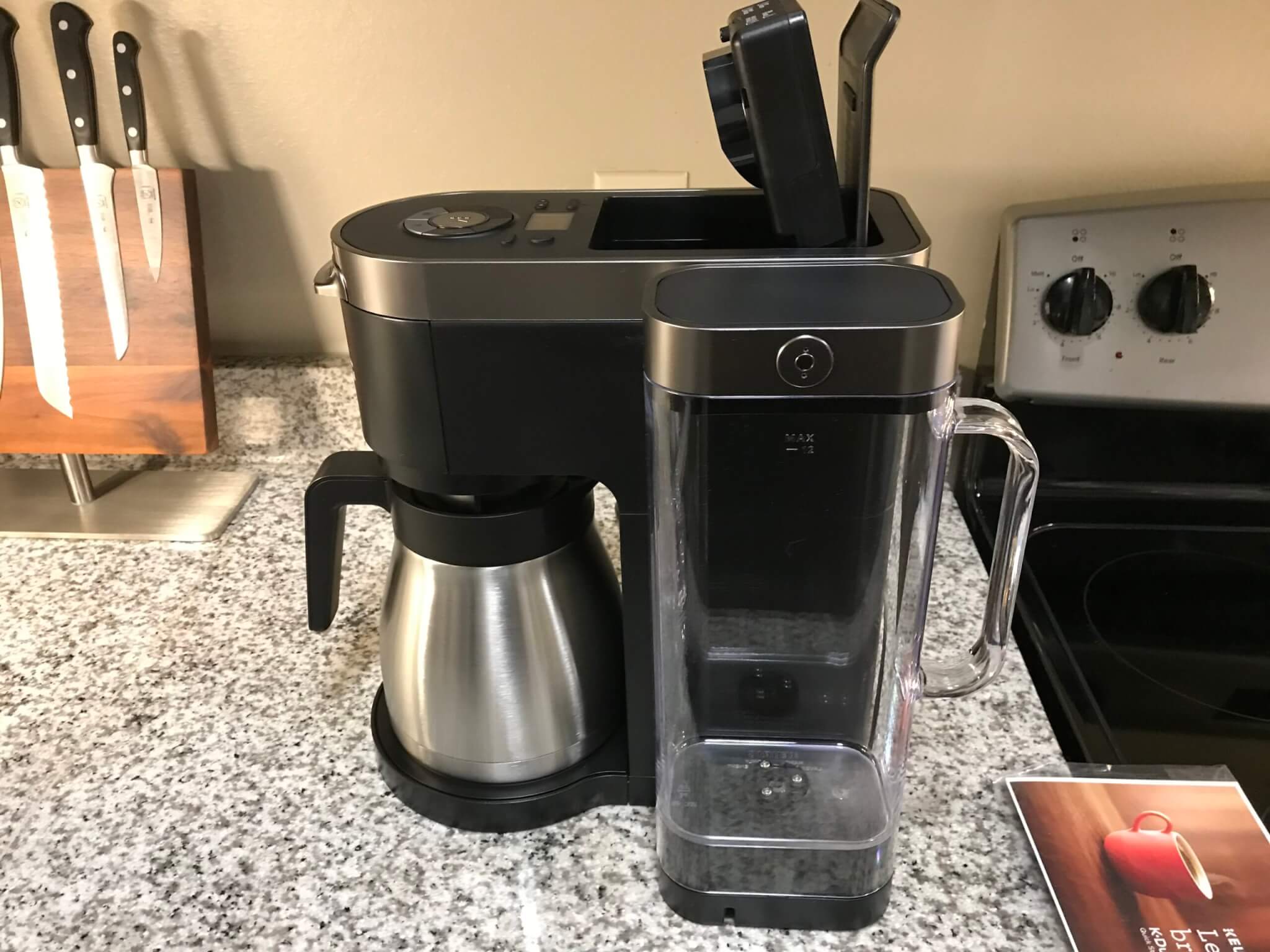
How to troubleshoot the Keurig K-Duo Plus Coffee Maker not heating
The safest way to handle a Keurig K-Duo Plus Coffee Maker not heating is to work from the outside in. Start with the easy checks before opening anything up or assuming the machine is broken.
1. Check the power source
Make sure the coffee maker is plugged directly into a working wall outlet. Avoid using a power strip or extension cord if possible, because those can weaken the power supply.
Try these steps:
• Plug in another small appliance to test the outlet
• Reset any tripped GFCI outlet in the kitchen
• Unplug the coffee maker for 2 to 5 minutes, then plug it back in
• Check that the power cord is firmly seated and not damaged
If the machine powers on but still does not heat, move to the next step.
2. Look for error signs on the display
Many heating problems show up as blinking lights, slow brewing, or no response after pressing brew. If the machine seems stuck, it may need a reset or a descale cycle before it can heat water again.
In my experience, a lot of owners miss this part because the brewer still looks “on.” But a lit display does not always mean the heating system is working properly.
3. Run a power reset
A full reset can clear minor electronic glitches. This is one of the first things I try when a brewer acts strange after a power outage or surge.
Follow these steps:
- Turn the brewer off
- Unplug it from the wall
- Remove the water reservoir
- Wait at least 5 minutes
- Plug the machine back in
- Refill the reservoir and try brewing again
This does not fix every heating problem, but it is a low-risk step that often helps.
4. Inspect and refill the water reservoir
Low water level or poor seating of the tank can cause heating and brewing problems. Make sure the reservoir is full and locked into place correctly.
Also check for:
• Cracks in the tank
• Debris at the bottom of the reservoir
• Water that looks cloudy or stale
• A float or valve that seems stuck
A simple seating issue can mimic a bigger heating failure.
5. Descale the machine
Descaling is one of the most important fixes for a Keurig K-Duo Plus Coffee Maker not heating. Mineral deposits can choke the heating system, slow the brew, and make the water too cool.
Use a descaling solution or a manufacturer-approved method. Run the descale cycle as directed, then flush the machine with clean water afterward. I have seen machines that looked ready for replacement come back to life after a serious descale.
6. Clean the needles and brew path
The needles can get clogged by coffee grounds, oils, or mineral flakes. When that happens, the brewer may struggle to move hot water through the system.
Use a cleaning tool or a soft brush if your model includes one. Be gentle, because forcing debris deeper can make the problem worse.
7. Test both brewing sides
The K-Duo Plus has two brewing modes, so one side may fail while the other still works. If the single-serve side is not heating but the carafe side is fine, that suggests a more specific internal issue.
Try both functions and note:
• Whether the reservoir fills normally
• Whether water is pumped at all
• Whether the brew starts and stops early
• Whether the machine makes unusual clicking or humming sounds
That information helps narrow the problem.
8. Let the machine cool down
Overheating protection can shut parts of the system down if the brewer has been run repeatedly. If you have brewed several cups in a short time, let the machine rest for 20 to 30 minutes.
This is a small thing, but it matters. Sometimes the machine is not broken; it is just protecting itself.

Signs the heating element may be failing
If basic troubleshooting does not help, the heating part may be wearing out. This is more likely if the brewer is older, used daily, or has had years of hard water exposure.
Watch for these signs:
• Water stays lukewarm instead of hot
• Brewing takes much longer than normal
• The machine powers on, but no heat is produced
• The brewer smells faintly burnt
• The issue returns soon after descaling
At this point, repair may not be cost-effective. Depending on the age of the unit, replacement may be the smarter choice.
What not to do when the Keurig K-Duo Plus Coffee Maker is not heating
A lot of damage happens when people rush the fix. I have seen this many times, and the mistake usually comes from trying to “force” the brewer into working.
Avoid these common errors:
• Do not run the machine dry
• Do not use vinegar unless the manufacturer allows it
• Do not poke metal objects into the needles
• Do not keep restarting the machine over and over
• Do not open sealed internal parts unless you are qualified
Treat the brewer like a small appliance with sensitive parts, not a simple kettle. A careful approach saves time and money.
How to prevent heating problems in the future
The best fix is the one you never need again. Regular care keeps the Keurig K-Duo Plus Coffee Maker heating properly and extends its life.
Helpful prevention tips:
• Use filtered water when possible
• Descale every 2 to 3 months in hard water areas
• Empty and rinse the reservoir often
• Clean the needles monthly
• Keep the machine plugged into a stable outlet
• Avoid leaving water sitting in the tank for long periods
In my own testing, the machines that stayed clean and were descaled on schedule always performed better. It is like keeping a car’s oil fresh. Small maintenance now prevents bigger headaches later.
When to contact support or replace the brewer
If the Keurig K-Duo Plus Coffee Maker not heating after a reset, cleaning, and descaling, the issue may be internal. At that point, contacting customer support or a qualified appliance repair technician is the next step.
Replacement makes more sense if:
• The machine is out of warranty
• The heating issue keeps returning
• The brewer has other failures too
• Repair costs are close to the cost of a new unit
A reliable coffee maker should simplify your morning, not turn it into a repair project.
Frequently Asked Questions of Keurig K-Duo Plus Coffee Maker not heating
Why is my Keurig K-Duo Plus turning on but not heating?
If the brewer powers on but does not heat, the problem is often scale buildup, a weak power connection, or a failing heating component. Start with a reset and descaling before assuming the machine is done.
Can a clogged needle cause the Keurig K-Duo Plus Coffee Maker not heating?
Yes, a clogged needle can restrict water flow and make it seem like the machine is not heating. When water cannot move properly, the brew cycle may stall or finish with lukewarm coffee.
How often should I descale my Keurig K-Duo Plus?
A good rule is every 2 to 3 months, especially if you use hard water. If your coffee starts tasting off or the brewer slows down, descale sooner.
Will unplugging the machine reset the heating issue?
Sometimes it will. A full unplugged reset can clear minor software glitches, but it will not fix heavy mineral buildup or a failed heating part.
Is it safe to keep using the brewer if it is not heating well?
It is better to stop using it until you find the cause. Repeated brewing with a heating problem can strain the machine further and may make the damage worse.
Conclusion
A Keurig K-Duo Plus Coffee Maker not heating is frustrating, but it is often fixable with a smart step-by-step check. Power issues, mineral buildup, clogged parts, and simple reset problems are the most common causes, and most of them can be handled at home with a little patience.
If your brewer still will not heat after cleaning and troubleshooting, that usually means the issue is deeper and may need repair or replacement. The best next move is to test the simple fixes first, keep up with regular descaling, and pay attention to early warning signs so your next cup is hot when you need it.
If this guide helped, share it with someone facing the same problem or explore more appliance troubleshooting tips to keep your kitchen running smoothly.

