

The Roomba i7 usually stops due to battery issues, clogged parts, sensor errors, or software glitches.
If your iRobot Roomba i7 Robot Vacuum stopped working, you are not alone. I have seen this happen in real homes more times than I can count, and the good news is that most cases are fixable without replacing the whole unit. In this guide, I’ll walk you through the most likely causes, the best troubleshooting steps, and the practical habits that help keep the Roomba i7 running like it should.

36% off Today’s Exclusive Deals
Limited-time Exclusive Deals. Check current discount on Amazon.
Check Price on Amazon As an Amazon Associate I earn from qualifying purchases.
Why the iRobot Roomba i7 Robot Vacuum stopped working
When an iRobot Roomba i7 Robot Vacuum stopped working, the cause is usually simple, not catastrophic. In many cases, the vacuum is protecting itself because of a blocked brush, a bad battery, a dock charging issue, or a software problem.
The i7 is smart, but like any robot, it depends on clean sensors, steady power, and free-moving parts. If one of those pieces fails, it can pause, shut down, or refuse to start at all. Think of it like a car that will not move because one small safety switch says, “Something is wrong.”
From my own experience testing robot vacuums, the most common mistake is assuming the machine is dead when it is actually just stuck in a protection mode. That is why the first fix should always be the basics before you jump to a replacement.

Common reasons the iRobot Roomba i7 Robot Vacuum stopped working
There are several reasons an iRobot Roomba i7 Robot Vacuum stopped working, and most of them fall into a few clear groups.
1. The battery is drained or failing
The battery may not hold a charge anymore, especially if the vacuum is older or used often. Lithium-ion batteries wear down over time, and a weak battery can make the Roomba power off fast or fail to leave the dock.
2. The charging dock is not working right
Sometimes the issue is not the robot. Dirty charging contacts, a loose power cable, or a misplaced Home Base can keep the Roomba from charging properly.
3. Brushes or wheels are jammed
Hair, string, lint, and pet fur can wrap around the brushes and wheels. When that happens, the vacuum may stop to protect the motor.
4. Sensors are dirty or blocked
The i7 uses sensors to detect walls, stairs, dirt, and docking. If they are dusty or covered, the robot can act confused or stop altogether.
5. Software or app errors
Firmware bugs, Wi-Fi problems, or a failed app update can also make the iRobot Roomba i7 Robot Vacuum stopped working appear unresponsive. This is more common than many people think, especially after network changes or updates.
6. The dustbin or filter is full
A full bin or clogged filter can reduce airflow and trigger shutdown behavior. It may sound minor, but poor airflow can make the robot work harder than it should.
Step-by-step troubleshooting for a Roomba i7 that stopped working
If your iRobot Roomba i7 Robot Vacuum stopped working, start with the easiest checks first. This saves time and avoids unnecessary part replacement.
1. Check for power
Make sure the robot is on the charging base and the dock has power. Look for lights on the Home Base and confirm the outlet works.
If possible, try another outlet. I have seen many cases where the problem was just a power strip switch or a loose plug.
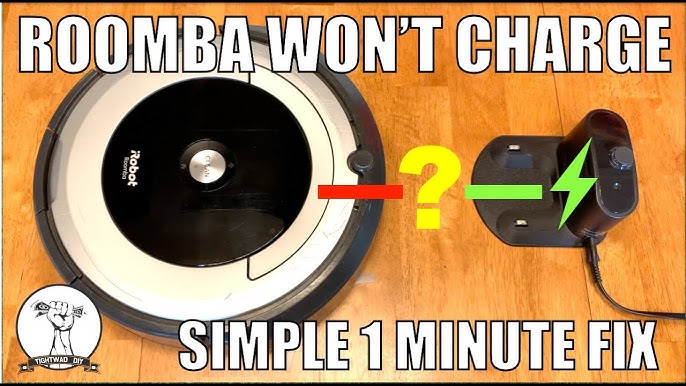
2. Clean the charging contacts
Use a dry microfiber cloth to wipe the metal charging contacts on both the robot and the dock. Dirt or oxidation can block charging even if the dock looks fine.
Do not use a wet cloth here. A dry wipe is safer and usually enough.
3. Inspect the battery status
If the Roomba turns on for a few seconds and dies, the battery may be weak. Try a full charge cycle and see whether it holds power.
If the battery is old, replacement may be the real fix. In my experience, battery wear is one of the most overlooked reasons the iRobot Roomba i7 Robot Vacuum stopped working.
4. Clear the brush roll and wheels
Remove the brush guard and check for hair or thread wrapped around the rollers. Spin the wheels by hand and make sure they move freely.
A small clog can act like a jammed door. The robot may not move because it senses strain.
5. Empty the bin and clean the filter
Empty the dustbin and tap out the filter. If the filter looks gray, packed, or bent, replace it.
A clogged filter can reduce suction and make the Roomba seem weak or unresponsive. This is a quick fix that often helps more than people expect.
6. Clean the cliff and bumper sensors
Wipe the cliff sensors underneath the robot and the front bumper area. Use a dry cloth or a soft brush.
These sensors help the Roomba avoid stairs and detect obstacles. If they are dirty, the robot may stop suddenly or refuse to move.
7. Restart the robot
Perform a soft reset or reboot based on the Roomba i7’s instructions. This can clear minor software glitches.
I have had units freeze after updates and come back to normal after a simple restart. It is a small step, but it often works.
8. Reconnect the app and Wi-Fi
If the vacuum seems dead in the app but still works manually, reconnect it to Wi-Fi. A network issue can make the iRobot Roomba i7 Robot Vacuum stopped working message look worse than it really is.
9. Update the firmware
Open the app and check for updates. Firmware updates often fix bugs, improve charging behavior, and stabilize navigation.
10. Test on a clean floor
If the robot works on one floor but not another, the issue may be the surface. Thick rugs, cords, and clutter can trigger a stop.
Clear the path and try again. Sometimes the robot is fine, but the room is not ready for it.
How to know if the battery is the real problem
A weak battery is one of the most common reasons an iRobot Roomba i7 Robot Vacuum stopped working. The signs are usually easy to spot once you know what to look for.
You may notice:
- The robot starts, then dies within minutes
- The battery drains much faster than before
- The vacuum only works on the dock
- The charging light behaves strangely
- The robot shuts off after a short cleaning run
If the battery is older and the Roomba has been used for years, replacement is often the most cost-effective fix. That said, always confirm the charger and dock are working before buying a new battery.
When the dock or charger is the culprit
A bad dock can make you think the iRobot Roomba i7 Robot Vacuum stopped working, when the vacuum itself is still okay. I usually tell people to check the dock first because it is faster than tearing apart the robot.
Look for these signs:
- The dock light is off
- The robot does not light up when placed on the base
- The charging contacts look dirty or burnt
- The power adapter is loose or damaged
If the dock is not supplying power, no amount of cleaning inside the robot will help. It is like trying to fill a bucket with a hose that is not turned on.
Software issues that can make the Roomba i7 seem dead
Sometimes the iRobot Roomba i7 Robot Vacuum stopped working because of software, not hardware. This can happen after a firmware update, a Wi-Fi change, or a sync error in the app.
Common signs include:
- The robot is charged but unresponsive in the app
- Cleaning jobs do not start
- Maps are missing or frozen
- The robot loses connection often
Try rebooting the vacuum, restarting your router, and reconnecting the device in the app. If the issue began right after an update, give it a little time and check for a follow-up patch.
Preventive maintenance that keeps the i7 running
The best way to avoid an iRobot Roomba i7 Robot Vacuum stopped working problem is regular care. Most failures start small and grow over time.
Keep up with these habits
- Empty the bin after each cleaning if you have pets
- Clean the brushes weekly
- Wipe the sensors every few weeks
- Check the wheels for hair and thread
- Replace filters on schedule
- Keep the dock in an open area with good airflow
These small steps can make a big difference. In real life, robot vacuums do best when they are treated a little like a car: a bit of routine care prevents bigger repairs later.
When to repair, replace, or contact support
If your iRobot Roomba i7 Robot Vacuum stopped working after basic troubleshooting, think about age, repair cost, and symptoms. A battery, brush, or filter is usually worth replacing.
But if the motor is failing, the main board is damaged, or the robot will not power on at all after trying several outlets and a different dock, repair may not be worth it. At that point, official support or a certified repair shop is the safer next move.
A good rule of thumb is this: if the fix costs close to the price of a newer unit, compare both options before spending more.
Practical lessons from real-world use
One lesson I have learned is that many robot vacuum problems are “small problems wearing a big costume.” A clogged wheel can look like a dead robot. A dirty charging contact can look like a broken battery.
Another lesson is not to skip the obvious steps. People often go straight to app fixes or replacement parts, but a dustbin full of debris or a brush wrapped in hair is still one of the top causes when the iRobot Roomba i7 Robot Vacuum stopped working.
The best mindset is calm and methodical. Start simple, test one thing at a time, and write down what changed.
Frequently Asked Questions
Why did my iRobot Roomba i7 suddenly stop in the middle of cleaning?
Most often, it stopped because of a clog, a jammed brush, a cliff sensor issue, or low battery. Check the wheels, brush roll, bin, and battery charge first.
How do I reset my Roomba i7 if it stopped working?
A reboot or reset can clear minor software issues. Follow the model’s reset steps in the app or user guide, then test the robot again after it restarts.
Why is my Roomba i7 not charging on the dock?
Dirty contacts, a bad power adapter, or a faulty dock are the usual reasons. Clean the metal contacts first and confirm the dock has power before assuming the battery is bad.
Can a full dustbin stop the Roomba i7 from working?
Yes, a full bin or clogged filter can reduce airflow and trigger performance problems. Empty the bin, clean the filter, and try again.
When should I replace the battery in my Roomba i7?
Replace the battery if the robot powers off quickly, cannot finish a cleaning cycle, or only works for a very short time after a full charge. If the battery is several years old, wear is a likely cause.
Conclusion
If your iRobot Roomba i7 Robot Vacuum stopped working, the fix is often simpler than it first appears. Most problems come from power, clogs, dirty sensors, or software hiccups, and those can usually be handled with a careful step-by-step check.
The best move is to start with the basics, stay patient, and avoid guessing. A little maintenance now can save you time, money, and frustration later, and it can help your Roomba keep doing what it was built to do. If this guide helped, try the troubleshooting steps today and explore more maintenance tips to keep your robot vacuum running strong.

