

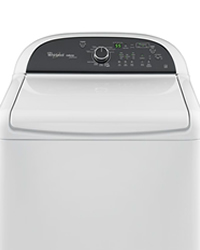
The Whirlpool Cabrio Platinum Washer is a popular choice for busy households, known for its high efficiency and large capacity. But like any complex appliance, it can sometimes develop problems that interrupt your laundry routine. If your Cabrio washer is acting up—won’t start, won’t drain, or keeps showing error codes—you’re not alone.
This guide will walk you through practical troubleshooting steps, expert tips, and useful insights to help you fix common issues. You’ll also learn when it’s best to call for professional help, and how to keep your machine running smoothly for years.

36% off Today’s Exclusive Deals
Limited-time Exclusive Deals. Check current discount on Amazon.
Check Price on Amazon As an Amazon Associate I earn from qualifying purchases.Understanding Your Whirlpool Cabrio Platinum Washer
Before diving into specific troubleshooting, it helps to know a bit about how this washer works. The Cabrio Platinum series uses direct drive motors, advanced sensors, and electronic controls to deliver efficient washes. It’s built to handle large loads and save water. However, these features also mean more parts that can fail or need adjusting.
Key Features
- High-efficiency design: Uses less water and energy compared to older models.
- Digital controls: Touch panels and display screens for program selection and error codes.
- Automatic sensors: Detect load size, water level, and balance.
- Direct drive motor: Fewer moving parts than belt-driven models.
Knowing these features helps you understand why certain problems happen and what solutions will actually work.
Common Problems And How To Fix Them
Let’s look at the issues Cabrio Platinum owners face most often, and how you can troubleshoot them at home.
Washer Won’t Start
This is one of the most frustrating issues. If your washer won’t power on or start a cycle:
- Check power supply: Make sure the washer is plugged in and the outlet is working. Test with another device, like a lamp.
- Inspect the door/lid: Cabrio washers won’t start if the lid isn’t fully closed. Press down firmly.
- Control lock: If the “Control Lock” light is on, press and hold the “End of Cycle” button for three seconds to unlock.
- Error codes: If you see an error code, note it down (more on these later).
A surprising number of start issues are from an unlatched lid or a tripped breaker. Always check these first.
Washer Won’t Drain
If you open the lid and see water at the bottom, try these steps:
- Pause and restart: Sometimes, restarting the cycle will trigger the drain pump.
- Check for clogs: Clean the drain hose and pump filter (usually behind a panel at the bottom front).
- Listen for pump noise: If the pump is silent, it may have failed electrically.
- Inspect for kinks: A bent or pinched drain hose can stop water flow.
Common Causes:
- Coins, socks, or debris blocking the pump
- Frozen or kinked hoses
- Faulty drain pump
A clogged pump filter is easy to miss. Owners often overlook this simple fix.
Washer Isn’t Spinning
Sometimes, the washer completes a cycle but clothes come out soaking wet.
- Redistribute the load: Overloading or uneven items (like a single blanket) can cause imbalance.
- Run the spin cycle again: After redistributing, use the “Spin” or “Drain & Spin” cycle.
- Check for error codes: Unbalanced loads can trigger codes like “UL” (unbalanced load).
- Inspect the drive system: If you hear a humming but no spin, the motor or belt may need attention.
Many people forget that washing one heavy item (like a rug) can prevent spinning. Always balance large loads with towels or similar items.
Washer Is Noisy
Loud noises during washing or spinning can signal problems.
- Rattling/clunking: Loose objects (coins, buttons) in the drum or pump.
- Grinding: Worn bearings or a faulty drive motor.
- Banging: Unbalanced loads or loose feet.
Make sure the washer is level. Adjustable feet should be firmly on the floor. Noise often increases if the washer wobbles.
Washer Leaks Water
Leaks can come from several places:
- Hoses: Check both the supply and drain hoses for cracks or loose fittings.
- Door gasket: Inspect the rubber seal around the lid for damage or dirt.
- Detergent drawer: Overfilling can cause spills.
Always use HE (High Efficiency) detergent. Too much or the wrong type creates excess suds, leading to leaks.
Understanding And Fixing Error Codes
The Cabrio Platinum washer displays error codes to help you diagnose problems. Here are the most common ones and what to do:
| Error Code | Meaning | What to Do |
|---|---|---|
| F1/E2 | Control board issue | Unplug for 5 minutes, retry; call service if code returns |
| F7/E1 | Motor drive problem | Check for obstructions, reset washer, call service if needed |
| F8/E1 | Low water flow | Check water supply and hoses |
| F9/E1 | Long drain time | Clean drain pump and hose |
| UL | Unbalanced load | Redistribute items, restart spin |
| LF/Ld | Long fill or drain | Inspect hoses and water supply |
Some codes can be cleared with a simple reset: unplug the washer for 5 minutes, plug back in, and try again. But recurring codes may need professional repair.
Troubleshooting By Washer Cycle
Sometimes, problems happen only during certain cycles—like wash, rinse, or spin. Here’s what to check based on where your washer stops:
Stops During Wash
- Check water supply: Make sure both hot and cold faucets are fully open.
- Inspect inlet screens: Sediment can block screens inside hoses.
- Error codes: “F8/E1” or “LF” often mean low water flow.
Stops During Rinse
- HE detergent: Not using it can create too many suds, confusing sensors.
- Cold water only: Some cycles need both hot and cold. Make sure both are available.
- Drain issues: If water can’t leave, the rinse won’t start.
Stops During Spin
- Unbalanced loads: “UL” code appears if items are bunched up.
- Open lid: Safety lock may not be engaging.
- Drive problems: If the drum doesn’t move, check for motor errors.
Preventive Maintenance Tips
Avoiding problems is always easier than fixing them. Regular maintenance keeps your Cabrio Platinum washer in top shape.
- Clean the tub: Run a “Clean Washer” cycle with washer cleaner monthly.
- Wipe the gasket: After each use, dry the rubber seal to prevent mold.
- Check hoses: Inspect for cracks or bulges every six months.
- Use correct detergent: Only use HE detergent, and don’t overfill.
- Balance the washer: Adjust feet so the machine sits level.
These steps not only reduce breakdowns but also extend your washer’s lifespan.
When To Call A Professional
Some repairs are best left to experts. Call a technician if:
- The washer trips the circuit breaker repeatedly
- There’s a burning smell during operation
- Multiple error codes appear at once
- The drum won’t turn at all, even after resetting
- You see water leaking from inside the machine body
Attempting major repairs on your own can void the warranty or cause more damage. Trust an authorized Whirlpool service provider for complex issues.

Comparing Cabrio Platinum With Other Whirlpool Models
How does the Cabrio Platinum stack up against other Whirlpool washers? Here’s a quick look:
| Feature | Cabrio Platinum | Standard Cabrio | Duet Front Load |
|---|---|---|---|
| Capacity | 4.8–5.3 cu. ft. | 4.5–4.8 cu. ft. | 4.5–5.0 cu. ft. |
| Efficiency | High | Medium | Very High |
| Noise Level | Low–Medium | Medium | Low |
| Spin Speed | Up to 1100 RPM | Up to 1000 RPM | Up to 1200 RPM |
| Control Type | Digital | Digital | Digital |
Cabrio Platinum offers a strong mix of capacity and features, sitting between basic Cabrio and high-end Duet models.
Real-world Examples And User Mistakes
Learning from others’ experiences can save you time and money. Here are two real-world scenarios:
- Case 1: A user noticed their washer was always noisy and shaking. They had never leveled the feet after installation. Once they adjusted the feet and used the lock nuts, the noise and shaking stopped immediately.
- Case 2: Another user complained about the “F9/E1” error. They kept cleaning the drum and rerunning cycles, but the issue returned. It turned out their drain hose was pushed too far into the standpipe, creating a siphon effect that prevented proper draining.
A common beginner mistake is ignoring the importance of correct detergent type. Using regular detergent produces extra suds, which can trigger errors and even damage the washer’s sensors.
Advanced Troubleshooting For Persistent Problems
For tough issues that keep coming back, try these advanced steps:
Resetting The Control Board
- Unplug the washer from the outlet.
- Wait at least 5 minutes.
- Plug the washer back in.
- Open and close the lid 6 times within 12 seconds.
- Run a test cycle.
This can clear some error codes and get the washer back to normal.
Checking The Lid Lock
The lid lock is a small but critical part. If you suspect it’s faulty:
- Listen for a clicking sound when the cycle starts. No click means the lock may need replacing.
- Inspect the lock wiring for damage.
- Replacement requires removing the top panel and swapping the part—a task for confident DIYers only.
Inspecting The Drain Pump
If your washer consistently struggles to drain, the pump may be blocked or dead.
- Unplug the washer.
- Access the pump filter (check your manual for location).
- Remove the filter and clean out debris.
- Spin the pump impeller by hand to check for smooth movement.
- If the pump doesn’t spin freely, it may need replacement.
Essential Tools For Diy Troubleshooting
You don’t need a workshop to fix most Cabrio Platinum issues. Keep these tools handy:
- Phillips and flathead screwdrivers
- Pliers (for hose clamps)
- Multimeter (for checking electrical continuity)
- Small bowl (for water when cleaning pump)
- Old towels (for spills)
Having the right tools makes repairs faster and less stressful.

How To Read The Cabrio Diagnostic Mode
Your washer has a hidden diagnostic mode that lets you test each function and read stored error codes.
To enter diagnostic mode:
- Press any three buttons (except Power/Start) in sequence, then repeat two more times (total 3 sets).
- All lights will turn on, and the display will show “888”.
- Use the cycle buttons to scroll through tests: Spin, drain, sensors, etc.
Write down any codes you see—they can help Whirlpool technicians fix the problem faster.
Cleaning And Care For Long-term Performance
Many problems start with simple neglect. Here’s how to keep your washer fresh:
- Wipe the drum and gasket with a soft cloth after every wash.
- Leave the lid open for an hour to air out the inside.
- Clean the dispenser drawer weekly to prevent soap buildup.
- Run a “Clean Washer” cycle with a commercial cleaner once a month.
Neglecting these steps can cause odors, mold, and even sensor failures.
Warranty And Support
Whirlpool Cabrio Platinum washers usually come with a one-year parts and labor warranty. Extended warranties are available at purchase. Always keep your receipt and warranty card in a safe place. If your washer is still under warranty, call Whirlpool support or visit their official website for authorized service.
Don’t try to repair sealed components yourself while under warranty—this can void your coverage.
Energy And Water Usage Compared
Cabrio Platinum models are designed to save both energy and water. Here’s how they compare to older top-load models:
| Model | Average Water Used (per load) | Annual Energy Use (kWh) |
|---|---|---|
| Cabrio Platinum | 14–16 gallons | 135 kWh |
| Traditional Top-Load | 25–40 gallons | 220 kWh |
Switching to a Cabrio Platinum can save over 2,000 gallons of water and $30–$60 in energy per year, depending on local rates.
Non-obvious Insights For Owners
Most guides miss these two important tips:
- Sensor calibration matters: If your washer isn’t filling or spinning correctly after moving it, run the calibration cycle (check your manual). This helps the sensors “learn” the new location and balance.
- Update your firmware: Some Cabrio models allow software updates via service technicians. An update can fix recurring glitches and improve performance.
Many owners never calibrate their washer after moving, leading to persistent balance and fill errors.
Where To Find More Help
If you’re stuck, Whirlpool’s official support and user forums are valuable resources. You can also find downloadable manuals and troubleshooting videos on the Whirlpool website. For deeper technical guides, consider Repair Clinic, which offers diagrams and part numbers for DIY repairs.
Final Thoughts
Troubleshooting your Whirlpool Cabrio Platinum Washer doesn’t have to be intimidating. With a calm, step-by-step approach, many common issues can be solved at home—saving you time, money, and stress. Remember to always start with the basics: check power, hoses, and balance. Learn to read error codes, perform regular cleaning, and don’t hesitate to call a professional for complex repairs. Taking care of your washer means it will take care of your laundry for years to come.
Frequently Asked Questions
What Does The “ul” Code Mean On My Cabrio Platinum Washer?
The “UL” code stands for unbalanced load. This means the washer detected items are not evenly distributed inside the drum. Stop the cycle, rearrange your clothes, and restart the spin cycle. Avoid washing single heavy items without balancing them with similar-sized pieces.
How Often Should I Clean The Washer Drum And Gasket?
For best results, clean the drum and gasket at least once a month. Use a washer cleaner and run the “Clean Washer” cycle. After each load, wipe the gasket dry to prevent mold and odors.
Why Does My Cabrio Washer Keep Pausing During Cycles?
Frequent pausing often happens because of unbalanced loads, a partially open lid, or sensor errors. Make sure the lid is closed, the load is balanced, and you are using the correct detergent. Persistent pausing with error codes may need a technician’s help.
Can I Use Regular Detergent Instead Of He Detergent?
No, you should only use HE (High Efficiency) detergent. Regular detergent creates too many suds, which can cause leaks, poor rinsing, and error codes. HE detergent is specially formulated for high-efficiency machines.
Is It Safe To Repair My Cabrio Washer Myself?
You can safely perform basic maintenance like cleaning filters or hoses. However, for electrical, motor, or control board repairs, it’s best to call a professional. Attempting complex repairs yourself can void the warranty and risk injury.

