

Dexter Washer Troubleshooting
Dexter washers are known for their durability and performance, making them a top choice in laundromats and commercial laundry environments. But even the most reliable machines can develop problems over time. Whether you’re a laundry business owner, a technician, or someone dealing with a Dexter washer at home, knowing how to spot and fix common issues can save you time, money, and a lot of stress.
This guide offers a clear, practical approach to Dexter washer troubleshooting. You’ll find solutions for typical problems, learn when to handle repairs yourself, and discover when it’s best to call a professional. With real examples, data tables, and expert tips, you’ll quickly understand what to do when your Dexter washer isn’t working as it should.

36% off Today’s Exclusive Deals
Limited-time Exclusive Deals. Check current discount on Amazon.
Check Price on Amazon As an Amazon Associate I earn from qualifying purchases.Understanding Dexter Washers
Dexter washers have a reputation for lasting many years, often with minimal maintenance. They are designed for heavy use, especially in commercial settings. Most Dexter models use a simple electronic interface and have robust mechanical parts. However, certain issues come up more often than others, usually due to heavy loads, improper use, or lack of maintenance.
Common Features Of Dexter Washers
- Front-load design for efficient cleaning and water use
- Stainless steel drums for durability
- Digital controls with error code displays
- High-speed extraction for faster drying times
Knowing these features helps you understand where and why problems might occur.
Basic Troubleshooting Steps
Before looking at specific problems, it’s wise to follow some basic steps. Many minor issues can be solved with these simple actions:
- Unplug the washer: Always disconnect power before opening panels or checking internal parts.
- Check the power supply: Make sure the outlet works and the circuit breaker hasn’t tripped.
- Inspect water connections: Confirm the water taps are turned on and hoses are not kinked.
- Empty the drum: Remove any clothes and check for loose items that might block movement.
- Read the error code: Most Dexter washers display error codes—note these as they guide your troubleshooting.
If these steps don’t solve the problem, it’s time to look at specific issues.

Common Dexter Washer Problems And Solutions
Dexter washers can develop several common issues. Here’s how to identify and fix them.
Washer Won’t Start
If your Dexter washer doesn’t power on or begin a cycle, check these points:
- Power supply: Is the washer plugged in? Try another outlet to confirm.
- Door latch: The washer won’t start if the door isn’t fully closed or if the latch sensor fails.
- Control board: Electronic faults can stop the machine from starting. Check for visible damage or burning smells.
Quick Fixes
- Firmly close the door and listen for a “click.”
- Reset the washer by unplugging for 1 minute, then plugging back in.
- If the display is dead, test the outlet with another device.
Washer Fills Slowly Or Not At All
Dexter washers need proper water pressure to work well. Slow filling or no filling is a common issue.
- Clogged inlet screens: Remove hoses and check the small filters at the water inlets.
- Faulty water valves: If the valve is stuck or broken, water won’t flow.
- Low water pressure: Confirm water pressure is at least 20 psi (pounds per square inch).
Example Table: Water Fill Troubleshooting
| Problem | Possible Cause | Solution |
|---|---|---|
| No water entering | Closed tap or kinked hose | Open tap, straighten hose |
| Slow fill | Clogged screen | Clean inlet screen |
| Fills then stops | Faulty valve | Replace water valve |
Drum Not Spinning Or Agitating
A drum that won’t spin is a frustrating problem, especially in a busy laundry. Causes include:
- Broken belt: The drive belt may be worn out or snapped.
- Faulty motor: If the motor is weak or not getting power, the drum won’t move.
- Door lock issues: The washer will not spin if the door lock sensor isn’t working.
What To Do
- Open the back panel and check the belt for cracks.
- Listen for motor noise during the spin cycle; no sound may mean a wiring issue.
- Test the door lock. If the light doesn’t turn on, the lock sensor needs replacement.
Excessive Vibration Or Noise
Dexter washers are built to run smoothly, but heavy vibration is a sign of trouble.
- Unbalanced load: Too few or too many clothes can throw the drum off balance.
- Leveling feet: If the washer isn’t level, it may shake violently.
- Worn shock absorbers: Over time, these parts can fail.
Practical Tips
- Adjust loads so clothes are spread evenly.
- Use a level tool to check all four feet and adjust as needed.
- Replace shock absorbers if the washer rocks even when empty.
Washer Not Draining
Water left in the drum can cause odors and damage. Common causes:
- Clogged drain pump: Lint, coins, or buttons may block the pump.
- Faulty drain pump: The pump motor may fail.
- Kinked drain hose: Check the hose for bends or blockages.
Quick Actions
- Remove the front panel and clean the drain filter.
- Listen for the pump during the drain cycle; a humming sound with no water movement means a blocked or failed pump.
- Run the washer empty to test drainage.
Leaking Water
Leaks can come from several places. Key sources include:
- Door seal: Cracked or torn rubber can cause front leaks.
- Hoses: Loose or split hoses often drip during cycles.
- Detergent drawer: Using too much detergent can cause overflow.
How To Fix
- Inspect the door seal for debris and tears.
- Tighten or replace any damaged hoses.
- Measure detergent carefully—follow manufacturer recommendations.
Error Codes And What They Mean
Dexter washers display specific error codes to help identify problems. Here are some common ones:
| Error Code | Meaning | Recommended Action |
|---|---|---|
| E1 | Slow fill or no fill | Check water supply and inlet valves |
| E2 | Draining problem | Clean drain pump and hose |
| E3 | Door not locked | Check latch and door switch |
| E4 | Motor error | Inspect motor, belt, and wiring |
Always consult your Dexter washer manual for the full error code list, as codes may differ by model.
Preventive Maintenance Tips
Regular maintenance reduces breakdowns and extends your washer’s life. Here’s what you should do:
- Clean the drum: Wipe inside the drum weekly to remove buildup.
- Check hoses: Inspect for cracks every month and replace every 2-3 years.
- Clean filters: Remove and rinse inlet and drain filters monthly.
- Level the washer: Re-check the feet every few months, especially if you move the machine.
Non-obvious Insights
- Descale periodically: Hard water causes mineral buildup inside the drum and pipes. Run a hot cycle with vinegar every 3 months to prevent this.
- Ventilation matters: Dexter washers need good airflow around them. Crowded spaces can make them overheat or trap moisture, leading to mold.
When To Call A Professional
Not all problems are DIY friendly. Call a certified Dexter technician if you notice:
- Burning smells: This can signal electrical problems.
- Repeated error codes: If the same code returns after basic checks, it could be a complex control issue.
- Water under the machine: Internal leaks can damage electrical parts.
Professional repair is also recommended for:
- Motor replacement
- Control board issues
- Major leaks
- Warranty-covered repairs
Real-world Example: Diagnosing A Dexter Washer
Imagine a Dexter washer that stops mid-cycle and shows an E2 error. Here’s how you’d troubleshoot:
- Remove clothes and water: Use a bucket to scoop out standing water if the washer won’t drain.
- Check the drain pump: Remove the pump cover and clear any debris.
- Inspect the drain hose: Make sure it’s not twisted or blocked.
- Test the pump: Run a quick cycle. If you still hear the pump humming but no water moves, the pump likely needs replacing.
This step-by-step approach saves time and avoids unnecessary part replacements.
Comparing Dexter Washer Models
Not all Dexter washers are the same. Here’s a quick look at three popular models and their key troubleshooting points:
| Model | Capacity | Common Issues | Troubleshooting Tip |
|---|---|---|---|
| T-300 | 20 lbs | Slow fill, vibration | Check water screens; balance loads |
| T-400 | 25 lbs | Drain errors | Clean drain pump filter |
| T-600 | 40 lbs | Door lock problems | Inspect and replace lock switch |
Knowing your model helps you find the right parts and guides you to the correct troubleshooting steps.
Advanced Troubleshooting: Electrical And Control Issues
Some Dexter washer problems are less obvious and involve the electronics or wiring.
Control Board Failures
- Symptoms: Dead display, random error codes, unresponsive buttons
- Check: Look for burnt spots or loose wires on the board.
- Solution: Most control board issues require a replacement. Always use genuine Dexter parts.
Sensor Problems
- Symptoms: Washer won’t fill, drain, or spin even when all parts are clean and intact.
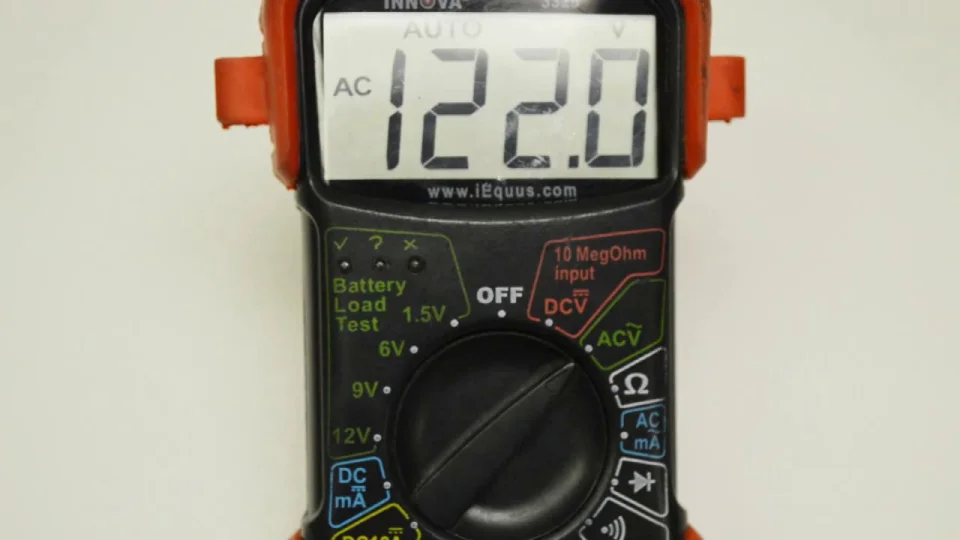
- Check: Test the water level sensor and door lock sensor for continuity with a multimeter.
- Solution: Replace any sensor that doesn’t show continuity.
Wiring Faults
- Symptoms: Intermittent power or cycles stopping suddenly.
- Check: Inspect wiring harnesses for pinched or broken wires, especially near moving parts.
- Solution: Repair or replace damaged wires with proper connectors.
Non-obvious Insight
Many owners overlook voltage fluctuations. Commercial washers are sensitive to power supply changes. If your Dexter washer has frequent electronic errors, consider installing a surge protector or voltage regulator.
Common User Mistakes That Cause Problems
Many Dexter washer issues stem from use errors rather than mechanical faults. Avoid these:
- Overloading the drum: This strains the motor and suspension.
- Using non-HE detergent: Regular soap foams too much and causes sensor errors.
- Ignoring small leaks: These often get worse and cause bigger problems.
- Skipping regular cleaning: Lint and buildup quickly lead to drainage and odor issues.
Sourcing Dexter Washer Parts
If you need to replace a part, always use genuine Dexter components. Aftermarket parts may not fit well or last as long. You can find Dexter parts through authorized dealers, commercial laundry suppliers, or the Dexter official website.
Ordering Tips
- Have your washer model and serial number ready.
- Confirm the part number from your washer’s manual.
- Check for warranty coverage before buying.
Frequently Asked Questions
How Do I Reset A Dexter Washer?
Most Dexter washers reset by unplugging the machine for 1 minute and then plugging it back in. Some models have a small reset button inside the control panel. Always check the user manual for your specific model.
Why Does My Dexter Washer Keep Showing The Same Error Code?
Repeated error codes usually mean the underlying problem hasn’t been fixed. For example, a drain error means the pump or hose is still blocked, or the pump motor is faulty. Clear all possible causes before restarting the machine.
What Type Of Detergent Should I Use In My Dexter Washer?
Always use high-efficiency (HE) detergent. Standard detergents produce excess suds, which can lead to sensor errors and poor cleaning. Follow the load size recommendations for the best results.
How Often Should I Clean The Filter In My Dexter Washer?
For commercial use, clean the filter at least once a week. In low-use environments, clean it monthly. A clogged filter can cause drainage issues and odors.
Can I Replace Dexter Washer Parts Myself?
Many simple parts, like belts, hoses, and filters, can be replaced by a handy person. However, for motor, control board, or complex sensor issues, professional service is recommended to avoid further damage.
Dexter washers are built to handle tough jobs, but they benefit from regular care and smart troubleshooting. By following these steps, you’ll maximize uptime and avoid costly repairs. If you ever feel uncertain, don’t hesitate to consult a professional or refer to trusted resources like the Dexter website or Wikipedia. With the right approach, your Dexter washer will keep running strong for years to come.

