

When your LG fridge ice maker stops working, daily life can get frustrating. You might notice there’s no ice, the ice is stuck, or the cubes are too small. These problems are common, but the good news is that most can be fixed at home. With some patience and the right steps, you can often solve the issue without calling a technician. This guide will walk you through practical troubleshooting, explain the most common causes, and offer real solutions for your LG fridge ice maker.
Common Problems With Lg Fridge Ice Makers
Ice makers in LG refrigerators are reliable, but a few issues pop up again and again. Understanding these can help you find the right fix faster.

36% off Today’s Exclusive Deals
Limited-time Exclusive Deals. Check current discount on Amazon.
Check Price on Amazon As an Amazon Associate I earn from qualifying purchases.- No ice production – The ice maker doesn’t make any ice at all.
- Slow ice production – The ice comes, but it’s much slower than normal.
- Ice cubes are too small or large – Size is inconsistent.
- Ice dispenser not working – Ice is made, but won’t dispense.
- Ice is stuck or clumped – Ice forms but gets stuck in the tray or bucket.
- Leaking water – Water leaks around the ice maker or dispenser.
Let’s look at each problem, what causes it, and how you can fix it.
No Ice Production
When your LG fridge stops making ice, it’s usually a sign that something simple is wrong.
Check The Power And Ice Maker Switch
First, make sure the refrigerator is plugged in and the ice maker is turned on. Some LG models have a dedicated ice maker switch inside the freezer or on the control panel. If it’s switched off, simply turn it on.
Water Supply Issues
No water means no ice. Check the water line behind your fridge:
- Ensure the water valve is open.
- Look for kinks in the water supply hose.
- Make sure the hose is not frozen.
If your home has low water pressure, the ice maker won’t work. LG recommends at least 20 psi (pounds per square inch) for proper operation.
Water Filter Needs Replacement
LG recommends replacing the water filter every 6 months. A clogged filter can block water from reaching the ice maker. If the filter is older or you have hard water, replace it and reset the filter indicator.
Ice Maker Reset
Sometimes, the ice maker needs a simple reset. For most LG models:
- Remove the ice bin.
- Locate the reset button (usually on the underside or side of the ice maker module).
- Hold the button for 3 seconds.
- Replace the bin and wait 24 hours for ice production.
Slow Ice Production
If your LG ice maker is making ice, but not enough, several factors might be involved.
Freezer Temperature
Ice production slows if the freezer is too warm. LG recommends keeping your freezer at 0°F (-18°C). Use a thermometer to check. If it’s warmer, adjust the settings and clear any items blocking the air vents.
High Usage
If you use a lot of ice, the maker may not keep up. The average LG ice maker produces 2–3 pounds of ice per day. If you need more, consider using the Ice Plus or Express Freeze feature, which increases production for 24 hours.
Water Filter
A partially blocked water filter restricts flow, reducing ice output. Try replacing the filter if it’s near the end of its life.
Data Table: Ice Production Rates
Here’s a comparison of typical ice production rates for different LG fridge models:
| LG Model | Ice Production (per 24h) | Express Mode |
|---|---|---|
| Standard French Door | 2.5 lbs | Yes |
| InstaView Door-in-Door | 3 lbs | Yes |
| Top Freezer | 2 lbs | No |
If your ice maker’s output is far less, there may be a technical issue.
Ice Cubes Are Too Small Or Large
When ice cubes are tiny or too big, it’s usually a water supply issue.
Water Pressure And Filter
Low water pressure or a blocked filter leads to small cubes. Check the water supply and replace the filter if needed.
Adjusting Ice Size
Some LG ice makers let you adjust cube size using the control panel. Check your manual. If not, fixing the water supply is your best option.
Non-obvious Tip
Mineral buildup in the water line can also cause small cubes. Consider flushing the line with clean water or replacing it every few years.
Ice Dispenser Not Working
Sometimes the ice maker works, but the ice won’t come out.
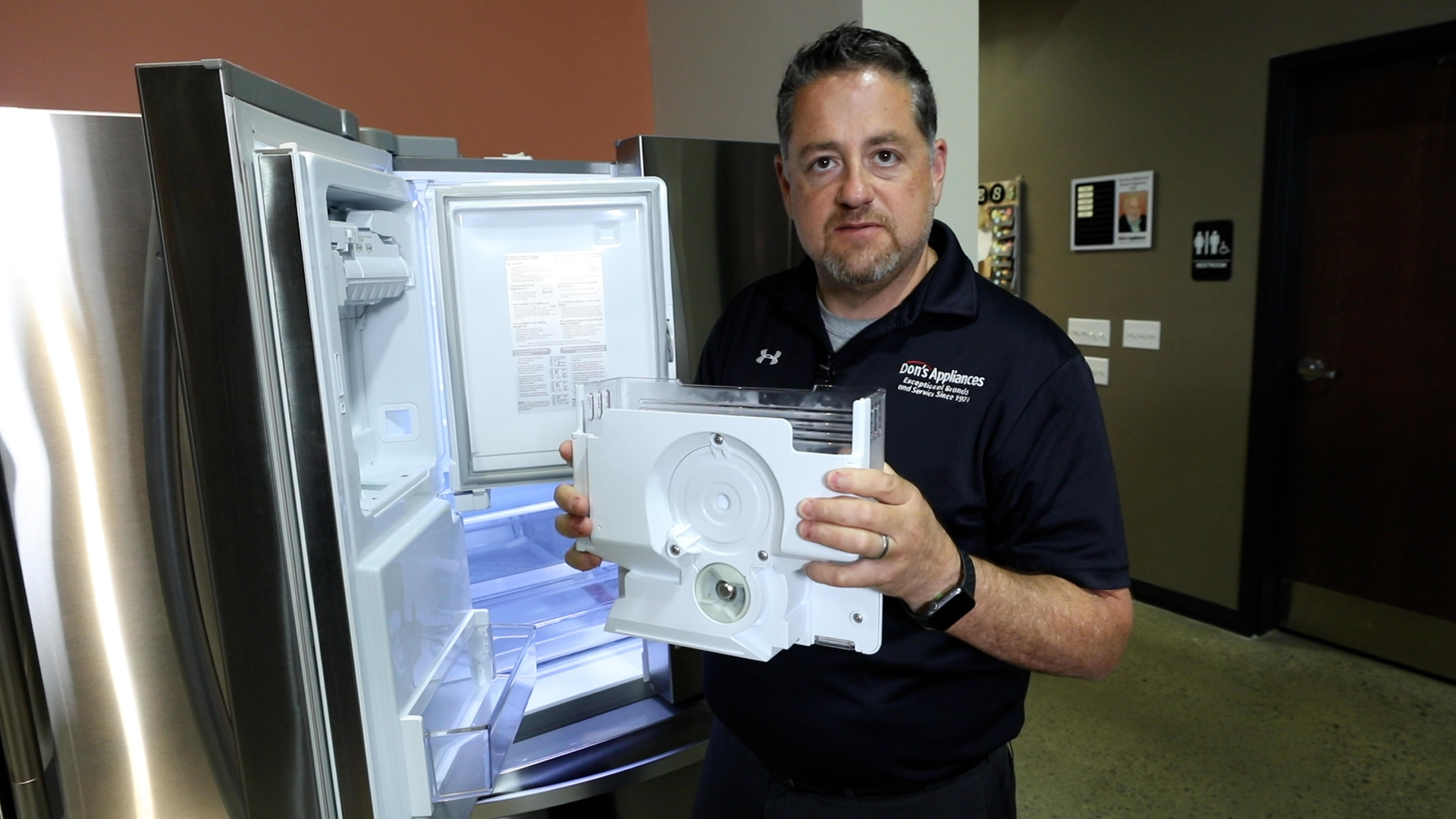
Jammed Ice Bucket
Remove the ice bin and check for clumped ice. If you see a block, empty the bin, let it dry, and replace it. To prevent this, shake the bin every few days.
Dispenser Motor
Listen for a humming sound when you press the dispenser. If you hear it but no ice comes out, the motor might be jammed or the auger (spiral inside the bin) might be blocked.
Dispenser Lock
Some LG fridges have a child lock or dispenser lock feature. Make sure it’s not activated.
Ice Is Stuck Or Clumped
Ice that sticks together or jams the tray is common, especially in humid climates.
Causes
- Warm air entering the freezer
- Long periods without using the ice
- Freezer temperature fluctuations
Solutions
- Empty and clean the ice bin every 1–2 weeks.
- Do not store the bin outside the freezer for long.
- Check the freezer door seal for leaks.
Leaking Water
Water leaks can damage your kitchen floor and the fridge.
Water Line Connection
Inspect the connection between the fridge and the water supply. Tighten any loose fittings and replace cracked hoses.
Defrost Drain
Blocked defrost drains can cause leaks inside the fridge. Clean the drain hole with warm water and a thin brush.
Ice Maker Assembly
If water leaks inside the freezer, the ice maker module might be misaligned. Remove and reinstall it, making sure it sits flat.
Advanced Troubleshooting Steps
If the basic checks don’t solve the issue, try these advanced options.
Resetting The Ice Maker
Most LG fridges have a reset function. Here’s a quick process for the common models:
- Open the freezer and remove the ice bin.
- Press and hold the reset button on the ice maker for about 3 seconds.
- Wait for a chime or the ice maker arm to move.
- Replace the bin and wait for 24 hours.
Checking For Error Codes
LG refrigerators often display error codes on the control panel. Codes like Er IF, Er 1F, or Er 2F relate to the ice maker or fan. Check your user manual or visit the official LG Support page for code meanings.
Inspecting The Ice Maker Assembly
If you’re comfortable, remove the ice maker (after unplugging the fridge) and inspect for broken parts, ice buildup, or loose wires. Replace any worn components as needed.
Data Table: Common Error Codes
Below is a quick reference for common LG ice maker error codes and what they mean.
| Error Code | Meaning | DIY Action |
|---|---|---|
| Er IF | Ice maker fan error | Clear ice, check fan |
| Er 1F | Ice room fan error | Check for obstructions |
| Er FF | Freezer fan error | Reset fridge |
Preventive Maintenance Tips
Simple routine care can help your LG ice maker run smoothly for years.
- Replace the water filter every 6 months.
- Clean the ice bin with warm water and mild soap monthly.
- Check the water line and connections twice a year for leaks or cracks.
- Keep the freezer full to stabilize temperatures but don’t overpack.
- Use the ice maker regularly to prevent clumping.
When To Call A Professional
If you’ve tried all the steps above and your LG ice maker still doesn’t work, it may be time to call a certified LG technician. Signs you need help include:
- Persistent error codes after resets
- No water at all to the ice maker
- Electrical or wiring issues
- Broken mechanical parts
Attempting complex repairs on your own can void your warranty or cause further damage.
Table: Diy Fixes Vs. Professional Repairs
Here’s a quick comparison to help you decide when to do it yourself or call for help.
| Issue | DIY Possible? | Call Technician? |
|---|---|---|
| Replace water filter | Yes | No |
| Check water line | Yes | No |
| Reset ice maker | Yes | No |
| Replace motor/board | No | Yes |
Practical Tips For Reliable Ice
Two simple habits make a big difference but are often overlooked:
- Open the freezer door as little as possible. Warm air can cause ice to stick or melt slightly, leading to clumping.
- Keep the ice bin about half full. If you’re not using much ice, dump old cubes every week to keep things fresh and prevent jams.
Non-obvious Insights
- Ice thickness is affected by water temperature. If you just installed your LG fridge, let it cool for 24 hours before expecting full ice production. Water entering the maker must be cold enough for proper cubes.
- New fridges may take a day or more to start making ice. Many owners worry if there’s no ice after a few hours. This is normal—give your fridge time to stabilize.
Frequently Asked Questions
Why Did My Lg Fridge Ice Maker Suddenly Stop Making Ice?
There are several reasons, but the most common are the ice maker switch is off, the water line is blocked, or the water filter is clogged. Check these first before moving to more complex solutions.
How Often Should I Replace The Water Filter In My Lg Refrigerator?
LG recommends every 6 months for most models. If you have hard water or use the ice maker heavily, you might need to replace it more often.
My Lg Ice Maker Is Making Noise But Not Producing Ice. What Should I Do?
A humming or clicking sound can mean the motor is jammed or the ice tray is stuck. Try resetting the ice maker and check for any visible ice jams in the tray or bin.
Can I Manually Fill The Ice Maker With Water?
Most LG ice makers are designed to work automatically. Manually filling can cause overflows or damage. If your water line is disconnected, fix the supply rather than filling by hand.
What Does “ice Plus” Mean On My Lg Fridge?
Ice Plus is a feature that boosts ice production for 24 hours. It’s helpful when you need extra ice for parties or hot weather. Remember to turn it off when you don’t need it to save energy.
Solving LG fridge ice maker problems is often about careful checks and regular maintenance. With these steps, you’ll keep your ice maker running smoothly and avoid unnecessary repair costs. If you ever feel unsure, don’t hesitate to seek help from a professional or consult the official LG support website for more information.

