Are you tired of sitting all day at your desk? A walking pad under your desk could be the game-changer you need.
It lets you move while you work, boosting your energy and focus. But using it the right way matters. If you want to avoid discomfort and get the most benefits, you need to know how to use your walking pad correctly.
Keep reading, and you’ll discover simple tips that make every step count toward a healthier, more productive you.

Choosing The Right Walking Pad
Choosing the right walking pad for under your desk is important. It affects your comfort and how well you use it every day. The right walking pad fits your workspace and meets your walking needs. Consider several factors before buying to get the best experience.
Key Features To Consider
Look for a walking pad with a strong motor. It should support your weight safely. Check if it has a good control panel or remote. Easy controls make walking simpler. Some models have safety features like automatic stop. These keep you safe while walking.
Size And Portability
Measure the space under your desk first. Choose a walking pad that fits well without crowding. Smaller pads are easier to move and store. If you need to carry it often, check its weight. A lightweight pad makes moving easier. Portability helps if you want to change rooms.
Speed And Noise Levels
Walking pads have different speed options. Choose one that matches your walking pace. Some pads go faster for jogging, but slow speeds work well at a desk. Noise level matters if you work with others nearby. Pick a quiet model to avoid distractions. Quiet walking pads improve focus and comfort.
Setting Up Your Walking Pad
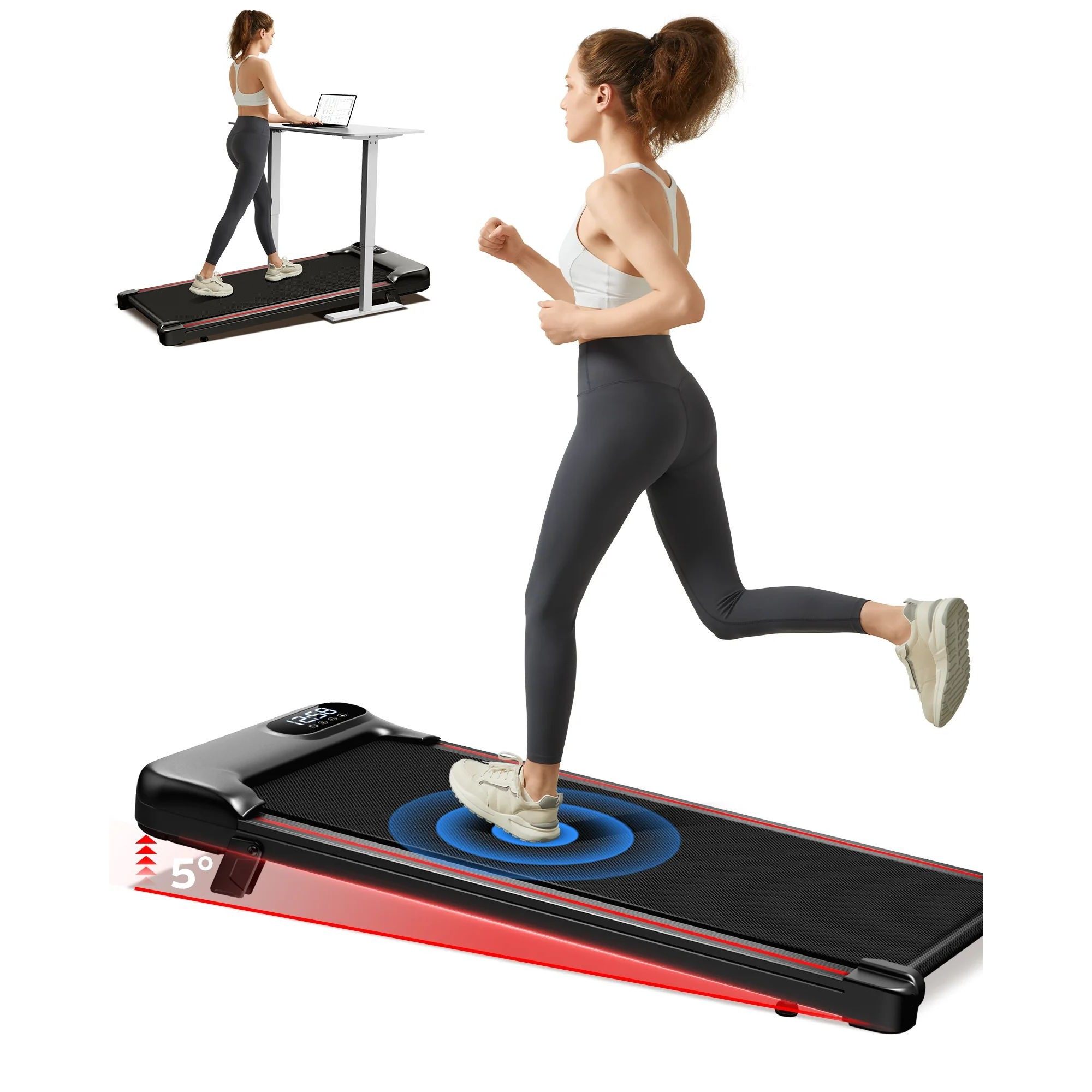
Setting up your walking pad correctly helps you stay comfortable and safe while working. It also improves your walking experience under the desk. Follow these steps to get started easily and use your walking pad well.
Placement Under The Desk
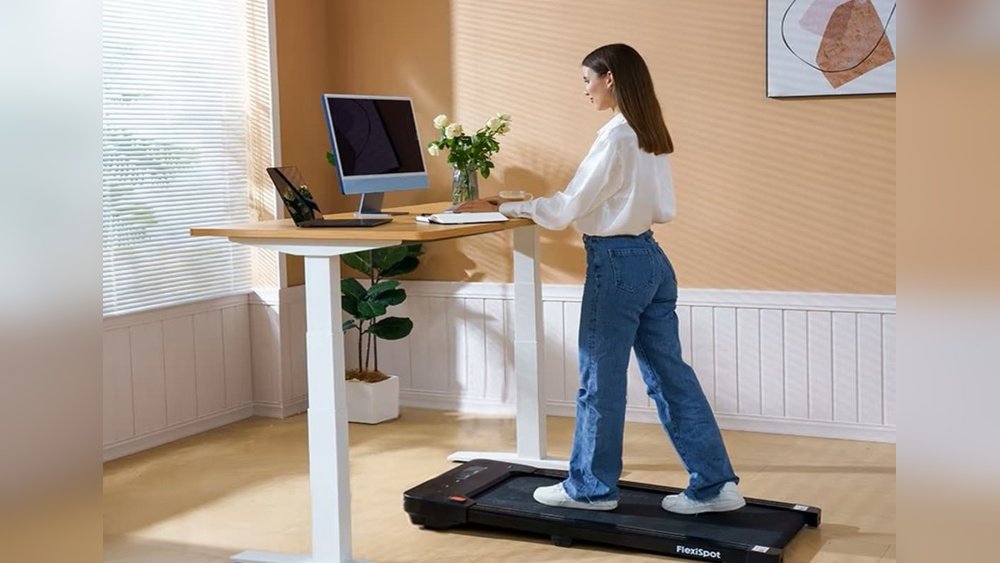
Place the walking pad where your feet can move freely. Make sure there is enough space for walking without hitting the desk legs. Keep it centered to maintain balance. Avoid clutter around the walking pad for smooth use.
Adjusting Desk Height
Set your desk height so your arms rest comfortably while typing. Your elbows should bend around 90 degrees. Adjust the desk to avoid hunching or stretching. This helps maintain good posture during walking and work.
Ensuring Safety And Stability
Check that the walking pad sits firmly on the floor. Use a flat, even surface to avoid wobbling. Keep the power cord away from walking paths. Wear proper shoes and walk at a steady pace to prevent slips.
Best Practices For Walking Pad Use
Using a walking pad under your desk can improve health and productivity. Following best practices helps you get the most benefits. Proper use keeps you safe and comfortable during work hours.
Optimal Walking Speed
Keep your walking speed slow and steady. Around 1 to 2 miles per hour works best. This speed helps maintain focus on work. Fast walking can cause distractions or strain your muscles.
Recommended Duration
Start with short sessions of 15 to 20 minutes. Gradually increase time as your body adjusts. Aim for about one hour of walking spread across the workday. Balance walking with sitting for best results.
Incorporating Breaks
Take breaks every 30 to 45 minutes. Step off the walking pad to stretch and rest. Breaks reduce fatigue and prevent muscle stiffness. Use breaks to move your neck, arms, and legs freely.
Benefits Of Walking While Working
Walking while working with a Walking Pad under your desk offers many benefits. It helps your body and mind stay active during long work hours. Walking gently burns calories and keeps your muscles moving. This simple change can improve your health and work quality.
Improved Physical Health
Walking regularly reduces the risk of heart disease. It helps control weight and lowers blood pressure. Moving your legs stops stiffness and joint pain. It also boosts your energy levels throughout the day. Small steps add up to big health gains.
Enhanced Mental Focus
Walking increases blood flow to the brain. This helps you think more clearly and stay alert. It can reduce stress and improve mood. Moving your body breaks the cycle of sitting too long. Your mind feels fresh and ready to solve problems.
Increased Productivity
Walking while working keeps your body active and awake. It helps prevent tiredness and afternoon slumps. You can complete tasks faster with better focus. Short walking sessions improve creativity and problem-solving skills. Staying active helps you work smarter, not harder.
Common Mistakes To Avoid
Using a walking pad under your desk can boost your health and productivity. Yet, some common mistakes can reduce its benefits. Avoiding these errors helps you stay safe and comfortable while walking.
Overexertion
Starting too fast or walking too long is a common error. Your body needs time to adjust to walking while working. Begin with short sessions at a slow pace. Gradually increase your time and speed to avoid tiredness or injury.
Poor Posture
Slouching or leaning forward harms your back and neck. Keep your back straight and shoulders relaxed. Align your head with your spine. Good posture reduces pain and improves focus during walking.
Ignoring Ergonomics
Not adjusting your desk or screen height causes discomfort. Your desk should fit your walking height. Keep your screen at eye level. Proper ergonomics prevent strain on your eyes, neck, and wrists.

Maintaining Your Walking Pad
Maintaining your walking pad is key to keep it working well. A clean and well-checked device lasts longer and stays safe. Simple care steps help avoid problems and improve your walking experience.
Regular Cleaning
Clean your walking pad often. Wipe the surface with a soft, damp cloth. Avoid using harsh chemicals that can damage the belt or frame. Remove dust and dirt from the motor area carefully. Keep the walking belt free of debris to prevent slips. Dry the pad fully before using it again.
Routine Inspections
Check your walking pad every few weeks. Look at the belt for signs of wear or tears. Ensure the belt stays tight and centered on the rollers. Inspect the power cord and plug for damage. Tighten any loose screws or parts. Early checks help catch small issues before they grow.
Troubleshooting Common Issues
If your walking pad stops working, start with simple fixes. Restart the device and check the power source. Listen for unusual noises that might show a problem. Adjust the belt if it slips or moves off track. Clean the motor area if it feels hot. Contact support if problems continue after basic steps.
Frequently Asked Questions
What Is The Best Way To Use A Walking Pad Under Desk?
Use the walking pad at a slow, steady pace to stay comfortable. Maintain good posture and avoid looking down for long periods. Take breaks to prevent fatigue. Adjust speed based on your task to balance walking and working efficiently.
How Do I Set Up A Walking Pad Under My Desk?
Place the walking pad on a flat surface beneath your desk. Ensure enough space for leg movement. Adjust the desk height for ergonomic comfort. Connect power and test the speed controls before starting your walking routine.
Can Walking Pads Improve Health While Working?
Yes, walking pads boost circulation, reduce sedentary risks, and increase calorie burn. They help improve focus and energy levels during work. Regular use promotes better posture and can reduce back pain from prolonged sitting.
How Fast Should I Walk On A Walking Pad Under Desk?
Walk at a slow to moderate pace, usually between 1 to 2 mph. This speed allows you to work without distraction. Avoid fast speeds to prevent loss of concentration and maintain safety while typing or using a mouse.
Conclusion
Using a walking pad under your desk helps keep you active daily. Start slow and find a pace that feels right. Keep good posture to avoid strain or pain. Take breaks to rest and stretch your legs. Consistency matters more than speed or distance.
This simple habit can improve health and focus. Stay patient as you adjust to this new routine. Enjoy moving more while working at your desk.