

Check power, connections, sensors, and wireless links first; follow a stepwise diagnostic checklist.
I’ve worked on RV leveling systems for years, and I know how frustrating a failing wireless system can be. This guide shows exactly how do you troubleshoot a wireless RV leveling system? step by step. You will get clear checks, real fixes, and tips I learned on the road. Read on to confidently diagnose and fix most wireless RV leveling issues.

36% off Today’s Exclusive Deals
Limited-time Exclusive Deals. Check current discount on Amazon.
Check Price on Amazon As an Amazon Associate I earn from qualifying purchases.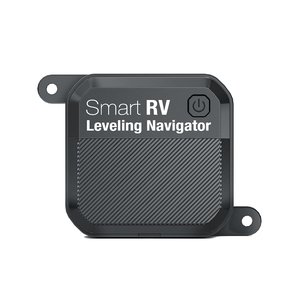
How wireless RV leveling systems work
Wireless RV leveling systems use sensors, a control module, and a wireless link to raise or lower jacks. The control module reads tilt and height sensors and sends commands to jacks. Wireless links relay data from sensors or controllers to a central unit. Understanding this flow helps you isolate where problems start.

Common problems and symptoms
Many failures are easy to spot by their symptoms. Look for these signs when you ask, how do you troubleshoot a wireless RV leveling system?
- Control panel shows no power or error codes.
- Jacks move slowly or not at all.
- Level readings jump or are inconsistent.
- System loses connection between modules.
- Errors after heavy rain or travel bumps.

Step-by-step troubleshooting checklist
Follow this order for fast diagnosis. It keeps tests simple and avoids chasing false causes.
- Safety first: Park on level ground, chock wheels, turn off vehicle. Keep people clear of jacks.
- Check main power: Verify battery voltage at the RV battery; it should read 12.4V or higher when resting. Low voltage can cause false faults.
- Inspect fuses and breakers: Find inline fuses for the leveling system and replace any blown fuses. Reset breakers and test again.
- Power connection at control module: Look for loose or corroded connectors. Tighten and clean terminals.
- Check the remote/control panel: Replace the remote battery. Reboot the panel by disconnecting power for 30 seconds.
- Test jacks individually: Use manual or direct power to each jack to confirm motor function. If a jack won’t move on direct power, the jack motor or gearbox may be at fault.
- Sensor checks: Inspect tilt and height sensors for loose mounts, broken wires, or water damage. Reposition or replace damaged sensors.
- Wireless link test: Move the remote or wireless module close to the control box. If connection improves, suspect range or interference.
- Update firmware: If available, update the control module firmware. New firmware can resolve communication bugs.
- Reset and recalibrate: Follow the manufacturer steps to return the system to factory settings and run automatic calibration.
Repeat tests after each fix to confirm the issue is resolved. This sequence answers many who ask, how do you troubleshoot a wireless RV leveling system? in a practical way.

Tools and parts to have on hand
Being prepared makes troubleshooting quicker. Carry these items on trips.
- Multimeter for voltage and continuity checks.
- Needle-nose pliers and a socket set for connectors and small bolts.
- Electrical contact cleaner and dielectric grease.
- Replacement fuses and spare remote batteries.
- Small replacement sensor or wiring harness if available.
- Portable 12V power pack for bench testing components.

Wireless connectivity and signal troubleshooting
Wireless problems often feel like hardware problems. Test the radio link early when you troubleshoot.
- Reduce distance: Move the wireless receiver next to the control module.
- Check antenna orientation: Some modules need a vertical antenna for best range.
- Eliminate interference: Turn off nearby Wi-Fi routers, Bluetooth devices, and inverter chargers.
- Change frequency/channel if possible: Some systems let you re-pair on a different channel.
- Re-pair devices: Follow pairing steps in the manual to re-establish secure links.
If signal improves near the module, consider a replacement antenna or relocating the receiver for better line of sight. Remember that metal walls and batteries block signals. This helps answer how do you troubleshoot a wireless RV leveling system? when the fault is wireless.

Electrical and sensor checks
Electrical faults and bad sensors are common causes of failure. Test them methodically.
- Battery test: Measure resting voltage and voltage under load. Replace batteries under 12.0V.
- Ground integrity: A poor ground can cause odd faults. Clean ground straps and confirm tight bolts.
- Continuity checks: Use a multimeter to confirm wiring from sensors to the control module.
- Sensor mounts: Check that sensors are level and securely fastened. Loose mounts give false readings.
- Moisture intrusion: Look for water at connectors. Dry and protect with dielectric grease and heat shrink.
These checks narrow electrical causes. When you ask, how do you troubleshoot a wireless RV leveling system? start here for reliable results.

Control panel and software fixes
Sometimes the problem is software or calibration, not hardware. Try these fixes.
- Soft reboot: Power down the system for one minute then power up.
- Hard reset: Use the factory reset option in the manual when soft reboot fails.
- Firmware update: Apply updates from the manufacturer to fix bugs.
- Recalibrate sensors: Run the auto-level or calibration routine as instructed.
- Decode error lights: Look up error codes in the manual and follow prescribed fixes.
Keep a note of error numbers. They speed up help from tech support. These steps answer how do you troubleshoot a wireless RV leveling system? when the control unit shows faults.

When to call a professional and repair costs
Some jobs need a shop or dealer. Know when to stop and call for help.
- Replace the jack motor or gearbox: This often needs hoisting and shop tools.
- Complex wiring repairs inside chassis: If wires run through frames or sealed looms, get a pro.
- Structural damage or frame alignment issues: These are outside DIY scope.
- Persistent wireless module failure after tests: Module replacement may require dealer tools.
Typical costs vary by model and region. Expect small repairs under $200. Major jack or module replacements can run $500 to $2,000. Ask for a written estimate before work starts.

Troubleshooting examples and personal anecdotes
I once had a coach with intermittent leveling that failed after rain. The control panel showed no errors. I found a corroded ground strap under the battery box. After cleaning and securing the ground, the system ran perfectly. Lesson: small electrical issues mimic big failures.
Another time a wireless link dropped only when the owner used the roof-mounted satellite. Moving the receiver 2 feet fixed the link. Lesson: consider antenna placement and nearby electronics.
These real fixes show how do you troubleshoot a wireless RV leveling system? calmly and practically. Try simple checks first. They save time and money.
Frequently Asked Questions of How do you troubleshoot a wireless RV leveling system?
How do I reset my wireless RV leveling system?
Power down the system at the main cutoff for 30–60 seconds and then power back up. If the problem remains, perform a factory reset per the manual and recalibrate sensors.
What voltage should my RV leveling system read?
A healthy resting battery should read about 12.4V to 12.8V. Under 12.0V suggests a weak battery that can cause faults or slow jack movement.
Why does my leveling system lose wireless connection?
Interference, poor antenna placement, or damaged wireless modules often cause drops. Move modules closer and remove sources of interference to isolate the issue.
Can I operate jacks manually during a wireless failure?
Yes, most systems allow manual or direct power operation of each jack. Follow safety steps and the manual to avoid damage or injury.
When should I replace a jack motor or control module?
Replace a jack motor if it won’t run on direct power or makes grinding noises. Replace a control module if it fails all diagnostics and firmware updates do not help.
Conclusion
Troubleshooting a wireless RV leveling system becomes simple when you follow a clear plan. Start with power and fuses, check wiring and grounds, test sensors, and isolate wireless links. Use updates and resets before replacing parts. If problems persist, call a trusted technician to avoid costly mistakes. Try these checks on your next trip, and share your results or questions below to learn more and stay safe on the road.

