

Is Dji Osmo Pocket 3 Worth It? A Detailed Review
The demand for compact, high-quality cameras is growing fast. Many people want a device that fits in their pocket but still delivers excellent video and photo results. DJI, known for its drones and gimbals, offers the Osmo Pocket 3—a tiny camera with impressive features. But is it worth the price? This article will help you decide by exploring its main features, real-world performance, and how it compares to alternatives.
What Makes The Dji Osmo Pocket 3 Stand Out?
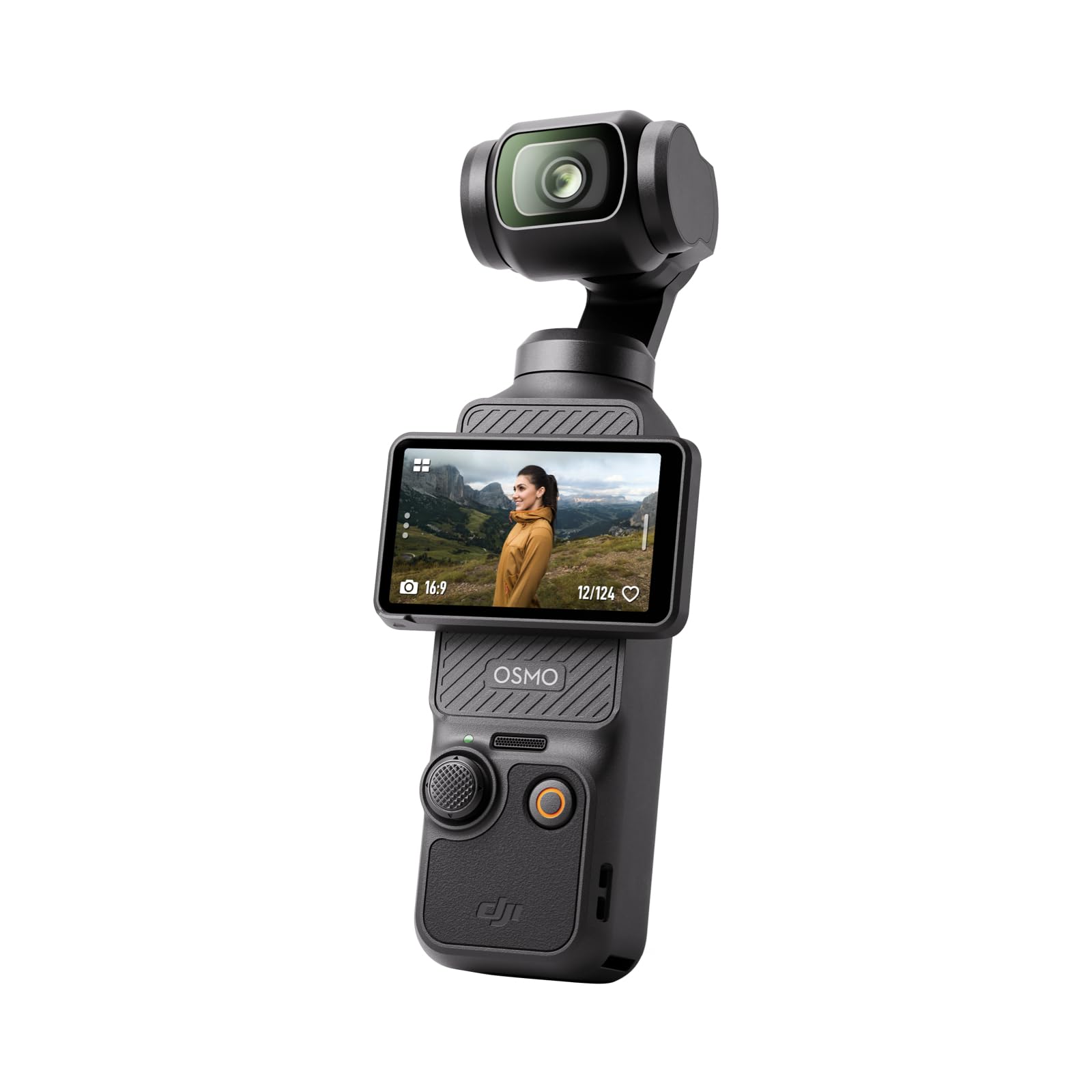
The Osmo Pocket 3 brings some major upgrades over previous models and similar small cameras. Here’s what makes it special:

36% off Today’s Exclusive Deals
Limited-time Exclusive Deals. Check current discount on Amazon.
Check Price on Amazon As an Amazon Associate I earn from qualifying purchases.- Pocket-sized design: At just 179g, it’s easy to carry anywhere.
- 1-inch CMOS sensor: Delivers better low-light and dynamic range.
- 3-axis gimbal: Smooths out shakes for professional-looking footage.
- 4K/120fps video: Captures slow motion and high-quality detail.
- Rotating touchscreen: Makes vlogging and selfies simple.
But these specs only tell part of the story. Let’s look deeper into the three most important aspects that help you decide if this camera is right for you.
1. Image And Video Quality
One of the biggest reasons people consider the Osmo Pocket 3 is its image quality. The 1-inch sensor is much larger than most pocket cameras, including older Osmo models and many action cams.
- Photo resolution: 9.4MP stills, but with better color and sharpness than typical smartphones.
- Video resolution: Shoots up to 4K at 120fps, which is rare for such a small device.
- Low-light performance: Thanks to the larger sensor, nighttime and indoor shots look cleaner with less noise.
Here’s a quick comparison with other popular pocket cameras:
| Model | Sensor Size | Max Video | Low-Light Performance |
|---|---|---|---|
| DJI Osmo Pocket 3 | 1-inch | 4K/120fps | Excellent |
| Insta360 GO 3 | 1/2.3-inch | 2.7K/30fps | Average |
| GoPro Hero 12 Black | 1/1.9-inch | 5.3K/60fps | Good |
Most users notice a clear improvement in details, especially in challenging lighting. The Osmo Pocket 3 also handles highlights and shadows better, so sunny scenes don’t look blown out.
2. Stabilization And Usability
Smooth video is essential, especially when shooting on the move. The Osmo Pocket 3 uses a 3-axis mechanical gimbal to keep footage steady. This is different from the digital stabilization found in many action cameras.
- Real gimbal stabilization: Handles walking, running, and even light jogging without heavy shakes.
- Rotating touchscreen: Makes it easy to switch between selfie and forward shooting.
- Quick start-up: Ready to shoot in about 2 seconds.
Here’s a side-by-side look at stabilization:
| Camera | Stabilization Type | Performance While Walking | Selfie Mode |
|---|---|---|---|
| Osmo Pocket 3 | 3-axis gimbal | Very Smooth | Rotating Screen |
| GoPro Hero 12 | Digital (HyperSmooth) | Smooth, but can crop image | Front Display |
| iPhone 15 | Digital | Some shake remains | Screen flips |
A less obvious benefit: real gimbals avoid the “warping” effect that sometimes happens with digital stabilization. Also, the Osmo Pocket 3 is easy for beginners—touchscreen controls are simple, and you can use auto or manual modes based on your skill.
3. Battery Life And Accessories
Battery performance often gets overlooked. The Osmo Pocket 3 offers about 120 minutes of shooting at 4K/60fps. If you use 4K/120fps, expect a bit less. Charging is fast, thanks to USB-C.
Accessories make a big difference:
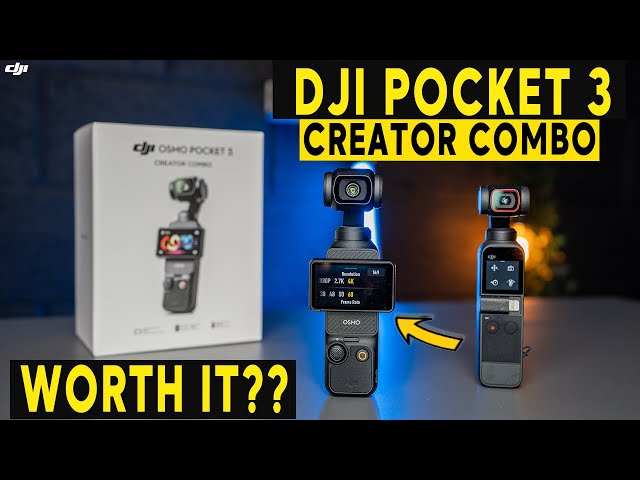
- Wireless microphone: Included in the Creator Combo, perfect for vlogs.
- Mini tripod: Helps with time-lapses and hands-free shooting.
- Wide-angle lens: Expands your field of view.
- Carrying case: Protects the device while traveling.
Here’s how battery life compares:
| Device | Battery Life (4K/60fps) | Fast Charging | Wireless Mic Support |
|---|---|---|---|
| Osmo Pocket 3 | ~120 min | Yes | Yes (included in some packages) |
| GoPro Hero 12 | ~90 min | Yes | Yes (sold separately) |
| Insta360 GO 3 | ~45 min | No | No |
One insight many beginners miss: using extra accessories like the wireless mic or wide-angle lens can drain the battery a bit faster. It’s wise to carry a power bank if you plan on long shoots.
How Does The Osmo Pocket 3 Compare To Alternatives?
The Osmo Pocket 3 costs about $519 for the basic kit and $669 for the Creator Combo. This is more than most smartphones but less than high-end cameras. Here’s what you get for your money:
- Portability: Smaller than a phone, lighter than a GoPro with accessories.
- Quality: Matches or beats more expensive devices in video quality.
- Versatility: Great for travel, vlogs, family moments, and even semi-professional work.
However, if you already own a recent smartphone or action camera, consider your needs. Phones are more flexible for editing and sharing. GoPros are tougher and waterproof out-of-the-box. Osmo Pocket 3 is best for those who want the smoothest footage and best image quality in a tiny form.
For a closer look at technical details, check out the official DJI site.
Is The Dji Osmo Pocket 3 Worth It?
If you want top video quality, smooth stabilization, and a device that fits in your pocket, the Osmo Pocket 3 is a strong choice. It’s ideal for travel vloggers, families, or anyone who wants better video than a smartphone can offer.
But it’s not for everyone. If you only shoot videos occasionally, or if you already own a recent GoPro or high-end phone, you may not notice a huge difference. For frequent content creators, the Osmo Pocket 3’s features and portability justify the price.

Frequently Asked Questions
What’s The Main Difference Between Osmo Pocket 3 And Older Models?
The biggest difference is the 1-inch sensor. This means much better low-light performance and image quality compared to older Osmo Pocket models.
Can Osmo Pocket 3 Be Used For Live Streaming?
Yes, it supports live streaming directly to popular platforms. You’ll need the DJI Mimo app and a stable internet connection.
Is It Waterproof?
The Osmo Pocket 3 is not waterproof on its own. You’ll need a special waterproof case for underwater shooting.
How Does The Audio Quality Compare To Other Cameras?
With the included wireless mic (in the Creator Combo), audio is clearer and less affected by wind than most built-in camera mics.
Does It Work Well For Beginners?
Absolutely. The auto mode and simple touchscreen controls make it friendly for new users, while manual options are there for advanced creators.

