

If you own a Silonn ice maker, you know how convenient it is to have fresh ice at your fingertips. But like any home appliance, it can sometimes run into problems. When your ice maker stops working or doesn’t make ice as expected, it can be frustrating—especially during summer or when you have guests. The good news? Most Silonn ice maker issues are simple to fix at home. With a bit of guidance, you can get your machine back up and running without calling for professional help.
This article will walk you through common Silonn ice maker problems, step-by-step troubleshooting methods, and practical tips to keep your machine in top shape. You’ll also find data tables and a handy FAQ section at the end. Whether you are a new user or have owned your Silonn for years, you’ll find clear solutions here.

36% off Today’s Exclusive Deals
Limited-time Exclusive Deals. Check current discount on Amazon.
Check Price on Amazon As an Amazon Associate I earn from qualifying purchases.Understanding How A Silonn Ice Maker Works
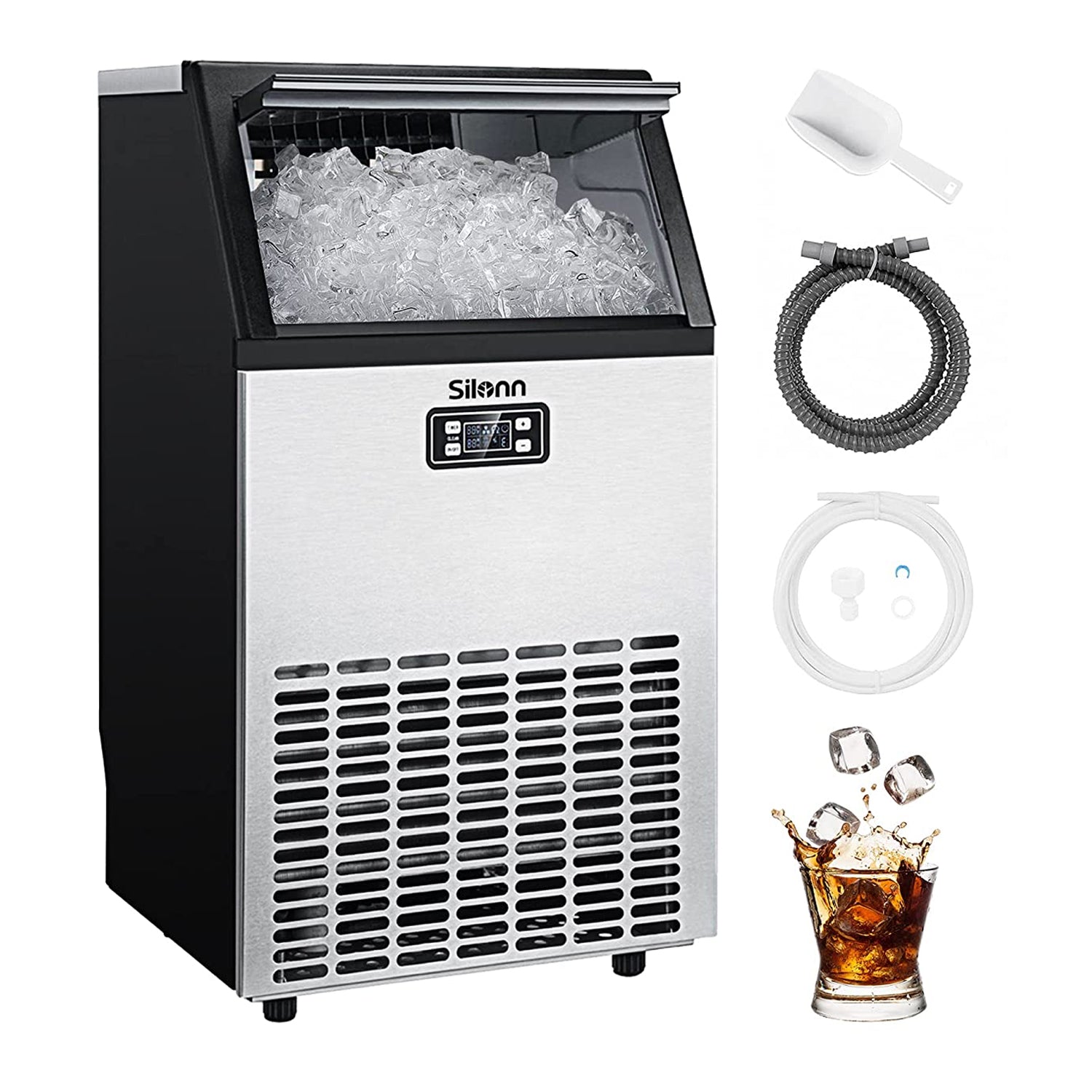
Before troubleshooting, it helps to know how your Silonn ice maker operates. The machine pulls water from its reservoir, chills it using a compressor, then shapes it into cubes in a freezing tray. Once the cubes are ready, the machine drops them into the ice basket.
Sensors detect when the basket is full or when more water is needed. If any part of this process fails, you may notice problems like no ice, small cubes, or strange noises.
Common Silonn Ice Maker Problems
Most Silonn ice maker issues fall into a few categories. Here are the most frequent problems users report:
- Machine not turning on
- No ice production
- Small or hollow ice cubes
- Ice not dropping into basket
- Strange noises or vibrations
- Leaking water
- Indicator lights stuck or blinking
Each problem can have more than one cause, so it’s important to check each possibility step by step.

Troubleshooting Steps For Each Problem
Machine Not Turning On
If your Silonn ice maker does not power up, try these checks:
- Make sure the power cord is plugged in tightly.
- Test the power outlet with another device (like a lamp).
- Look for a blown fuse or tripped circuit breaker.
- Check the machine’s on/off button—sometimes it can stick or not register.
If these steps do not fix the issue, the machine may have an internal electrical problem, which usually needs professional repair.
No Ice Production
When your Silonn runs but does not make ice, consider these steps:
- Check the water reservoir. Is it filled to the correct line? The machine cannot make ice without enough water.
- Make sure the water sensor is clean and not blocked by mineral deposits or dirt.
- Confirm that the room temperature is between 50°F and 104°F. Extreme heat or cold can affect ice making.
- Inspect the ice basket. If it is full, the machine will pause until you remove the ice.
If you’ve checked all the above and still have no ice, unplug the machine for 10 minutes, then restart. Sometimes, a reset can clear internal errors.
Small Or Hollow Ice Cubes
If the ice cubes are smaller than usual or have holes, here’s what to do:
- Use filtered or distilled water. Tap water with high mineral content can affect ice size.
- Clean the ice maker. Mineral buildup can block water flow to the freezing tray.
- Double-check the ice size setting (if your model has one). Setting it to small will always produce smaller cubes.
For consistent results, clean your Silonn ice maker every few weeks, especially if you notice cloudy or tiny cubes.
Ice Not Dropping Into Basket
Ice sometimes gets stuck and does not drop into the basket. Try these fixes:
- Wait a few more minutes. Occasionally, ice takes extra time to loosen and fall.
- Gently tap the outside of the machine to help release stuck cubes.
- Check for frost buildup on the freezing tray. If present, run a cleaning cycle to remove it.
- Make sure the basket is positioned correctly inside the machine.
Strange Noises Or Vibrations
A Silonn ice maker should run quietly. If you hear odd sounds:
- Level the machine on a flat surface. An uneven surface can cause vibration.
- Remove any objects touching the machine’s sides or back.
- If you hear a loud hum, the compressor may be working too hard due to poor ventilation. Move the ice maker at least 4 inches away from walls.
- Clicking or grinding noises can mean trapped ice. Check the ice basket and tray for jams.
Leaking Water
Water leaks are usually easy to solve:
- Make sure the drain plug (if your model has one) is tightly sealed.
- Do not overfill the water reservoir.
- Inspect the water reservoir and tubing for cracks or damage.
- If using distilled water, sometimes it produces more condensation. This is normal if you see a few drops outside the machine.
Indicator Lights Stuck Or Blinking
Indicator lights help you understand what your Silonn ice maker needs. If lights are stuck or flashing:
- Refer to your user manual for the light codes.
- Most often, blinking means “add water” or “basket full”—check both.
- Unplug the machine for a few minutes to reset the electronics.
- Clean the sensors. Dirt or mineral buildup can cause false signals.
Essential Maintenance Tips
Regular maintenance keeps your Silonn ice maker running smoothly and extends its life. Here are the most important steps:
- Clean every 2-3 weeks: Use a mix of water and vinegar or a special ice machine cleaner. Run a cleaning cycle if your model supports it.
- Use filtered water: This reduces mineral buildup and results in better-tasting ice.
- Dry after use: If you store the machine for a while, empty all water and dry the inside to prevent mold or odors.
- Check for loose parts: Occasionally inspect the basket, tray, and other removable parts for cracks or wear.
Neglecting maintenance is a common mistake that leads to reduced ice output, strange tastes, or early machine failure.
When To Call For Professional Help
Most Silonn ice maker problems are easy to fix at home. However, there are times when you should contact customer service or a repair technician:
- If the machine does not power on after checking the outlet and cord
- If you notice burning smells or smoke
- If the compressor runs constantly and the machine gets very hot
- If you see error messages you cannot clear, even after resetting
Attempting to fix electrical or compressor issues yourself can void the warranty or cause injury. Always read the warranty terms before opening the machine.
Comparing Silonn Ice Maker Models And Features
Different Silonn ice maker models have unique features and specifications. Here is a quick comparison of three popular models:
| Model | Ice Output per Day | Ice Size Options | Reservoir Capacity | Cleaning Function |
|---|---|---|---|---|
| Silonn SLIM01 | 26 lbs | 2 (Small, Large) | 2.1 L | Yes |
| Silonn SLIM02 | 33 lbs | 2 (Small, Large) | 2.5 L | Yes |
| Silonn SLIM03 | 40 lbs | 3 (Small, Medium, Large) | 3.2 L | Yes |
Choosing the right model depends on your daily ice needs, kitchen space, and preferred features. Larger reservoirs mean less frequent refilling, while more ice size options add flexibility for drinks.

Common User Mistakes And How To Avoid Them
Many Silonn ice maker issues are due to simple user mistakes. Here are some common pitfalls:
- Using hard tap water: This can clog the machine with minerals. Use filtered water for longer life.
- Ignoring cleaning schedules: Skipping regular cleaning leads to strange smells and slow ice production.
- Placing machine near heat sources: Keep your Silonn away from stoves, microwaves, or direct sunlight.
- Overfilling the reservoir: Only fill to the max line to prevent leaks and sensor errors.
- Not reading the manual: Each model is a little different. Reviewing the user guide helps avoid unnecessary problems.
A little extra attention can save you time and money on repairs.
Data: How Silonn Ice Makers Perform Vs. Other Brands
To help you understand how Silonn compares, here is a simple data table with performance against two other popular brands:
| Brand | Average Ice Output (lbs/day) | Average Cycle Time (minutes) | User-Reported Common Issues |
|---|---|---|---|
| Silonn | 30 | 7-9 | Sensor errors, small cubes |
| Frigidaire | 26 | 8-10 | Noisy operation, leaks |
| Igloo | 28 | 9-11 | Slow ice production |
As the table shows, Silonn ice makers generally produce more ice, and their main issues are easy to troubleshoot at home.
Two Insights Most Beginners Miss
- Sensor cleaning is crucial: Many users focus only on cleaning the basket or tray, but dirty sensors are a frequent cause of blinking lights and ice production stops. Always include sensor cleaning in your routine.
- Room temperature matters: Ice makers are sensitive to their environment. High room temperatures or direct sunlight can slow ice production or trigger error messages. Placing your Silonn in a cool, well-ventilated spot improves performance dramatically.
Where To Find More Help
If you have tried all the steps above and still face issues, check the official Silonn website or user forums for advice. You can also find useful troubleshooting videos on YouTube. For authoritative background on ice makers and related technology, see this Wikipedia article.
Frequently Asked Questions
Why Does My Silonn Ice Maker Make Small Or Hollow Ice Cubes?
Small or hollow cubes usually happen due to low water levels, hard tap water, or mineral buildup. Use filtered water and clean the machine regularly for best results.
How Often Should I Clean My Silonn Ice Maker?
Clean every 2 to 3 weeks if you use it daily. If you use it less often, clean before and after long storage to prevent mold and odors.
What Does It Mean If The “add Water” Light Stays On Even When Filled?
This often means the water sensor is dirty or blocked. Empty the machine, clean the sensor area, and try again. If the problem remains, reset the machine.
Can I Leave Water In The Reservoir For Days?
It’s better to empty and dry the machine after each use. Leaving water inside for days can lead to bacteria growth and bad tastes.
Is It Normal For My Silonn Ice Maker To Make Noise?
A gentle hum is normal, but loud rattling, grinding, or banging sounds are not. Check for trapped ice, uneven surfaces, or items touching the machine.
Keeping your Silonn ice maker in top shape is not complicated once you understand its basic needs. With these troubleshooting tips, you can enjoy fresh ice every day—without headaches or wasted time. If you ever feel stuck, remember: most problems have simple solutions, and help is just a quick search or phone call away.

