

Most Carrier thermostat problems are fixable by checking power, wiring, batteries, or simple resets.
I write about Carrier Thermostat Troubleshooting from years of hands-on HVAC work and service calls. This guide explains common faults, step-by-step fixes, advanced checks, and when to call a pro so you can solve issues fast and safely.

36% off Today’s Exclusive Deals
Limited-time Exclusive Deals. Check current discount on Amazon.
Check Price on Amazon As an Amazon Associate I earn from qualifying purchases.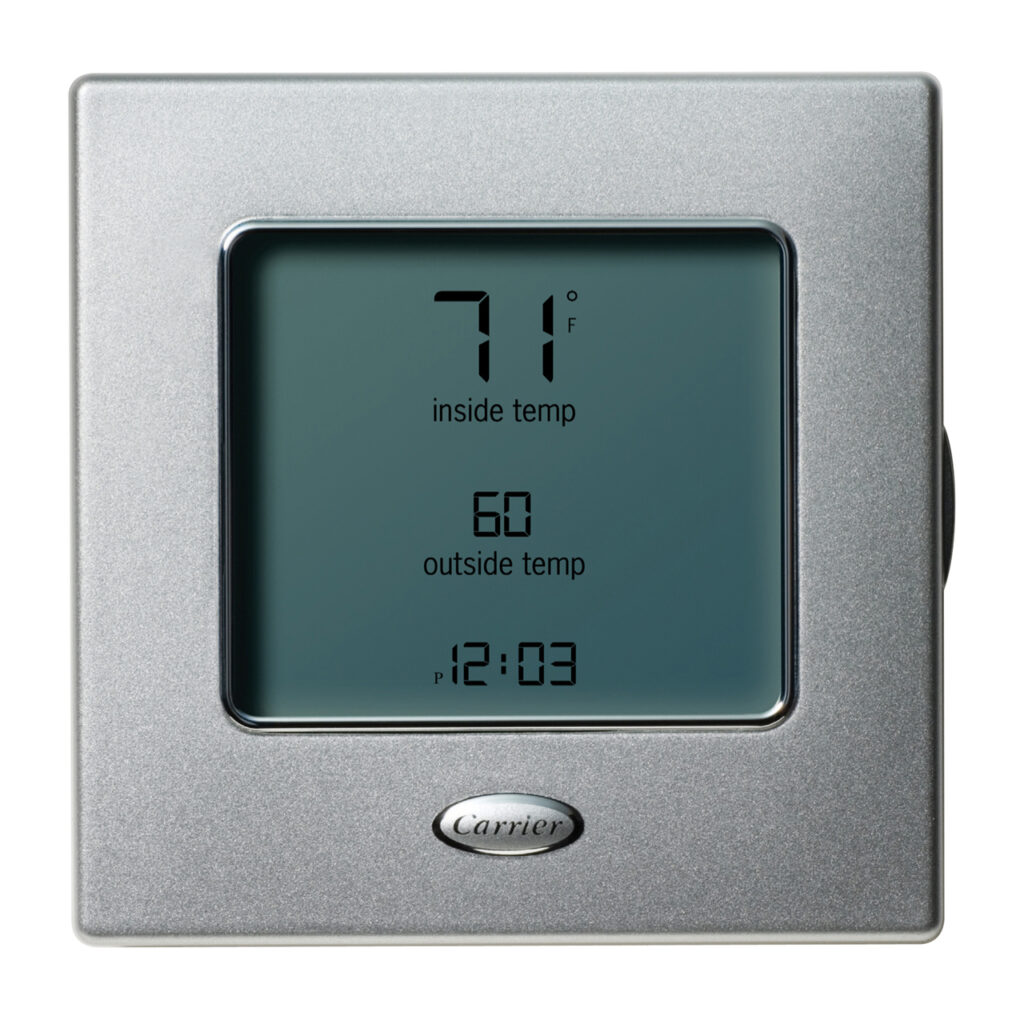
What a Carrier Thermostat Is and How It Works
A Carrier thermostat is a control device that tells your heating and cooling system when to run. It reads temperature, sends voltage to the HVAC control board, and shows status on a screen. Modern Carrier thermostats may be programmable or smart and link to Wi‑Fi for remote control. Knowing the basics makes Carrier Thermostat Troubleshooting much easier.

Common Carrier Thermostat Problems and Causes
Most service calls involve a few repeat issues. Spotting the likely cause saves time and money.
- Blank display. Often dead batteries, tripped breaker, or loose wiring.
- Thermostat will not turn system on. Could be wrong mode, blown fuse, or no 24V power.
- System short cycles. Often caused by poor thermostat placement or a bad temperature sensor.
- Wrong temperature reading. Calibration or sensor fault is common.
- Wi‑Fi or app connection issues. Router, firmware, or account problems cause this.
- Strange error codes. Often diagnostic hints on the screen or app.
Carrier Thermostat Troubleshooting starts by matching the symptom to a likely cause. I’ve seen many blank screens fixed with new batteries or a tripped breaker. Small checks catch most problems.

Quick Carrier Thermostat Troubleshooting Checklist
Follow these easy steps first. They fix many common issues quickly.
- Check power and batteries
- Replace AA/AAA batteries if the screen is dim or blank.
- Check the home breaker and furnace switch.
- Verify settings
- Confirm heat/cool mode is correct.
- Check schedule and temperature offsets.
- Inspect wiring
- Turn power off before opening the thermostat.
- Look for loose wires at labeled terminals like R, C, W, Y, G.
- Restart and reset
- Try a soft restart from the menu.
- Use factory reset only if needed and note settings first.
- Test HVAC response
- Raise or lower setpoint and listen for the system to start.
- If nothing happens, check the 24V transformer at the furnace.
- Check Wi‑Fi and app
- Reboot router and thermostat.
- Re-enter credentials if the thermostat lost connection.
These steps form a solid Carrier Thermostat Troubleshooting routine. They help non‑tech users act with confidence.

Advanced Diagnostics and Fixes
If the checklist fails, use careful testing. These steps need basic tools and safety.
- Confirm 24 volts with a multimeter
- With power on, test between R and C for ~24 VAC.
- No voltage means a transformer or fuse issue.
- Check the C‑wire
- Many smart thermostats need a common wire for stable power.
- Use a C‑wire adapter or install a proper C if missing.
- Inspect relays and control board
- A thermostat can be fine while the furnace relay is faulty.
- Look for burn marks or loose screw terminals on the board.
- Read error codes and logs
- Carrier thermostats and apps show codes. Write them down and look up meaning in docs.
- Calibrate or replace sensor
- If temperature is off by several degrees, the internal sensor may need calibration or replacement.
I once diagnosed a thermostat that would not cool because the C‑wire was missing. Adding a common wire fixed the problem and stopped random reboots. This is hands‑on Carrier Thermostat Troubleshooting that prevents repeated service calls.
Resetting, Firmware, and Software Steps
Software can be the culprit. Updates and resets often clear odd behavior.
- Check for firmware updates in the thermostat menu or app.
- Perform a soft restart before a factory reset.
- Back up schedules and Wi‑Fi info before resetting.
- After a factory reset, reconfigure mode, schedule, and Wi‑Fi.
- Reboot home router if app connection is unstable.
Firmware bugs can trigger odd Carrier Thermostat Troubleshooting symptoms like incorrect schedules. Updating firmware solved app sync problems on several units I serviced.

Safety, Tools, and When to Call a Professional
Some fixes are safe for homeowners. Others need a licensed pro.
- Safe DIY tasks
- Replace batteries, check breakers, change basic settings, reboot device.
- Tasks best left to pros
- Working on the 24V transformer, furnace control board, or gas/electrical components.
- Complex wiring or diagnosing intermittent voltage issues.
- What to tell the technician
- Model number, error codes, steps you tried, and photos of wiring.
- Typical cost pointers
- Simple service calls vary by region, while wiring or control board work costs more.
If you smell burning or see sparking, turn power off and call an HVAC pro. I called a licensed tech once when a thermostat shorted the control board; that saved a bigger repair later. Knowing limits is a key part of Carrier Thermostat Troubleshooting.
PAA-Style Quick Questions
What causes a blank Carrier thermostat screen?
- Dead batteries, a tripped breaker, or no 24V power are common causes. Replace batteries and check the switch and breaker first.
How do I know if my thermostat needs a C‑wire?
- If your smart thermostat reboots, loses Wi‑Fi, or shows low power warnings, it likely needs a C‑wire. Use a meter or a pro to confirm.
Can a thermostat firmware update fix performance issues?
- Yes. Firmware updates often address bugs and improve connectivity. Apply updates through the app or device menu.
Frequently Asked Questions of Carrier Thermostat Troubleshooting
How do I fix a Carrier thermostat that won't turn on?
Check batteries, the furnace power switch, and the circuit breaker. If power is present but the screen is blank, test for 24V at R and C or call a pro.
Why does my Carrier thermostat show the wrong temperature?
Thermostat placement, dirt on the sensor, or sensor drift can cause wrong readings. Move it away from heat sources and consider calibration or replacement.
How do I reconnect my Carrier thermostat to Wi‑Fi?
Restart router and thermostat, then re-enter network credentials in the thermostat menu or app. If problems persist, check for firmware updates.
What does a short cycling air conditioner indicate?
Short cycling often points to oversize equipment, low refrigerant, or poor airflow. A thermostat calling too frequently can worsen this; have a technician test the system.
Is it safe to reset my Carrier thermostat?
Soft resets are safe and can clear temporary faults. Factory resets erase settings, so record schedules and Wi‑Fi info first before proceeding.
Conclusion
Carrier Thermostat Troubleshooting is largely about simple checks, smart diagnostics, and knowing when to get professional help. Start with power, batteries, and settings, then move to wiring and firmware with care. Use this guide to fix small faults fast and save time and money while keeping your system safe. Try the checklist today, share your experience, or ask a question below to get tailored help.

