

Most Samsung remote issues are fixable with batteries, resets, or simple pairing steps.
I’ve spent years fixing TVs and remotes for friends, family, and clients, so I know the common patterns and quick wins for Samsung Tv Remote Control Troubleshooting. This guide explains causes, step-by-step fixes, pairing tips, and when to call for help. Read on to learn clear, practical solutions you can try right now.

36% off Today’s Exclusive Deals
Limited-time Exclusive Deals. Check current discount on Amazon.
Check Price on Amazon As an Amazon Associate I earn from qualifying purchases.
Common Samsung Tv Remote Control Troubleshooting Issues
Samsung Tv Remote Control Troubleshooting starts with identifying the symptom. Common problems include no response, partial response, stuck buttons, lag, or the remote working only at short range. These issues usually trace to batteries, line of sight, pairing, or software. A clear diagnosis speeds repair and avoids wasted effort.
- No response at all often means dead batteries or a disconnected remote.
- Intermittent signals can come from low battery, IR blockage, or RF interference.
- Smart remotes that fail to pair may need a re-pair or software update.
- Buttons that stick or behave oddly can result from spills or internal wear.
From my experience, starting with batteries and a quick reset solves most cases. If not, follow the structured steps below for Samsung Tv Remote Control Troubleshooting.

Step-by-step Samsung Tv Remote Control Troubleshooting Guide
Follow these steps in order. Each step is quick and isolates the likely cause.
- Check and replace batteries
- Use fresh alkaline batteries and ensure correct orientation.
- Test with known-good batteries if available.
- Power-cycle the TV and remote
- Unplug the TV for 60 seconds, then plug it back in.
- Remove batteries from the remote for 30 seconds, then reinsert.
- Test line of sight and distance
- For IR remotes, point directly at the TV from 3–10 feet.
- Remove any objects blocking the IR receiver on the TV.
- Re-pair a smart remote
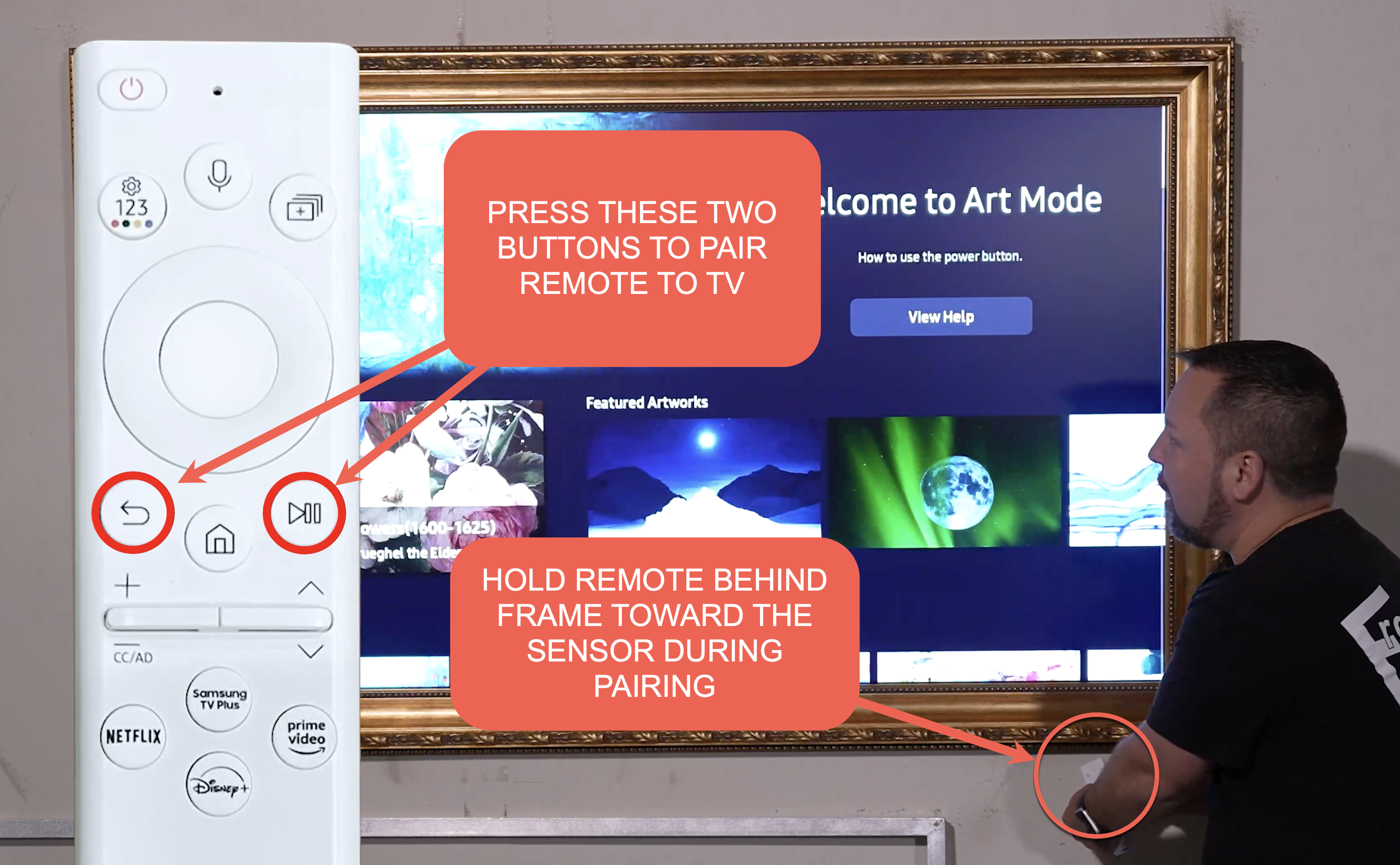
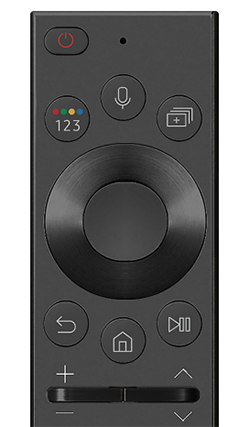
- Press and hold the Back and Play/Pause buttons together for 5–10 seconds.
- Wait for on-screen confirmation, then test.
- Try a factory reset of the remote (when available)
- Follow Samsung instructions for your remote model to reset.
- Re-pair after reset and test basic functions.
I once fixed a remote that only worked at short range by simply cleaning the IR window and replacing batteries. Small steps often deliver big results in Samsung Tv Remote Control Troubleshooting.
Pairing, Setup, Batteries, and Sensor Checks
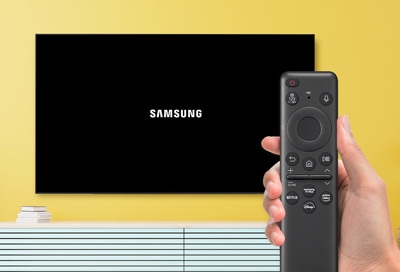
Pairing and sensors are common sources of issues. Confirm whether your remote is IR-only or Bluetooth/RF smart remote.
- For IR remotes, alignment and clear path to the TV sensor matter most.
- For Bluetooth remotes, being within range and re-pairing are key.
- Replace batteries every 6–12 months with quality cells to avoid voltage sag.
- Clean TV IR sensor and remote emitter with a soft, dry cloth.
If your remote uses Bluetooth, keep the TV firmware updated. I’ve found firmware mismatches sometimes break pairing and cause odd behavior. Samsung Tv Remote Control Troubleshooting often ends with a simple update.

Troubleshooting Smart Remote (RF/Bluetooth) Problems
Smart remotes use RF or Bluetooth. Their problems look different from IR issues.
- Symptoms include buttons that do nothing or random navigation.
- Re-pairing often solves connection drops.
- Interference from nearby wireless devices can degrade performance.
- Try moving Wi-Fi routers and other wireless gadgets away from the TV.
To re-pair a Samsung smart remote, follow the hold-Back-and-Play/Pause method or check the on-screen menu. If pairing fails, remove the remote from the TV’s Bluetooth list and try again. This is a core step in Samsung Tv Remote Control Troubleshooting for modern remotes.
Software, Firmware, and When to Update
Software issues on the TV can mimic remote failures. Keep both devices current.
- Check the TV’s software menu and install available updates.
- Update smart remote firmware if the model supports it.
- A TV restart often finishes the update and clears pairing issues.
- If updates fail, try updating via USB or contact support.
I’ve fixed remotes that stopped responding after a TV update by doing a quick firmware patch. Software can both cause and cure remote problems in Samsung Tv Remote Control Troubleshooting.

Physical Damage, Wear, and Cleaning Tips
Physical issues are common with older remotes. Inspect and clean gently.
- Look for sticky or sunken buttons, cracked housings, or corrosion on battery contacts.
- Clean battery contacts with a cotton swab and isopropyl alcohol.
- Remove sticky residue using a soft cloth and mild cleaner; avoid liquid inside the remote.
- For extensive damage, replacement is often the most reliable fix.
A remote I repaired for a neighbor had corroded contacts. After cleaning, it worked like new. Knowing when to clean and when to replace is part of smart Samsung Tv Remote Control Troubleshooting.
Advanced Fixes and When to Contact Support
If basic steps fail, try these advanced moves before calling support.
- Use a universal remote as a temporary workaround to confirm TV behavior.
- Factory reset the TV as a last resort after backing up settings.
- Replace the remote with an OEM or compatible model when internal damage is suspected.
- Contact Samsung support for warranty check or board-level repair.
Be transparent about limits. If a remote still fails after these steps, a replacement or professional repair is often faster and safer than attempting internal repairs yourself.

People Also Ask — Quick Answers (PAA-style)
Q: How do I know if my Samsung remote is IR or Bluetooth?
A: Point the remote at a phone camera and press a button; seeing a light means IR. If there is no light and the remote pairs in settings, it likely uses Bluetooth.
Q: Will replacing batteries fix remote lag?
A: Often yes. Low battery voltage causes delayed or missed signals, so fresh batteries are a quick fix.
Q: Can TV software cause remote problems?
A: Yes. Firmware bugs or mismatches can break pairing and responsiveness; updates often resolve these issues.
Frequently Asked Questions of Samsung Tv Remote Control Troubleshooting
What should I do if my Samsung remote does nothing at all?
Start by replacing the batteries and testing basic buttons. If that fails, power-cycle the TV and re-pair the remote.
How do I re-pair a Samsung smart remote?
Press and hold the Back and Play/Pause buttons together for 5–10 seconds until a pairing message appears on screen. Follow the on-screen prompts to finish pairing.
Why do some buttons work but others don't?
Stuck or dirty buttons can cause partial failures, and software or pairing issues can make some commands fail. Clean the remote and check for firmware updates.
Can a universal remote replace my Samsung remote?
Yes, many universal remotes can control Samsung TVs after programming. For full smart features, an OEM Samsung remote is best.
When should I contact Samsung support or get a replacement?
Contact support if the remote is physically damaged, under warranty, or after you’ve tried resets and updates without success. Replacement is recommended if internal damage is suspected.
Conclusion
Samsung Tv Remote Control Troubleshooting is mostly about methodical checks: batteries, line of sight, pairing, and updates. Start with the easy fixes, move to re-pairing and firmware, and only then consider replacements or professional help. Try the steps here, and you’ll solve most problems quickly. If this guide helped, subscribe, leave a comment with your issue, or test the steps and share your result.

