

Most electric wheelchair issues are battery, controller, or mechanical faults fixed by simple checks.
I have spent years helping users, caregivers, and technicians with Electric Wheelchair Troubleshooting. This guide shares clear steps, practical checks, and real-world tips to diagnose and fix common faults. Read on to learn fast tests, safe repairs, and maintenance habits that keep your chair reliable and safe.

36% off Today’s Exclusive Deals
Limited-time Exclusive Deals. Check current discount on Amazon.
Check Price on Amazon As an Amazon Associate I earn from qualifying purchases.
Common problems and quick diagnostic steps
Electric Wheelchair Troubleshooting starts with a calm, methodical check. Begin with power, then controls, then drive. This order finds most faults fast.
Quick checklist to start
- Turn the power on and check any indicator lights. Look for error codes.
- Confirm batteries are charged and connected. A low battery mimics many faults.
- Test the joystick or switch. Move it slowly and watch for response.
- Try the freewheel or manual mode if available to isolate motor issues.
Signs and what they often mean
- No power and no lights — likely battery connection or fuse.
- Lights on but no movement — controller or motor problem.
- Jerky motion — battery sag, low voltage, or loose wiring.
- Strange noises — gear wear or motor stress.
I use this basic flow every time I troubleshoot. It catches about 80% of issues before deeper testing. It also keeps repairs safe and efficient.

Battery issues: tests, fixes, and safety
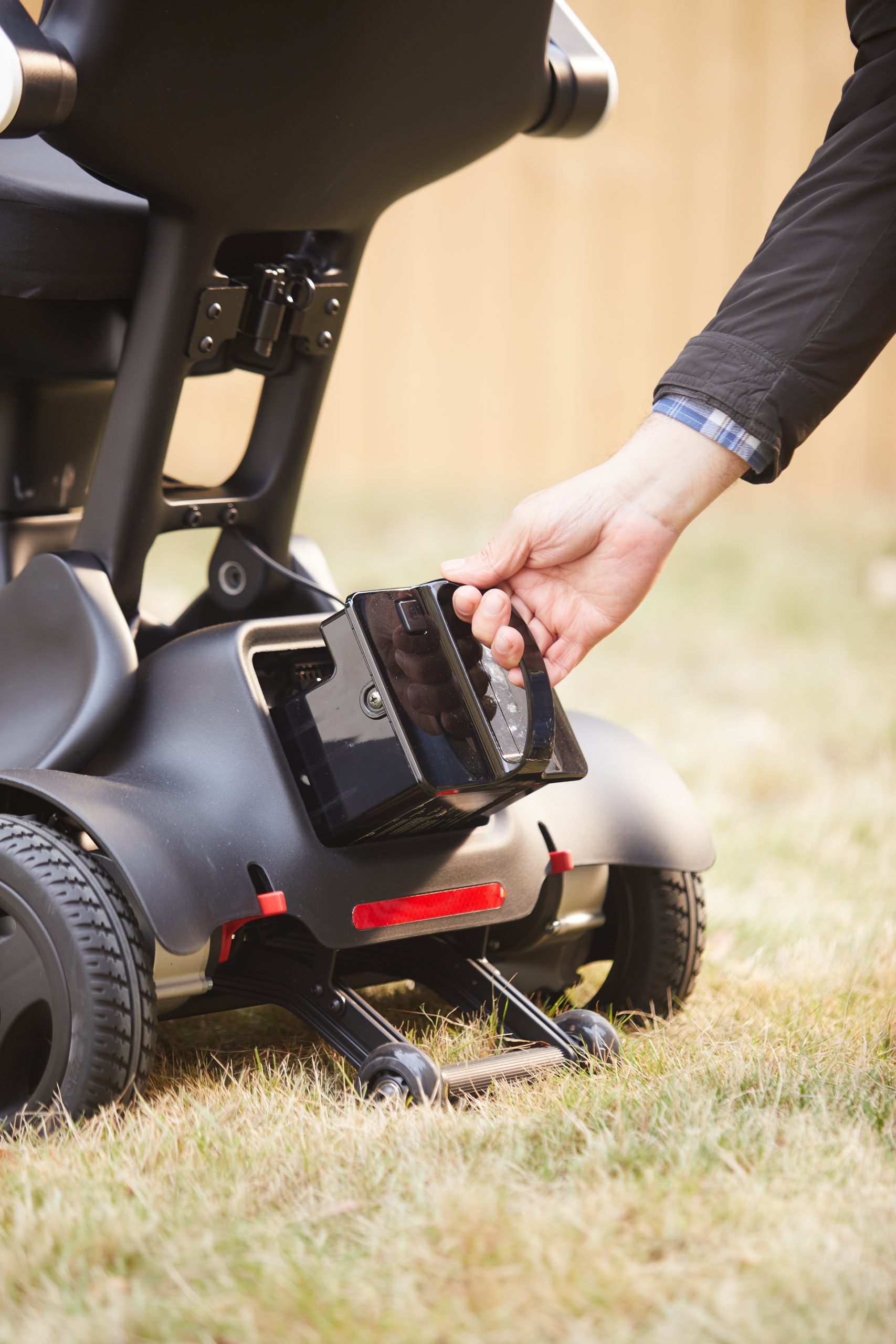
Batteries cause many calls for Electric Wheelchair Troubleshooting. Batteries suffer wear, poor charge, or bad connections. Check them first.
How to test batteries
- Look for corrosion at terminals. Clean carefully with a brush.
- Measure voltage with a multimeter. A single battery under nominal voltage signals trouble.
- Swap with a known-good battery if possible to confirm.
Common fixes and safety
- Tighten or replace loose connectors.
- Replace batteries older than 2–4 years or showing low capacity.
- Use only manufacturer-approved chargers and batteries.
- Always disconnect power before working on batteries.
Personal tip: I once replaced a wheelchair battery at a client's home and found the charger cable frayed. Replacing both solved intermittent power loss. Small parts often make big problems.
Controller and electronics: diagnosis and solutions
Controller faults can be subtle. The controller links the joystick to the motor. Faults here stop movement or trigger erratic behavior.
Basic controller checks
- Look for error lights or codes on the controller display.
- Re-seat connectors on the controller. Vibration can loosen plugs.
- Check the joystick for wear or sticking. Replace the module if needed.
When to call a pro
- Controller firmware or board faults need a trained tech.
- Water damage or burnt electronics require replacement for safety.
- If error codes persist after resets, stop and consult service.
Experience note: In a clinic, a loose ribbon cable caused sudden steering loss. Reseating that cable restored full function and avoided a costly replacement.

Motor, drive train, and wheel problems
Motor and drive faults range from worn gears to wiring breaks. They create noise, poor speed, or total failure.
What to inspect
- Listen for unusual grinding or whining.
- Inspect wheels for damage, flat tires, or clogs.
- Check motor connections and the matching wiring harness.
Simple motor troubleshooting steps
- Test motors by hand in freewheel mode. Feel for binding.
- Swap left/right drive commands if your system supports isolated motor tests.
- Check brake engagement. Electronic brakes can hold a chair even with a working motor.
If motor repair is needed, use certified parts. Motors are heavy and can have high currents. Safety matters.

Wheels, brakes, and suspension
Problems here affect ride quality and safety. Regular inspection prevents surprises.
Routine checks
- Inspect tire tread and inflate to the recommended pressure.
- Check for worn wheel bearings and replace as needed.
- Test parking brakes and electronic brake release.
Troubleshooting tips
- If the chair drifts, check wheel alignment and caster wheels.
- For vibration, inspect suspension rubbers or worn bushings.
- Replace damaged wheels promptly to avoid motor strain.

Seating, cushions, and user controls
Comfort and seating affect safety and posture. They also influence how the user interacts with controls.
Check these items
- Ensure seat rails and mounts are secure.
- Inspect cushion foam for breakdown and replace if needed.
- Test alternate controls like head arrays or sip-and-puff systems for responsiveness.
Practical tip: A poorly mounted cushion can make the joystick hard to reach. Small adjustments can improve control and reduce errors.
Step-by-step troubleshooting checklist
Use this ordered checklist for systematic Electric Wheelchair Troubleshooting. Work top to bottom until the issue is fixed.
Step 1: Power and indicators
- Turn on power. Note lights and codes.
- Charge batteries and test voltage.
Step 2: Controls and inputs
- Move joystick slowly. Test all directions.
- Try a backup control if available.
Step 3: Mechanical checks
- Inspect wheels and brakes.
- Try freewheeling to isolate motor issues.
Step 4: Electronics and wiring
- Check connectors and fuses.
- Look for burnt smells or corrosion.
Step 5: Professional service
- If faults persist, document symptoms and codes.
- Contact a certified technician or manufacturer service.
This checklist guided many of my field repairs. It saves time and reduces guesswork.
Preventive maintenance and best practices
Good care reduces the need for Electric Wheelchair Troubleshooting. A few habits go a long way.
Daily and weekly habits
- Charge batteries after use and store midway if not used long.
- Wipe down the chair and protect electronics from moisture.
- Check tire pressure and look for debris.
Monthly and yearly service
- Run a full inspection every month.
- Replace batteries every 2–4 years or sooner with heavy use.
- Schedule professional service annually for deep checks.
Safety note: Keep a small toolkit and a list of service contacts. Quick fixes at home can prevent unsafe situations.
Common mistakes to avoid
Avoiding errors saves money and risk during Electric Wheelchair Troubleshooting.
Mistakes I’ve seen
- Replacing parts without diagnosis. This wastes time and money.
- Using non-approved batteries or chargers. This can damage electronics.
- Ignoring warning lights. Small warnings often precede bigger failures.
A clear diagnosis saves time. Take photos and notes. They help a technician if you need one.
People also ask — quick answers
How do I know if my wheelchair battery is dead?
- If voltage reads below the rated level and the chair won’t move despite a charged indicator, the battery likely needs replacement.
Why does my wheelchair slow down on inclines?
- Low battery capacity, overheating, or motor strain can reduce power on slopes.
Can I clean electronics myself?
- You can wipe external surfaces and dry connectors, but avoid opening sealed controllers. Seek professional help for internal cleaning.
Frequently Asked Questions of Electric Wheelchair Troubleshooting
What is the first thing to check when a wheelchair won’t start?
Check the batteries and power connections. Ensure the main power switch is on and examine indicator lights.
How often should batteries be replaced?
Batteries typically last 2–4 years depending on use. Replace sooner if capacity drops or voltage falls under load.
Can I fix a stuck joystick myself?
You can clean around the joystick and check connectors. Replace the joystick module if simple cleaning does not help.
When should I call a technician?
Call a technician for motor faults, controller failures, water damage, or when you cannot identify the issue safely.
Are aftermarket parts safe to use?
Use only manufacturer-approved parts. Aftermarket parts can void warranties and may not meet safety specs.
How do I read error codes on my controller?
Refer to your user manual for code definitions. If unclear, record codes and contact the manufacturer or a certified service provider.
Will regular maintenance reduce troubleshooting needs?
Yes. Regular checks and battery care greatly reduce sudden failures and costly repairs.
Conclusion
Electric Wheelchair Troubleshooting becomes manageable with a clear method. Start with power, then controls, then mechanical and electrical checks. Use the step-by-step checklist and maintain batteries and parts regularly. With regular care and calm diagnostics, most problems are fixable at home. Try the checklist, keep notes, and contact a certified technician if needed. If this guide helped, leave a comment, subscribe for updates, or share your troubleshooting story.

