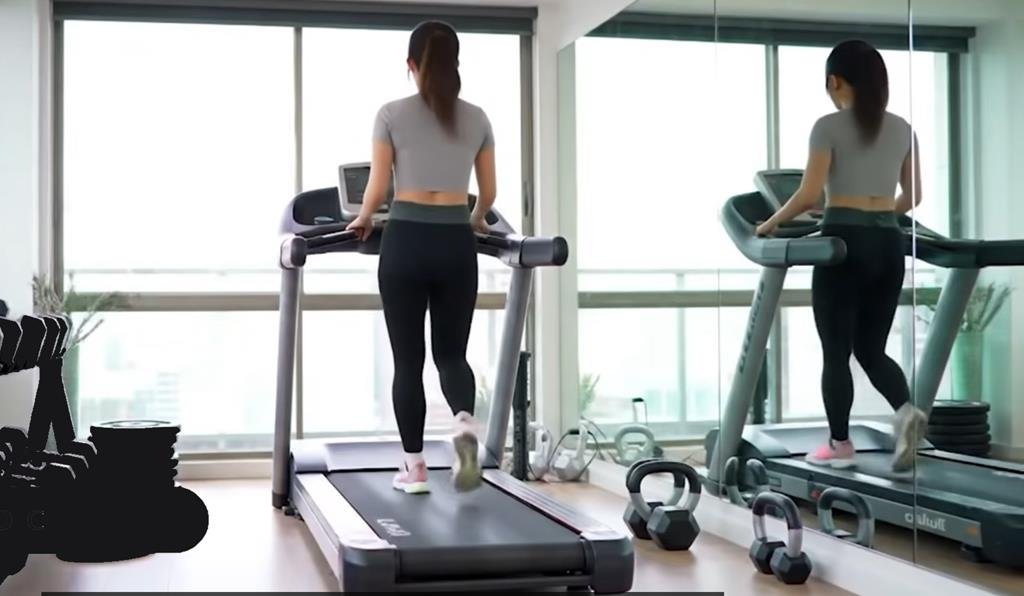
Are you ready to take your walking workouts to the next level? Pairing your walking pad with fitness apps can transform simple steps into powerful progress.
Imagine tracking every move, setting goals, and staying motivated—all from your phone or tablet. In this guide, you’ll discover easy ways to connect your walking pad with popular fitness apps, helping you stay on track and reach your health goals faster.
Keep reading, and unlock the full potential of your walking routine today!
Choosing The Right Walking Pad
Choosing the right walking pad helps you stay active indoors. It fits your space and meets your fitness needs. Some models offer extra features that boost your workout experience. Selecting the right pad lets you connect easily with fitness apps. This connection tracks your progress and motivates you.
Key Features To Look For
Check the walking pad’s size and weight. A compact design fits small spaces well. Look for a quiet motor to avoid noise. Speed settings matter for different walking paces. Safety features like non-slip surfaces keep you secure. Battery life or power source affects convenience. Easy folding makes storage simple and quick.
Compatibility With Fitness Apps
Ensure the walking pad works with popular fitness apps. Bluetooth or Wi-Fi connection allows smooth syncing. App compatibility helps track steps, calories, and distance. Some apps offer guided workouts and challenges. Check if the pad’s app supports your phone. Read reviews to confirm reliable app connections. Good compatibility makes workouts fun and effective.
Popular Fitness Apps For Walking Pads
Walking pads offer a great way to stay active indoors. Pairing them with fitness apps makes tracking progress easier. Many apps work well with walking pads to help monitor steps, calories, and workouts. Choosing the right app can boost motivation and help reach fitness goals faster.
Explore popular fitness apps designed to work with walking pads. These apps offer features like step tracking, workout integration, and social challenges. Find the best fit for your lifestyle and walking routine.
Top Apps For Tracking Steps
Step tracking apps count every move you make on the walking pad. They show daily, weekly, and monthly step totals clearly. Apps like Pacer, Google Fit, and Samsung Health sync smoothly with walking pads. They offer easy-to-read charts and reminders to keep moving.
Apps With Workout Integration
Some apps combine step tracking with workout plans. Apps such as Fitbit and MyFitnessPal let users add walking pad sessions to workouts. They track calories burned and heart rate, giving a fuller fitness picture. Guided workouts and progress reports keep users motivated.
Social And Competitive Features
Apps with social features connect users with friends and groups. Strava and Zwift create friendly competitions and challenges. Sharing achievements and joining leaderboards adds fun to daily walks. These features help maintain consistency and push fitness limits.
Setting Up Your Walking Pad
Setting up your walking pad is the first step to a smooth fitness journey. Proper setup ensures the device works well with your fitness apps. This way, you track your progress easily and stay motivated. Follow simple steps to get started quickly and without trouble.
Initial Device Configuration
Start by unpacking your walking pad carefully. Place it on a flat, stable surface. Plug in the power cord and switch on the device. Check the display panel for any prompts. Follow the on-screen instructions to select your language and units. Set your personal details like weight and age. This helps the device calculate calories burned accurately. Ensure the walking pad runs smoothly before moving forward.
Connecting To Bluetooth Or Wi-fi
Turn on Bluetooth or Wi-Fi on your phone or tablet. Open the walking pad’s companion app. Allow it to scan for nearby devices. Select your walking pad from the list shown. Confirm the connection by entering a code if needed. Wait for the device to pair successfully. Check the app for real-time data updates. A stable connection helps sync workout stats without delays.

Pairing With Fitness Apps
Pairing your walking pad with fitness apps can improve your workout experience. It helps track your steps, speed, and calories burned easily. Using apps adds fun and motivation to daily walking sessions. Connecting your device is simple and quick with the right steps.
Step-by-step Pairing Process
Turn on your walking pad and open the fitness app on your phone. Enable Bluetooth on your phone to allow the app to find the walking pad. In the app, go to the device or settings menu to start pairing. Select your walking pad from the list of available devices. Confirm the connection by following any on-screen instructions. Once paired, the app will display real-time data from your walking pad. Start your workout and watch your progress on the app screen.
Troubleshooting Connection Issues
Check if Bluetooth is active on both your phone and walking pad. Restart your phone and walking pad to refresh the connection. Ensure the walking pad is close to your phone during pairing. Close other apps that may interfere with Bluetooth signals. Update the fitness app to the latest version for better compatibility. Delete old paired devices from your phone’s Bluetooth list. Try pairing again after these steps to solve most connection problems.
Maximizing App Features
Maximizing the features of fitness apps can make your walking pad workouts more effective. These apps offer tools that help you stay motivated and track your progress. Using them well can improve your fitness journey and keep you engaged.
Customizing Workouts
Fitness apps let you create workouts that fit your needs. Adjust speed, time, and intensity to match your fitness level. Some apps offer preset plans for beginners or advanced users. Custom workouts keep exercises fresh and challenging.
Tracking Progress And Goals
Apps record your walking distance, time, and calories burned. Seeing your progress helps you stay focused. Set daily or weekly goals to push yourself. Tracking shows improvements and areas to work on.
Using App Notifications
Notifications remind you to stay active and complete workouts. They can alert you to reach step counts or time targets. These gentle nudges help build a regular exercise habit. Staying consistent leads to better results.
Integrating With Wearables
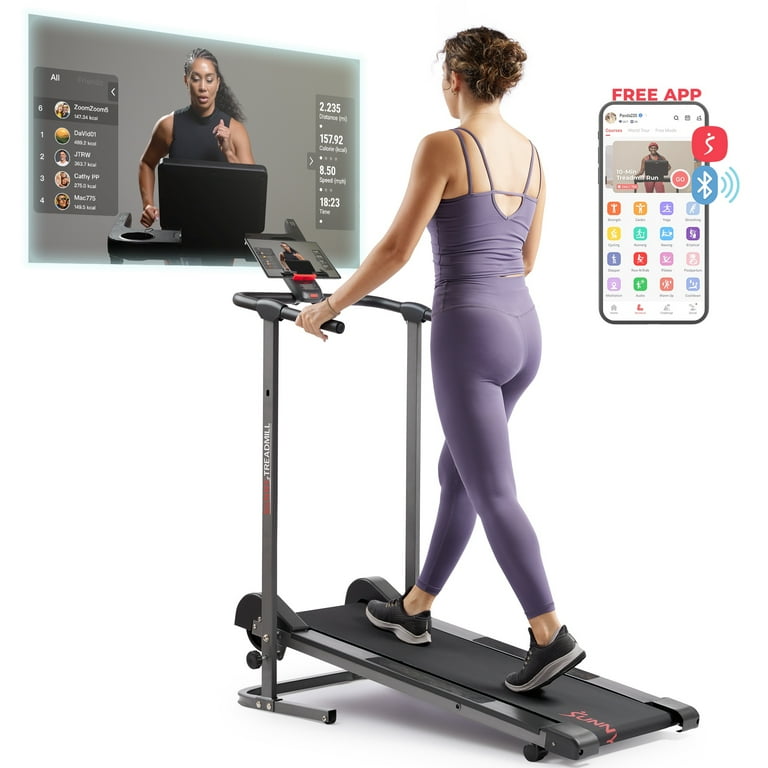
Integrating your walking pad with wearable devices can improve your fitness tracking. Wearables, like smartwatches and fitness bands, collect health data throughout the day. Connecting them with your walking pad creates a fuller picture of your activity and health.
Syncing Data Across Devices
Syncing data between your walking pad and wearable lets you track all movements in one place. Most wearables connect through Bluetooth or Wi-Fi. Use the fitness app linked to both devices for smooth data transfer. This synchronization helps avoid manual entry and keeps records accurate. Data like steps, distance, heart rate, and calories burn are shared easily.
Benefits Of Wearable Integration
Wearable integration offers clear advantages for fitness routines. It gives real-time feedback on your walking pace and heart rate. This helps adjust workouts to stay within safe and effective zones. Tracking progress over time becomes simpler with combined data. It also motivates users by showing detailed health trends and achievements. The result is a more connected and informed fitness experience.
Maintaining Your Walking Pad
Maintaining your walking pad is key to a smooth fitness experience. Regular care keeps the device working well and helps fitness apps sync properly. This section covers simple steps to keep your walking pad in top shape.
Regular Updates And App Sync
Update your walking pad’s software often. These updates fix bugs and add new features. Connect your walking pad to your phone or tablet before exercise. This connection helps sync data with your fitness app. Syncing tracks your steps, speed, and calories accurately. Check the app store for the latest app version. Running the newest app ensures smooth communication with your walking pad.
Cleaning And Hardware Care
Clean your walking pad regularly. Use a soft, damp cloth to wipe the surface. Avoid harsh chemicals that can damage the material. Keep the belt free from dust and dirt to prevent wear. Check the hardware parts for loose screws or unusual sounds. Tighten any loose parts carefully. Store the walking pad in a dry place to avoid moisture damage.
Future Trends In Walking Pad Technology
The future of walking pad technology looks bright and full of innovation. New features will make workouts easier and more fun. These changes will help users stay motivated and track progress better. Technology will blend more with fitness apps to offer a smooth experience.
Ai And Smart Features
Artificial intelligence will play a big role in walking pads. AI can adjust speed and incline based on user performance. It can also suggest workout plans tailored to individual goals. Smart sensors will monitor heart rate and calories burned in real time. This data helps users understand their fitness levels better.
Voice control and virtual coaching might become common. These tools guide users through exercises and provide motivation. Walking pads could also learn user habits to offer reminders and tips. The technology will make workouts more interactive and personalized.
Enhanced App Connectivity
Future walking pads will connect seamlessly with fitness apps. This will allow easy syncing of workout data like steps, distance, and time. Users can track progress over days, weeks, and months. Enhanced connectivity means apps can send real-time feedback during workouts.
Apps will support social sharing, letting users join challenges with friends. Integration with health platforms will offer a full view of user wellness. This connection encourages users to stay active and achieve fitness goals. The walking pad will become a smart part of a complete fitness routine.

Frequently Asked Questions
How Do I Connect My Walking Pad To Fitness Apps?
To connect your walking pad, enable Bluetooth on both devices. Open the fitness app and select your walking pad from the device list. Follow on-screen prompts to complete pairing. Ensure your walking pad’s firmware is updated for smooth compatibility with most apps.
Which Fitness Apps Work Best With Walking Pads?
Popular fitness apps like Strava, Fitbit, and Google Fit work well with walking pads. These apps track steps, distance, and calories burned. Choose apps that support Bluetooth device integration for real-time activity monitoring and personalized workout data.
Can I Track Walking Pad Workouts On My Smartphone?
Yes, most fitness apps allow real-time tracking via smartphone. Pair your walking pad with the app to monitor speed, distance, and calories. This helps you stay motivated and analyze workout progress conveniently on your phone.
What Are Common Issues Pairing Walking Pads To Apps?
Common issues include Bluetooth connection failures and outdated app versions. Ensure your walking pad is powered on and within range. Restart devices if needed and update both app and walking pad firmware to resolve most connection problems.
Conclusion
Pairing your walking pad with fitness apps makes workouts easy and fun. Track your steps, calories, and progress all in one place. Choose apps that match your fitness goals and device compatibility. Keep your routine fresh by trying different apps and settings.
Small changes help you stay motivated and consistent every day. Enjoy better health by combining technology with simple walking habits. Start today and watch your fitness journey improve step by step.