

The Roomba i3+ EVO usually shuts off from battery, charging, clog, or sensor issues.
If your iRobot Roomba i3+ EVO Robot Vacuum keeps shutting off, I know how frustrating that feels. I’ve seen this problem show up in real homes where the robot starts strong, then suddenly powers down mid-clean like it hit a wall. The good news is that this is usually caused by a few fixable issues, and with the right checks, you can often get your Roomba back to normal without guessing.

36% off Today’s Exclusive Deals
Limited-time Exclusive Deals. Check current discount on Amazon.
Check Price on Amazon As an Amazon Associate I earn from qualifying purchases.Why the iRobot Roomba i3+ EVO Robot Vacuum keeps shutting off
When the iRobot Roomba i3+ EVO Robot Vacuum keeps shutting off, it usually means the robot is protecting itself or losing power. In many cases, the problem is tied to the battery, dirty charging contacts, a blocked brush, or a software glitch.
I’ve found that people often assume the robot is “dead” when it is really just reacting to heat, resistance, or poor charging. That matters because the fix is often simpler than expected. Start with the basics, then move to deeper troubleshooting if the shutdowns continue.

Common reasons the Roomba i3+ EVO shuts off
The iRobot Roomba i3+ EVO Robot Vacuum keeps shutting off for a handful of common reasons. Some are easy to spot, while others only show up after a few cleaning cycles.
Weak or aging battery
A worn battery is one of the most common causes. Lithium-ion batteries lose capacity over time, so the vacuum may start cleaning and then quit once voltage drops too fast.
If the robot shuts off sooner during longer jobs, the battery is a strong suspect. I’ve seen this especially after a year or two of regular use in larger homes.
Dirty charging contacts
If the charging contacts on the robot or Clean Base are dusty, the vacuum may not charge fully. A partial charge can look fine at first, but the robot may shut down once it reaches a heavier section of carpet.
A quick wipe with a dry microfiber cloth often helps. This is one of those tiny maintenance steps that saves a lot of trouble later.
Clogged brushes or debris in the wheels
Hair, string, and pet fur can make the motors work harder than they should. When the load gets too high, the Roomba may shut off to prevent damage.
Check the main brush, side brush, and wheel area. In homes with pets, this issue shows up more often than most people expect.
Dirty sensors or cliff detection errors
The i3+ EVO uses sensors to avoid stairs and detect surfaces. If those sensors are dirty, the robot may behave strangely and shut off early or stop cleaning.
This can happen on dark floors, glossy rugs, or near strong sunlight too. A sensor check is fast and worth doing.
Overheating
If the vacuum gets too hot, it may shut down as a safety measure. This can happen after long runs, heavy debris pickup, or airflow blockages.
Overheating is often a sign that something is restricting airflow. A clogged filter or bin can be the hidden reason.
Software or firmware issues
Like any smart device, the Roomba i3+ EVO can run into software bugs. A bad update, failed sync, or app issue may cause random shutdowns or incomplete runs.
This is less common than battery or clog problems, but it does happen. Rebooting and updating can fix it.
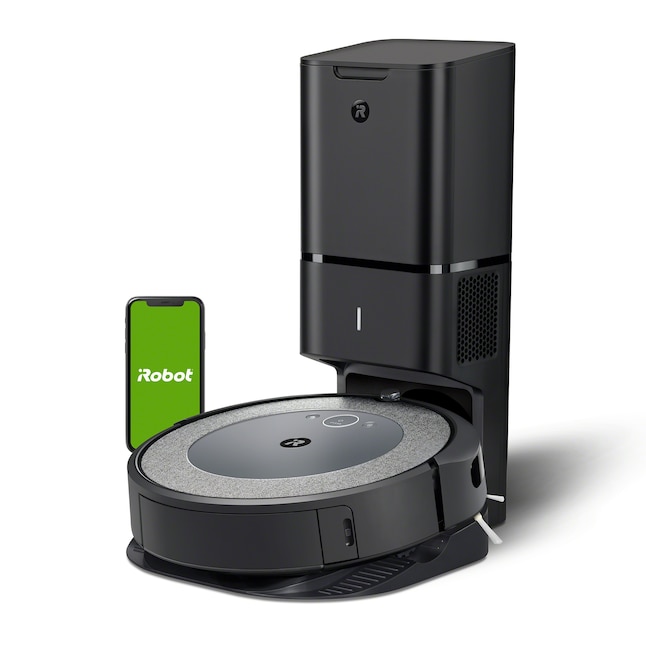
How to troubleshoot the Roomba i3+ EVO step by step
When the iRobot Roomba i3+ EVO Robot Vacuum keeps shutting off, I always recommend a simple step-by-step approach. It saves time and helps you avoid replacing parts you do not need.
1. Fully charge the robot first
Place the Roomba on the Clean Base and let it charge until the app or indicator shows a full charge. If the battery is weak, a short charge will not tell you much.
If the robot shuts off quickly after a full charge, that points more toward battery wear or a mechanical issue. A proper full charge gives you a better test.
2. Clean the charging contacts
Use a dry cloth to clean the metal contacts on both the robot and the base. Do not use water or sprays.
Even a thin layer of dust can break the charging link. I have seen this cause repeated shutdowns that looked like battery failure.
3. Remove hair and debris from brushes and wheels
Turn the robot over and inspect the main brush, side brush, and wheel wells. Cut away any wrapped hair and pull out trapped debris.
If the brush cannot spin freely, the motor works harder and may stop. This is a common fix for the iRobot Roomba i3+ EVO Robot Vacuum keeps shutting off issue.
4. Clean the filter and dust bin
A clogged filter can choke airflow and make the robot run hot. Empty the bin and replace the filter if it looks dirty or has been used for a while.
A simple rule I follow is this: if the vacuum sounds strained, think airflow first. It often explains a lot.
5. Wipe the sensors
Gently clean the cliff sensors and any front-facing sensors with a soft dry cloth. Avoid pressing hard.
Dirty sensors can confuse the robot, especially on dark floors or reflective surfaces. That confusion can lead to early stops.
6. Reboot the robot
A reboot can clear temporary software errors. For many iRobot models, this is done by holding the appropriate buttons for a few seconds until the unit restarts.
If the shutdowns are random, this step is worth trying before deeper repairs. It is the tech version of “turn it off and back on again,” and yes, it still works often.
7. Update the app and firmware
Open the iRobot app and check for updates. Make sure the robot is connected to Wi-Fi and fully synced.
Firmware updates can improve battery handling, charging behavior, and navigation. If your Roomba started shutting off after a recent change, an update may be the clue.
8. Test on a simple floor area
Run the robot on a hard floor with no clutter, cords, or rugs. This helps you separate a cleaning issue from a battery or software issue.
If it shuts off in a clean open area, the problem is likely internal. If it only happens on rugs or thick carpet, resistance may be the trigger.

Battery problems you should not ignore
If the iRobot Roomba i3+ EVO Robot Vacuum keeps shutting off even after cleaning and rebooting, the battery deserves serious attention. Battery wear is natural, and it becomes more obvious when the robot is asked to clean larger spaces.
Signs the battery is failing
Look for these warning signs:
• The robot dies faster than it used to
• It shuts off before finishing even a small room
• It returns to the base less often than normal
• The battery charge seems to drop very fast
• The robot only works after sitting on the base for a long time
In my experience, battery symptoms often show up gradually. People think the vacuum is just “acting weird,” but the pattern usually becomes clear after a few runs.
What to do next
If the battery seems weak, try these steps:
• Charge it fully and test again
• Reset the robot
• Check for battery-related alerts in the app
• Replace the battery if the unit is out of warranty and the issue persists
A battery replacement can be a practical fix, especially if the vacuum has seen heavy use. It is often cheaper than replacing the whole machine.
Charging base and power issues
Sometimes the problem is not the robot at all. The iRobot Roomba i3+ EVO Robot Vacuum keeps shutting off because it is not getting reliable power from the charging setup.
Things to check at the base
• Make sure the base is plugged in firmly
• Check the outlet with another device
• Look for a bent plug, loose cord, or damaged adapter
• Confirm the robot seats properly on the base
• Clean the base contacts
If the robot charges inconsistently, it may look fine at first and then fail during a job. That kind of intermittent power issue is sneaky.
Clean Base and docking alignment
The Roomba must dock correctly to charge. If it is slightly off, the contacts may not line up well enough to hold a full charge.
Try placing the base on a flat surface with space around it. Poor placement can create more charging trouble than people realize.
When heat, airflow, and clogs are the real culprit
The iRobot Roomba i3+ EVO Robot Vacuum keeps shutting off when airflow is blocked or the motor gets too hot. This is the vacuum’s self-protection system doing its job.
Common airflow blockages
• Full dust bin
• Dirty or saturated filter
• Hair wrapped around the brush
• Debris stuck in the suction path
• Blocked wheel or intake area
Think of it like trying to breathe through a straw. The machine can still try, but it will struggle and may shut down.
How to reduce overheating
• Empty the bin often
• Replace the filter on schedule
• Remove tangled debris after each few runs
• Give the robot time to cool before restarting
• Avoid running it back-to-back on very dirty floors
I’ve learned that prevention matters more than repair here. A little cleaning each week can prevent a shutdown later.
Software and app issues that can interrupt cleaning
If the iRobot Roomba i3+ EVO Robot Vacuum keeps shutting off without a clear hardware reason, software is worth checking. App sync problems and firmware bugs can make the robot behave unpredictably.
What to try
• Restart the iRobot app
• Log out and back in
• Reconnect the robot to Wi-Fi
• Check for firmware updates
• Reboot the robot after updating
Sometimes the robot is not truly powering off. It may be pausing, losing connection, or stopping a job because of a command error.
When to suspect a software fault
• The robot stops at random times
• The app shows outdated status
• Cleaning jobs fail after a recent update
• The robot behaves differently after Wi-Fi changes
If the shutdowns began right after a change, software should move higher on your list. That timing is often the biggest clue.
Maintenance habits that prevent shutdowns
The best way to stop the iRobot Roomba i3+ EVO Robot Vacuum from shutting off is regular care. These vacuums are built to be helpful, but they still need a little attention.
Simple routine that helps
• Empty the bin after each run
• Clean the filter every week
• Check brushes for hair twice a week
• Wipe sensors every few weeks
• Clean charging contacts monthly
• Replace worn parts when cleaning performance drops
This is the kind of routine I recommend to friends who rely on their robot daily. It keeps the machine running smoother and helps catch problems early.
Good habits for pet homes
Pet hair changes everything. If you have dogs or cats, the robot may need more frequent brush cleaning and filter changes.
A pet home is like a snowstorm for a vacuum. It fills up fast, and the robot has less room for error.
When to replace parts or contact support
If basic troubleshooting does not fix the iRobot Roomba i3+ EVO Robot Vacuum keeps shutting off issue, it may be time to replace a part or ask for help. Not every problem can be solved with cleaning.
Consider replacing these parts
• Battery
• Filter
• Main brush
• Side brush
• Charging dock or adapter if damaged
Contact support if
• The robot shuts off even after a full reset
• It dies immediately after charging
• You smell burning or notice unusual heat
• The app shows a hardware error
• The unit is still under warranty
If the vacuum is still covered, do not take it apart too far before checking warranty terms. That can matter if you need a repair or replacement.
Practical real-life fixes I have seen work
From real troubleshooting experience, a few fixes show up again and again. The iRobot Roomba i3+ EVO Robot Vacuum keeps shutting off less often once these are handled.
• Cleaning the charging contacts solved one “dead battery” case that was actually a bad dock connection
• Removing a chunk of hair from the brush fixed a sudden shutoff on thick carpet
• Replacing an old filter stopped overheating during longer runs
• Updating the firmware helped after random app-related stops
The lesson is simple: the problem is often a chain, not one single issue. A weak battery plus a dirty brush plus a clogged filter can all work together.
Frequently Asked Questions
Why does my Roomba i3+ EVO keep turning off after a few minutes?
This usually happens because the battery is weak, the brushes are clogged, or the vacuum is overheating. Start by cleaning the robot and charging it fully before assuming there is a major fault.
Can a dirty filter cause the Roomba i3+ EVO to shut off?
Yes, a dirty filter can restrict airflow and make the motor work too hard. That can trigger overheating or an automatic shutdown for safety.
How do I know if the battery needs replacing?
If the robot loses power quickly, shuts off during short cleaning jobs, or only runs for a few minutes after a full charge, the battery may be worn out. Battery capacity naturally declines over time, especially with frequent use.
Why does my Roomba stop only on carpet?
Carpet creates more resistance, so a weak battery or clogged brush can show up there first. Thick carpet can also make the robot work harder, which may lead to overheating or shutdown.
Will resetting the Roomba fix random shutdowns?
Sometimes, yes. A reset can clear temporary software glitches, but it will not fix a failing battery or a physical clog, so it works best as part of a full troubleshooting routine.
Conclusion
When the iRobot Roomba i3+ EVO Robot Vacuum keeps shutting off, the cause is usually something practical: battery wear, clogged parts, dirty contacts, overheating, or a software hiccup. The best fix is to work through the simplest checks first, because small issues often create big symptoms.
If you clean the robot, inspect the base, update the firmware, and test the battery carefully, you can usually narrow down the problem fast. Take your time, follow the steps in order, and you will have a much better shot at getting your Roomba back to reliable cleaning. If this guide helped, share your experience or explore more troubleshooting tips to keep your robot running strong.

