

A clogged line, bad outlet, mineral buildup, or failed thermostat usually stops the K-Elite from heating.
If your Keurig K-Elite coffee maker not heating has turned your morning routine into a guessing game, you’re in the right place. I’ve seen this problem show up in a few different ways, and the fix is often simpler than people expect. The key is to narrow down whether the issue is power, water flow, scale buildup, or an internal part that needs repair.

36% off Today’s Exclusive Deals
Limited-time Exclusive Deals. Check current discount on Amazon.
Check Price on Amazon As an Amazon Associate I earn from qualifying purchases.
Why the Keurig K-Elite Coffee Maker Not Heating Problem Happens
When a Keurig K-Elite coffee maker not heating issue appears, it usually means the machine is not getting the right power, cannot move water through the heating path, or has a part failure inside. This brewer depends on a chain of small systems working together, kind of like a row of dominoes. If one part slips, the whole brewing cycle can stop before the water gets hot.
In my experience, the most common cause is not a dramatic failure. It is often something basic like a loose plug, a weak outlet, or mineral buildup from hard water. That is why a careful step-by-step check works better than guessing.
Common causes include
• Power problems from the outlet, cord, or power strip
• Scale buildup inside the water tank or internal heating path
• A clogged needle or blocked water line
• A damaged thermal switch, sensor, or heating element
• Air trapped in the water system after cleaning or refilling
• Control board or firmware issues in rare cases
If you understand these causes first, the rest of the troubleshooting feels much less frustrating. The machine is not trying to be difficult; it is usually signaling that something in the heating chain is interrupted.

First Checks to Run Before You Open Anything
Start with the easiest fixes. I always tell people to begin with the outside of the machine before thinking about internal parts. It saves time and helps avoid unnecessary repairs.
Check the power source
• Plug the brewer directly into a wall outlet
• Avoid extension cords and power strips for testing
• Try another small appliance in the same outlet
• Reset any tripped GFCI outlet if your kitchen uses one
A weak or unstable outlet can make the Keurig K-Elite coffee maker not heating act like it is dead when it is not. I once saw a brewer blamed for a “heating issue” when the real problem was a half-tripped outlet under the counter.
Confirm the machine is turned on
• Make sure the power button lights up
• Listen for startup sounds
• Check whether the display responds normally
If the display works but the brewer still does not heat, that points more toward a heating or water-flow issue than a total power loss.
Inspect the water reservoir
• Fill the tank to the proper level
• Reseat it firmly on the base
• Make sure the valve at the bottom moves freely
A reservoir that is not seated well can interrupt flow and stop the machine from starting a brew cycle correctly. Even a small gap can create a big headache.
Use fresh water
Old water, debris, or trapped air can affect performance. Empty the tank, rinse it, and refill with clean water before trying again. This simple step solves more issues than most people expect.
How Scale Buildup Can Stop Heating
Hard water leaves behind mineral scale, especially calcium and magnesium. Over time, that buildup coats the water path and heating area. When that happens, the brewer may sound like it is running, but the water never reaches the cup at the right temperature.
The Keurig K-Elite coffee maker not heating problem is often tied to this exact issue. Heat still may be present, but the machine cannot transfer it well because the internal channels are narrowed by scale.
Signs scale buildup may be the culprit
• Brewing takes longer than usual
• Coffee comes out lukewarm
• The machine makes noise but dispenses little water
• The brewer flashes warning lights or stops mid-cycle
• The unit has not been descaled in a long time
A good rule of thumb is to descale regularly if you use tap water. I have seen machines run fine for months, then suddenly struggle the moment mineral buildup passes a tipping point.
How to descale the K-Elite safely
- Empty the reservoir and remove the water filter if installed
- Add a descaling solution or approved descaler with water
- Run the brew cycle without a pod
- Repeat until the tank is empty
- Rinse the reservoir and run several fresh-water cycles
Be patient here. Descaling is not instant, and one cycle usually is not enough if buildup is heavy. If the brewer still does not heat after descaling, the problem may be deeper.
Water Flow Problems That Affect Heating
Keurig brewers heat water as part of the brewing path, so poor flow can look like a heating failure. If water cannot move smoothly, the machine may stop before the cup gets hot coffee. This is one reason the Keurig K-Elite coffee maker not heating issue can be misleading.
Watch for clogged needles
The entrance and exit needles can collect coffee grounds or residue. If they are blocked, water flow gets restricted and the brewer may not operate normally.
• Unplug the machine first
• Use care when cleaning the needle area
• Clear visible debris with a small tool or cleaning method recommended by the manufacturer
• Avoid forcing anything that could damage the needle assembly
I have made the mistake of assuming the brew cycle problem was electrical, only to find a tiny clog causing the whole mess. Small blockages can create big symptoms.
Check for air bubbles in the line
Air in the system can interrupt water movement after the machine has been emptied or cleaned. If the brewer seems stuck, try running a water-only cycle a few times to prime it again. This can help restore normal flow.
When the Machine Needs a Reset
Sometimes the brewer’s control system needs a fresh start. Electronic appliances can get stuck after a power spike, cleaning cycle, or failed brew attempt. A reset can clear a temporary glitch.
Try a simple reset
• Turn the machine off
• Unplug it from the wall
• Wait at least 5 to 10 minutes
• Plug it back in and test it again
This may sound too simple, but it often helps. I’ve seen coffee makers behave like they forgot what they were doing after a brief power interruption, and a reset brought them back to life.
If the display is frozen
If the screen is lit but the brewer is unresponsive, a reset is even more important. If that does not work, the issue may involve the control board or an internal sensor.
Internal Parts That Can Fail
If the basic checks do not solve the Keurig K-Elite coffee maker not heating problem, then one of the internal parts may be failing. This is where the issue moves from cleaning and troubleshooting into repair territory.
Possible failed parts
• Heating element
• Thermal fuse
• Thermostat or temperature sensor
• Pump assembly
• Control board
These parts are not all user-serviceable. In many cases, opening the machine can void the warranty and create safety risks. If the brewer is still under warranty, contact support before disassembling anything.
What failure looks like
• Water stays cold
• The brewer powers on but never brews
• It starts, then shuts down quickly
• It heats for a moment and then stops
When internal failure is the cause, repair or replacement often becomes the most practical choice. I always recommend weighing the repair cost against the price of a new brewer, especially if the machine is older.
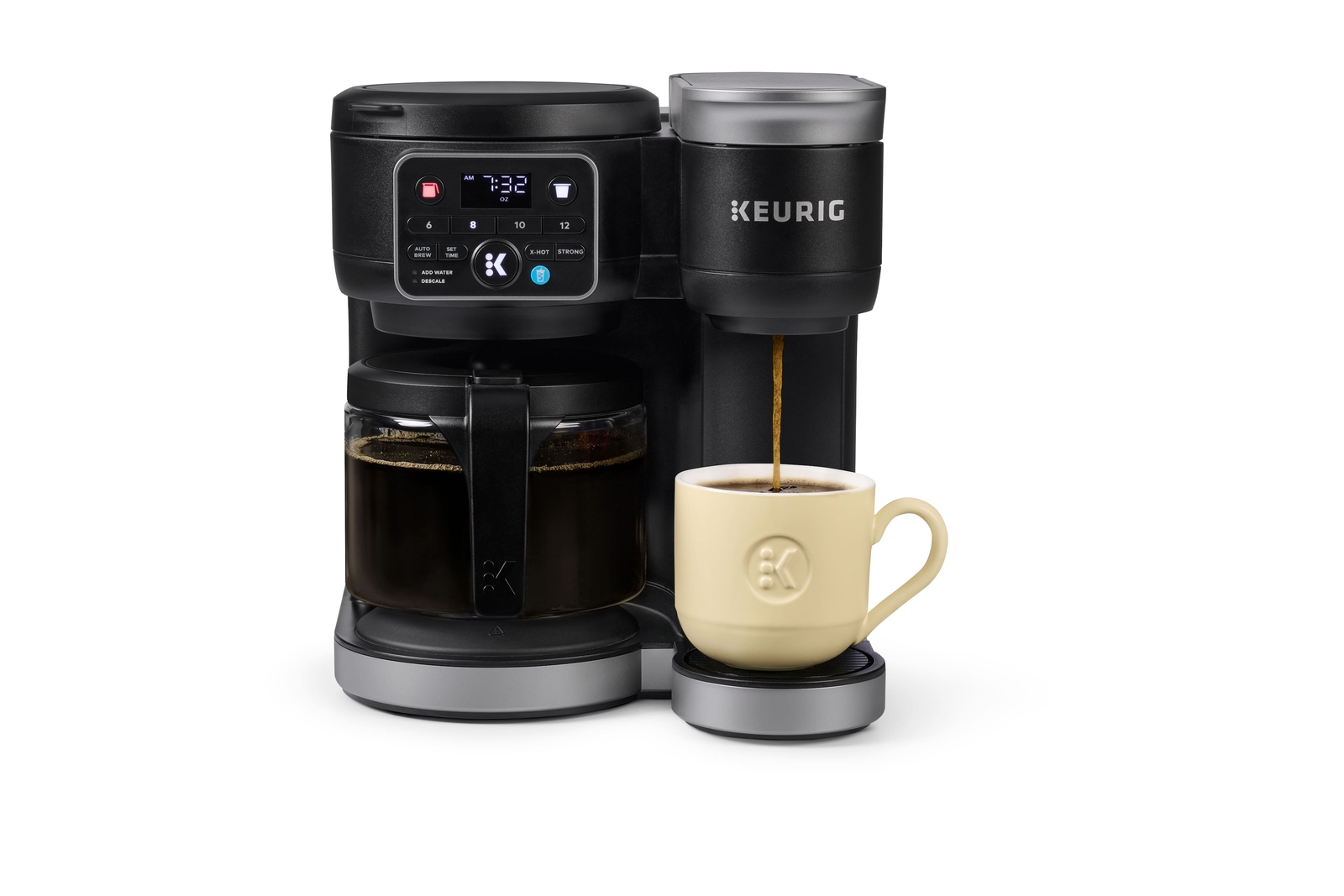
Step-by-Step Troubleshooting Guide
If your Keurig K-Elite coffee maker not heating issue is still unresolved, use this sequence. It moves from easiest to most likely fixes in a practical order.
- Test the outlet with another appliance
- Plug the brewer directly into the wall
- Refill and reseat the reservoir
- Run a water-only cycle
- Reset the brewer by unplugging it for 5 to 10 minutes
- Descale the machine thoroughly
- Clean the needles and check for clogs
- Try again with a fresh pod and clean water
- If nothing changes, consider internal part failure
This approach works because it isolates each possible failure point. Skipping around often creates confusion and wastes time.
Mistakes to Avoid During Troubleshooting
A lot of people accidentally make the problem worse by rushing. I have done this myself with small appliances, and it usually costs more time in the end.
Common mistakes
• Using vinegar when the manufacturer recommends a descaler instead
• Plugging the brewer into a power strip with other high-draw devices
• Forcing parts while cleaning the needle area
• Ignoring hard-water buildup for months
• Running too few rinse cycles after descaling
A careful approach is better than a forceful one. The K-Elite is a compact machine, but it still has a delicate heating and water system inside.
How to Prevent Heating Problems in the Future
The best way to avoid a Keurig K-Elite coffee maker not heating issue is routine care. A little maintenance goes a long way.
Good prevention habits
• Descale on a regular schedule based on water hardness
• Use filtered water if your tap water is mineral-heavy
• Empty and rinse the reservoir often
• Clean the needles and drip area
• Unplug the machine during long periods of non-use
• Avoid overfilling or misaligning the water tank
If you live in an area with hard water, prevention matters even more. Mineral buildup is like dust in a fan. It starts small, then slowly makes everything work harder.
When to Repair or Replace the K-Elite
Not every heating issue is worth fixing at home. If the brewer is older, out of warranty, and still not heating after descaling and reset steps, replacement may be the smarter move.
Repair may make sense if
• The machine is under warranty
• The issue is clearly a clog or sensor problem
• You have repair access through a service center
Replacement may make sense if
• The heating element has failed
• The control board is damaged
• Repair costs are close to a new machine
• The brewer has multiple recurring problems
A good rule is this: if the fix costs more than half the price of a new brewer, replacement often gives better long-term value.
Frequently Asked Questions About Keurig K-Elite Coffee Maker Not Heating
Why is my Keurig K-Elite brewing cold coffee?
This usually happens because of scale buildup, a clogged water path, or a heating issue inside the machine. Start with descaling and a reset before assuming the brewer is broken.
Can a bad outlet make the Keurig K-Elite coffee maker not heating?
Yes, a weak or faulty outlet can prevent proper operation. Test the machine in another wall outlet to rule out power problems first.
How often should I descale my Keurig K-Elite?
That depends on water hardness and how often you brew. Many users benefit from descaling every 3 to 6 months, but areas with hard water may need it more often.
What if my Keurig turns on but still does not heat?
If the display works but the water stays cold, the issue may be in the heating element, thermostat, or scale buildup. Try a reset and descaling before moving to repair.
Is it safe to keep using the brewer if it is not heating correctly?
It is best to stop using it until you identify the cause. Continued use can make the problem worse, especially if there is an electrical or internal heating fault.
Conclusion
A Keurig K-Elite coffee maker not heating problem usually comes down to power, scale, water flow, or a failed internal part. The good news is that many cases are fixable with simple steps like checking the outlet, resetting the brewer, cleaning the needles, and descaling the machine. If those steps do not work, the issue is likely mechanical or electrical, and repair or replacement may be the better path.
If your brewer has been acting up, start with the basics today and work through the checklist one step at a time. You may bring it back faster than you think. If this guide helped, explore more troubleshooting tips, and feel free to leave a comment with what fixed your machine.

