

Is Jamjake Stylus Pen Worth It?
Finding the right stylus for your iPad or tablet can make a big difference. Many people want a pen that feels smooth, works well, and doesn’t cost too much. The Jamjake Stylus Pen is popular because it promises good performance at a lower price than Apple Pencil or other brands. But is it really worth your money? Let’s look at its features, compare it to other styluses, and see what real users say.
Features And Performance
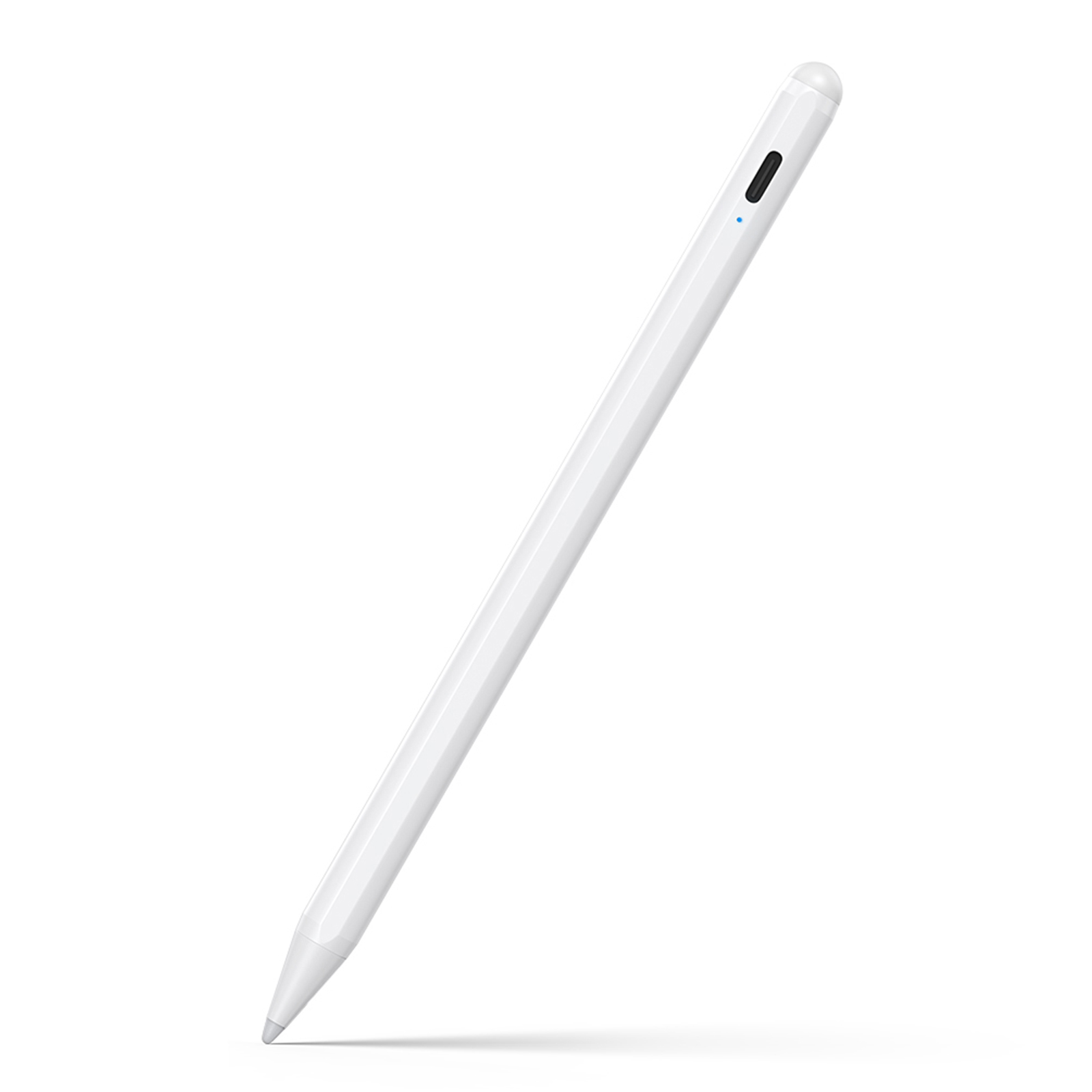
The Jamjake Stylus Pen is designed to work with most iPad models. It offers a few key features:

36% off Today’s Exclusive Deals
Limited-time Exclusive Deals. Check current discount on Amazon.
Check Price on Amazon As an Amazon Associate I earn from qualifying purchases.- Palm rejection: You can rest your hand on the screen while writing or drawing.
- Precise tip: The 1.5mm tip helps with accurate lines and sketches.
- Fast charging: A full charge takes about 1 hour and lasts up to 20 hours.
- Magnetic attachment: It can stick to some iPad models for easy storage.
You don’t need Bluetooth to use this pen. Just turn it on and start writing or drawing. Many users say the pen is light and comfortable. The tip feels similar to the Apple Pencil but is not as smooth. Some people notice a slight lag with fast movements, but for normal note-taking or casual drawing, it works well.
Jamjake Vs Apple Pencil And Other Styluses
Price is one of the biggest reasons people choose Jamjake. But how does it compare to the Apple Pencil and other popular stylus pens?
| Feature | Jamjake Stylus Pen | Apple Pencil (2nd Gen) | Adonit Note |
|---|---|---|---|
| Price | $25–$35 | $129 | $49–$69 |
| Battery Life | 20 hours | 12 hours | 10 hours |
| Palm Rejection | Yes | Yes | Yes |
| Pressure Sensitivity | No | Yes | No |
| Magnetic Attach | Yes | Yes | No |
| Bluetooth | No | Yes | No |
Jamjake offers good basic features but lacks advanced functions like pressure sensitivity. This means artists who want to vary their line thickness might miss this feature. However, for students, professionals, or casual users, the Jamjake pen covers most needs.
Real User Experiences
Many buyers share their experiences online. Most say the Jamjake Stylus Pen is a great value for the price. Some common points:
- Easy to use: No setup needed. Just turn it on.
- Reliable battery: Lasts for days with normal use.
- Not for artists: No pressure sensitivity, so not ideal for professional drawing.
- Occasional lag: Rare, but noticeable on older iPads or with fast movements.
A survey on Amazon shows the pen has an average rating of 4. 3 out of 5 stars from over 20,000 reviews. This suggests most people are satisfied. However, a few users report the pen stops working after several months.
This is less common but worth noting.
Compatibility And Limitations
The Jamjake Stylus Pen works with most iPads from 2018 and newer. It does not support Android tablets or older iPads. If you have an iPad Pro, Air, or Mini from the last few years, it should work fine. Here’s a quick compatibility summary:
| iPad Model | Compatible? |
|---|---|
| iPad Pro (2018–2026) | Yes |
| iPad Air (3rd–5th gen) | Yes |
| iPad Mini (5th–6th gen) | Yes |
| iPad (6th–10th gen) | Yes |
| Older iPads (before 2018) | No |
| Android Tablets | No |
Some users make mistakes by buying the stylus for a device it doesn’t support. Always check your iPad model before ordering.

Non-obvious Insights
- Tip replacement matters: The Jamjake tip wears out faster than premium styluses. Buying extra tips is smart, especially if you use the pen daily.
- Charging habits: Unlike Apple Pencil, Jamjake uses a USB-C charger. If you often forget to charge devices, this can be a benefit because USB-C is common.
- Hidden cost: While the pen is cheap, buying replacement tips and a case can add $10–$20 to your total cost. Still, it remains much cheaper than Apple Pencil.
Who Should Buy The Jamjake Stylus Pen?
The Jamjake Stylus Pen is best for:
- Students: Great for note-taking and marking PDFs.
- Casual users: Good for browsing, drawing, or signing documents.
- Budget buyers: If you want a stylus but can’t afford Apple Pencil.
It’s less suitable for:
- Professional artists: Lack of pressure sensitivity is a dealbreaker.
- Android users: Not compatible.
For most people, it’s a practical choice. It offers the essentials without the high price.
Practical Tips For Using Jamjake Stylus Pen
- Keep the pen charged: Charge overnight or when not in use.
- Clean the tip: Dirt can make the pen skip or lag.
- Buy replacement tips: If you write or draw often, tips wear out.
- Check compatibility: Make sure your device is on the supported list.
Is Jamjake Stylus Pen Worth It?
For many users, the Jamjake Stylus Pen is absolutely worth it. It delivers solid performance for everyday tasks and costs much less than premium styluses. If you don’t need advanced features like pressure sensitivity, it’s a smart buy. Even with a few small drawbacks, its value is hard to beat. For more details about stylus pens and compatibility, check Wikipedia.

Frequently Asked Questions
Is The Jamjake Stylus Pen Compatible With All Ipads?
No, it only works with iPads from 2018 and newer. Check your model before buying.
Does The Jamjake Stylus Pen Support Pressure Sensitivity?
No, it does not. Artists who want variable line thickness should choose another stylus.
How Long Does The Battery Last On A Single Charge?
About 20 hours. Charging takes 1 hour, and the pen can last several days with normal use.
Can I Use The Jamjake Stylus Pen On Android Tablets?
No, it is designed for iPads only. It does not work with Android devices.
What Are The Most Common Problems With The Jamjake Stylus Pen?
Occasional lag on older iPads and faster tip wear. Some users report the pen stops working after several months, but this is rare.
Choosing the right stylus is important. The Jamjake Stylus Pen is a strong budget option, especially for students and casual users. If you want advanced features, you may need to look elsewhere. But for most people, it gets the job done well.

