

The Lenovo Legion Go has caught attention as a new handheld gaming device, promising powerful performance and flexibility. Gamers who want a portable PC experience are asking: Is Lenovo Legion Go worth it? With many options available, including the Steam Deck and ASUS ROG Ally, it’s important to understand what sets the Legion Go apart and if it’s the right choice for you.
Performance And Hardware
The Legion Go runs on the AMD Ryzen Z1 Extreme processor, which is designed for gaming. This chip is powerful, offering up to 8 cores and 16 threads. Combined with 16GB of LPDDR5X RAM, it handles most modern games well, even AAA titles.

36% off Today’s Exclusive Deals
Limited-time Exclusive Deals. Check current discount on Amazon.
Check Price on Amazon As an Amazon Associate I earn from qualifying purchases.Here’s a quick look at the main specs compared to rivals:
| Device | Processor | RAM | Storage | Screen |
|---|---|---|---|---|
| Lenovo Legion Go | AMD Ryzen Z1 Extreme | 16GB LPDDR5X | 512GB/1TB SSD | 8.8″ QHD, 144Hz |
| Steam Deck | AMD APU | 16GB LPDDR5 | 64GB/512GB SSD | 7″ LCD, 60Hz |
| ROG Ally | AMD Ryzen Z1 Extreme | 16GB LPDDR5 | 512GB SSD | 7″ FHD, 120Hz |
The Legion Go stands out for its 8.8-inch QHD screen with 144Hz refresh rate. This is larger and smoother than other handhelds. The high resolution makes games look crisp, but it can drain battery faster. The device also offers up to 1TB SSD storage, which is plenty for large game libraries.
Design And Portability
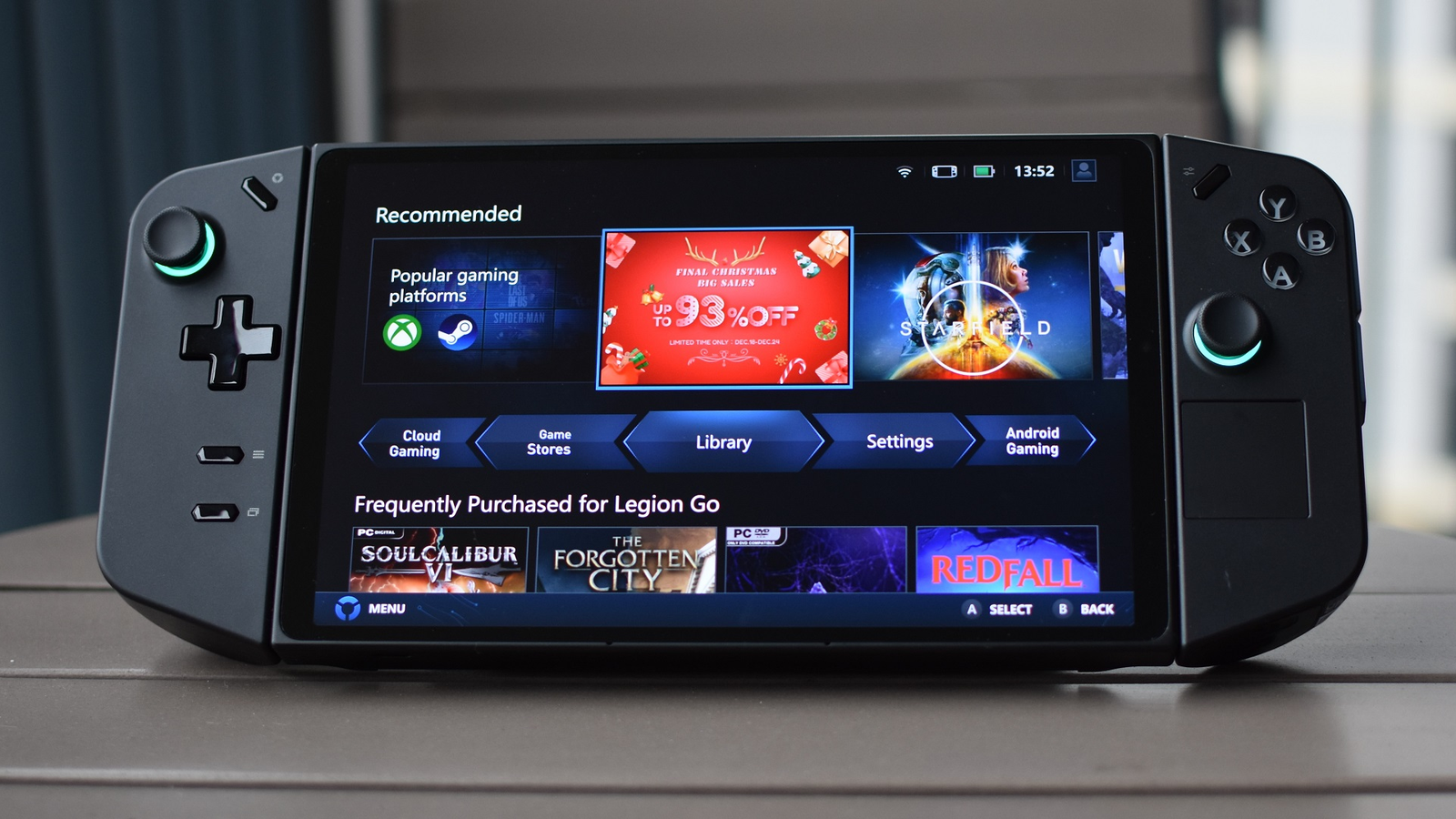
Lenovo took a unique approach with the Legion Go. The device features detachable controllers similar to the Nintendo Switch. This adds flexibility for multiplayer games or desktop use. The controllers have a built-in trackpad and mouse mode, making it easier to play PC games that need a mouse.
The Legion Go weighs about 1.8 pounds (854g). It’s heavier than most handhelds but still comfortable for short sessions. The device’s kickstand lets you set it down and use the controllers wirelessly.
For portability:
- The device fits in most backpacks.
- Battery lasts about 2–3 hours of gaming (depending on settings).
- USB-C fast charging is supported.
Here is a comparison of portability and battery life:
| Device | Weight | Battery Life | Controller Type |
|---|---|---|---|
| Lenovo Legion Go | 1.8 lbs | 2–3 hours | Detachable |
| Steam Deck | 1.5 lbs | 2–8 hours | Integrated |
| ROG Ally | 1.3 lbs | 2–4 hours | Integrated |

Gaming Experience
The Legion Go runs Windows 11, so you can play games from Steam, Epic, Xbox, and more. There is no need for extra software or workarounds. This is a big plus for gamers who want full PC access.
The 144Hz screen helps with fast-paced games like shooters and racing. Games like Cyberpunk 2077 and Elden Ring run smoothly at medium settings. However, battery life drops quickly during intense gaming.
The detachable controllers offer mouse mode, which is useful for strategy games and shooters. It’s easier to aim and navigate menus compared to other handhelds.
Two insights that beginners often miss:
- Game compatibility: Because it’s a Windows device, some games may need tweaks or controller remapping. Not all PC games are optimized for handheld play.
- Screen resolution: The QHD screen looks amazing, but running games at high resolution can lower performance and battery life. Many users set games to 1080p for better results.
Price And Value
The Legion Go starts at $699 for the 512GB model and $749 for 1TB. This is higher than the Steam Deck but similar to the ROG Ally.
Consider what you get:
- High refresh rate screen
- Detachable controllers
- Full Windows PC experience
- Large storage
But also factor in extra costs:
- Carrying case and accessories
- Possible need for external battery pack
- Games (unless you already own them)
Here’s a quick value comparison:
| Device | Base Price | Unique Features | OS |
|---|---|---|---|
| Lenovo Legion Go | $699 | Detachable controllers, 144Hz QHD screen | Windows 11 |
| Steam Deck | $399 | Touchpads, Steam OS | SteamOS |
| ROG Ally | $699 | 120Hz FHD screen | Windows 11 |

Who Should Buy Lenovo Legion Go?
The Legion Go is best for:
- Gamers who want full PC gaming on the go.
- People who value a big, high-quality screen.
- Users who need detachable controllers for flexibility.
It’s not ideal for:
- Those who want long battery life.
- People who prefer lighter devices.
- Casual gamers who don’t need PC-level power.
A common mistake is buying the Legion Go just for looks or specs, without considering how you’ll use it. If you travel often or play long sessions, battery life and weight could be issues.
Practical Tips
- Lower screen resolution to 1080p for better battery and performance.
- Keep your Windows updated for best game compatibility.
- Use a carrying case to protect the device during travel.
- Try mouse mode for games that need precise aiming.
If you need more info on gaming handhelds, check out the official Lenovo Legion Go page.
Frequently Asked Questions
Is The Lenovo Legion Go Good For Aaa Games?
Yes, it can play most AAA games at medium settings. For high graphics, lowering resolution helps keep performance smooth.
How Does The Legion Go Compare To The Steam Deck?
The Legion Go has a larger, sharper screen and detachable controllers. The Steam Deck is lighter and cheaper, but runs SteamOS instead of Windows.
Can I Upgrade The Legion Go’s Storage?
The SSD is not easily user-upgradable. Choose the 1TB model if you need lots of space, as games can be large.
Does The Legion Go Support Cloud Gaming?
Yes, you can use cloud gaming services like Xbox Cloud and GeForce Now, thanks to Windows 11 and fast Wi-Fi.
What Accessories Are Recommended For The Legion Go?
A carrying case, screen protector, and extra battery pack are helpful for travel and protection.
The Lenovo Legion Go offers a powerful, flexible gaming experience for those who want a portable PC. Its big screen and detachable controls make it unique, but battery life and weight are trade-offs. If you value full Windows gaming and advanced features, the Legion Go is a strong contender.
For casual or long-play users, other devices may suit better. Always match your choice to your gaming habits for the best experience.

