

Fast fixes: check power, control board LEDs, limit switches, and safety devices first.
I have worked with Rytec doors and control systems for years. This guide explains Rytec System 4 troubleshooting step by step. You will find clear checks, tools, real-life tips, and when to call support. Read on to diagnose and fix the most common System 4 issues quickly and safely.

36% off Today’s Exclusive Deals
Limited-time Exclusive Deals. Check current discount on Amazon.
Check Price on Amazon As an Amazon Associate I earn from qualifying purchases.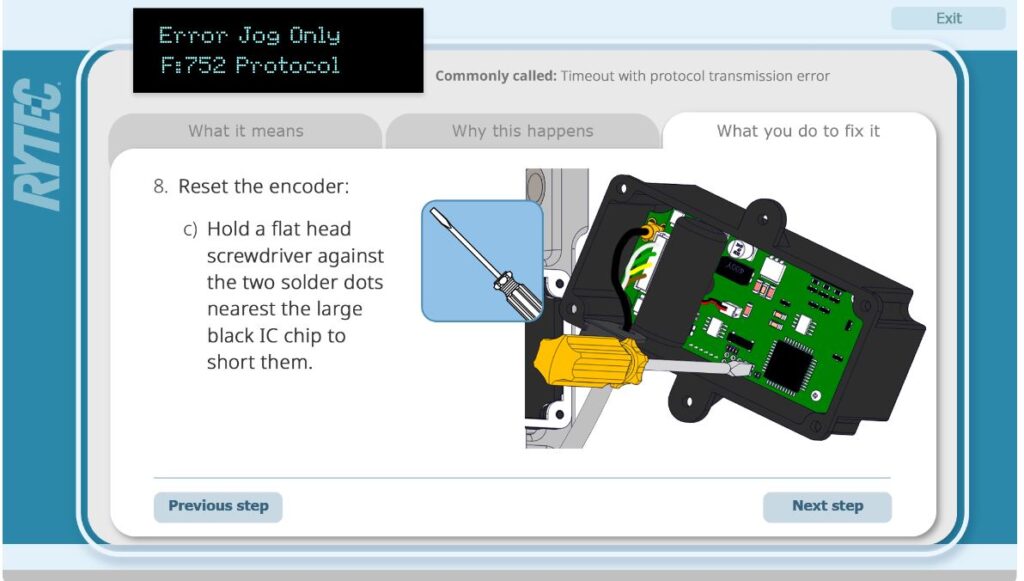
Overview: What Rytec System 4 is and why troubleshooting matters
Rytec System 4 is a commercial high-speed door control platform. It manages motor drives, safety inputs, and door sequencing. Troubleshooting keeps doors reliable and safe. Good troubleshooting saves downtime and repair costs.
Rytec System 4 troubleshooting focuses on electrical checks, sensor checks, and control logic. You will learn fast tests, diagnostic signs, and easy fixes. This helps facility managers, service techs, and installers restore normal operation.
Common problems with Rytec System 4
Here are issues I see most often when doing Rytec System 4 troubleshooting.
- Door will not move at all.
- Often a power, fuse, or emergency stop issue.
- Door moves slowly or stalls.
- Usually a drive, motor, or frequency setting problem.
- Door reverses or trips safety without reason.
- Commonly dirty safety edges or misaligned photo eyes.
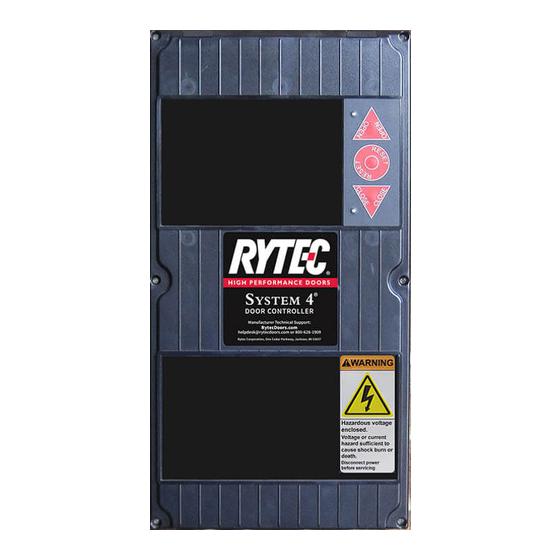
- Control panel shows error LEDs or codes.
- Faults may point to encoder, brake, or comm errors.
- Door home or limits not found.
- Limit switch faults or encoder issues are likely.
Understanding these common faults speeds Rytec System 4 troubleshooting. You can often isolate the subsystem before deeper repair.
Step-by-step Rytec System 4 troubleshooting guide
Follow this logical order. It reduces needless steps and ensures safety.
- Safety first
- Turn off power when opening panels.
- Use lockout/tagout.
- Keep people clear of moving doors.
- Verify power and obvious lights
- Check the main breaker and fuses.
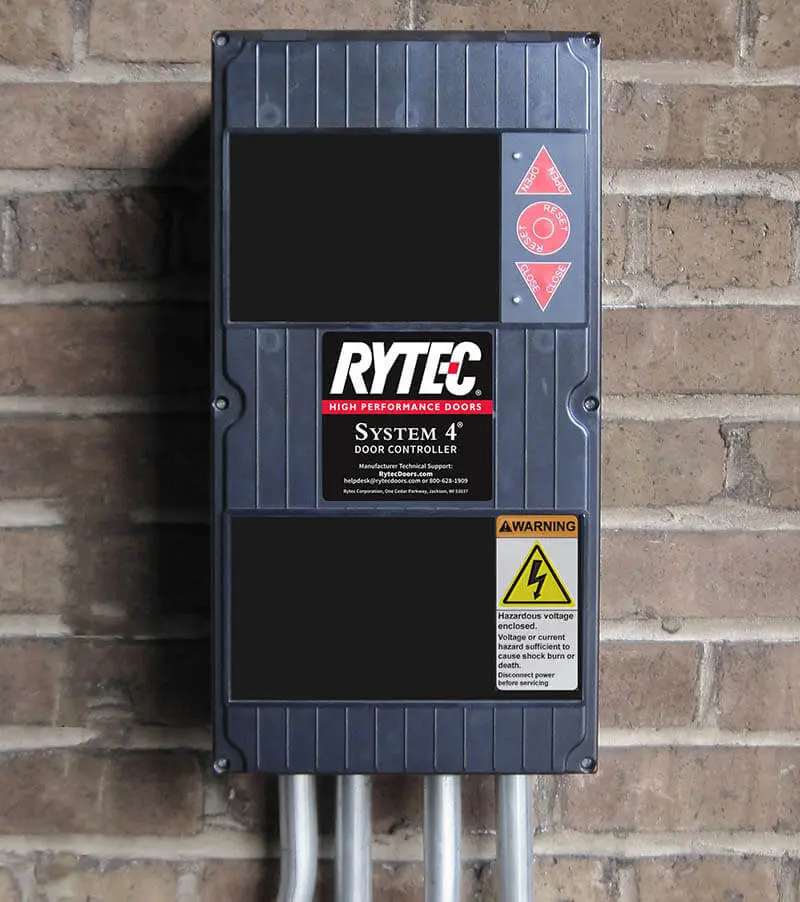
- Inspect control board LEDs. Note which LEDs are off or blinking.
- Check emergency stops and interlocks
- Ensure E-stop is released.
- Verify chained interlocks like safety gates.
- Test manual operation
- Put the door into jog or manual mode.
- Listen for motor hum or mechanical binding.
- Inspect safety devices
- Clean and align photo eyes.
- Test safety edges with a small obstruction.
- Review encoder and limit inputs
- Look for loose or damaged wiring.
- Check encoder feedback for consistent pulses.
- Check drive and motor
- Look for overheating or vibration.
- Verify motor voltage and current against specs.
- Review control settings and logs
- Note any recent parameter changes.
- Save logs and error codes for support.
Rytec System 4 troubleshooting benefits from doing checks in this order. It reveals whether the problem is electrical, mechanical, or sensor related.
How do I reset the Rytec System 4 controller?
Power-cycle the controller after noting any error codes. Wait 30 seconds, then power on and observe LEDs and error messages.
What is the quickest test for safety sensors?
Block the photo eye briefly and watch the door response. If the door reverses or stops, that sensor is working; if not, check wiring and alignment.
Can I run diagnostics without special tools?
Yes. Many initial Rytec System 4 troubleshooting steps use visual checks, manual jog, and the control panel LEDs. Use tools if initial tests fail.

Diagnostics, tools, and software for effective troubleshooting
Good tools make Rytec System 4 troubleshooting faster and safer.
- Basic tools
- Multimeter for voltage and continuity checks.
- Insulated screwdrivers and wrenches.
- Handheld ladder and flashlight.
- Diagnostic tools
- Clamp meter for motor current.
- Oscilloscope for encoder signal checks.
- Portable encoder tester or logic probe.
- Software and logs
- Use the controller service menu to read fault history.
- Save event logs before clearing errors.
- Documentation
- Keep the manufacturer wiring diagrams and parameter sheets on hand.
- Note firmware or software versions if updating.
When I worked on a failed door, a clamp meter saved hours. It showed a stalled motor drawing amperage over spec. That single tool eliminated guessing.
Preventive maintenance and best practices
Regular care reduces downtime and makes Rytec System 4 troubleshooting easier.
- Monthly checks
- Inspect and clean photo eyes.
- Check for frayed cables and loose connectors.
- Verify limit switch function.
- Quarterly tasks
- Lubricate moving parts per manual.
- Confirm encoder mounts are tight.
- Tighten electrical connections to avoid heat.
- Annual service
- Calibrate control settings.
- Replace worn belts or rollers.
- Update firmware if recommended.
- Record keeping
- Log maintenance dates and any parameter changes.
- Keep notes on recurring faults for trend analysis.
A small, steady maintenance routine prevents big problems. I recommend a short checklist on the control cabinet door.
Advanced issues and when to call Rytec support or a technician
Some faults need expert help or parts. Call support if any of the following occur.
- Repeated encoder errors after wiring checks.
- Drive or motor overheating with normal load.
- Internal control board burning smell or visible damage.
- Complex communication faults between controllers.
- You cannot clear a persistent safety fault.
Prepare these items before calling support.
- Door model, serial number, and controller version.
- Current error codes and a brief history of events.
- Photos of wiring or damaged parts.
- Recent changes like firmware updates or mechanical repairs.
If you are unsure, stop and call a certified service technician. Safety is the priority during Rytec System 4 troubleshooting.
Personal experience, tips, and mistakes to avoid
I have serviced many Rytec System 4 systems. Here are honest lessons from the field.
- Tip: Always log the error codes before clearing them. I once cleared a repeating fault and lost the clue that pointed to a failing encoder.
- Mistake to avoid: Replacing parts without testing. I replaced a motor once only to find a simple loose terminal was the real issue.
- Practical tip: Use a small white card when aligning photo eyes. It helps you see the beam at a glance.
- Empathy: Downtime affects operations. Communicate expected repair time plainly to staff.
These small habits improve success and trust when performing Rytec System 4 troubleshooting.
Frequently Asked Questions of Rytec System 4 Troubleshooting
What are the first steps in Rytec System 4 troubleshooting?
Start with safety, then verify power and control panel LEDs. Next, test manual jog and inspect sensors for alignment.
Why does my Rytec System 4 door reverse randomly?
Random reversals often point to dirty photo eyes, damaged safety edges, or intermittent wiring faults. Clean sensors and test wiring continuity.
How do I read Rytec controller error codes?
Use the controller service menu or front-panel display to view error codes and history. Note codes and consult the service manual for definitions.
How often should I perform preventive maintenance on System 4?
Do basic checks monthly, more thorough checks quarterly, and an annual service with calibrations. Records help spot trends.
Can I update Rytec System 4 firmware myself?
Firmware updates are possible but should be done by trained personnel or under guidance from support. Back up settings before updating.
When is a motor replacement necessary?
Replace the motor if it draws excessive current, overheats, and mechanical fixes don’t help. Verify current draw and inspect the drive first.
Conclusion
Rytec System 4 troubleshooting is methodical work. Start with safety, check power, inspect sensors, and use logs to guide decisions. Small checks prevent big failures. Take action today: make a maintenance checklist, save error logs, and keep tools handy. If you need help, document the issue and contact a certified technician or support team. Leave a comment or share your experience below.

