

Most Rotary pen tattoo machine faults stem from power, needle, or motor issues.
I have worked with tattoo machines for years and helped dozens of artists fix gear fast. This guide on Rotary Pen Tattoo Machine Troubleshooting brings clear steps, real tips, and simple fixes. I explain why problems happen, how to diagnose them, and how to prevent them. Read on to learn step-by-step solutions you can trust.

36% off Today’s Exclusive Deals
Limited-time Exclusive Deals. Check current discount on Amazon.
Check Price on Amazon As an Amazon Associate I earn from qualifying purchases.
Understanding rotary pen machines and basics of troubleshooting
Rotary pen machines use a small motor to drive cartridge needles. They differ from coil machines by having smooth motion and low noise. Knowing basic parts helps you find faults fast. Common parts include: motor, drive shaft, needle cartridge, housing, bearings, and power connection. Learning a few tests will save time and money when you do Rotary Pen Tattoo Machine Troubleshooting.

Common problems and likely causes
Knowing the cause makes the fix simple. Below are frequent issues I see with rotary pen machines.
- Machine won’t power on. Often a bad cord, loose RCA, or power supply fault.
- Poor or inconsistent speed. Could be dirty contacts, low voltage, or worn motor brushes.
- Machine vibrates badly. Loose parts, bad bearings, or wrong cartridge fit are usual suspects.
- Needle won’t move smoothly. Cartridge seating, dried ink, or bent needle can block motion.
- Overheating. Running at too high voltage or locked rotor condition will heat the motor.
- Clicking or grinding noise. Foreign grit in bearings or damaged gear teeth cause this.
- Erratic needle depth. Loose grip, worn O-rings, or short stroke settings create problems.
Rotary Pen Tattoo Machine Troubleshooting means matching the symptom to these causes. Start simple, then dig deeper.

Step-by-step Rotary Pen Tattoo Machine Troubleshooting guide
Follow this ordered checklist. Work slowly and test after each step.
-
Visual check and safety
- Unplug the machine. Inspect for cracks, loose screws, or missing parts.
- Check the power cord and connectors for frays or bent pins.
- Replace damaged cables before testing.
-
Power and supply tests
- Hook a known-good power supply to rule out PSU faults.
- Try a different cord style (RCA, 2-prong, or USB adapter) if available.
- Measure voltage with a multimeter to confirm output matches the supply setting.
-
Basic operation test
- Fit a clean cartridge and hold the machine in hand.
- Power on at a low voltage. Listen and watch needle motion.
- If needle does not move, swap cartridge and try again.
-
Check connections and contacts
- Clean connector pins with isopropyl alcohol and a cotton swab.
- Ensure the cartridge locks into place with no wobble.
- Tighten any loose screws in the housing that affect alignment.
-
Motor and bearing inspection
- Remove the grip and look for play in the motor shaft.
- Spin the shaft by hand; it should turn freely without grinding.
- Replace bearings or the motor if you feel roughness.
-
Address vibration and noise
- Tighten loose parts and replace worn O-rings.
- Ensure the cartridge size matches the pen’s collet or adapter.
- Add or change dampening gaskets if the frame allows.
-
Fine-tune performance
- Set voltage to the manufacturer’s recommended range.
- Test speed and stroke with a practice skin.
- Adjust needle depth and grip tension for smooth flow.
-
Final checks before tattooing
- Sterilize parts as needed and use a new, sealed cartridge.
- Do a short test line and check for skips or blowouts.
- If issues persist, escalate to advanced diagnostics or pro repair.
This guide keeps Rotary Pen Tattoo Machine Troubleshooting clear and repeatable. Fix one thing at a time and retest.
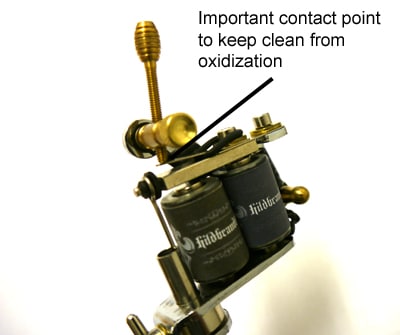
Tools, parts, and checklist for repairs
Keep a small kit handy. These items solve most problems quickly.
- Multimeter for voltage and continuity checks.
- Isopropyl alcohol, cotton swabs, and small brushes for cleaning.
- Spare power cords and adapters (RCA, clip cord, USB).
- Extra cartridge needles and O-rings.
- Small hex keys and screwdrivers sized for pens.
- Replacement bearings and motors for common models.
- Soft cloth, lubricant safe for motors, and protective gloves.
Having these items speeds up Rotary Pen Tattoo Machine Troubleshooting. I learned this after wasting hours searching for a part mid-session.

Preventive maintenance and care
A little regular care reduces breakdowns. Follow these tips.
- Clean the pen after each use. Wipe surfaces and remove dried ink.
- Don’t soak the motor housing. Keep liquids away from the motor vents.
- Replace O-rings and grips when they show wear.
- Use the correct cartridges for your pen to avoid wobble.
- Run at recommended voltages to protect the motor.
- Store in a padded case to avoid shocks and drops.
I once ignored a clicking sound and later had to replace a motor. Regular checks would have avoided that expense.

Advanced diagnostics and repairs
When basic fixes fail, try deeper checks. Only attempt these if you are comfortable with small electronics.
-
Motor bench test
- Remove the motor and hook it to a bench supply. Run it briefly to check for smooth rotation.
- Listen for hum, click, or stall. Replace motor on persistent faults.
-
Bearing replacement
- Press out the old bearing and fit a new one with a proper tool.
- Use light machine-safe grease and ensure alignment.
-
Electrical trace
- Use a multimeter to test continuity from the jack to the motor.
- Look for intermittent contact that shows only when the cable moves.
-
Firmware and controller issues
- Some modern pen systems use a controller. Reset or update firmware if the manufacturer supports it.
- Check for incompatible firmware versions after swapping parts.
-
When to consult a pro
- If soldering, motor rewinding, or circuit board work is needed, consult a trained tech.
- Keep manufacturer warranty notes in mind before opening sealed units.
Advanced Rotary Pen Tattoo Machine Troubleshooting can save a machine, but know when to stop and get expert help.

People also ask
How do I stop my rotary pen from vibrating?
Try tightening the grip, reseating the cartridge, and checking for loose screws. Replace worn O-rings or bearings if vibration continues.
What voltage should a rotary pen run at?
Follow the manufacturer range, usually between 5 and 10 volts for most pens. Start low and increase slowly while testing.
Can a bad cartridge damage the machine?
Yes. A bent or wrong-size cartridge can cause wobble, strain bearings, and reduce motor life.
Frequently Asked Questions of Rotary Pen Tattoo Machine Troubleshooting
What is the first step in Rotary Pen Tattoo Machine Troubleshooting?
Start with a visual inspection and a power cord check. Look for loose parts and test a known-good power supply.
Why does my rotary pen make grinding noises?
Grinding usually points to bad bearings, debris in the motor, or a damaged drive shaft. Clean and test the motor to find the issue.
How often should I replace O-rings and grips?
Replace them when they show visible wear or slip during use. A quick check every month is a good routine.
Can I use any cartridge with my rotary pen?
No. Use cartridges sized for your pen model to avoid wobble and improper needle travel. Check the pen manual for compatibility.
When should I send the machine for professional repair?
Send it for repair if the motor stalls, if the PCB is damaged, or if repairs require soldering or motor rewinding. Also consult pros if the unit is under warranty.
Conclusion
Rotary Pen Tattoo Machine Troubleshooting becomes simple with a clear plan. Inspect first, test power next, then check motor and cartridges. Keep a basic tool kit and do regular maintenance to avoid most problems. Start applying these steps today, and you will reduce downtime and improve your work. If a problem feels beyond your skill, get professional help and protect your investment. Share your experience, ask a question, or subscribe for more tips.

