

Working from home has become a new normal for millions of people around the world. What was once a rare benefit is now a common reality for office workers, freelancers, and entrepreneurs. The shift is not only about where you work, but also how you manage your time, space, and energy.
If you’re new to remote work, you might wonder how to stay productive, avoid distractions, and keep your work-life balance healthy. Even for those with experience, there are always new challenges, like staying connected with your team or fighting the feeling of isolation.

36% off Today’s Exclusive Deals
Limited-time Exclusive Deals. Check current discount on Amazon.
Check Price on Amazon As an Amazon Associate I earn from qualifying purchases.This guide will show you how to work from home successfully. You’ll learn how to set up your workspace, manage your time, communicate well, and take care of your health. With the right strategies, working from home can be both efficient and rewarding.
Setting Up Your Home Workspace
A good workspace is the foundation of effective remote work. It’s not just about having a desk and a chair; it’s about creating a space where you can focus and feel comfortable.
Choosing The Right Location
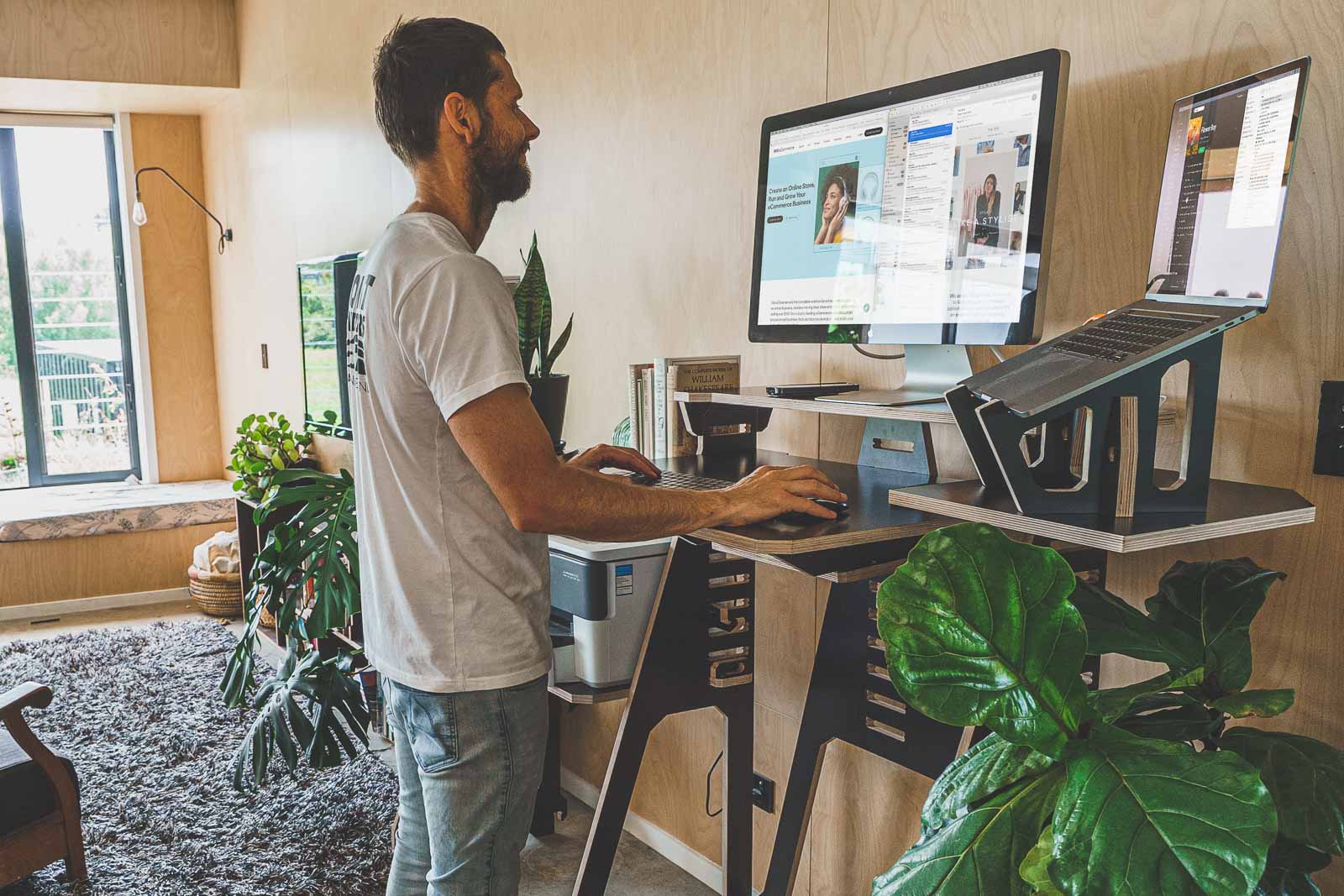
Pick a spot in your home that is quiet and separate from your living areas if possible. Avoid working from your bed or sofa, as these can make it hard to separate work from relaxation. If space is limited, even a small table in a corner can work if it’s dedicated to your job.
Essential Equipment
You don’t need a fancy office, but some basics are important for productivity:
- Desk and chair: Choose a chair that supports your back and a desk at the right height.
- Computer and accessories: A reliable computer, mouse, and keyboard make daily tasks easier.
- Internet connection: A fast, stable connection is crucial for video calls and file sharing.
- Lighting: Good lighting prevents eye strain. Natural light is best, but a desk lamp can help.
Ergonomics Matter
Many people ignore ergonomics and end up with back or neck pain. Adjust your chair so your feet are flat on the floor and your screen is at eye level. If you use a laptop, consider a stand to raise the screen and a separate keyboard.
Keeping It Organized
A cluttered space can make you feel stressed. Keep only essential items on your desk. Use shelves, boxes, or drawers to store papers and supplies.
Non-obvious insight: Many beginners forget about noise. If your home is loud, use noise-canceling headphones or play background music to help you concentrate.
Managing Your Time Effectively
Without a boss nearby, it’s easy to lose track of time or work too much. Good time management helps you stay productive and avoid burnout.
Set A Clear Schedule
Start and end work at the same time each day. This makes it easier to separate work hours from personal time. Use a calendar or planner to outline your tasks.
Example daily schedule:
- 8: 30 am: Start work
- 10: 30 am: Short break
- 12: 30 pm: Lunch
- 1: 30 pm: Resume work
- 3: 30 pm: Short break
- 5: 30 pm: End work
Use Productivity Techniques
Try proven techniques to manage your focus:
- Pomodoro Technique: Work for 25 minutes, then take a 5-minute break.
- Time blocking: Assign specific tasks to blocks of time.
- Task lists: Write down your top three priorities each day.
Avoiding Procrastination
Working from home can make procrastination worse. To fight it:
- Remove distractions like social media during work hours.
- Break big tasks into smaller steps.
- Reward yourself after finishing a task.
Set Boundaries
Tell family or housemates your work hours and ask them not to disturb you. Use a “Do Not Disturb” sign if needed.
Non-obvious insight: Overworking is as common as underworking. Many remote workers struggle to “switch off.” Schedule your breaks and end-of-day routine as seriously as meetings.
Communication And Collaboration
Remote work doesn’t mean working alone. Clear communication is key to staying connected with your team and manager.
Choosing The Right Tools
There are many tools for remote communication. Here’s a quick comparison:
| Tool | Best For | Key Features |
|---|---|---|
| Slack | Team messaging | Channels, file sharing, integrations |
| Zoom | Video meetings | HD video, screen sharing, recording |
| Google Workspace | Document collaboration | Docs, Sheets, real-time editing |
| Trello | Project tracking | Boards, cards, due dates |
Choose the tools your team prefers and learn their features well.
Best Practices For Remote Communication
- Be clear and concise: Write short, direct messages.
- Respond quickly: Aim to reply within a few hours during work time.
- Use video calls for complex topics: Some things are easier to discuss face-to-face.
- Share your availability: Use status updates or shared calendars.
Document Everything
Keep records of decisions, meeting notes, and project updates. This helps everyone stay on the same page.
Handling Misunderstandings
Without body language, messages can be misunderstood. If you’re unsure, ask for clarification or call instead of emailing.
Non-obvious insight: Many new remote workers forget to “show up.” Just being visible—posting updates or joining discussions—helps you stay connected and avoids feeling left out.
Avoiding Distractions And Staying Focused
At home, distractions are everywhere—TV, chores, family, or pets. Staying focused is a challenge, but there are smart ways to reduce interruptions.
Identify Your Triggers
Notice what pulls your attention away from work. Is it your phone? The fridge? Noise? Once you know your triggers, you can manage them.
Create A Distraction-free Zone
Keep your workspace away from high-traffic areas if possible. Let others know you’re working. Use apps to block distracting websites.
Build Routines
A simple routine can signal to your brain it’s time to work. For example, start each day by making coffee and reviewing your to-do list.
Take Smart Breaks
Short breaks boost focus. Step outside for fresh air, stretch, or walk around your home. Avoid using breaks to scroll social media, as this can make it harder to get back to work.
Use Technology Wisely
Try apps like:
- Focus@Will: Plays concentration-boosting music.
- Freedom: Blocks distracting sites and apps.
- Forest: Encourages you to stay off your phone by growing a virtual tree.
Maintaining Work-life Balance
One of the biggest challenges of working from home is keeping your job from taking over your life. Without a commute, it’s tempting to check emails after hours or skip lunch.
Set Physical Boundaries
Shut your laptop and leave your workspace at the end of the day. If possible, use a separate room for work.
Prioritize Self-care
Exercise, eat well, and get enough sleep. Working from home should not come at the expense of your health.
Protect Your Personal Time
Don’t let work spill into evenings and weekends. Schedule activities you enjoy, like hobbies or time with family.
Recognize Burnout Signs
Watch for warning signs like constant tiredness, headaches, or irritability. If you notice these, adjust your workload or ask for support.
Non-obvious insight: Many remote workers find it helpful to “commute” at the start or end of the day—take a walk or listen to music—to mark the transition between work and personal time.
Staying Motivated And Engaged
Motivation can drop when you work alone, especially over long periods. It’s easy to feel disconnected or bored.
Set Personal Goals
Break big projects into smaller milestones. Celebrate when you finish them, even with a small treat.
Connect With Colleagues
Schedule virtual coffee breaks or join online team events. A simple chat can boost your mood.
Keep Learning
Use the time saved from commuting to take online courses or read about your industry. Learning new skills keeps you interested in your work.
Decorate Your Workspace
Add plants, art, or photos to your workspace. A pleasant environment can lift your spirits.
Track Your Progress
At the end of each week, review what you accomplished. This helps you see your progress and stay motivated.
Essential Security And Privacy Tips
Working remotely means you handle company data outside the office. Security is more important than ever.
Secure Your Devices
- Use strong passwords and change them regularly.
- Enable two-factor authentication when possible.
- Keep your software and antivirus updated.
Protect Company Data
- Don’t use public Wi-Fi for sensitive work.
- Store files in company-approved cloud services, not on your desktop.
- Lock your screen when you step away.
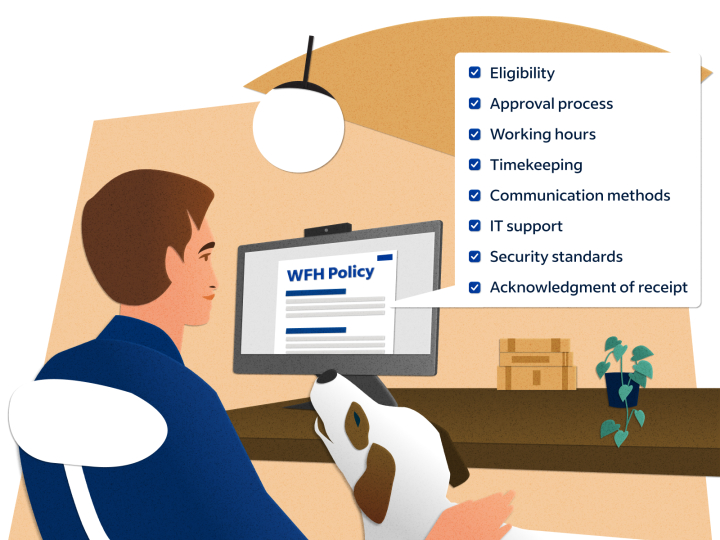
Understand Company Policies
Many companies have rules for remote work security. Make sure you follow them.
Watch For Scams
Remote workers are targets for phishing emails. Be cautious of messages asking for passwords or personal information.
Additional resource: For more tips on cybersecurity, visit CISA’s official guide.
Monitoring Productivity Without Stress
Measuring your own productivity is important, but avoid becoming obsessed with numbers. The goal is to work well, not just to be busy.
Use Simple Metrics
Track your output, not just your hours. For example:
- Number of tasks completed
- Progress on key projects
- Quality of work delivered
Share Updates
Send regular updates to your manager or team. This builds trust and keeps everyone informed.
Avoid Micromanagement
If you’re a manager, focus on results, not constant check-ins. Trust your team to manage their own time.
Use Productivity Tools
Here’s a comparison of popular tools for tracking productivity:
| Tool | Purpose | Best For |
|---|---|---|
| RescueTime | Time tracking | Understanding work habits |
| Asana | Task management | Project planning |
| Notion | Notes & tasks | Personal and team organization |
Handling Isolation And Mental Health
Remote work can be lonely, especially for people who live alone. Taking care of your mental health is as important as finishing your tasks.
Stay Social
- Call a friend during lunch
- Join online communities or interest groups
- Attend virtual meetups or webinars
Practice Mindfulness
Simple practices like deep breathing or short meditations can reduce stress.
Seek Help When Needed
If you’re feeling down or anxious, talk to someone—a friend, family member, or a mental health professional.
Keep A Routine
Having a regular routine helps your mind feel stable. Wake up, eat, and sleep at the same times each day.
Get Outside
Sunlight and fresh air are important for your mood. Try to spend a few minutes outdoors daily.
Adapting To Different Types Of Remote Work
Not all remote jobs are the same. Some people work full-time from home, while others split time between home and office.
Full-time Remote Employees
These workers need strong routines and communication skills. They often have more flexibility but must self-manage.
Freelancers And Contractors
Freelancers must handle their own taxes, clients, and workflow. Time management is crucial, as there’s no boss to guide you.
Hybrid Workers
Some companies use a “hybrid” model, where employees work from home a few days a week. These workers must switch between two environments and stay organized.
Entrepreneurs And Business Owners
Running a business from home adds extra pressure. Separate your business and personal finances, and set clear working hours.
Here’s a quick comparison of remote work types:
| Type | Key Challenge | Main Advantage |
|---|---|---|
| Full-time remote | Isolation, self-discipline | Flexibility |
| Freelancer | Finding clients, managing income | Control over workload |
| Hybrid | Switching routines | Best of both worlds |
| Entrepreneur | Work-life separation | Business growth potential |
Frequently Asked Questions
What Is The Best Way To Avoid Distractions When Working From Home?
Create a dedicated workspace and remove common distractions like your phone or TV. Use tools to block social media. Let others in your home know your work hours so they don’t interrupt you.
How Can I Communicate Effectively With My Remote Team?
Use clear, short messages and respond quickly. Use video calls for complex topics. Share your availability and keep records of important discussions. Over-communicate if you’re not sure your message was received.
What Equipment Do I Really Need To Work From Home?
At minimum, you need a reliable computer, fast internet, a comfortable chair and desk, and good lighting. Headphones and a webcam are helpful for meetings. If you handle sensitive work, use security tools like VPNs and antivirus software.
How Do I Stay Motivated While Working Remotely?
Set small, clear goals and celebrate when you finish them. Connect with coworkers, join virtual events, and keep learning new things. Make your workspace pleasant with personal touches.
What Should I Do If I Feel Isolated Or Lonely Working From Home?
Stay in touch with friends and colleagues through calls and online chats. Join online groups related to your interests. Take breaks outside and keep a regular routine. If feelings of loneliness continue, talk to a professional for support.
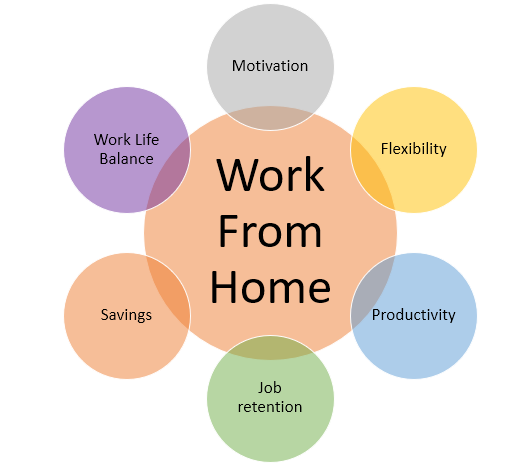
Working from home brings both freedom and responsibility. With the right setup and habits, you can stay productive, healthy, and happy. Remember, it takes time to find the routine that works best for you—so be patient with yourself as you adjust.
The flexibility and comfort of remote work can be a huge advantage if you approach it with good planning and self-care.

