

The Roomba 694 usually stops working because of power, dirt, app, or sensor problems.
The iRobot Roomba 694 Robot Vacuum not working can feel annoying fast, especially when it stops mid-clean or will not start at all. I have seen this happen for simple reasons like a dead battery, a clogged brush, or a dirty charging contact, and the good news is that most fixes are easy once you know where to look. In this guide, I will walk you through the most likely causes, practical fixes, and smart habits that can keep your Roomba 694 running smoothly.

36% off Today’s Exclusive Deals
Limited-time Exclusive Deals. Check current discount on Amazon.
Check Price on Amazon As an Amazon Associate I earn from qualifying purchases.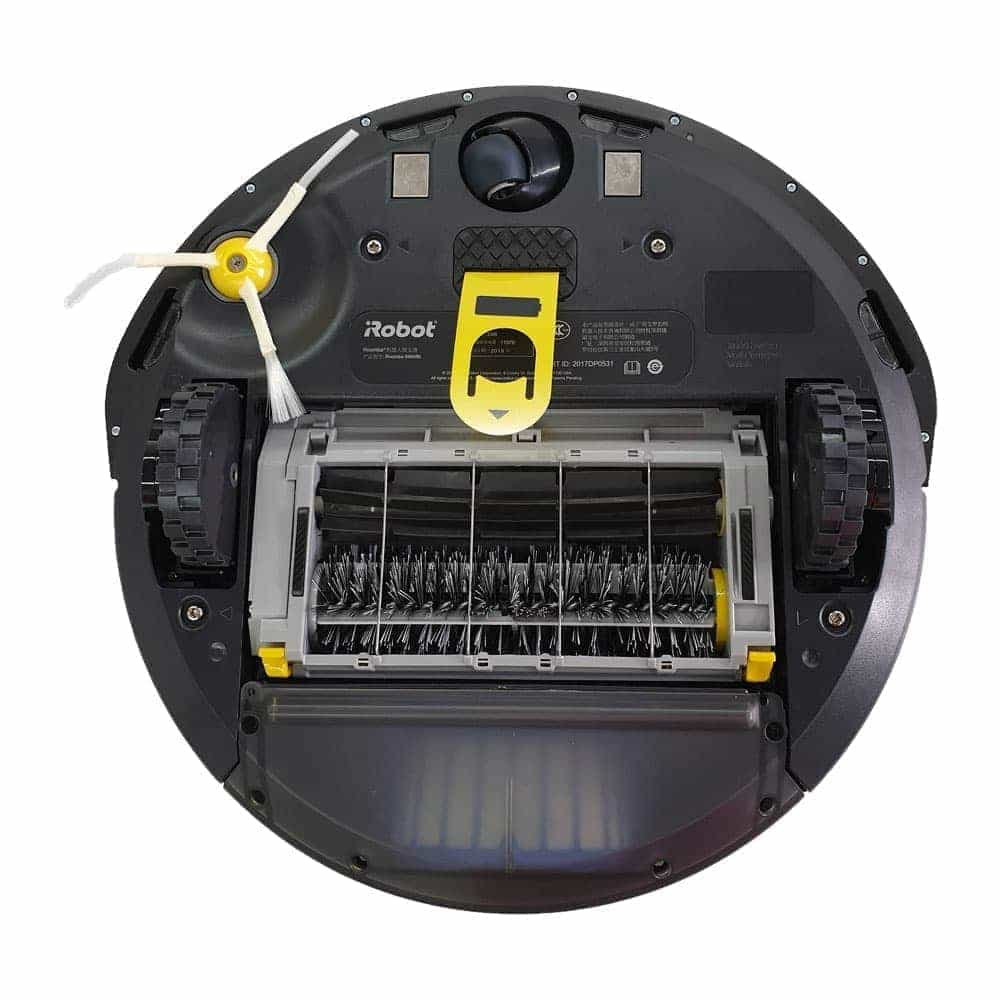
Why the iRobot Roomba 694 Robot Vacuum Stops Working
The iRobot Roomba 694 Robot Vacuum not working is often tied to one of a few common issues. These include battery trouble, charging problems, blocked wheels, tangled brushes, or dirty sensors.
From real-world use, the biggest mistake people make is assuming the vacuum is “broken” right away. More often, it is just stuck, dirty, or not getting power the way it should.
Common reasons include:
- Battery is drained or worn out
- Charging contacts are dirty
- Dustbin is full or not seated properly
- Brush rolls are tangled with hair
- Front wheel or side brush is jammed
- Sensors are blocked by dust
- Wi-Fi or app setup is faulty
- Software glitch after a reset or update
The Roomba 694 is a simple robot vacuum, and that is a good thing. It means many problems are easy to diagnose without special tools.
First Checks When the Roomba 694 Will Not Start
If your iRobot Roomba 694 Robot Vacuum not working at all, start with the basics. These first checks solve a lot of problems in just a few minutes.
Try this:
- Make sure the Clean button is pressed firmly.
- Check whether the battery is charged.
- Put the Roomba back on the Home Base.
- Confirm the charging light is on.
- Remove the dustbin and place it back in correctly.
- Make sure the floor is not blocking the wheels.
I once spent too long troubleshooting a dead Roomba only to find the charging contacts had a thin layer of dust on them. A quick wipe with a dry cloth brought it back to life. Small fixes like that are common with this model.
If the Roomba still does not respond, move to deeper checks.

Charging Problems and Battery Issues
A weak battery is one of the most common reasons the iRobot Roomba 694 Robot Vacuum not working. If it dies quickly, will not dock, or shows no signs of power, the battery may be the issue.
Signs of battery trouble include:
- Roomba runs for only a few minutes
- It shuts down during cleaning
- It does not turn on after charging
- The charging dock light is normal, but the vacuum is not charging
What to do:
- Clean the metal charging contacts on both the Roomba and the dock
- Reseat the vacuum on the Home Base
- Leave it charging for at least 2 hours
- Try a different outlet
- Check for battery age and wear
Lithium-ion batteries lose strength over time. If your Roomba has been used for years, the battery may simply need replacement. Industry guidance on battery lifespan supports this pattern, especially for devices charged often and used daily.
A good habit is to keep the vacuum on its Home Base when not in use. That helps the battery stay ready and reduces the chance of deep discharge.
Brush, Wheel, and Side Brush Blockages
If the Roomba 694 moves strangely or stops mid-clean, a jam is often the cause. Hair, thread, and crumbs can wrap around the main brush or wedge into the wheels.
Check these parts:
- Main brush roll
- Side brush
- Front caster wheel
- Left and right drive wheels
How to clean them:
- Turn the vacuum off
- Remove the brush guard
- Pull out hair and debris
- Spin the front wheel by hand to see if it moves freely
- Check the side brush screw if the brush is loose
This model is pretty forgiving, but it does not like long hair or carpet fibers. In homes with pets, I have seen brush jams happen weekly if the vacuum is not cleaned on schedule.
If the wheel feels stiff or stuck, clear the debris carefully. A jammed wheel can make the Roomba look dead when it is really just stuck in protection mode.
Dustbin, Filters, and Sensor Problems
A full dustbin or dirty sensor can make the iRobot Roomba 694 Robot Vacuum not working as expected. Sometimes the vacuum starts, then stops, or refuses to clean properly because it thinks something is wrong.
Check the following:
- Dustbin is empty and fully seated
- Filter is not clogged with fine dust
- Cliff sensors under the vacuum are clean
- Bumper moves freely and is not stuck
- Dirt detection sensors are not covered
Use a dry microfiber cloth to clean the sensors. Avoid using wet cleaners on electronic parts unless the manual specifically allows it.
When the sensors get dusty, the Roomba may behave like it is walking through fog. It gets confused, slows down, or avoids areas for no clear reason. A quick sensor wipe often fixes this.
Docking and Home Base Issues
Sometimes the iRobot Roomba 694 Robot Vacuum not working is really a docking issue. The vacuum may clean a little, then fail to return to the dock or charge properly.
Things to check:
- The dock is plugged in
- The dock indicator light is on
- The base is on a hard, flat floor
- There is enough space around the Home Base
- The charging contacts are clean
Place the dock against a wall on a level surface. Avoid carpet edges, clutter, and direct sunlight near the sensors. These small details matter more than people expect.
If the Roomba cannot line up with the dock, move the base to a simpler location. I have seen a one-foot move make a huge difference.
App, Wi-Fi, and Software Problems
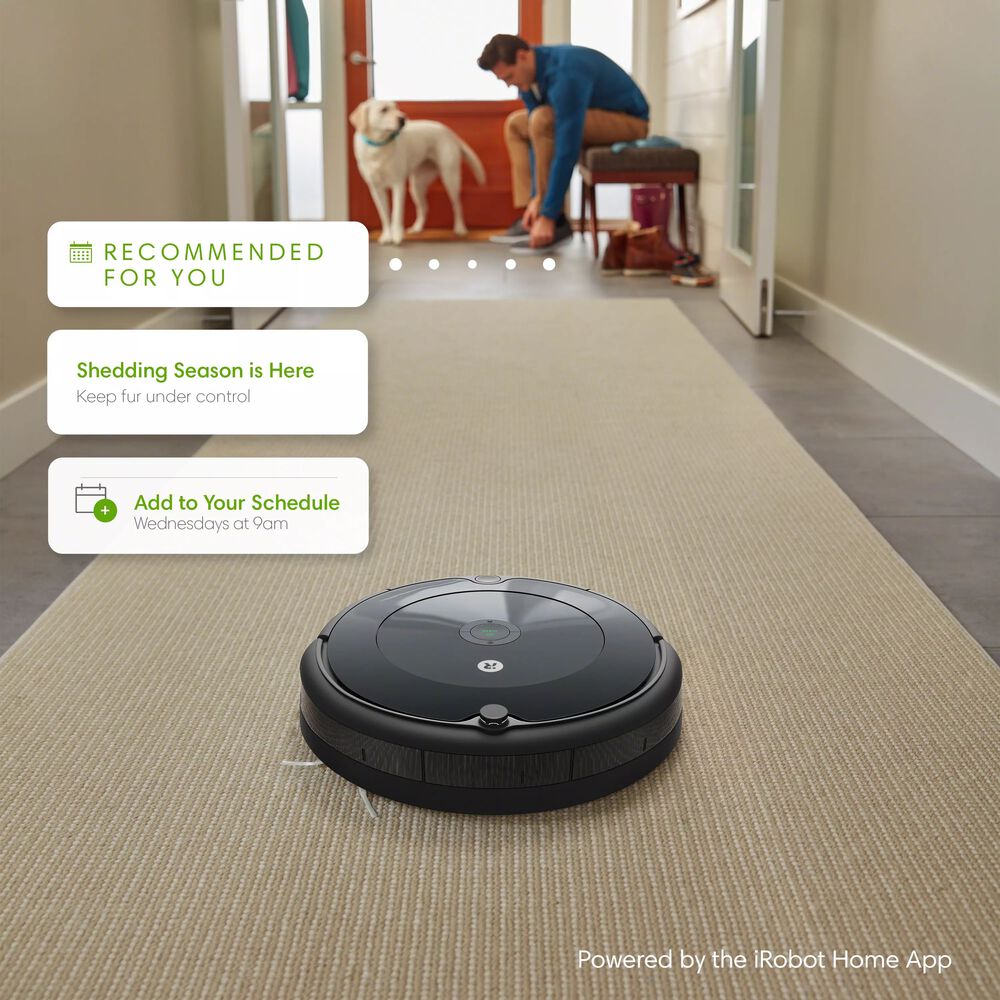
The Roomba 694 can also seem broken when the issue is actually in the app or connection. If the vacuum cleans manually but not through the app, the problem may be Wi-Fi or setup related.
Common app-related issues include:
- Device not connected to Wi-Fi
- App not syncing the cleaning schedule
- Firmware not updating properly
- Phone permissions blocking the connection
Fixes to try:
- Restart the app
- Reconnect the Roomba to Wi-Fi
- Confirm your router uses a supported network
- Move the router closer during setup
- Restart your phone and the vacuum
The Roomba 694 works on 2.4 GHz Wi-Fi, not 5 GHz. That detail trips up many users. If your router is set to dual band, make sure the device is paired to the 2.4 GHz signal.
How to Reset the Roomba 694
A reset can help when the iRobot Roomba 694 Robot Vacuum not working because of a software glitch. This is often useful if the vacuum freezes, behaves oddly, or stops responding.
Try a soft reset first:
- Press and hold the Clean button
- Hold it for about 10 seconds
- Release when the light ring changes or the vacuum restarts
If that does not help, try a full reboot by removing the battery briefly, if you are comfortable doing so and if the manual supports that step for your model.
A reset is not magic, but it can clear small glitches that build up over time. Think of it like restarting a phone that has frozen.
Preventive Care That Keeps the Roomba 694 Working
The best way to avoid the iRobot Roomba 694 Robot Vacuum not working is simple maintenance. A few minutes of care each week can save a lot of stress later.
Good maintenance habits:
- Empty the dustbin after each run
- Clean brushes once a week
- Check wheels for hair and string
- Wipe sensors with a dry cloth
- Clean charging contacts monthly
- Keep the floor clear of cords and small objects
- Replace the filter when it becomes dirty or weak
In my experience, the Roomba 694 performs best when treated like a helper, not a miracle worker. It is great for daily upkeep, but it still needs attention to stay reliable.
If you have pets or long hair in the house, clean the brush roll more often. That one habit prevents a surprising number of issues.
When the Problem May Need a Replacement Part
Sometimes the iRobot Roomba 694 Robot Vacuum not working means a part is worn out. That does not always mean the whole machine is finished.
Parts that may need replacement:
- Battery
- Brush roll
- Side brush
- Filter
- Front caster wheel
- Charging dock
- Charging cable
If the vacuum is older and has had heavy use, replacing the battery is often the smartest first step. It is usually cheaper than buying a new unit and can restore a lot of runtime.
If multiple parts are worn at once, compare repair cost to replacement cost. That makes the decision easier.
Common Mistakes to Avoid
People often make the same mistakes when the iRobot Roomba 694 Robot Vacuum not working. Avoiding these can save time and money.
Watch out for these:
- Ignoring dirty charging contacts
- Forgetting to clean the brush roll
- Using the wrong Wi-Fi band during setup
- Placing the dock in a crowded spot
- Running the vacuum with a full dustbin
- Assuming every issue needs a repair
A lot of Roomba problems are simple maintenance issues in disguise. If you stay calm and check one thing at a time, the fix is usually close.
Frequently Asked Questions of iRobot Roomba 694 Robot Vacuum not working
Why is my Roomba 694 not turning on?
A dead battery, dirty charging contacts, or a poor dock connection are the most common reasons. Start by charging it for a few hours and cleaning the metal contacts.
Why does my Roomba 694 stop after a few minutes?
This often points to a weak battery, a brush jam, or a wheel blockage. Check for tangled hair, empty the bin, and make sure the vacuum can move freely.
Why is my Roomba 694 not connecting to Wi-Fi?
The Roomba 694 only supports 2.4 GHz Wi-Fi. If your phone or router is using 5 GHz during setup, the connection may fail.
How do I know if the Roomba 694 battery needs replacement?
If the vacuum dies very quickly, will not hold a charge, or takes much longer to clean than before, the battery may be worn out. Battery aging is normal after repeated charging cycles.
Can I fix a Roomba 694 at home?
Yes, many common problems can be fixed at home with basic cleaning and reset steps. If the motor, battery, or dock is damaged, replacement parts may be needed.
Conclusion
The iRobot Roomba 694 Robot Vacuum not working is usually caused by something small, like a clogged brush, dirty contacts, a weak battery, or a connection issue. Once you check the power, clean the key parts, and reset the unit if needed, most problems become much easier to solve.
The best approach is steady and simple: inspect, clean, test, and repeat. If your Roomba 694 is still giving you trouble, use the steps above as a checklist and fix the most likely cause first. Take action today, and if you found this guide helpful, leave a comment or explore more troubleshooting tips to keep your robot vacuum running like new.

