

The iRobot Roomba i7+ usually beeps to signal a jam, error, full bin, low battery, or a dock issue.
If your iRobot Roomba i7+ Robot Vacuum beeping has turned into a daily mystery, you are not alone. I have seen this model act up in ways that feel confusing at first, but most beep alerts point to a small, fixable problem. In this guide, I’ll walk you through the most common causes, what each beep means, and the fastest ways to get your Roomba i7+ back on track.

36% off Today’s Exclusive Deals
Limited-time Exclusive Deals. Check current discount on Amazon.
Check Price on Amazon As an Amazon Associate I earn from qualifying purchases.Why the iRobot Roomba i7+ Beeps
The iRobot Roomba i7+ Robot Vacuum beeping is the robot’s way of asking for help. It is not random noise. It is usually tied to a specific status, warning, or error that needs attention.
From my experience, most beep issues come down to a few simple things:
- A brush or wheel is stuck
- The dust bin is full or not seated right
- The battery is low
- The charging dock is not making a clean connection
- The cliff sensors or bumper are blocked
- The robot needs a reset or software update
Think of the beep like a smoke alarm for your vacuum. It is loud on purpose, but the cause is often small once you know where to look.
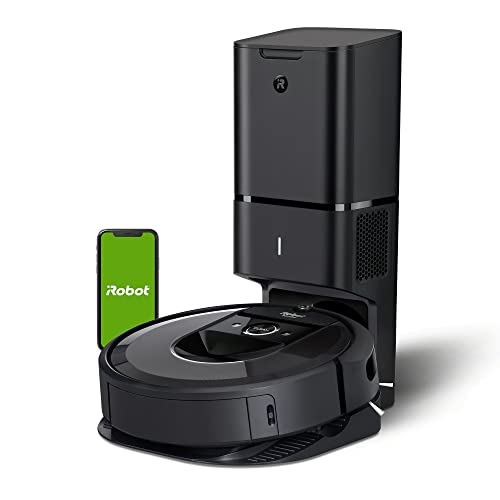
Common iRobot Roomba i7+ Beeping Patterns and What They Mean
The iRobot Roomba i7+ Robot Vacuum beeping can happen in different patterns. Some beeps are short and repeated. Others may come with spoken voice alerts, flashing lights, or app messages.
Here are the most common meanings:
- One or two beeps, then silence: Often a minor alert, such as a stuck wheel or brush
- Repeated beeping during cleaning: Usually a jam, clogged part, or sensor issue
- Beeping while docking: Often a charging contact problem
- Beeping after starting: Can point to a bin, brush, or battery issue
- Beeping with an app alert: Usually a more specific error code or message
If your Roomba i7+ also sends a message in the iRobot Home app, trust that message first. The app often gives the clearest clue.
Most Common Causes of iRobot Roomba i7+ Robot Vacuum Beeping
A lot of owners assume beeping means something serious. In many cases, it is just the vacuum asking for a quick cleanup.
1. Brush Roll or Side Brush Jam
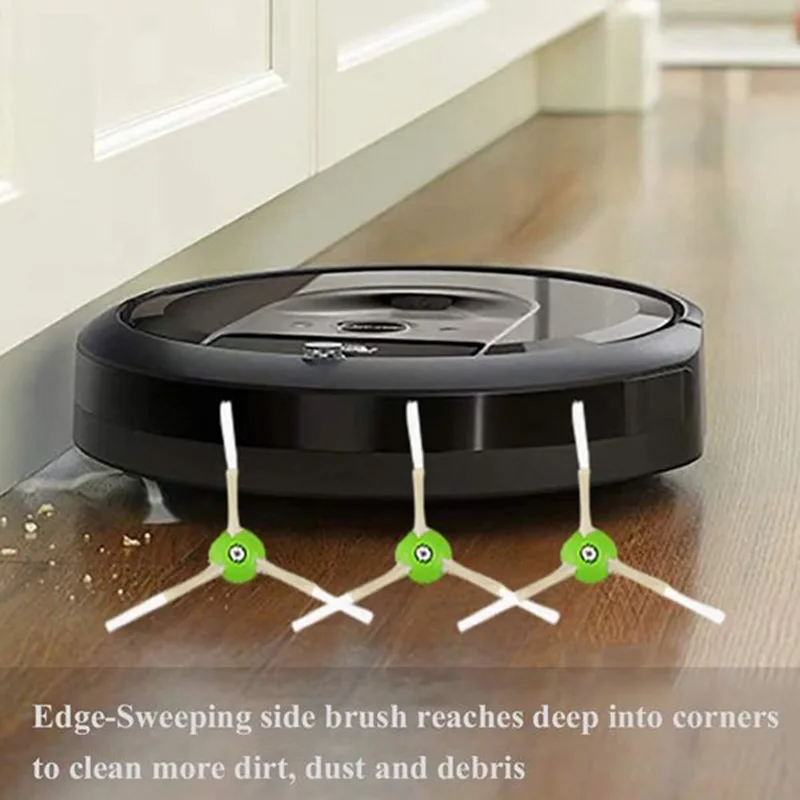
Hair, string, and carpet fibers are the top troublemakers. I have pulled out enough tangled debris from robot vacuums to know this is one of the first places to check.
What to do:
- Turn the robot off
- Remove the main brush assembly
- Clear hair and thread from the rollers
- Check the side brush for wraps or bends
- Reinstall everything firmly
Even a small knot of hair can make the robot beep and stop.
2. Dust Bin Not Installed Correctly
Sometimes the dust bin looks seated, but it is not fully locked in. The iRobot Roomba i7+ Robot Vacuum beeping may start right after cleaning begins if the bin is loose.
What to do:
- Remove the bin
- Empty it fully
- Wipe the contacts and edges
- Put it back in until it clicks
A loose bin can act like a bad battery connection. The vacuum senses that something is off and warns you fast.
3. Dirty Cliff or Dirt Sensors
Roomba uses sensors to avoid stairs and drops. If those sensors get dusty, the robot may beep and pause.
What to do:
- Flip the robot over
- Use a dry microfiber cloth
- Clean the cliff sensors and charging contacts
- Avoid wet cleaning on the sensors
Dust on sensors is a small problem that can cause big behavior changes.
4. Charging Dock or Contact Problem
The iRobot Roomba i7+ Robot Vacuum beeping while docked often means it is not charging correctly. I have seen this happen when the dock is on a carpet edge, or the metal contacts are dusty.
What to do:
- Move the dock to a flat surface
- Make sure there is enough space around it
- Clean the charging contacts on both the robot and dock
- Check the power cord and outlet
If the robot cannot charge well, it may beep, die early, or fail to start.
5. Low or Weak Battery
A weak battery can cause beeping before, during, or after a cleaning job. This is especially true if the robot is older or has been sitting unused for a long time.
What to do:
- Place the robot on the dock for several hours
- Make sure the dock is working
- Try a full charge cycle
- Watch for battery health issues over time
If the battery no longer holds a charge well, replacement may be needed.
6. Software Glitch or Stuck State
Sometimes the robot is fine physically, but the system gets stuck. This can happen after an update, a failed dock, or a brief power issue.
What to do:
- Restart the robot
- Check for firmware updates in the app
- Power cycle the dock if needed
- Reconnect the robot to Wi-Fi if the app is lagging
This is one of those situations where turning it off and back on actually helps.
How to Fix iRobot Roomba i7+ Robot Vacuum Beeping Step by Step
If you want the fastest path to a fix, follow this order. It covers the most common causes without wasting time.
-
Stop the robot and listen
See if the beep happens at startup, during cleaning, or while docking. Timing matters. -
Check the bin
Remove it, empty it, and reinstall it securely. -
Inspect the brushes
Pull out hair, dust, string, and any jammed debris. -
Clean the sensors
Wipe the cliff sensors, charging points, and bumper area. -
Look at the dock
Make sure it is plugged in, level, and not blocked. -
Restart the vacuum
A full restart can clear temporary glitches. -
Check the app
The iRobot Home app may show a clearer message or error code. -
Test on a hard floor
If the robot works on tile but not carpet, the issue may be brush drag or floor height.
This simple sequence solves many iRobot Roomba i7+ Robot Vacuum beeping problems without needing parts or service.
When the Beeping Is Normal vs. When It Is a Warning
Not every beep means failure. Some beeps are just signals that the robot finished a task, started a job, or changed modes.
Normal situations may include:
- Starting or ending a cleaning cycle
- Returning to the dock
- Emptying the bin into the Clean Base
- Receiving a voice prompt
Warning signs may include:
- Repeated beeping with no cleaning
- Beeping and stopping after a few seconds
- Loud alerts with flashing lights
- Beeping that happens every time you dock
If the iRobot Roomba i7+ Robot Vacuum beeping is paired with poor cleaning, short runtime, or failure to dock, treat it as a problem that needs attention.
My Practical Tips for Preventing Beeping Problems
Over time, the best fix is prevention. A little routine care saves a lot of frustration.
Here is what works well in real life:
- Empty the bin often, even if it is not full
- Clean the brushes once a week
- Wipe the sensors every few cleanings
- Keep cords, socks, and charging cables off the floor
- Place the dock on a flat, open area
- Replace worn parts before they fail
I also recommend checking the robot after it gets stuck once. In my experience, one jam can leave behind enough debris to trigger another beep later.
What to Do If Your iRobot Roomba i7+ Keeps Beeping After Cleaning
If the iRobot Roomba i7+ Robot Vacuum beeping keeps coming back, the issue may be deeper than surface dirt. At that point, look at the parts that wear down over time.
Possible next steps:
- Check whether the battery is aging
- Inspect the wheel modules for drag or debris
- Test the Clean Base if you have one
- Remove and reseat the bin again
- Try a factory reset only if basic steps fail
If the robot still beeps after a full cleaning and restart, you may be dealing with a sensor fault or part failure. That is when support or replacement parts become more useful.
Helpful Maintenance Habits for Long-Term Reliability
A robot vacuum is a lot like a car. It runs better when you give it small, regular care.
Good habits include:
- Cleaning brushes every 1 to 2 weeks
- Checking the bin after messy rooms
- Keeping floors clear before a run
- Updating firmware when available
- Replacing filters and brushes on schedule
These habits help reduce the chance of iRobot Roomba i7+ Robot Vacuum beeping at the worst possible time.
Frequently Asked Questions of iRobot Roomba i7+ Robot Vacuum beeping
Why does my iRobot Roomba i7+ keep beeping and stopping?
This usually means the robot found a jam, sensor issue, or charging problem. Start by checking the brushes, bin, and charging contacts.
Why does my Roomba i7+ beep when I put it on the dock?
Beeping on the dock often means the charging contacts are dirty or the dock is not positioned well. Make sure both metal contacts are clean and the dock sits on a flat surface.
Can a full dust bin cause beeping on the iRobot Roomba i7+?
Yes, a full or poorly seated bin can trigger alerts. Empty it, clean the edges, and reinstall it firmly before trying again.
Does the iRobot Home app help with beeping issues?
Yes, the app often gives a clearer message than the beep alone. It can point you to the exact problem, such as a brush jam or battery issue.
What should I do if my Roomba i7+ still beeps after a reset?
If it still beeps after a restart and basic cleaning, the problem may be a worn part or sensor fault. Check the battery, wheels, brushes, and dock, then contact support if needed.
Conclusion
The iRobot Roomba i7+ Robot Vacuum beeping is usually a useful warning, not a disaster. In most cases, the fix is simple: clear a jam, clean the sensors, reseat the bin, or check the dock.
If you treat the beep like a clue instead of a problem, the robot becomes much easier to manage. Keep up with regular maintenance, use the app when possible, and your Roomba i7+ will usually reward you with smoother, quieter cleaning. If this guide helped, share it, save it, or leave a comment with the beep issue you are seeing most often.

