

The iRobot Roomba Combo j7+ usually won’t turn on because of a dead battery, charging issue, or a stuck power connection.
If your iRobot Roomba Combo j7+ Robot Vacuum and Mop not turning on, you are not alone. I’ve seen this happen after long storage, a poor dock connection, or a battery that looked fine on the outside but had quietly drained to zero. The good news is that most power issues are simple to trace, and with the right checks, you can usually get your robot back to life without guesswork.

36% off Today’s Exclusive Deals
Limited-time Exclusive Deals. Check current discount on Amazon.
Check Price on Amazon As an Amazon Associate I earn from qualifying purchases.
Why the iRobot Roomba Combo j7+ may not power on
When the iRobot Roomba Combo j7+ Robot Vacuum and Mop not turning on, the problem often comes down to power flow. That means the robot is not getting enough charge from the battery, dock, cable, or contacts.
In my experience, the most common cause is not a major failure. It is usually something small, like dirty charging contacts, a dock that is not seated right, or a battery that went fully flat after sitting unused.
Common reasons include:
- The battery is fully drained
- The Clean Base or charging dock is unplugged
- The charging contacts are dirty
- The robot is not seated correctly on the dock
- The battery has aged or failed
- A software glitch is stopping normal startup
- The power adapter or outlet is not working
If the iRobot Roomba Combo j7+ Robot Vacuum and Mop not turning on happened after cleaning, moving the dock, or leaving it unused, start with the basics first. That approach saves time and often solves the problem fast.
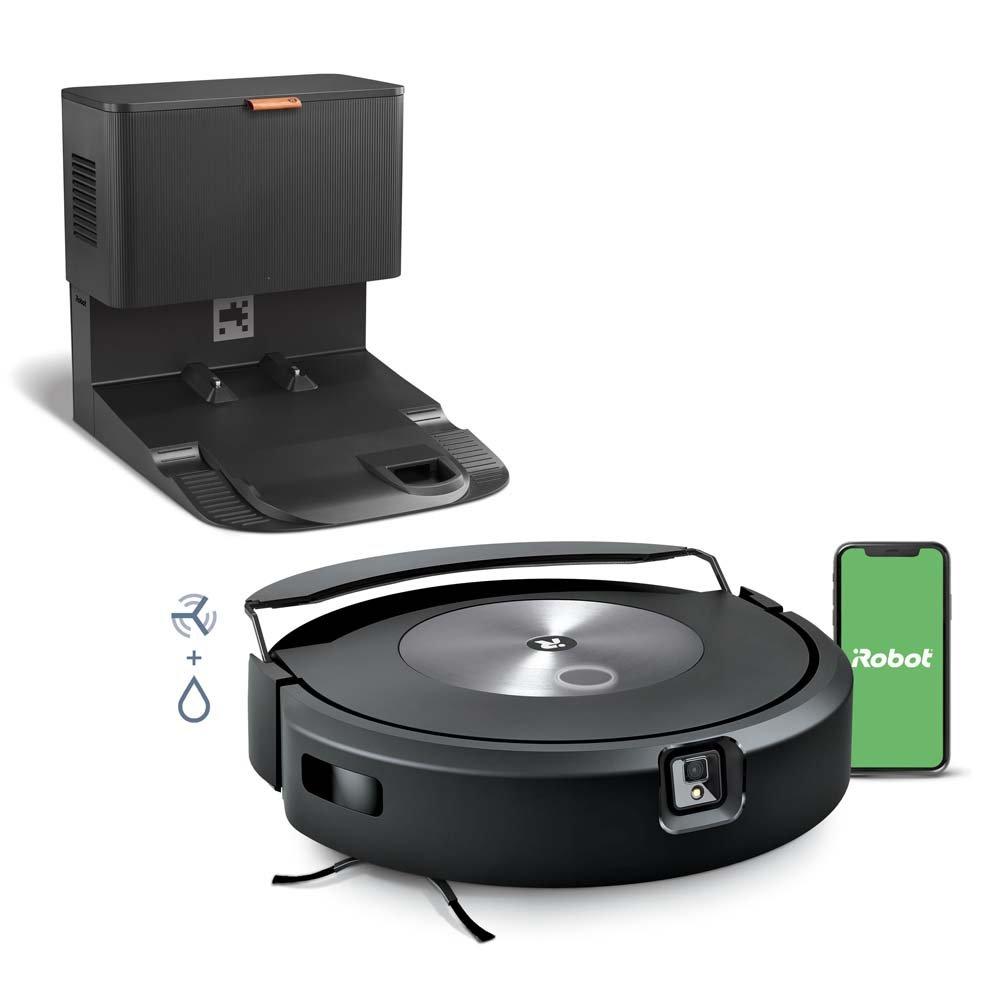
Start with the simplest power checks
Before opening anything or assuming the battery is dead, check the full power path. I always tell people to begin at the wall and work inward, like tracing a flashlight problem from the outlet to the bulb.
Try these steps:
-
Confirm the outlet works
Plug in another device, like a lamp or phone charger, to make sure the outlet has power. -
Check the dock or Clean Base connection
Make sure the power cable is fully inserted into the charging base and the wall outlet. -
Look for dock lights or signs of power
If the base has no light or sound, it may not be receiving power. -
Reseat the robot on the dock
Lift the robot off, then place it back so the contacts line up correctly. -
Let it charge for a while
A fully drained battery may need 30 to 60 minutes before it shows signs of life.
This is the most practical first step when the iRobot Roomba Combo j7+ Robot Vacuum and Mop not turning on. A robot vacuum is a lot like a phone that has been left in a drawer for weeks: it may look dead, but it simply needs time on the charger.
Check the charging contacts and dock placement
Dirty or misaligned contacts are a huge reason the iRobot Roomba Combo j7+ Robot Vacuum and Mop not turning on. Even a thin layer of dust can interrupt charging.
Inspect both the robot and the dock:
- Wipe the metal charging contacts on the robot
- Clean the dock contacts with a dry microfiber cloth
- Remove dust, pet hair, or debris around the base
- Make sure the robot sits straight on the dock
- Check that the dock is on a flat surface
I’ve made the mistake of assuming the battery was the issue when the real problem was a tiny buildup on the contacts. It is one of those boring fixes that feels almost too simple, but it works surprisingly often.
If the robot was bumped, moved, or docked unevenly, the iRobot Roomba Combo j7+ Robot Vacuum and Mop not turning on may be caused by poor contact rather than a broken battery.
Let the battery recover from deep discharge
A robot that has been left off the dock for too long may enter a deep discharge state. That can make the iRobot Roomba Combo j7+ Robot Vacuum and Mop not turning on even when the charger is connected.
Give it time:
- Leave it on the dock for at least 1 hour
- If the battery was fully empty, try 2 to 3 hours
- Avoid repeatedly pressing buttons during the initial charge
- Keep the room temperature moderate
Lithium-ion batteries do not like being fully drained for long periods. Most consumer electronics brands note that batteries can lose performance if stored empty, and robot vacuums are no exception. If the robot wakes up after a long charge, that is a good sign the battery was just deeply discharged.
Rule out a battery problem
If the iRobot Roomba Combo j7+ Robot Vacuum and Mop not turning on continues after charging, the battery may be weak or worn out. Over time, all rechargeable batteries lose capacity.
Signs the battery may be failing include:
- The robot powers on only when docked
- It shuts off quickly after starting
- Charging takes much longer than normal
- The battery percentage drops fast
- It has been used heavily for years
A battery replacement may be needed if the robot still shows no sign of power after long charging and clean contacts. In real-world use, I’ve found that battery issues usually show up after a pattern, not all at once. The robot slowly gets weaker before it finally refuses to start.
If your unit is still under warranty, this is the time to check coverage before buying parts.
Restart the robot and clear a possible software glitch
Sometimes the iRobot Roomba Combo j7+ Robot Vacuum and Mop not turning on is not a hardware problem at all. A frozen system or temporary firmware issue can block startup.
Try a simple restart:
- Remove the robot from the dock
- Press and hold the main buttons for a reset, if supported by your model’s current instructions
- Place it back on the dock
- Wait a few minutes before trying again
If the robot app still shows unusual behavior, reopen the app and check whether the device appears online. A stale connection in the app does not usually stop power, but it can make the unit seem more broken than it is.
I’ve seen people rush to replace parts when a restart would have fixed the issue. It is like rebooting a laptop that froze on a black screen. Not glamorous, but very effective.
Inspect for physical blockage or damage
The iRobot Roomba Combo j7+ Robot Vacuum and Mop not turning on can also happen if something is physically interfering with the system. That includes debris inside the charging area or signs of moisture damage.
Look for:
- Water or liquid near the robot body
- Debris stuck around wheels or underside components
- Bent charging contacts
- Cracks near the battery compartment
- Burn marks or unusual smell
If the vacuum was recently mopped, stored in a damp place, or exposed to liquid, let it dry completely before trying again. Moisture and electronics do not mix well, and forcing a wet device to charge can make the problem worse.
Confirm the app and Wi-Fi are not masking the issue
Sometimes users think the iRobot Roomba Combo j7+ Robot Vacuum and Mop not turning on, when the robot is actually powered but unresponsive in the app. That is a different problem, but it can look the same at first.
Check these details:
- See whether any status lights appear on the robot
- Look for charging or battery indicators
- Open the iRobot Home app and refresh the device
- Reconnect Wi-Fi if the robot was offline
- Restart your router if the app is not updating
If the robot has power but will not connect, the fix may be in the app or network. If there are no lights, no sounds, and no response at all, focus on hardware and charging first.
When to try a factory reset
A factory reset is a stronger step and should come after the basics. It can help if the iRobot Roomba Combo j7+ Robot Vacuum and Mop not turning on seems tied to corrupted settings or persistent software trouble.
Use it only if:
- The robot still has charge
- Normal restarting did not help
- The app and dock checks look fine
- The robot shows strange behavior before shutting off
Keep in mind that a reset may erase saved settings and preferences. I usually treat this as a last-resort home fix before contacting support. It is useful, but you do not want to use it too early and lose helpful configuration data.
Prevent the problem from coming back
Once you fix the iRobot Roomba Combo j7+ Robot Vacuum and Mop not turning on, the next step is prevention. A few small habits can keep it working better for longer.
Helpful habits include:
- Leave the robot on the dock when not in use
- Clean charging contacts once a week
- Store it in a dry indoor space
- Avoid letting the battery sit empty for days
- Check the dock cable after moving furniture
- Keep dust and pet hair away from the base
This is where a little maintenance pays off. Robot vacuums are convenient, but they still need a bit of care, just like a car battery that lasts longer with regular use.
When to contact support or replace parts
If you have tried charging, cleaning, reseating, and restarting, and the iRobot Roomba Combo j7+ Robot Vacuum and Mop not turning on still persists, the issue may need professional help.
Contact support or consider replacement if:
- The robot never shows any sign of charging
- The battery is swollen or damaged
- The dock has no power even with a working outlet
- There is a burning smell or visible damage
- The unit is still under warranty
For safety, do not keep trying to charge a device that seems physically damaged. At that point, the risk is not worth it. A trained technician can help determine whether the battery, dock, or internal board needs service.
Frequently Asked Questions
Why is my iRobot Roomba Combo j7+ not turning on even when it is on the charger?
If the charger contacts are dirty, misaligned, or damaged, the robot may not receive enough power to start. A fully drained battery can also take time before it responds.
How long should I charge the Roomba Combo j7+ before assuming it is dead?
Give it at least 1 hour on the dock, and longer if the battery was fully empty. If there is still no sign of life after a few hours, the battery or charging path may be the issue.
Can a software issue stop the iRobot Roomba Combo j7+ from turning on?
Yes, though it is less common than charging problems. A restart or reset may help if the robot has power but behaves like it is frozen.
What should I clean first if the Roomba Combo j7+ will not power on?
Start with the charging contacts on both the robot and the dock. Dust, hair, and grime can block charging more often than people expect.
When should I replace the battery?
Replace the battery if the robot has been used for years, charges poorly, or still will not turn on after all charging checks. If the battery looks swollen or damaged, stop using it and seek service.
Conclusion
When the iRobot Roomba Combo j7+ Robot Vacuum and Mop not turning on, the fix is usually in the basics: power, charging contacts, battery condition, or a simple restart. Most of the time, the robot is not truly “dead,” it is just not getting the charge or reset it needs.
Work through the checks in order, stay patient, and do not skip the small stuff. Clean the contacts, verify the dock, let the battery recover, and only then move to resets or support. If this guide helped, save it for later, explore more home repair tips, or leave a comment with the fix that worked for you.

