

Lennox thermostat troubleshooting often starts with a simple reset, power check, and battery swap.
I have worked with HVAC systems and thermostats for years, so I know the common pain points and quick wins. This guide on Lennox thermostat troubleshooting will walk you through easy checks, deeper diagnostics, real-world tips, and when to call a pro. Read on to save time, avoid costly repairs, and get your system running smoothly again.

36% off Today’s Exclusive Deals
Limited-time Exclusive Deals. Check current discount on Amazon.
Check Price on Amazon As an Amazon Associate I earn from qualifying purchases.
Common Lennox Thermostat Problems
Most issues are simple to find and fix with targeted Lennox thermostat troubleshooting.
Typical symptoms include a blank display, incorrect temperature, short cycling, and system not responding.
Power problems, wiring errors, and configuration mistakes create most user headaches.
I’ll show clear steps to diagnose and resolve each common fault quickly.
Basic Lennox Thermostat Troubleshooting Steps
Start with these steps before calling support. Each step is fast and safe.
- Check power and display
- Verify the thermostat screen is on. If blank, check circuit breaker and furnace switch.
- If the breaker is fine, test thermostat batteries and replace them if low.
- Restart and reset
- Power cycle the thermostat by turning it off at the breaker for 30 seconds.
- If your model has a reset option, follow the manual to restore default settings.
- Verify settings and schedule
- Confirm mode is set to heat or cool correctly.
- Check schedule and hold settings; a “hold” can freeze temperature changes.
- Inspect wiring and C-wire
- Remove the thermostat cover and look for loose or corroded wires.
- Confirm the C-wire (common) is connected for Wi-Fi models; lack of C-wire often causes reboots.
From my experience, simple resets fix about half of calls. For battery models, replacing batteries solved many no-display cases within minutes. Remember to record any menu changes you make so you can undo them if needed.
Advanced Troubleshooting and Error Codes
When basic steps fail, move to advanced Lennox thermostat troubleshooting. Use care with wiring and power tests.
- Check system compatibility
- Confirm the thermostat is compatible with your Lennox system and heat type (heat pump vs. conventional).
- Test HVAC responses
- Change the thermostat to heat or cool and listen for system startup. Note any delays or odd sounds.
- Read error codes and logs
- Some Lennox thermostats display error codes or status messages. Document the code and consult the manual.
- Use a multimeter for voltage checks
- Measure 24VAC between R and C to ensure steady power. Intermittent voltage points to transformer or control board problems.
Common error code patterns indicate communication faults, sensor issues, or power instability. In one project, I traced frequent reboots to a failing transformer that showed proper voltage only under light load. Replacing it fixed the instability and eliminated multiple thermostat error codes.

Error Code Examples and What They Mean
Here are clear, simple meanings to help your Lennox thermostat troubleshooting.
- Communication or network errors
- Means the thermostat can’t talk to the furnace or cloud. Restart the system and re-pair Wi-Fi units.
- Sensor or temperature mismatch
- Suggests an internal sensor fault or incorrect calibration. Try recalibration or replacement.
- Low voltage or power loss
- Shows unstable 24VAC supply or missing C-wire. Check transformer and terminal connections.
Log the exact message. That speeds diagnosis when you contact Lennox support or a technician.

Maintenance and Preventive Tips
Good care reduces repeat issues and improves control accuracy.
- Replace batteries annually in battery-powered thermostats to avoid sudden shutdowns.
- Keep thermostat clean and level. Dust can affect sensors and buttons.
- Update firmware for Wi-Fi thermostats when updates are available to fix bugs.
- Check the C-wire during system upgrades to ensure stable power for smart features.
- Schedule HVAC maintenance yearly to prevent system faults that look like thermostat problems.
Simple maintenance saved me several service calls. One client had uneven heat because the thermostat was off by two degrees; a quick recalibration solved it.

When to Call a Professional
Know when DIY ends and professional service begins.
- Call a pro if you find burnt wires, tripped breakers, or unclear error codes indicating control board faults.
- Hire an HVAC technician for complex wiring changes, heat pump reversals, or transformer replacements.
- Seek expert help when the thermostat shows multiple unrelated errors or the system cycles rapidly.
A trained technician can safely handle high-voltage components and does in-depth control board tests that keep your system safe.
Frequently Asked Questions of Lennox Thermostat Troubleshooting
How do I reset my Lennox thermostat?
Reset by following the model-specific menu option or power-cycle the thermostat at the breaker for 30 seconds. For Wi-Fi units, a factory reset clears settings but keeps you from re-pairing until setup completes.
Why is my Lennox thermostat blank but HVAC has power?
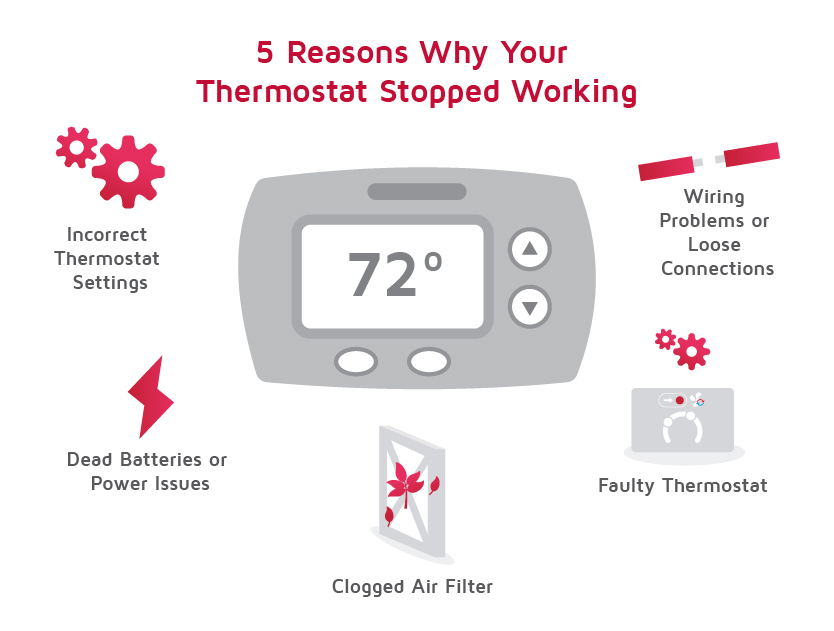
A blank screen often means dead batteries, a tripped breaker, or a loose wire at the thermostat. Check batteries, breaker, and the R and C terminals for secure connections.
How do I know if my C-wire is missing or faulty?
If the thermostat reboots, loses Wi-Fi, or shows low power messages, the C-wire may be absent or intermittent. Open the thermostat and verify a blue or brown common wire on the C terminal.
Will updating thermostat firmware fix errors?
Firmware updates can resolve software bugs and connectivity problems, but they won’t fix hardware faults like bad transformers or burnt wiring. Always back up settings before updating.
Can I replace a Lennox thermostat myself?
Yes for basic swaps if wiring is standard and low-voltage. Call a professional for complex systems, heat pumps, or if unsure about wiring and system compatibility.
Conclusion
Lennox thermostat troubleshooting follows a clear path: check power and batteries, verify wiring and settings, read error codes, and perform careful advanced tests when needed. Use regular maintenance and firmware updates to prevent many issues, and call a pro for electrical or control board problems. Take action today by running the basic checks in this guide, note any error messages, and decide if a technician is needed; share your experience or questions below to get tailored tips.

