

Fix common water flow, taste, and indicator issues with clear LG refrigerator water filter troubleshooting steps.
I’ve worked on dozens of refrigerators and written troubleshooting guides for homeowners and technicians. This article walks you step by step through LG refrigerator water filter troubleshooting, explaining symptoms, quick fixes, replacements, maintenance, and when to call a pro. Read on to gain clear, practical solutions you can use right now to restore clean water and ice in your home.

36% off Today’s Exclusive Deals
Limited-time Exclusive Deals. Check current discount on Amazon.
Check Price on Amazon As an Amazon Associate I earn from qualifying purchases.
Common signs your LG refrigerator water filter needs attention
Most issues are easy to spot if you know what to look for. Low water flow, bad taste or odor, cloudy ice, and a persistent filter light are the main clues that call for LG refrigerator water filter troubleshooting. These signs point to either a clogged filter, installation error, or a water supply problem. Catching problems early saves time and prevents bacteria or contaminants from affecting your drinking water.
- Low water flow from the dispenser.
- Foul taste or odor in water or ice.
- Filter status light stays on or flashes.
- Ice looks cloudy or forms slowly.

Source: youtube.com
Step-by-step LG refrigerator water filter troubleshooting
Follow this checklist in order. Work slowly and test after each step to find the root cause without replacing parts unnecessarily.
- Check the water supply.
- Ensure the water valve under the sink or at the fridge is fully open.
- Look for kinks or frozen sections in the supply line.
- Inspect filter installation.
- Remove and reseat the filter. A half-turn or push may not be fully engaged.
- Confirm you’re using the correct model filter for your LG fridge.
- Flush the system.
- After installing a new filter, run 2–3 gallons through the dispenser to clear trapped air and carbon fines.
- Test water flow and ice maker.
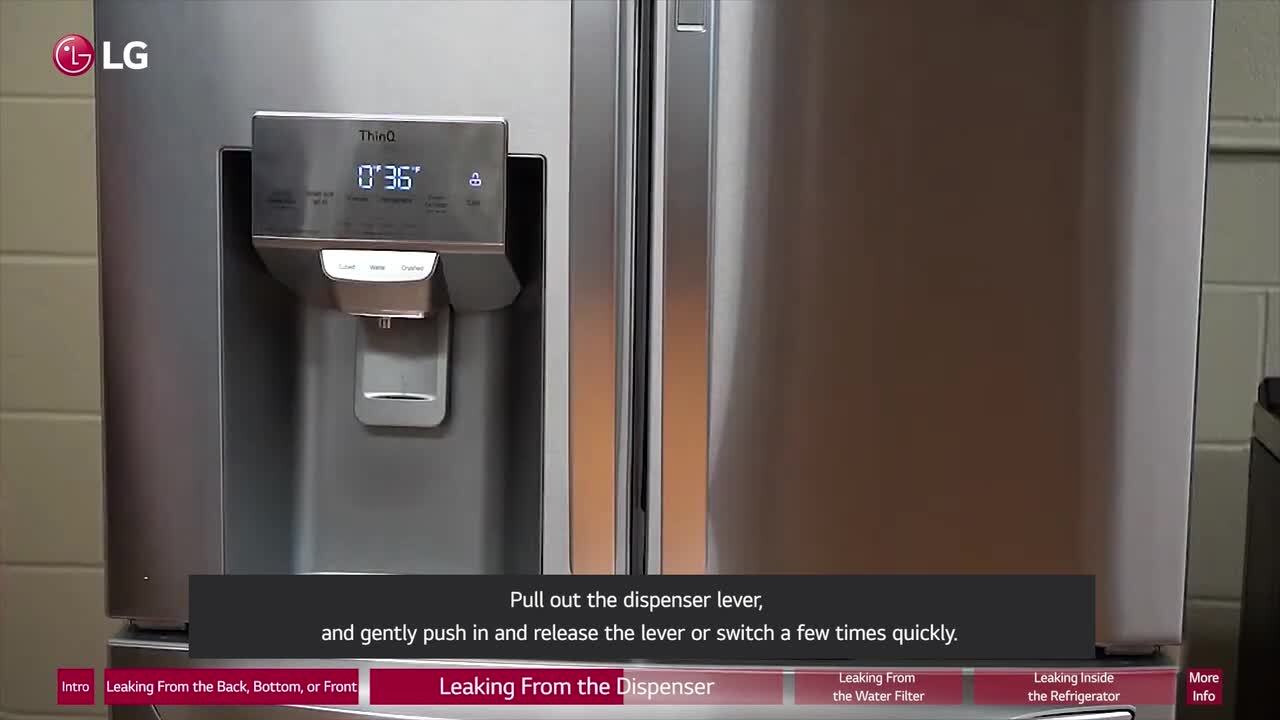
- Dispense water and check flow rate. If flow is still low, bypass the filter and test again.
- If bypassed flow is normal, the filter is clogged and needs replacement.
- Reset filter indicator.
- Hold the filter reset or alarm button for 3–5 seconds (model dependent) to clear the light after replacement.
- Check for leaks or loose connections.
- Inspect the filter housing and valve connections for drips.
- Replace if older than recommended.
- Filters typically last 6 months or 200–300 gallons. Replace sooner if you see signs above.
I once spent an hour chasing low flow only to find a half-turned filter. Simple checks save time.
Common quick questions while troubleshooting
How do I know the filter is clogged?
Clogged filters cause slow flow, bad taste, or the filter light to stay on. Bypass the filter: if flow improves, replace the filter.
Will resetting the indicator fix bad tasting water?
No. Resetting clears the light but won’t change filter performance. Replace the filter if taste or odor persists.

How to replace an LG refrigerator water filter properly
Replace the filter correctly to avoid leaks and air in the lines. Proper replacement fixes most taste and flow problems tied to the filter.
- Locate the filter (inside the fridge or bottom grille depending on model).
- Turn off water supply if model requires it.
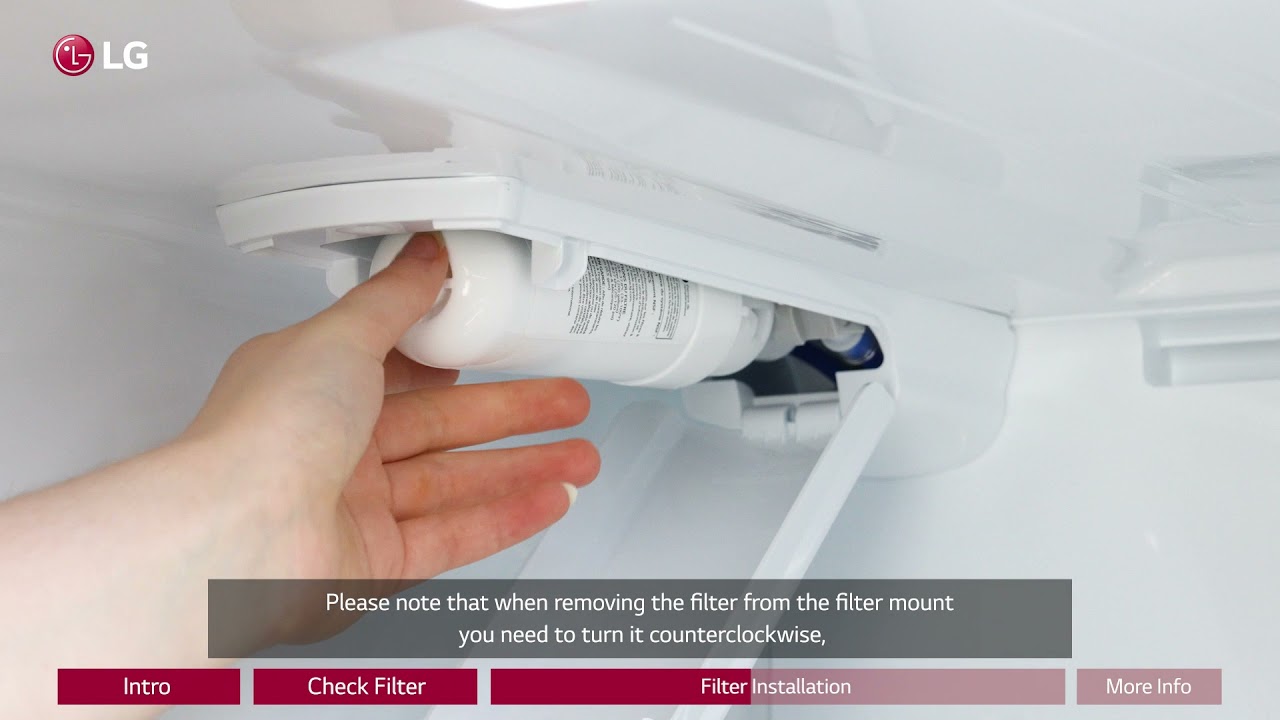
- Remove the old filter by twisting or pulling according to the manual.
- Insert the new filter until it locks in place.
- Turn on water and flush 2–3 gallons through the dispenser.
- Reset the filter indicator light per your model’s instructions.
From experience, keeping a spare filter at home avoids downtime and encourages timely changes. Use OEM or NSF-certified replacements for best results.

Resetting filter indicator and interpreting error codes
Filter lights and error codes guide you but can confuse users. Knowing common codes helps speed repair.
- To reset most LG models: press and hold the Ice Plus or Filter Reset button for 3–5 seconds until the light turns off.
- If the filter light blinks rapidly, remove and reseat the filter then reset.
- If codes like “PF” or persistent alarms show, consult your manual—some codes mean a sensor fault, not just a filter issue.
If a reset doesn’t work after replacement, repeat installation steps or check for sensor wiring issues.
Cleaning, maintenance, and preventive tips
Routine care extends filter life and prevents many problems linked to LG refrigerator water filter troubleshooting.
- Replace filters every 6 months or sooner with heavy use or poor source water.
- Flush after each replacement to remove carbon fines.
- Clean surrounding filter housing gently with a damp cloth when changing filters.
- Keep the water line insulated in cold areas to prevent freezing.
- Run water regularly if the fridge sits idle to avoid stagnation.
I once helped a homeowner who had cloudy ice for months; a quick replacement and proper flush solved it. Regular maintenance prevented a costly service call.
Compatibility, buying guide, and expected costs
Choosing the right filter matters for performance and safety. Use compatible filters labeled for your LG model.
- OEM filters offer guaranteed fit and performance but cost more.
- NSF-certified aftermarket filters can be lower cost but verify certifications and reviews.
- Expect prices from $25 to $70 depending on brand and certifications.
- Check spec sheets for flow rate, capacity (gallons), and contaminant reduction claims.
Buying a certified filter and keeping a replacement schedule makes LG refrigerator water filter troubleshooting much easier.
When to call a technician
Some issues need a pro. Call a technician if you see any of these signs.
- Persistent leaks after proper filter installation.
- Strange electrical or sensor errors that resetting won’t clear.
- No water flow even when supply and bypass tests are normal.
- Frozen supply lines or internal valve failures.
If you’ve tried the troubleshooting steps and the problem remains, a technician can test water pressure, valve function, and control board issues safely.
Frequently Asked Questions of Lg Refrigerator Water Filter Troubleshooting
How often should I replace my LG refrigerator water filter?
Replace every 6 months or after 200–300 gallons of use. Replace sooner if you notice bad taste, odor, or low flow.
Why is my water flow slow after replacing the filter?
Slow flow usually means the filter is clogged, improperly seated, or the water supply has low pressure. Bypass the filter to test supply flow and then reseat or replace the filter.
Can I use aftermarket filters for my LG refrigerator?
Yes, but choose filters certified for contaminant reduction and fit your model. OEM filters provide the best compatibility and warranty peace of mind.
What if the filter light won’t reset?
Make sure the new filter is installed correctly, then hold the reset button for 3–5 seconds. If the light persists, power cycle the fridge or consult the manual.
Will resetting the filter indicator improve water taste?
No. Resetting only clears the indicator. Bad taste requires a new filter, a proper flush, or water source checks.
How do I flush air from the water line after replacement?
Run 2–3 gallons through the dispenser or dispense water for several minutes. This clears trapped air and carbon fines for clear water flow.
My ice looks cloudy after changing the filter — is that normal?
Yes. Cloudiness can result from trapped air and carbon fines after a new filter. It should clear after flushing and a few ice cycles.
Conclusion
LG refrigerator water filter troubleshooting is mostly straightforward: identify symptoms, run quick checks, reseat or replace the filter, flush the system, and reset the indicator. Regular maintenance and using the correct, certified filter keep water and ice tasting fresh and reduce the need for service calls. Take action today: check your filter age, perform the simple tests in this guide, and replace the filter if needed — then leave a comment or subscribe for more home appliance tips.

