

Lowrance troubleshooting guide fixes power, sonar, GPS, software, and transducer problems quickly.
I have years of hands-on experience with marine electronics and have fixed dozens of Lowrance units on boats and docks. This Lowrance Troubleshooting Guide will walk you through clear steps, easy checks, and smart fixes so you can get back on the water fast. Read on for practical, tested advice and simple diagnostics that work for most Lowrance models.

36% off Today’s Exclusive Deals
Limited-time Exclusive Deals. Check current discount on Amazon.
Check Price on Amazon As an Amazon Associate I earn from qualifying purchases.Understanding Lowrance systems and how this troubleshooting guide helps
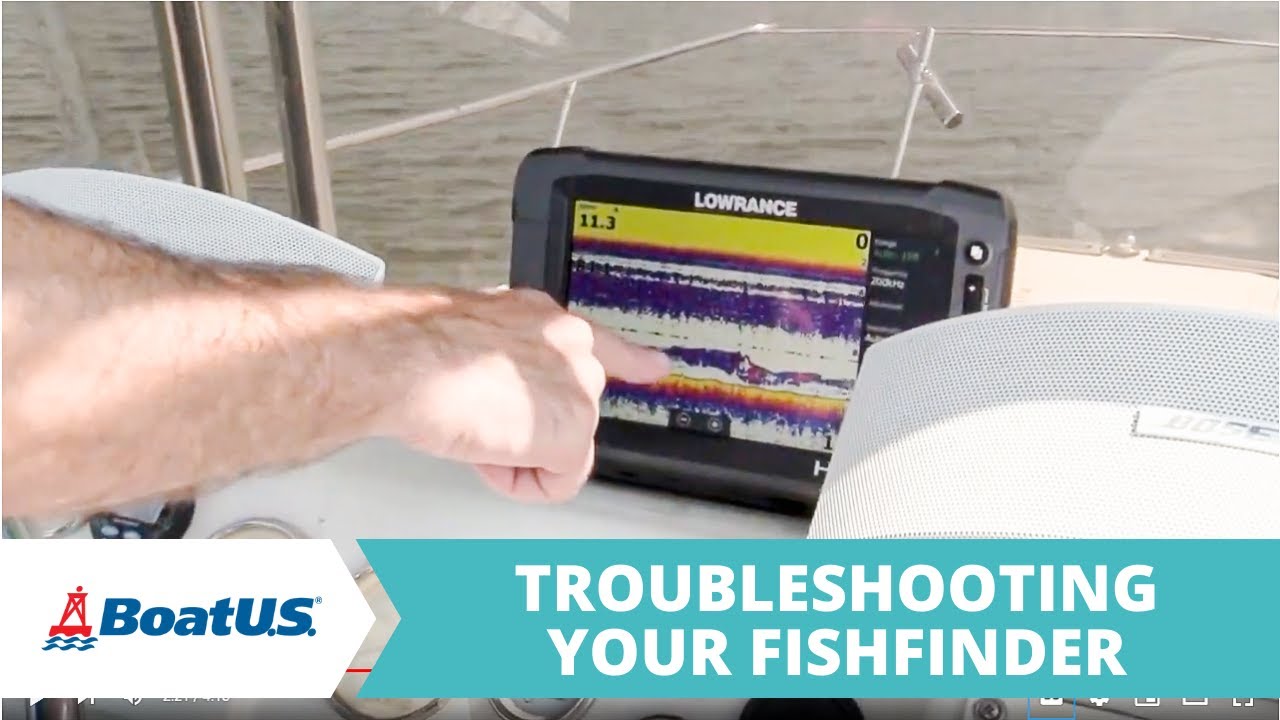
Lowrance units combine hardware, software, sonar, GPS, and sensors. Each part can fail on its own. Knowing which area has trouble makes repair fast.
This Lowrance Troubleshooting Guide breaks problems into clear causes and fixes. I focus on easy checks first, then step up to advanced diagnostics. You will learn to test power, maps, sonar, transducers, and networks.
Source: youtube.com
Quick troubleshooting checklist
Use this short checklist before digging deeper. It saves time and avoids needless part swaps.
- Check power source and fuse. Loose or blown fuses are common.
- Reboot the unit by powering off for 30 seconds. Soft reboots often fix software glitches.
- Inspect cables for corrosion or breaks. Saltwater kills connections slowly.
- Verify transducer connection and position. Poor contact gives bad sonar returns.
- Update software and maps using Lowrance updates or a formatted SD card.
This Lowrance Troubleshooting Guide uses these steps repeatedly. Do them in order for best results.

Source: youtube.com
Common issues and step-by-step fixes
Below are frequent problems and simple ways to fix them. Follow steps in order from easy to advanced.
Power problems: unit won’t turn on
- Check battery voltage at the unit with a multimeter. It should read 12–13 V.
- Inspect inline fuse and replace if blown. Use correct amp rating.
- Verify ground and power wires are tight and corrosion-free.
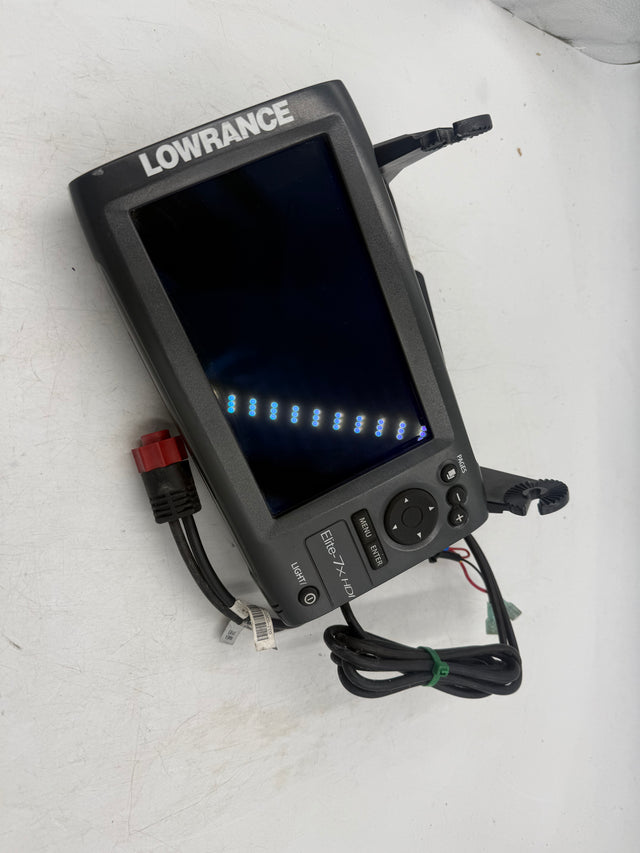
If voltage is present but unit stays blank, the internal fuse or power board may be faulty. This Lowrance Troubleshooting Guide recommends reaching a certified technician when internal repairs are needed.
Unit powers on but shows logo or freezes
- Perform a soft reset by removing power for 30 seconds. Restart the unit.
- If frozen, try a factory reset from settings after backing up waypoints and routes.
- Reinstall software using an SD card update if resets fail.
A frozen startup often means corrupted software. Follow the software update steps in this Lowrance Troubleshooting Guide.
GPS not locking or incorrect position
- Confirm antenna is unobstructed with a clear sky view.
- Wait several minutes for a first lock in a new area.
- Check NMEA settings and connections if using external GPS.
If GPS never locks, test with another receiver or try a software update. GPS failures can be due to firmware bugs or antenna defects.
Sonar echoes missing or noisy returns
- Ensure the transducer is properly mounted and submerged.
- Clean fouled transducer face and check for air bubbles behind it.
- Verify sonar settings: frequency, sensitivity, and depth range.
Bad sonar can stem from a failing transducer, poor mounting, or settings that are too aggressive. This Lowrance Troubleshooting Guide shows how a quick mounting fix often restores clear returns.
Transducer-specific issues
- Inspect cable for cuts and water intrusion.
- Check connector pins for corrosion and replace if bent.
- Swap to a spare transducer to isolate cable vs transducer failure.
Transducer faults are common on older boats. Regular checks will prevent surprises when you are fishing.
Source: hennesseyoutdoorelectronics.com
Advanced diagnostics and tools
When basic steps fail, use tools and logs to find the fault. These checks require care.
- Use a multimeter to test power at the unit and at connectors.
- Use a continuity tester on transducer cables and NMEA networks.
- Check system logs or error codes in menus. Record codes before resets.
- Connect to Lowrance software on PC to run diagnostics if supported.
If you are uncomfortable with wiring or tools, contact a pro. The Lowrance Troubleshooting Guide recommends careful handling and proper tools to avoid damage.
Source: youtube.com
Software updates, maps, and network problems
Outdated software or maps cause strange behavior. Keep firmware and maps current.
- Back up settings, waypoints, and maps to card or cloud before updates.
- Download updates to a formatted SD card, then install per Lowrance instructions.
- Reset network settings if units on the same network conflict.
- Re-map SD cards if units fail to read them.
Network issues often come from mismatched software versions. This Lowrance Troubleshooting Guide stresses updating all connected units together.

Source: amazon.com
Hardware, power, and wiring issues
Good wiring habits prevent many failures. Inspect, clean, and protect electrical connections.
- Replace corroded connectors and use dielectric grease on marine connections.
- Secure wiring to prevent chafing and stress on connectors.
- Use properly sized fuses and breakers close to the battery.
- Test voltage under load to reveal weak batteries or bad ground paths.
A surprising number of Lowrance problems come from poor power or ground. Regular checks avoid sudden failures during trips.

Source: youtube.com
Maintenance, care, and preventive tips
Routine care makes your Lowrance last longer and reduces troubleshooting time.
- Rinse units and connectors with fresh water after salt exposure.
- Remove and dry SD cards and ports if wet. Store spares safely.
- Schedule firmware and map updates before each season.
- Keep spare fuses, an extra transducer plug, and a formatted SD with key files.
Prevention is the heart of this Lowrance Troubleshooting Guide. Small routines save big headaches.

Source: svb24.com
Personal experience and lessons learned
I once fixed a client’s Lowrance that lost sonar after a weekend trip. The fix was simple. A small bolt had pierced the transducer cable during rigging. A quick splice and resolder saved the day.
Lessons I learned that I share in this Lowrance Troubleshooting Guide:
- Start with the basics and resist swapping parts too soon.
- Keep a tool kit with a multimeter, spare fuses, and an SD card.
- Document settings before resets to restore quickly.
Real repairs taught me to slow down and test each part. That method keeps cost and downtime low.
Frequently Asked Questions of Lowrance Troubleshooting Guide
Why won’t my Lowrance unit power on?
Check battery voltage, fuses, and wire connections first. If those are good, the internal power board may be faulty and needs a technician.
How do I fix sonar that shows clutter or no bottom?
Clean and re-mount the transducer, lower sensitivity, and check for air bubbles. If noise persists, test with another transducer.
Can I update Lowrance maps myself?
Yes. Back up data, download updates to a formatted SD card, and follow on-screen install steps. Keep devices powered during updates.
Why is my GPS position inaccurate?
Obstructions, low satellites, or antenna issues cause poor fixes. Move to open sky, check antenna placement, and update firmware if needed.
What should I do if the screen freezes during use?
Power cycle the unit and try a soft reset. If freezes continue, perform a factory reset after saving waypoints, then reinstall firmware.
How often should I perform maintenance?
Inspect wiring and clean connectors after each saltwater trip. Update software and maps yearly or before major trips.
Conclusion
This Lowrance Troubleshooting Guide gives clear steps for common power, GPS, sonar, software, and transducer problems. Start with the quick checks, move to targeted fixes, and use tools for deeper diagnostics. Keep records, backups, and a small repair kit to avoid surprises. Try these steps on your next outing, and leave a comment with any specific issue you still need help with.

