

Lg Direct Drive Washer Troubleshooting: Clear Steps For Reliable Performance
If your LG Direct Drive washer suddenly starts acting up, it can be stressful. Maybe it won’t spin, or a strange error code appears on the display. These washers are known for their quiet operation and efficiency, but even the best machines can develop problems. Understanding how to troubleshoot your LG Direct Drive washer can save you time, money, and frustration. This guide will help you find the cause of common issues, fix simple problems, and know when it’s time to call a professional.
Let’s break down the most frequent problems, what they mean, and how to solve them. With the right information, you can get your laundry back on track, avoid unnecessary repairs, and even extend the life of your washer.

36% off Today’s Exclusive Deals
Limited-time Exclusive Deals. Check current discount on Amazon.
Check Price on Amazon As an Amazon Associate I earn from qualifying purchases.Understanding Lg Direct Drive Technology
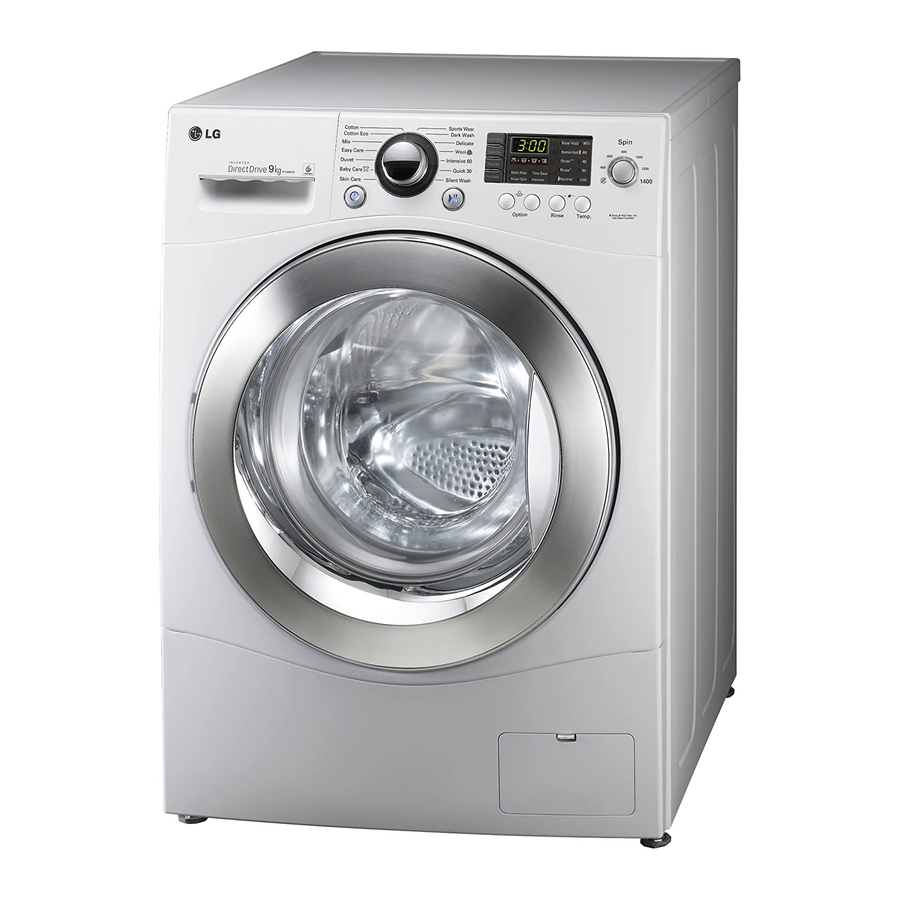
LG’s Direct Drive washers don’t use traditional belts and pulleys. Instead, the motor connects directly to the drum. This reduces noise, improves energy efficiency, and cuts down on mechanical parts that can wear out. While this means fewer mechanical failures, it also means issues may be related to sensors, electronics, or water systems.
Direct Drive models often include smart diagnostics, error codes, and self-cleaning cycles. Knowing how these features work can make troubleshooting much easier.
Common Lg Direct Drive Washer Problems And Solutions
Most issues with LG washers fall into a few main categories: the washer won’t start, doesn’t spin, has drainage issues, or shows error codes. Here’s a closer look at each.
Washer Won’t Start
If your washer will not turn on or start a cycle, check these things first:
- Power supply: Make sure the washer is plugged in and the outlet works. Try plugging in another device to confirm power.
- Door/lid: The washer will not start if the door isn’t closed properly. Press firmly until you hear a click.
- Control panel lock: Some models have a child lock feature. Look for a lock icon on the display. Hold the appropriate button (usually “Pre Wash” or “Child Lock”) for 3-5 seconds to unlock.
- Blown fuse or tripped breaker: Check your home’s fuse box.
- Start/Pause button: Press and hold for a few seconds. Sometimes a quick press is not enough.
If none of these steps work, unplug the washer for one minute, then plug it back in. This can reset the electronics.
Washer Will Not Spin
A washer that doesn’t spin may leave clothes soaking wet. Here’s what to check:
- Unbalanced load: If all the clothes are on one side, the washer may not spin. Redistribute the load and try again.
- Too small or too large load: Washing a single small item or overfilling the drum can prevent spinning.
- Drainage problems: If water cannot drain, the spin cycle will not start. Check for clogged hoses or filters.
- Lid switch: If the washer thinks the lid is open, it won’t spin.
- Spin settings: Make sure you did not select “No Spin” or a low-spin cycle.
Washer Not Draining
If you find water in the drum after a cycle, drainage is likely the issue.
- Drain hose: Check for kinks, bends, or blockages.
- Pump filter: Most LG washers have a small filter near the bottom front. Open the access panel, place a towel, and remove the filter to clean out debris.
- Pump failure: If you hear the pump but no water comes out, something may be stuck inside. If the pump is silent, it could be faulty.
Tip: Always unplug the washer before removing the pump filter to avoid electric shock.
Washer Leaking Water
Leaks can be frustrating and may cause damage to floors.
- Hose connections: Make sure the inlet and drain hoses are tight and not cracked.
- Detergent drawer: Using too much detergent or the wrong type can cause suds and overflow.
- Door seal (gasket): Inspect for tears or debris.
- Pump/filter area: After cleaning the pump filter, ensure you reattach it properly.
Error Codes On Display
LG washers show error codes to help you find the problem. Here are the most common ones:
| Error Code | Meaning | How to Fix |
|---|---|---|
| OE | Drain Error | Check drain hose and pump filter |
| DE | Door Error | Close door, check for obstructions |
| LE | Motor Locked | Redistribute load, unplug and reset |
| FE | Overflow | Check water inlet valve, reduce detergent |
| UE | Unbalanced Load | Redistribute clothes, balance the load |
| PE | Pressure Sensor Error | Check water supply and pressure sensor |
| CL | Child Lock On | Hold “Child Lock” button to disable |
If you see a code not listed, refer to your user manual or the official LG support page.
Troubleshooting By Symptoms
Understanding what the washer is doing (or not doing) is the fastest way to find the solution.
Washer Is Noisy Or Vibrates Excessively
If your LG washer suddenly becomes loud or shakes a lot:
- Shipping bolts: If the washer is new, make sure all shipping bolts have been removed from the back.
- Leveling: Use a spirit level to check if the machine is even. Adjust the feet as needed.
- Overloaded or unbalanced load: Too many clothes or heavy items on one side can cause shaking.
- Foreign objects: Coins or small items inside the drum or filter may cause noise.
Clothes Come Out Still Dirty Or Soapy
If your laundry isn’t clean after washing:
- Too much detergent: Extra suds can leave residue and prevent rinsing.
- Wrong cycle: Use the appropriate cycle for the fabric and soil level.
- Cold water only: Some stains need hot water. Make sure the hot water supply is connected and on.
- Dirty filter or drum: Run a cleaning cycle with washer cleaner or vinegar.
Drum Does Not Move
If the drum stays still during wash or spin:
- LE error code: Means the motor is locked. Unplug the washer, wait 5 minutes, and try again.
- Overload: Remove some clothes and try again.
- Faulty motor or PCB: If resetting doesn’t help, a technician should check the motor or control board.
Washer Fills Slowly Or Not At All
If the drum fills too slowly or stays empty:
- Water taps: Ensure both hot and cold taps are open.
- Inlet hoses: Check for blockages or kinks.
- Water pressure: Low pressure can prevent filling.
- Inlet filters: Small mesh screens inside the hose connections can clog with sediment. Clean them if needed.
Washer Stops Mid-cycle
If the washer stops and won’t finish:
- Unbalanced load: The washer may pause to redistribute clothes.
- Power interruption: A brief power cut may require restarting.
- Drainage issue: If water cannot drain, the cycle will not continue.
- Door open: The washer will stop if the door is opened or not closed tightly.
How To Perform A Basic Reset
Sometimes, the washer’s electronics can freeze or become confused. A simple reset often helps:
- Unplug the washer from the outlet.
- Wait 1 minute (this allows the internal memory to clear).
- Plug the washer back in.
- Open and close the door firmly.
- Select a new cycle and start.
This can clear minor electronic glitches and error codes.
Maintenance Tips For Lg Direct Drive Washers
Regular maintenance helps prevent many problems. Here’s what to do:
- Clean the pump filter every 1-2 months. Debris here can cause drainage issues.
- Wipe the door gasket after each use to prevent mold.
- Leave the door open after washing to allow the drum to dry out.
- Run a tub clean cycle monthly. Use washer cleaner or white vinegar.
- Check and clean the inlet filters every 6 months or if you notice slow filling.
- Inspect hoses yearly for cracks or leaks.
Diagnosing With Lg Smart Diagnosis
Many LG Direct Drive washers support Smart Diagnosis. This feature lets your washer communicate with LG’s support team or app using sounds. Here’s how to use it:
- Download the LG ThinQ app on your smartphone.
- Press the Smart Diagnosis button on your washer (see your user manual).
- Hold your phone’s mouthpiece near the power button.
- The washer will emit a series of beeps. The app or support team can interpret these.
This feature can provide a quick diagnosis for complex electronic issues.
When To Call A Professional
Some problems need a technician. Contact LG support or a qualified repair service if:
- The washer trips your circuit breaker repeatedly.
- There is a burning smell or visible smoke.
- The drum does not turn at all after a reset.
- The control panel is completely unresponsive.
- There are persistent leaks from the back or underneath.
Trying to fix advanced electrical or motor problems yourself can be dangerous and may void your warranty.
Comparing Lg Direct Drive With Traditional Washers
If you’re wondering how LG Direct Drive models compare to older washers, here’s a quick look:
| Feature | LG Direct Drive | Traditional Washer |
|---|---|---|
| Motor Type | Direct (no belt/pulley) | Belt and pulley |
| Noise Level | Low | Moderate to high |
| Energy Efficiency | High | Average |
| Common Issues | Sensor/Electronics | Mechanical (belt, motor) |
| Maintenance Needs | Less frequent | More frequent |
| Repair Costs | Higher for electronics | Lower for basic parts |
Direct Drive washers are usually more reliable, but repairs can be more complex and costly if something does go wrong.
Non-obvious Troubleshooting Insights
Most guides cover the basics, but here are two insights many beginners miss:
1. The importance of water pressure: Many LG washer errors (like FE or PE) are actually caused by inconsistent water pressure in your home. If your washer behaves oddly only at certain times (like when other taps are running), test water pressure or try running the washer when water demand is lower.
2. The role of detergent: High-efficiency washers like LG Direct Drive models use less water. Using regular detergent or too much HE detergent can cause oversudsing. This not only leads to error codes but can also trigger leaks and even damage sensors over time. Always use HE (high efficiency) detergent and follow the dose recommendations—less is often more.
Common Mistakes To Avoid
- Ignoring error codes: Don’t just unplug and restart without checking what the code means. Some codes point to problems that need quick action.
- Forcing the door open: If the washer is locked, don’t try to force it open. Wait for 2-3 minutes after the cycle ends, or use the emergency release lever (see your manual).
- Overloading the drum: This is a frequent cause of unbalanced loads, poor cleaning, and even motor errors.
- Skipping maintenance: Not cleaning the filter or gasket can lead to drainage issues and mold smells.
Quick Reference: Troubleshooting Steps
Here’s a summary you can use when you need a fast check:
- Check power and door closure.
- Review the error code (if any).
- Inspect hoses and filters for clogs or leaks.
- Redistribute or remove some laundry.
- Run a reset by unplugging the washer.
- Consult the user manual for model-specific steps.
If the problem continues, contact support or a qualified technician.
Key Statistics And Real-world Data
- Customer satisfaction: According to a 2023 Consumer Reports survey, LG Direct Drive washers rate among the top 3 for reliability, with fewer than 7% of owners reporting a major issue in the first 5 years.
- Repair statistics: The most common repairs are for drain pump (28%), door seal (20%), and electronics (15%).
- Lifespan: The average LG Direct Drive washer lasts 10–12 years with proper maintenance.

Where To Find Official Support
LG maintains a detailed support center with manuals, parts, and troubleshooting guides. You can visit the official LG support page at LG Support.
Frequently Asked Questions
Why Does My Lg Direct Drive Washer Show “oe” Error Code?
The OE error code means the washer is not draining properly. Check the drain hose for blockages, clean the pump filter, and make sure the hose is not kinked. If the problem continues, the drain pump may need service.
How Often Should I Clean The Pump Filter?
You should clean the pump filter every 1–2 months, or whenever you notice slow drainage. This prevents debris from blocking water flow and helps keep your washer running smoothly.
What Detergent Is Best For Lg Direct Drive Washers?
Always use HE (High Efficiency) detergent in LG Direct Drive washers. Using regular detergent or too much HE detergent can cause excess suds, leading to leaks and error codes.
My Washer Makes A Loud Noise During Spin. Is This Normal?
Some noise is expected, but loud banging or shaking is not normal. Check if the washer is level, remove shipping bolts (if new), and make sure the load is balanced. Persistent noise may need professional inspection.
Can I Repair Electronic Errors Myself?
For simple errors, like resetting the washer or cleaning filters, you can handle repairs yourself. But for problems with the control board, sensors, or motor, it’s safer to contact a qualified technician.
Getting the best out of your LG Direct Drive washer means understanding both simple fixes and when to seek help. Routine maintenance, careful use, and fast troubleshooting can prevent most problems. When something does go wrong, this guide will help you find the cause quickly and keep your laundry routine running smoothly.

