

A practical, step-by-step Liebert troubleshooting guide to fix UPS and cooling issues fast.
I have worked on Liebert systems for years. This Liebert Troubleshooting Guide pulls that hands-on experience together. You will find clear steps, common causes, and simple fixes for Liebert UPS and precision cooling units. Read on to learn how to diagnose alarms, decode LEDs, and decide when to call a pro.

36% off Today’s Exclusive Deals
Limited-time Exclusive Deals. Check current discount on Amazon.
Check Price on Amazon As an Amazon Associate I earn from qualifying purchases.
Understanding Liebert Systems and How They Work
Liebert Troubleshooting Guide starts with knowing the system. Liebert makes UPS units, precision cooling, and power distribution gear. These systems protect servers and sensitive equipment from power and heat issues.
Key components you must know:
- UPS modules: batteries, rectifier, inverter, static switch.
- Cooling units: compressors, fans, coils, condensate pan.
- Controls: control board, sensors, alarm panel, communications card.
How they protect gear:
- UPS keeps power during outages.
- Cooling keeps room temperature and humidity stable.
This background makes troubleshooting faster and safer.
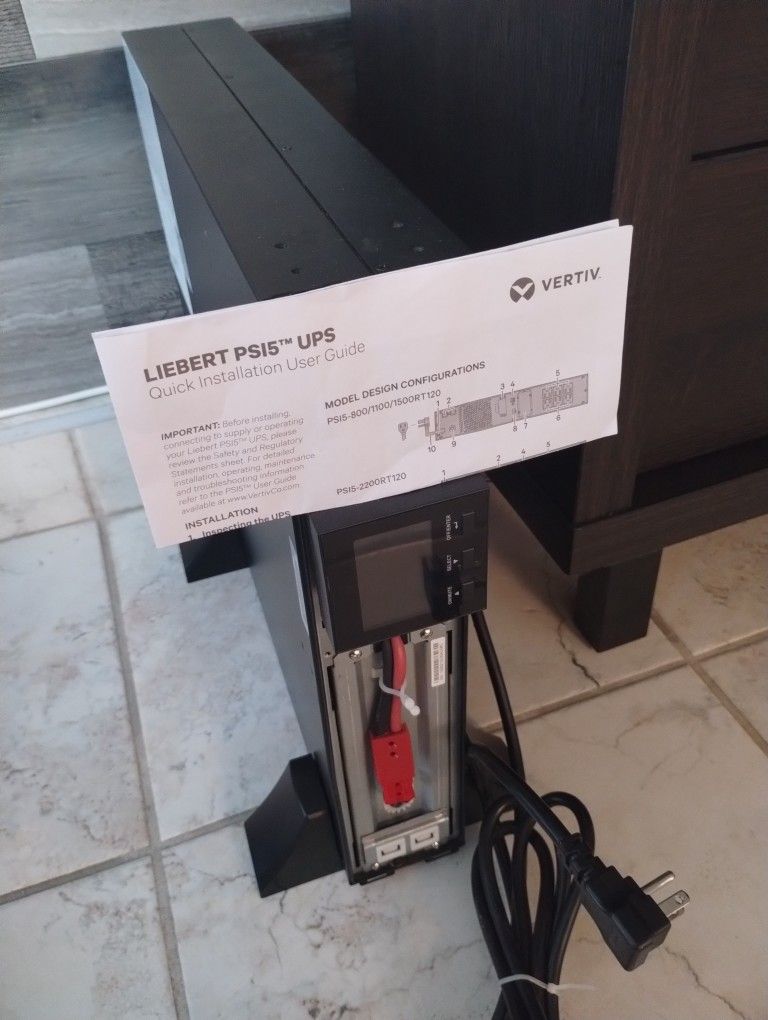
Common Problems with Liebert Equipment
This Liebert Troubleshooting Guide covers common faults you will see. Symptoms point to likely causes. Spotting them early saves time and money.
Frequent UPS issues:
- No output or failed transfer: often a failed inverter, blown fuse, or bad bypass.
- Battery alarms: poor battery health or loose connections.
- Overload trips: too much load or wrong configuration.
Frequent cooling issues:
- Unit not cooling: refrigerant leak, blocked airflow, or broken compressor.
- Water leaks: clogged condensate drain or damaged pan.
- Fan faults: motor failure or blocked fan path.
Look for alarm codes, error LEDs, and recent changes in load or environment to narrow the cause.

Step-by-Step Troubleshooting for Liebert UPS
Follow steps in order. This Liebert Troubleshooting Guide gives safe, logical checks to find the issue.
-
Safety first
- Turn off nonessential loads before testing.
- Wear PPE for battery work.
- Keep clear of exposed terminals.
-
Check status panel and LEDs
- Read the display for alarms.
- Note event codes and timestamps.
-
Verify input power
- Check mains voltage and phases.
- Ensure breakers and bypass are closed correctly.
-
Inspect batteries
- Check voltage at the battery string.
- Look for swollen cells or corrosion.
- Test battery resistance or run a battery discharge test.
-
Test inverter and rectifier
- Use the UPS test mode if available.
- Measure DC bus voltage and AC output.
-
Check internal fuses and contactors
- Visual inspection for burned parts.
- Replace blown fuses with exact types.
-
Review communications and firmware
- Confirm network card is working.
- Update firmware if the manual recommends it.
-
Restore and test
- Bring UPS back on line in bypass if needed.
- Apply load and confirm stable output.
If the UPS shows repeated alarms after basic checks, document the codes and escalate to factory support.

Troubleshooting Liebert Precision Cooling Units
This Liebert Troubleshooting Guide helps with common cooling faults. Cooling units need good airflow and clean coils.
Quick checks:
- Thermostat and setpoints: confirm proper temperature and humidity settings.
- Air filters: replace clogged or dirty filters.
- Supply and return airflow: ensure vents are not blocked.
Stepwise checks for no cooling:
- Check power supply and disconnects.
- Verify fans run and move air.
- Inspect evaporator and condenser coils for dirt.
- Listen for compressor run sounds. No sound could mean starting device issue.
- Check refrigerant pressures with gauges if you know HVAC basics.
Address condensate issues:
- Clear or replace clogged condensate drains.
- Ensure drain pans are intact and pitched correctly.
When to call HVAC-certified tech:
- Compressor replacement.
- Refrigerant recovery and recharge.
- Complex refrigeration diagnostics.
Diagnostic Tools, Logs, and Codes
The best Liebert Troubleshooting Guide uses tools and logs. Use both for fast diagnosis.
Essential tools:
- Multimeter for voltages.
- Battery analyzer for battery health.
- Refrigerant gauges for cooling units.
- Handheld infrared camera to spot hot parts.
Use event logs and LEDs:
- Pull event logs from the control panel.
- Save screenshots or print logs for support.
- Interpret LED codes using the manual or service sheet.
People Also Ask
How do I read Liebert UPS alarm codes?
Alarm codes show on the front display. Note the code and timestamp, then look it up in the manual for the next action.
Can I test the UPS without taking it offline?
Yes, many Liebert units have self-test functions and a maintenance bypass to test with minimal disruption.
What tool checks Liebert batteries best?
A battery analyzer that does conductance or load testing gives the most reliable battery health data.
Preventive Maintenance Best Practices
A solid Liebert Troubleshooting Guide stresses preventive care. Small checks prevent big failures.
Maintenance checklist:
- Monthly: inspect indicators, note unusual sounds, check filters.
- Quarterly: test battery voltage, clean coils, verify alarms.
- Annually: full battery test, firmware updates, mechanical checks.
Tips that helped me:
- Keep a maintenance log with dates and findings.
- Replace batteries before end-of-life, not after failure.
- Train site staff to spot early warning signs.
Consistent maintenance lowers emergency repair and extends equipment life.
When to Replace Parts or Call a Professional
This Liebert Troubleshooting Guide shows when to escalate. Some fixes are best left to experts.
Replace parts when:
- Battery internal resistance is high or cells are swollen.
- Capacitors or contactors show signs of burn.
- Compressor or inverter fails diagnostics.
Call a professional when:
- Repair needs refrigerant handling or compressor work.
- High-voltage repairs are required.
- Warranty or certified service agreements exist.
Keep spare consumables on hand:
- Filters, fuses, and batteries sized for the unit.
- Basic fan motors for popular models.
Personal Experience: Lessons Learned and Practical Tips
I have repaired Liebert UPS and cooling units in data centers and small server rooms. My hands-on time shaped this Liebert Troubleshooting Guide.
Lessons learned:
- Always isolate power before touching internals. One slip can end your day.
- A good multimeter and battery tester save hours.
- Small airflow blocks caused repeated overheating in one site. Fixing the vent cleared alarms.
Mistakes to avoid:
- Replacing a component without confirming root cause.
- Ignoring slow drift in battery voltage.
- Skipping firmware updates recommended by the vendor.
Practical tip:
- Keep a simple kit with a meter, spare fuses, and logs. It speeds up first response.
Frequently Asked Questions of Liebert Troubleshooting Guide
What is the first step in troubleshooting a Liebert UPS?
Start with safety. Turn off nonessential loads, read the front panel alarm, and document the code and time.
How often should Liebert batteries be tested?
Test batteries at least once a year with a full discharge or a conductance test. Check voltage monthly.
Why does my Liebert cooling unit leak water?
Leaks usually come from clogged condensate drains or damaged pans. Clean the drain and inspect the pan.
Can I replace Liebert UPS batteries myself?
Only if you follow safety rules and have training. Batteries are heavy and carry high voltage when connected.
What logs should I collect before calling support?
Collect event logs, alarm codes, serial numbers, and recent maintenance records. This speeds up diagnosis.
Conclusion
This Liebert Troubleshooting Guide gives clear steps to find and fix common UPS and cooling problems. Use the checklists and tips to act fast and safely. Start with simple checks, use logs and tools, and call pros for high-voltage and refrigerant work. Try these steps, keep a maintenance log, and share your experience in the comments or subscribe for more guides.

