

Bernina Troubleshooting Guide: Fast fixes for tension, bobbin, timing, skipped stitches, and common errors.
I’ve worked on Bernina machines for years and written this Bernina Troubleshooting Guide to help sewists fix issues fast. This guide shows clear steps, smart checks, and practical tips for common Bernina problems. Read on to learn simple fixes, when to call a tech, and how to keep your Bernina running smooth.

36% off Today’s Exclusive Deals
Limited-time Exclusive Deals. Check current discount on Amazon.
Check Price on Amazon As an Amazon Associate I earn from qualifying purchases.
Common Bernina Problems and Quick Fixes
Many owners search the Bernina Troubleshooting Guide for quick answers. Here are the top issues I see and how to handle them. Each entry lists likely causes and short, safe fixes you can try at home.
-
Machine won’t power on
- Cause: Loose plug, blown fuse, or foot pedal issue.
- Fix: Unplug, check cord, test outlet, swap pedal if possible, and inspect fuse or circuit breaker.
-
Needle keeps breaking
- Cause: Bent needle, wrong size, or hitting a pin.
- Fix: Replace needle with correct size, lower presser foot slowly, and check needle plate and bobbin area for obstructions.
-
Thread bunching under fabric (birdnesting)
- Cause: Top thread not threaded correctly, tension issue, or dirty bobbin area.
- Fix: Rethread carefully, clean bobbin case, check tension settings, and use quality thread.
-
Skipped stitches
- Cause: Dull or bent needle, incorrect needle type, or timing issue.
- Fix: Swap to a new needle that matches fabric and thread. If skips persist, consult service for timing checks.
-
Uneven stitch length or tension problems
- Cause: Incorrect threading, bobbin tension, or feed dog problems.
- Fix: Re-thread top and bobbin, clean feed dogs, and adjust tension in small increments.
-
Machine jams or fabric won’t move
- Cause: Feed dogs lowered, lint buildup, or presser foot issues.
- Fix: Raise feed dogs, clean lint, and ensure correct presser foot is engaged.
-
Strange noises or grinding
- Cause: Lack of lubrication, foreign object, or worn gears.
- Fix: Stop sewing, unplug, inspect for threads or pins, and oil if model requires user lubrication. Seek pro help for grinding metal sounds.
This Bernina Troubleshooting Guide covers these fixes and more. Try the easy steps first. If you feel unsure, stop and get help.
Step-by-Step Troubleshooting Process
A method keeps you calm and gets results fast. Use this checklist from the Bernina Troubleshooting Guide to find root causes.
- Stop and unplug the machine to inspect safely.
- Check power and foot pedal with a known-good outlet.
- Remove fabric and presser foot; test machine by hand.
- Inspect needle, bobbin, and throat plate for damage or lint.
- Rethread top thread and bobbin using manual steps.
- Use a test scrap of fabric with correct needle and thread.
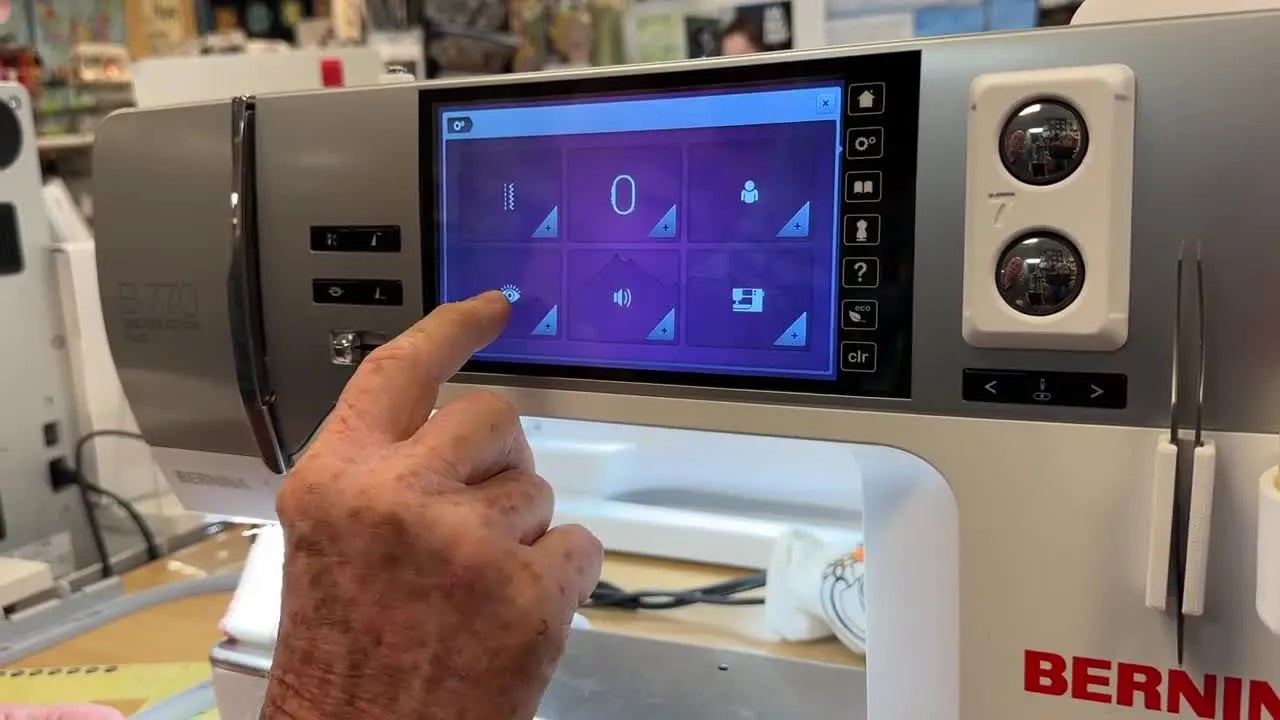
- Note any error codes on the display and consult the manual.
- Try a basic stitch and adjust tension in small steps.
- Clean and oil user-serviceable parts as recommended.
- If problem persists, record symptoms and contact a certified Bernina tech.
People Also Ask — quick answers from the Bernina Troubleshooting Guide
- Why is my Bernina skipping stitches?
- Usually a bent or wrong needle, improper threading, or timing. Replace the needle and rethread first.
- How do I reset my Bernina machine?
- Power off, unplug for 30 seconds, then plug in and restart. Check the manual for model-specific resets.
- What if my Bernina shows an error code?
- Note the code, power cycle the machine, rethread, and check the manual. If it persists, contact service.
Maintenance and Preventive Care
Good care stops most repairs before they start. Follow this Bernina Troubleshooting Guide section to extend your machine’s life.
- Clean after every few hours of sewing
- Remove lint from bobbin area, feed dogs, and under the throat plate with a soft brush.
- Change needles often
- Replace needles after 4–8 hours of sewing or at first sign of wear.
- Use proper thread and bobbins
- Use high-quality thread and correct bobbins for your Bernina model.
- Oil as required
- Only oil where the manual says. Many newer models have sealed parts that do not need user oiling.
- Keep machine covered
- Dust is a silent killer. Cover the machine between uses.
Personal note: I once skipped cleaning a workhorse Bernina for months. Thread bunched and the machine slowed. A careful clean and a fresh needle fixed it. Keeping a quick routine saved me hours later.
Advanced Issues and Repairs
Some problems need more skill or parts. This Bernina Troubleshooting Guide covers advanced matters and safe limits for DIY fixes.
- Timing and hook issues
- Symptoms: Repeated skipped stitches and bent needles despite new needles. This often means timing is off. This repair usually needs a trained technician.
- Motor or electrical faults
- Symptoms: Burning smell, smoke, or no power even after checks. Turn off and get professional service.
- Worn hook race or feed mechanism
- Symptoms: Grinding noises, persistent jams. Parts may need replacement at a service center.
- PCB or software faults
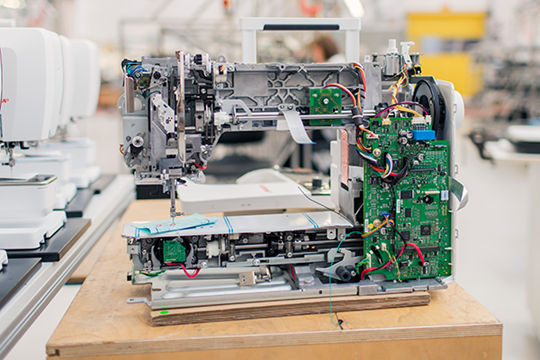
- Symptoms: Unclear displays, persistent error codes, or random resets. Firmware updates can help, but certified service may be required.
Safety tip: Do not disassemble the motor or PCB at home. Keep electrical repairs to certified techs. This saves warranty and prevents injury.
Parts, Tools, and Supplies to Keep on Hand
A small kit saves time. The Bernina Troubleshooting Guide recommends these items for every sewist.
- Replacement needles in common sizes
- Extra bobbins compatible with your Bernina
- Lint brush and compressed air (sparingly)
- Small screwdrivers and tweezers
- Sewing machine oil if manual permits
- Quality thread and matching bobbins
- Spare presser feet you use most
- User manual and model-specific guides
- Notepad to record error codes and tests
Buy parts from authorized dealers to ensure fit. Generic parts can cause more issues.
When to Seek Professional Repair
Know when a problem is beyond home fixes. This Bernina Troubleshooting Guide helps you decide.
- Metal grinding, smoke, or burning smell
- Turn off and unplug immediately. These require service.
- Persistent timing issues after basic checks
- If skips continue with new needle and correct threading, book a technician.
- Complex electrical errors or PCB faults
- These need trained diagnostics and tools.
- Warranty coverage
- If under warranty, contact Bernina or an authorized dealer first.
When you call a repair shop, describe the model, serial number, and the steps you tried. This speeds diagnosis.

Frequently Asked Questions of Bernina Troubleshooting Guide
What should I check first when my Bernina stops sewing?
Start by unplugging the machine, checking the power cord and foot pedal, and inspecting the needle and bobbin area for thread jams. Rethread the machine carefully and try a test stitch.
How often should I change the needle on my Bernina?
Change needles after 4–8 hours of sewing or when you see skipped stitches or fabric damage. Frequent needle changes prevent many common problems.
Can I oil my Bernina at home?
Only oil where your model’s manual says to. Many modern Bernina machines have sealed parts and need little or no user oiling.
Why does my Bernina show uneven stitches on both sides of the fabric?
Uneven stitches often mean tension imbalance, incorrect threading, or a mismatched needle and thread. Re-thread top and bobbin, replace the needle, and test.
Is it worth repairing an older Bernina?
Yes, many older Bernina machines were built to last and can be cost-effective to repair. Compare repair cost to replacement and consider sentimental or project value.
How do I find an authorized Bernina service center?
Check Bernina’s local dealer listings or contact customer support for certified centers. Authorized service protects warranties and ensures genuine parts.
Conclusion
This Bernina Troubleshooting Guide gives clear steps, routine care tips, and signs for professional repair. Start with simple checks: power, needle, threading, and bobbin. Keep a small tool kit and a clean habit to avoid most problems. If an issue feels electrical or mechanical beyond your comfort, call a certified Bernina technician. Try these tips on your next sewing session, and leave a comment with your machine model and symptoms if you need more help.

