

Most Keurig K Supreme Plus issues are solved by descaling, cleaning needles, and checking water.
I have worked on and tested dozens of single-serve brewers, including the Keurig K Supreme Plus. This guide on Keurig K Supreme Plus Troubleshooting walks you through causes, fixes, maintenance, and when to call for help. I explain clear steps, real-world tips, and simple checks you can do at home. Read on to fix power, brewing, and error issues fast and keep your brewer running well.

36% off Today’s Exclusive Deals
Limited-time Exclusive Deals. Check current discount on Amazon.
Check Price on Amazon As an Amazon Associate I earn from qualifying purchases.
How the Keurig K Supreme Plus works and why troubleshooting matters
The Keurig K Supreme Plus is a multi-function brewer. It pumps water, heats it, and forces it through a K-Cup pod. Simple parts work together: reservoir, pump, heating element, needles, and the control board. Problems usually point to one of those parts. Understanding how each part works makes Keurig K Supreme Plus Troubleshooting easier.
From my experience, most problems are not the control board. They come from scale buildup, clogged needles, or low water flow. Repairs are often a mix of cleaning, descaling, and part replacement. Follow the steps below to find and fix the likely cause.
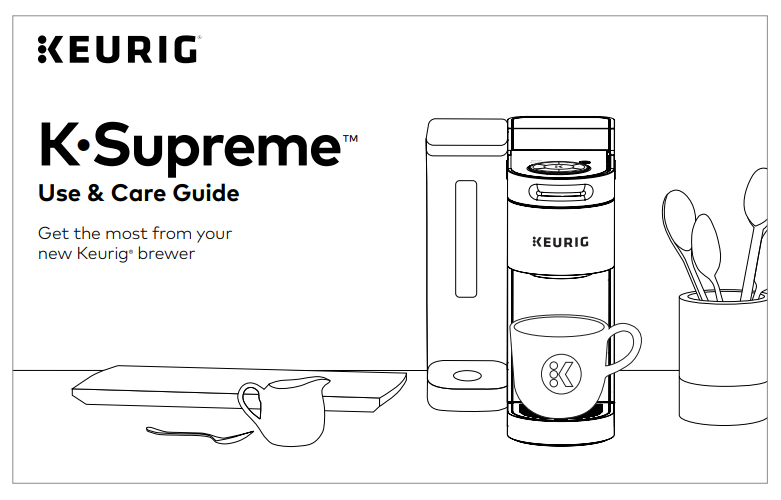
Common problems and step-by-step fixes for Keurig K Supreme Plus Troubleshooting
Below are the most common issues users face and clear fixes. Try the easy checks first. Always unplug the machine before doing hardware work.
Issue: Machine won’t power on
- Check power outlet by plugging in another device. If outlet works, press and hold the power button for 5 seconds.
- Inspect the power cord for damage. Replace if frayed.
- If the screen is blank but the lights blink, a factory reset or professional repair may be needed.
Issue: Not brewing or slow brewing
- Empty and refill the reservoir to ensure proper water contact.
- Clean the entrance and exit needles with a small brush or paperclip.
- Run a few water-only brew cycles to flush air from the pump.
- Descale if you haven’t in three months.
Issue: Weak coffee or poor taste
- Use fresh water and fresh coffee pods.
- Clean or replace the water filter if your model uses one.
- Descale to remove mineral taste and restore proper temperature and flow.
Issue: Leaking water
- Check that the reservoir sits flush in its slot and the lid seals.
- Inspect the drip tray and pod holder for cracks or misalignment.
- Clean the brewer’s internal paths to remove clogs that can force water out.
Issue: Error messages or lights
- Refer to the user guide for specific codes. Often, a descale cycle or needle cleaning clears the error.
- If the error persists, note the exact message before contacting support.
Practical example from my shop: a K Supreme Plus that leaked and brewed slowly resolved after a thorough descaling and replacing a worn reservoir gasket. The total fix took under an hour.
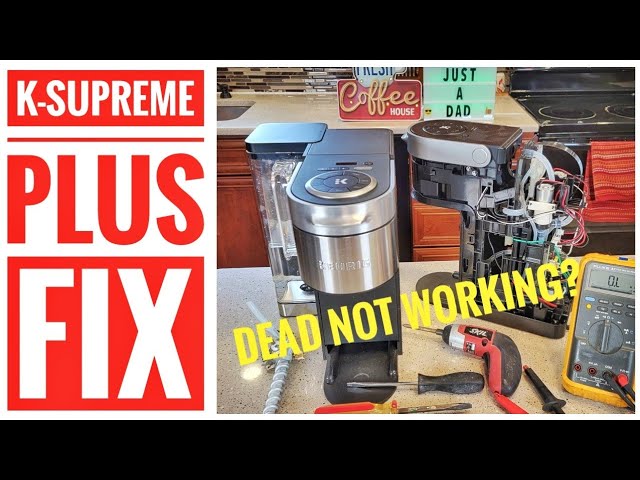
Cleaning, descaling, and routine maintenance for long life
Regular care prevents most problems identified in Keurig K Supreme Plus Troubleshooting. Clean every 1–2 weeks and descale every 3–6 months depending on your water hardness.
Simple weekly routine
- Empty and rinse the water reservoir.
- Wipe the exterior and pod holder with a damp cloth.
- Remove and wash the drip tray and pod basket.
How to clean needles
- Unplug the brewer.
- Open the pod holder and locate the upper and lower needles.
- Use a needle-cleaning tool or a straightened paperclip to clear holes.
- Run a water-only brew to flush loosened debris.
Descale step-by-step
- Empty the reservoir. Add descaling solution mixed with water or a white vinegar solution per the manual.
- Run the brewer through a full cycle without a pod. Repeat until the solution is gone.
- Rinse by running 3–4 full reservoirs of fresh water through the brewer.
Maintenance tips I trust
- Use filtered water to reduce scale.
- Replace any in-reservoir charcoal filter monthly.
- Keep the machine in a low-dust area. Dust can enter vents and cause errors.
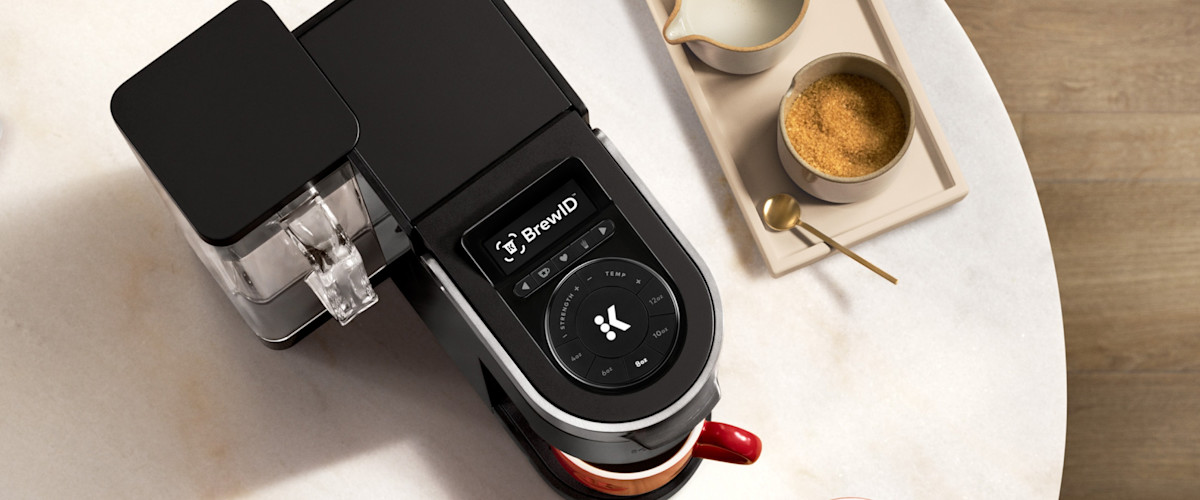
Error codes, indicator lights, and what they mean during Keurig K Supreme Plus Troubleshooting
The K Supreme Plus may use lights, icons, or a display to show errors. Knowing what each means speeds up fixes.
Common indicators and quick fixes
- Descale light: Run a full descale cycle.
- Add water or reservoir not seated: Re-seat or refill the reservoir.
- Heating error or low-temp: Power cycle the machine and check for scale. If it persists, heating element may fail.
- Pump or flow error: Clean needles and run several water cycles to clear air or debris.
If an error returns after cleaning and descaling, document the message and contact service. A failing pump or control board often shows repeated errors after standard troubleshooting.

Replacement parts, warranty, and when to call support for Keurig K Supreme Plus Troubleshooting
Parts you can replace at home
- Water reservoir and lid
- Drip tray and pod holder
- Needles and gaskets
- External power cord (if user-replaceable per manual)
When to call support or a technician
- Persistent error codes after cleaning and descaling.
- Heating element failure or no heat at all.
- Electrical faults or smoke smell.
- Major leaks inside the machine.
Warranty and receipts
- Keep your purchase receipt and register the brewer. Manufacturer guidance can speed warranty work. If the machine is under warranty, let authorized service handle internal repairs.
My tip: replace small parts first, like seals and needles, before buying a new machine. It’s often cheaper and restores brew quality.

PAA-style quick questions about Keurig K Supreme Plus Troubleshooting
What should I try first if my K Supreme Plus won't brew?
- Refill and reseat the reservoir, clean the needles, and run a water-only cycle to clear air or clogs.
How often should I descale the machine?
- Descale every 3 months with hard water or every 6 months with filtered water for best results.
Can I use vinegar to descale?
- Yes, white vinegar works but follow the manufacturer’s guidance for proportions and rinse thoroughly afterward.
Is it safe to clean needles with a paperclip?
- Yes, with the machine unplugged. Be gentle to avoid bending or damaging the needles.
When is a repair not worth it?
- If the control board or heating element fails and the machine is out of warranty, compare repair costs to replacement cost.

Frequently Asked Questions of Keurig K Supreme Plus Troubleshooting
Why is my Keurig K Supreme Plus flashing and not brewing?
A flashing light can mean low water, a need to descale, or a flow error. Check the reservoir, clean needles, and run a descale cycle if needed.
How do I remove and clean the needles safely?
Unplug the brewer, open the pod holder, and use a needle tool or paperclip to clear debris. Wipe with a damp cloth and run a water-only cycle.
How often should I change the water filter on my K Supreme Plus?
Change the in-reservoir filter every 2–3 months or sooner if you notice taste or flow issues. Fresh filters reduce scale and improve flavor.
My Keurig tastes bitter after descaling. What should I do?
Run multiple full water cycles to rinse any descaling solution or vinegar residue until the taste is gone. Use fresh water to brew a test cup.
Can I fix a leaking Keurig K Supreme Plus myself?
Small leaks from misaligned parts or seals can often be fixed at home by reseating the reservoir, cleaning seals, or replacing gaskets. Large internal leaks may require professional repair.
Conclusion
Keurig K Supreme Plus Troubleshooting is mostly a matter of simple checks, cleaning, and regular descaling. Start with the reservoir, needles, and a descale cycle. If problems persist, document errors and contact service. A little care goes a long way to keep your brewer making great coffee. Try these steps, share your results, and subscribe or comment below if you want more tips or a step-by-step video guide.

