

Check power, batteries, wiring, and reset the unit to fix most issues fast.
I have repaired and tuned many thermostats over the past decade, and I know Emerson Thermostat Troubleshooting inside out. This guide walks you through clear steps, real tips, and safe fixes so you can solve common Emerson thermostat problems fast and with confidence.

36% off Today’s Exclusive Deals
Limited-time Exclusive Deals. Check current discount on Amazon.
Check Price on Amazon As an Amazon Associate I earn from qualifying purchases.
What is Emerson Thermostat Troubleshooting and why it matters
Emerson Thermostat Troubleshooting means finding and fixing issues with Emerson thermostats. This covers simple fixes like dead batteries and more complex issues like wiring or Wi‑Fi. Good troubleshooting saves time, reduces HVAC wear, and keeps your home comfortable.
I use plain steps and tested checks that work on both basic Emerson models and smart Sensi units. You will learn signs to watch for, how to test parts, and when to call a pro.
Common Emerson thermostat problems and quick fixes
Here are the most common issues you will meet when doing Emerson Thermostat Troubleshooting. Each item is a simple cause and a quick fix to try first.
- Display is blank. Check circuit breaker, power switch at furnace, and change batteries.
- Thermostat won't control heat or cool. Check wiring, ensure system mode is correct, and reset the thermostat.
- Temperature reading is wrong. Recalibrate or move thermostat away from drafts and heat sources.
- Furnace or AC cycles too often. Look for short cycling, dirty filter, or faulty wiring.
- Wi‑Fi or app connection fails. Restart router, check Wi‑Fi password, and update firmware.
I learned to start with power checks and batteries. Most visits end there. These basics form the backbone of Emerson Thermostat Troubleshooting.

Step-by-step Emerson Thermostat Troubleshooting guide
Follow these steps in order. Each step is low risk and often fixes the problem.
-
Check power and switches
- Look at your home breaker panel for tripped breakers.
- Confirm the furnace or air handler power switch is on.
- Replace thermostat batteries if the model uses them.
-
Reboot and reset
- Remove power for 30 seconds, then restore. Many glitches clear after a reboot.
- If problems persist, perform a factory reset per your Emerson manual.
-
Inspect wiring
- Turn off power before touching wires.
- Ensure wires are in correct terminals and tight. Loose wires cause intermittent faults.
- Note wire colors and terminal labels before disconnecting anything.
-
Test system calls
- Set thermostat to heat and raise temperature; listen for furnace ignition or relay click.
- Set to cool and lower temperature; listen for AC compressor start.
- No response may mean a control board, transformer, or wiring fault.
-
Check HVAC equipment
- Replace dirty air filters and check condensate drain.
- Inspect the furnace door switch and flame sensor for obstruction.
- Call a technician if you suspect compressor or control board failures.
These steps are practical and repeatable. They form a solid Emerson Thermostat Troubleshooting routine I use in the field.
Troubleshooting Emerson smart thermostats and Wi‑Fi issues
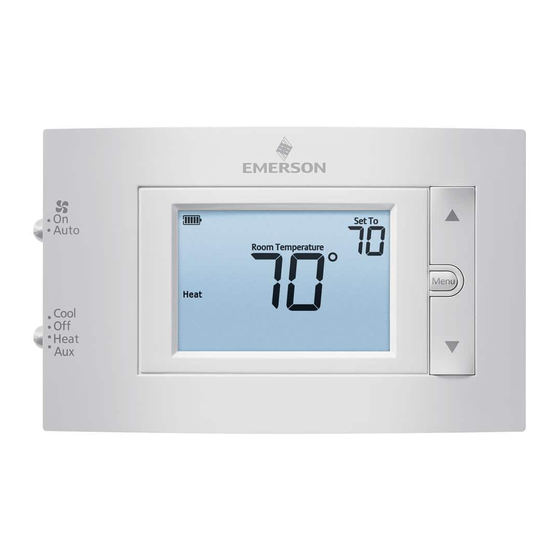
Smart Emerson thermostats (like Sensi) add app controls and updates. That brings new points for Emerson Thermostat Troubleshooting.
-
Confirm Wi‑Fi band and router settings
- Many thermostats need 2.4 GHz networks. Ensure the router broadcasts 2.4 GHz and the thermostat can reach it.
- Use a simple SSID name and avoid special characters in the password.
-
Move router or add mesh extenders
- Walls and distance block signals. A closer router or extender helps.
-
Update firmware and app
- Keep the thermostat firmware current. Use the official app to check status.
- Reinstall the app if pairing fails.
-
App error codes and logs
- The app often shows simple error messages. Note codes and restart both the thermostat and router.
- If the app reports a server outage, wait or check the vendor status page.
When I fixed several home setups, moving the router or adding a small Wi‑Fi extender resolved most connection issues within minutes. Smart features are great but depend on stable networks.

Wiring, power, and the C‑wire in Emerson Thermostat Troubleshooting
Power issues are at the heart of many thermostat problems. The C‑wire supplies continuous 24VAC power needed by many smart models.
-
What is a C‑wire?
- The C‑wire is a common wire tied to the 24VAC transformer. It gives constant power to the thermostat.
- No C‑wire can cause power drain, reboots, or failure to connect to Wi‑Fi.
-
How to check for a C‑wire
- Remove the thermostat cover and look for a wire on the C terminal.
- If no C‑wire exists, use a C‑wire adapter or install a proper wire from the control board.
-
Transformer and fuse checks
- Test for 24VAC between R and C with a multimeter if you can.
- A dead transformer or blown fuse on the furnace control board prevents power.
-
Safety tip
- Always shut main power off at the breaker before touching furnace wiring.
- If you are unsure, call an HVAC pro.
In my experience, adding a C‑wire adapter saved several homeowners costly rewiring. It is a simple Emerson Thermostat Troubleshooting option when running a new wire is hard.
When to call a pro and safety tips for Emerson Thermostat Troubleshooting
Some problems need trained hands. Know when to stop and call an HVAC technician.
-
Call a professional if:
- You find damaged wiring or a burned control board.
- The furnace or AC shows unsafe operation like gas odor or repeated failure to ignite.
- You cannot restore control after wiring and power checks.
-
Safety tips to follow
- Turn off power before inspecting wires.
- Do not bypass safety switches.
- Keep children and pets away from HVAC panels.
I once continued troubleshooting past the safe step and found a burned transformer. That visit turned into a repair that required a licensed technician. Know your limits and keep safety first.
People also ask
What causes a blank Emerson thermostat display?
A blank display usually means no power. Check batteries, home breakers, furnace power switch, and the thermostat's R and C wiring.
Does an Emerson thermostat need a C‑wire for Wi‑Fi?
Many smart Emerson thermostats require a C‑wire for stable Wi‑Fi and to avoid battery drain. Some models support adapters.
How do I reset an Emerson thermostat?
Most Emerson thermostats reboot by cutting power for 30 seconds. A factory reset is done via the menu; follow the manual for exact steps.
What if my Emerson thermostat shows wrong temperature?
Move the thermostat away from direct sun, vents, or heat sources. Recalibrate if the model supports it, or replace if sensor error persists.
Can a thermostat cause HVAC short cycling?
Yes. Faulty thermostat wiring or incorrect settings can cause short cycling. Check the thermostat and filters before assuming compressor failure.
Frequently Asked Questions of Emerson Thermostat Troubleshooting
How do I power cycle my Emerson thermostat?
Turn off the HVAC power at the breaker, wait 30 seconds, then turn it back on. For battery models, remove batteries for 30 seconds and reinsert them.
Why is my Emerson thermostat not calling for heat?
Check the mode and schedule settings, inspect the wiring to the R and W terminals, and ensure the furnace power switch is on. If wiring is correct but no call occurs, the control board might be at fault.
How do I know if the C‑wire is missing?
Remove the thermostat cover and look for a wire on the C terminal. If none is present, the thermostat likely lacks a dedicated C‑wire.
My Emerson thermostat won't connect to Wi‑Fi. What should I do?
Restart your router and thermostat, ensure you use the 2.4 GHz network, and confirm the password is correct. Move the router closer or use a Wi‑Fi extender if needed.
Is it safe to replace thermostat batteries myself?
Yes. Replacing batteries is safe and simple. Turn the display cover open and swap batteries for fresh ones matching the model's specs.
What does short cycling mean with an Emerson thermostat?
Short cycling means the HVAC turns on and off too frequently. It can come from wrong settings, dirty filters, or thermostat wiring faults.
Can a factory reset fix software glitches?
A factory reset often clears firmware glitches and settings errors. Back up schedules or settings if possible before resetting.
How long should an Emerson thermostat last?
With proper care, a thermostat can last 10 years or more. Smart models may become obsolete sooner due to tech changes.
Conclusion
Emerson Thermostat Troubleshooting is mostly about simple checks: power, batteries, wiring, and resets. Start with the easy fixes, follow step‑by‑step tests, and use safe practices. If wiring or HVAC hardware looks damaged, call a licensed technician.
Try the steps here today and note what you changed. Share your results, ask questions, or subscribe for more home HVAC tips.

