

Wireless earbuds have become an essential part of daily life for millions of people. They help us enjoy music, podcasts, and phone calls without any wires. But for beginners, charging wireless earbuds can sometimes feel confusing. If you’ve ever wondered about the best ways to keep your earbuds powered, or struggled with charging issues, you’re not alone.
In this guide, you’ll learn every important detail about how to charge wireless earbuds, avoid common mistakes, and keep your devices working smoothly.

36% off Today’s Exclusive Deals
Limited-time Exclusive Deals. Check current discount on Amazon.
Check Price on Amazon As an Amazon Associate I earn from qualifying purchases.Understanding Wireless Earbuds Charging Basics
Wireless earbuds are powered by small batteries inside each earbud. These batteries need regular charging. Most wireless earbuds come with a charging case. The case is more than just a storage box; it contains its own battery, which charges the earbuds when placed inside.
There are two main ways to charge wireless earbuds:
- Charging through the case: Place the earbuds inside the case, and the case provides power to them.
- Charging the case itself: Connect the case to a power source using a cable or sometimes a wireless charging pad.
Some advanced models also allow direct charging of earbuds, but this is rare.
Why The Charging Case Matters
The charging case is the heart of the charging system. It protects your earbuds and keeps them charged when you’re on the go. Most cases hold enough power to recharge earbuds multiple times before needing their own recharge.
For example, Apple’s AirPods case can recharge the earbuds up to four times before you need to plug in the case again. Samsung Galaxy Buds cases offer similar performance. This means you don’t have to charge your earbuds every day if you keep the case charged.
Step-by-step Guide: How To Charge Wireless Earbuds
Charging wireless earbuds isn’t complicated, but following the correct steps ensures safe charging and longer battery life.
1. Charging The Earbuds Using The Case
- Open the charging case.
- Check for dirt or debris inside the case and on the earbuds’ charging contacts. Wipe gently if needed.
- Place each earbud in its correct slot. Most cases are shaped so the earbuds fit only one way.
- Close the lid to start charging. Some cases have indicator lights to show charging status.
Most cases will have a light that turns on or changes color when the earbuds are charging. For example, a green light often means fully charged, while orange or red means charging.
2. Charging The Case
Charging the case is simple. Here’s what you should do:
- Find the charging port on the case. This is usually a USB-C or Lightning port.
- Plug the cable into the port and connect to a wall charger, computer, or power bank.
- Watch the indicator light on the case. Some cases have multiple lights to show battery level.
Some newer cases support wireless charging. To use this feature:
- Place the case on a wireless charging pad.
- Ensure the pad is plugged in.
- Wait for the indicator light to confirm charging.
3. Checking Battery Levels
Most wireless earbuds and cases have battery indicators:
- LED lights on the case or earbuds
- Notifications on your phone or smartwatch
- Companion app for advanced models (like Jabra or Sony)
Knowing your battery level helps avoid surprises when you’re about to use your earbuds.
Wireless Vs. Wired Charging: Comparison
Many cases now offer both wired and wireless charging. Let’s compare the two methods:
| Charging Method | Speed | Convenience | Cost |
|---|---|---|---|
| Wired (USB-C/Lightning) | Fast (1-2 hours) | Easy, universal | Low |
| Wireless (Qi Pad) | Medium (2-4 hours) | Very convenient | Medium to high |
Wired charging is usually faster and cheaper. Almost every case supports it. Wireless charging is easier—just place the case on a pad—but takes longer and needs special equipment.
Common Charging Problems And Solutions
Sometimes charging wireless earbuds doesn’t work as expected. Here are the most frequent issues and how to fix them:
Earbuds Not Charging In The Case
- Dirty charging contacts: Clean the contacts with a soft cloth.
- Misalignment: Make sure the earbuds are placed correctly.
- Case battery low: Recharge the case.
Charging Case Not Charging
- Cable or port problem: Try a different cable or charger.
- Wireless pad not working: Ensure the pad is plugged in and compatible.
- Case damaged: Check for physical damage or contact support.
Earbud Battery Drains Quickly
- Outdated firmware: Update your earbuds using the app.
- High volume or long usage: Lower volume or limit use.
- Battery aging: After 1–2 years, batteries may need replacement.
Indicator Light Not Working
- Light burned out: Some cases have faulty lights.
- Earbuds not seated: Try repositioning or cleaning.
If problems persist, check the manual or manufacturer’s support.
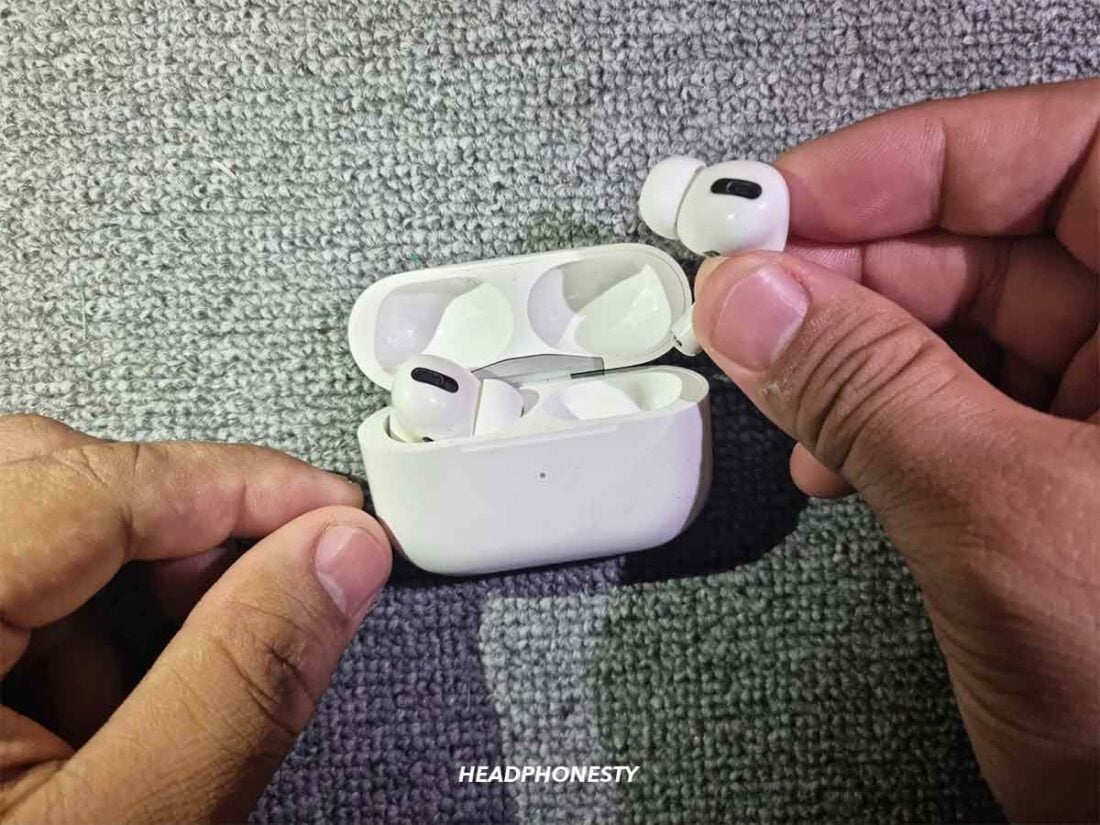
How Battery Life And Charging Cycles Affect Earbuds
Wireless earbud batteries are small and have limited lifespan. Most earbuds use lithium-ion batteries, which last about 300–500 charging cycles.
A charging cycle means charging from 0% to 100%. If you recharge from 50% to 100% twice, that’s one cycle.
After 1–2 years, battery capacity drops. You may notice:
- Shorter usage time per charge
- Earbuds needing more frequent charging
Some brands offer battery replacement, but most earbuds are not designed for it.
Tips To Extend Battery Life
- Avoid overcharging: Unplug when fully charged.
- Keep earbuds cool: Heat reduces battery health.
- Charge regularly: Don’t let batteries reach 0% often.
- Update firmware: Manufacturers improve battery management.
Charging Different Brands: What You Need To Know
Each brand has its own charging design. Here are examples of popular wireless earbuds:
| Brand | Charging Port | Wireless Charging | Battery Indicator |
|---|---|---|---|
| Apple AirPods | Lightning | Yes (optional) | LED on case |
| Samsung Galaxy Buds | USB-C | Yes | LED on case |
| Jabra Elite | USB-C | No (most models) | LED, app |
| Sony WF Series | USB-C | Yes (select models) | LED, app |
Always check your manual for charging details. Some cases support reverse wireless charging, where you can charge them from your phone.
Charging Safety: What Beginners Often Miss
Charging seems simple, but there are safety concerns. Here are non-obvious tips beginners often overlook:
- Never use wet hands to handle the charging case or cable. Moisture can damage electronics.
- Don’t charge overnight unless your device has smart charging protection. Some earbuds cases can overheat.
- Avoid cheap chargers. Low-quality chargers can damage batteries or cause safety hazards.
- Keep the charging port clean. Dust and lint block charging and can cause overheating.
These small steps help your earbuds last longer and stay safe.
How To Charge Wireless Earbuds Without The Case
Most wireless earbuds require the case to charge. However, a few models allow direct charging or use alternative solutions:
- Direct USB charging: Rare. Some budget models have a port on the earbud.
- Charging adapters: For lost cases, some brands sell adapters.
- Third-party cases: Only use official cases to avoid damage.
If you lose your case, contact the manufacturer for a replacement. Charging without the case is not recommended for most earbuds.

Charging Time: How Long Should You Wait?
Charging times vary by model and battery size. Average charging times:
- Earbuds in case: 1–1.5 hours for full charge
- Case via cable: 1–2 hours
- Case via wireless pad: 2–4 hours
Some earbuds support fast charging. For example, 15 minutes in the case may give 1 hour of playtime.
Example: Fast Charging Comparison
| Model | Time for Full Charge | Quick Charge |
|---|---|---|
| Apple AirPods Pro | 1 hour | 5 mins for 1 hour |
| Samsung Galaxy Buds 2 | 1.5 hours | 15 mins for 1 hour |
| Sony WF-1000XM4 | 1.5 hours | 5 mins for 1 hour |
Always check the manual for your model’s charging times. Overcharging does not speed up the process and can hurt battery health.
Practical Tips For Charging Wireless Earbuds
Charging wireless earbuds the right way extends their life and prevents problems. Here are actionable tips:
- Use the original charger and cable. This prevents compatibility issues.
- Charge in a cool, dry place. Heat and moisture damage batteries.
- Don’t mix earbuds and cases from different brands. This can cause charging errors.
- Store the case with some charge. Lithium-ion batteries last longer if not stored empty.
- Check for firmware updates. Manufacturers fix charging bugs through updates.
- Avoid charging on unstable surfaces. Cases can fall and damage the port.
Environmental Factors: How Temperature Affects Charging
Wireless earbuds batteries are sensitive to temperature. Extreme heat or cold can reduce charging efficiency and damage batteries.
- Ideal temperature: 50–85°F (10–30°C)
- Too hot: Charging slows down, battery may swell.
- Too cold: Charging stops or battery loses charge quickly.
Do not leave your case or earbuds in direct sunlight, car dashboards, or cold environments.
What To Do If Your Earbuds Won’t Charge
If your wireless earbuds refuse to charge, follow these steps:
- Check the charging contacts: Clean with a dry cloth.
- Try a different cable and charger: Eliminate charger issues.
- Reset the earbuds: Use the manufacturer’s reset instructions.
- Test with another case: If possible.
- Contact support: If nothing works, contact the brand’s support for help.
Some brands offer warranty replacement if your earbuds or case fail within a year.
Charging Multiple Devices: Avoiding Confusion
Many people own several wireless devices—earbuds, smartwatches, phones. Charging them together can cause confusion.
- Label your chargers and cases. Use stickers or color bands.
- Keep cables organized. Use cable ties or holders.
- Set a charging schedule. Charge devices overnight or during downtime.
Mixing up cases and earbuds can cause pairing and charging errors. Always check the brand and model.
Wireless Earbuds Charging Myths
There are many myths about charging wireless earbuds. Let’s clear up a few:
- Myth: You must drain batteries completely before charging.
- Fact: Modern lithium-ion batteries last longer if you charge them before they reach 0%.
- Myth: Charging overnight always damages batteries.
- Fact: Most modern cases have protection, but unplugging when full is still safer.
- Myth: Wireless charging is bad for batteries.
- Fact: Wireless charging is safe, but slower. It’s not harmful if done correctly.
Using Apps To Monitor Charging
Many premium wireless earbuds have companion apps. These apps show battery levels, charging status, and even offer tips for battery health.
Examples include:
- Apple AirPods app: Shows battery status on iPhone.
- Samsung Galaxy Wearable app: For Galaxy Buds.
- Sony Headphones Connect: Advanced battery info.
Some apps alert you if charging issues are detected.
Traveling With Wireless Earbuds: Charging Tips
Traveling with wireless earbuds needs planning. Here’s what you should know:
- Carry a power bank. Cases can recharge from USB power banks.
- Check airline rules. Some airlines limit lithium-ion batteries.
- Pack extra cables. Don’t rely on hotel or airport chargers.
- Keep earbuds and case together. Losing one makes charging difficult.
On long trips, charge the case fully before departure.
Upgrading Or Replacing Charging Cases
If your charging case breaks or you lose it, replacement options depend on the brand:
- Official replacement: Most brands sell cases separately.
- Third-party cases: Use only if certified for your model.
- DIY solutions: Not recommended; can damage earbuds.
Always check the serial number and compatibility before buying a replacement.
Charging Accessories: Which Ones Are Worth It?
There are many accessories for charging wireless earbuds. Here are the most useful:
- Wireless charging pads: Good for convenience.
- Charging docks: Holds multiple devices.
- Portable cases: Built-in battery for extra charges.
- Cable organizers: Prevent tangling.
Avoid buying unnecessary gadgets. Focus on accessories that match your lifestyle.

Frequently Asked Questions
How Do I Know If My Wireless Earbuds Are Fully Charged?
Most charging cases have LED indicator lights. Green usually means fully charged, while orange or red means charging. Some phone apps show battery status.
Can I Use Any Charger To Charge My Wireless Earbuds Case?
It’s best to use the original charger and cable. Using low-quality or mismatched chargers can cause charging issues or damage the battery.
How Long Should I Charge My Wireless Earbuds?
Charging earbuds in the case takes about 1–1.5 hours for a full charge. The case itself usually needs 1–2 hours. Wireless charging may take longer.
Why Do My Earbuds Run Out Of Battery Quickly?
Possible reasons include battery aging, high volume use, outdated firmware, or improper charging. Try updating firmware and charging correctly. If the battery is old, consider replacement.
Is It Safe To Charge Wireless Earbuds Overnight?
Most modern cases have smart charging protection. However, unplugging when fully charged is safer and helps extend battery life.
Wireless earbuds are simple to charge once you know the basics. Understanding your specific model, using the right accessories, and following battery care tips will keep your earbuds ready for use every day. If you ever need more details, check your manufacturer’s manual or visit reputable sources like Consumer Reports for the latest guidance. With these tips, you can charge your wireless earbuds confidently and avoid common mistakes.

