

Creating A Linkedin Profile That Gets Results
For many professionals, LinkedIn is more than just an online resume. It’s a powerful platform to network, find jobs, and grow your reputation. But many people create a LinkedIn profile in a hurry, fill in only the basics, and wonder why nothing happens. Others copy their paper resume online, missing key details that show who they are and what they offer. The truth: a great LinkedIn profile is not just a list of jobs—it’s your digital brand.
This guide shows you, step by step, how to create a LinkedIn profile that stands out. You’ll learn practical strategies, common mistakes, and tips even experienced users often miss. Whether you’re a student, job seeker, business owner, or just want to build your network, these strategies will help you make the most of LinkedIn.

36% off Today’s Exclusive Deals
Limited-time Exclusive Deals. Check current discount on Amazon.
Check Price on Amazon As an Amazon Associate I earn from qualifying purchases.Why Your Linkedin Profile Matters
LinkedIn has over 900 million members and is used by recruiters, hiring managers, and professionals around the world. Your profile is often the first place they look when considering you for a job or partnership. According to LinkedIn data, users with a complete profile are 40 times more likely to receive job opportunities.
But it’s not just about finding a job. A strong profile helps you:
- Build trust with clients or collaborators
- Showcase your skills and achievements
- Rank higher in LinkedIn search results
- Connect with people in your industry
A weak profile can be a missed opportunity. On LinkedIn, you control your own story. It’s worth doing right.
Planning Before You Build
Before you start filling in details, pause and clarify:
- Who is your target audience? (Recruiters, clients, peers?)
- What is your goal? (Job search, networking, thought leadership?)
- What keywords do you want to be found for?
Write these points down. They will guide your profile writing, help you choose the right words, and keep your message clear. Many users skip this step and end up with a generic profile that blends in.
Setting Up Your Linkedin Profile: Step By Step
1. Choose The Right Profile Photo
Your profile photo is your digital first impression. LinkedIn members with a photo get up to 21 times more profile views.
- Use a recent, high-quality photo
- Wear professional attire for your industry
- Face the camera, smile, and use a simple background
- Avoid group pictures or distracting objects
A good photo builds trust. If you don’t have a professional headshot, use your phone and natural light, but check the result is clear and friendly.
2. Add A Background Image
The background banner is often ignored, but it’s a chance to show your personality or brand. Choose an image that fits your industry or interests. For example:
- City skyline for finance professionals
- Books or laptops for educators
- Company branding for employees
Size: 1584 x 396 pixels works best. Avoid cluttered images or anything that distracts from your face.
3. Write A Compelling Headline
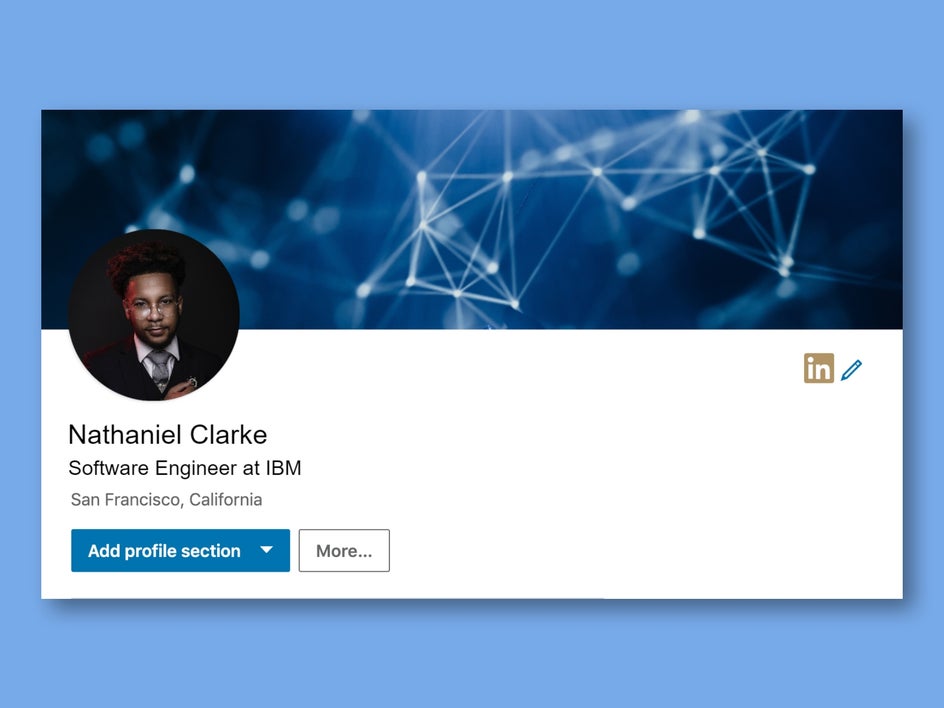
Your headline appears under your name. By default, LinkedIn uses your current job title, but you can edit it. This is prime space—use it to show your expertise and keywords.
Examples:
- “Digital Marketing Specialist | SEO & Content Expert | Helping Brands Grow Online”
- “Software Engineer | Python, JavaScript | Building Scalable Web Apps”
Tips:
- Use keywords for your skills/industry
- Show your value, not just your job title
- Avoid vague phrases like “seeking opportunities” (unless you’re open to work)
4. Customize Your Linkedin Url
A custom URL looks professional and is easier to share. For example: linkedin.com/in/johndoe
How to change it:
- Go to your profile
- Click “Edit public profile & URL” (top right)
- Change your URL to your name (if available)
If your name is taken, add a middle initial or profession (e. g. , johndoe-marketing).
5. Write A Strong About (summary) Section
The About section is your elevator pitch. It’s often the most-read part of your profile, but many users leave it blank or copy their resume summary.
Tips for a great summary:
- Write in first person (“I am…” or “My passion is…”)
- Start with your main value or expertise
- Include results, skills, and what makes you unique
- Use keywords naturally (not forced)
- Add a call to action (e.g., “Let’s connect!”)
Example:
> I’m a digital marketing specialist with 5+ years helping small businesses boost their online sales. My expertise includes SEO, Google Ads, and content strategy. I enjoy turning data into action and helping brands tell their story. Open to connecting with other marketers and entrepreneurs.
Non-obvious insight: Use short paragraphs and line breaks. Large blocks of text are hard to read, especially on mobile.
6. Add Work Experience With Impact
List your jobs, but don’t just copy your resume. Focus on results and achievements, not just duties.
For each job:
- Start with your title, company, and dates
- Add a short description (2–5 lines)
- Use bullet points for achievements
- Add numbers or specific results if possible
Example:
- Increased website traffic by 50% in 6 months using SEO strategies
- Led a team of 4 in launching a new mobile app
If you have gaps in work history, focus on what you learned or projects you completed. LinkedIn is more flexible than a resume.
7. Fill In Education
Add your college, university, or training programs. You can also include:
- Courses relevant to your career
- Certifications or licenses
- Extracurricular activities (if they add value)
This helps others find you by school and shows your background.
8. List Skills And Get Endorsements
LinkedIn lets you add up to 50 skills. Choose the ones most relevant to your goals. Order them by importance—your top 3 skills are most visible.
To get endorsements:
- Ask colleagues or classmates to endorse you
- Endorse others (they may return the favor)
- Add skills mentioned in job descriptions for your target roles
Pro tip: Focus on specific skills (e.g., “JavaScript” instead of just “Programming”).
9. Request Recommendations
Recommendations are written references on your profile. They add credibility and help you stand out.
How to get them:
- Ask former managers, colleagues, or clients who know your work well
- Request specific feedback (e.g., “Could you mention our project together?”)
- Offer to write a draft or trade recommendations
Aim for at least 2–3 strong recommendations.
10. Add Accomplishments And Extras
LinkedIn lets you add more sections to showcase what makes you unique:
- Certifications: Industry credentials (e.g., Google Analytics, PMP)
- Languages: List any you speak (with proficiency)
- Projects: Link to portfolios, websites, or major work
- Volunteer Experience: Shows leadership and interests outside work
- Awards or Publications: Anything relevant
Adding these details can set you apart, especially if your job history is short.
Key Sections To Optimize For Search
Having a great profile is one thing, but being found is another. LinkedIn uses its own search engine. Here’s where keywords matter most:
- Headline
- About (Summary)
- Work Experience
- Skills
Use terms recruiters or clients would search for—not just internal company jargon. For example, “Content Marketing” is searched more often than “Digital Storyteller. ”
Visual Elements: Photos, Media, And Links
Profiles with media get more attention. You can add documents, images, videos, or links to your work in the About and Experience sections.
Ideas:
- Upload your resume (PDF)
- Share a project demo video
- Add a link to your portfolio or website
- Show a certificate or award
Keep media professional and relevant. Visuals make your profile memorable.
How Linkedin Profiles Compare: Good Vs Great
To help you see the difference, here’s a quick comparison of a basic profile and a standout one:
| Basic Profile | Great Profile | |
|---|---|---|
| Photo | None or casual selfie | Professional, friendly headshot |
| Headline | “Student at XYZ University” | “Finance Student | Excel Expert | Open to Internships” |
| About | Blank or 1 line | Short summary with skills, passion, call to connect |
| Experience | Only job titles listed | Clear results, bullet points, numbers |
| Skills | 2–3 general skills | 10+ targeted skills, endorsements |
| Recommendations | None | 2–3 personalized recommendations |

Common Mistakes And How To Avoid Them
Many users make the same errors that hurt their chances:
- Incomplete profiles: Leaving sections blank or barely filled.
- No keywords: Using only company terms, not industry words.
- Too much text: Large blocks without breaks—hard to read.
- No results: Listing duties, not achievements.
- Unprofessional photos: Casual or group photos.
- Outdated info: Old job, wrong contact details.
- Ignoring media: Not adding links or samples.
- Few connections: Less than 50 looks inactive.
Non-obvious insight: LinkedIn’s search algorithm rewards active, complete profiles. Even small updates (adding a new skill, a recent project, or a new connection) help your profile show up more often.
Examples Of Strong Linkedin Profiles
Here are two examples (fictional but realistic) to help you visualize:
Example 1: Mid-level Engineer
- Photo: Clear, professional
- Headline: “Mechanical Engineer | CAD & 3D Modeling | Passion for Renewable Energy”
- About: “I’m a mechanical engineer with 7 years designing efficient HVAC systems for commercial buildings. Skilled in AutoCAD, SolidWorks, and sustainable design. My projects have reduced energy costs by up to 20%. Always open to connect with like-minded professionals.”
- Experience: “Designed HVAC system for ABC Tower (cut energy use by 15%). Led a team of 3 engineers on a LEED-certified project.”
- Skills: AutoCAD, Project Management, HVAC, Energy Efficiency
- Media: Portfolio link, project photos
Example 2: Entry-level Marketer
- Photo: Friendly, plain background
- Headline: “Marketing Graduate | Social Media | Content Creation | Open to Opportunities”
- About: “Recent graduate with hands-on experience in social media and content writing. Managed Instagram and Facebook for a student club, growing followers by 30%. Interested in digital marketing roles and eager to learn.”
- Experience: Social media manager for university club (Jan–May 2023). Internship at local agency (helped launch 2 campaigns).
- Skills: Instagram Marketing, Writing, Canva, Analytics
Advanced Tips For Power Users
Once your basics are done, these advanced tactics can give you an edge:
- Use the Featured section: Pin top posts, media, or links at the top of your profile.
- Post regular updates: Share articles, insights, or industry news.
- Write LinkedIn articles: Show thought leadership and boost profile views.
- Join groups: Engage in relevant LinkedIn Groups to meet new contacts.
- Follow influencers: Learn from leaders and stay updated.
- Open to work: Use the #OpenToWork feature (visible to recruiters or everyone).
- Adjust privacy: Control who sees your profile and activity.
- Track analytics: Check who views your profile and which sections get attention.
Optimizing Your Profile For Job Search
If you’re looking for a job, take these extra steps:
- Turn on “Open to Work” (choose if only recruiters or everyone can see)
- Add your target job titles to your headline and About section
- List desired locations (even remote)
- Fill in all skills matching job postings
- Get recommendations from recent managers or clients
Recruiters often use filters, so details matter. Keep your profile updated as you apply for jobs.
Networking And Building Connections
LinkedIn is not just about being found—it’s also about building relationships. Here’s how to grow your network:
- Start with people you know (colleagues, classmates, friends)
- Personalize connection requests (“Hi Jane, I enjoyed your talk at XYZ conference…”)
- Join alumni and industry groups
- Engage with posts (like, comment, share)
- Send thank-you notes after connecting
Aim for at least 250 connections for a strong network. Quality is more important than quantity.
How Recruiters Use Linkedin
Understanding how recruiters use LinkedIn helps you build a profile that works. Most recruiters:
- Search by keywords, location, and skills
- Scan headlines and About sections first
- Look for clear results and up-to-date info
- Value recommendations and media samples
A quick comparison of what recruiters look for:
| Section | What Recruiters Want | What to Avoid |
|---|---|---|
| Photo | Professional, clear | No photo, poor quality |
| Headline | Specific, keyword-rich | Generic, “seeking job” only |
| Experience | Results, numbers | Just duties, old info |
| Skills | Relevant, endorsed | Outdated, too broad |
| Recommendations | Genuine, specific | None, or too general |

Privacy And Security Best Practices
Your profile is public by default. You can control what others see:
- Edit profile visibility (in Settings)
- Hide your connections if needed
- Choose who sees your email or phone
- Turn off “Profile viewing” if you want to browse anonymously
Be careful sharing personal contact info. Keep your data secure and professional.
How To Keep Your Profile Fresh
A profile is not “set and forget.” Update it regularly:
- Add new roles, skills, or certifications
- Refresh your photo every 2–3 years
- Share recent projects or media
- Adjust your headline for new goals
Staying active keeps you visible in searches and your network.
Linkedin Profile Vs Traditional Resume
Some people ask: “If I have a resume, why do I need LinkedIn?” Here’s a quick comparison:
| Feature | Resume | LinkedIn Profile |
|---|---|---|
| Audience | Specific employers | Global, open network |
| Format | PDF/Word, 1–2 pages | Dynamic, multimedia, longer |
| Contact method | Email, phone | Direct message, InMail |
| Updates | Manual, slow | Instant, easy to update |
| References | Optional, separate | Built-in recommendations |
A strong resume is still important, but LinkedIn offers more visibility and networking.
Resources For Further Learning
To master LinkedIn, you can explore the official LinkedIn Help Center or check out trusted guides, such as the Muse’s LinkedIn Tips.
Frequently Asked Questions
How Do I Get My Linkedin Profile Noticed By Recruiters?
Use keywords for your target job, fill out every section, and add results and skills. Get recommendations and stay active. Recruiters search by keywords, so think like they do.
What Is A Good Linkedin Headline For Students?
Mix your field, skills, and job interest. For example: “Business Student | Data Analysis | Seeking Internships.” Avoid just “Student at XYZ.”
Should I Connect With People I Don’t Know?
Yes, but personalize your request. Explain why you want to connect. Focus on shared interests, industry, or mutual contacts.
How Often Should I Update My Linkedin Profile?
Update whenever you have new roles, skills, or achievements. Small updates every few months keep you visible.
Can I Hide Parts Of My Linkedin Profile?
Yes. Use privacy settings to control who sees your info. You can hide your email, connections, or even browse anonymously.
A strong LinkedIn profile is an investment in your professional future. Take the time to build, update, and use it—and opportunities will find you.

