

Starting a podcast is one of the best ways to share your voice, ideas, and passion with the world. Podcasts are everywhere—on your commute, during a workout, or while cooking dinner. They reach millions of listeners every day, and the number keeps growing.
But how do you go from just listening to actually launching your own show? This guide will walk you through every step, from planning your podcast to publishing your first episode and attracting listeners.

36% off Today’s Exclusive Deals
Limited-time Exclusive Deals. Check current discount on Amazon.
Check Price on Amazon As an Amazon Associate I earn from qualifying purchases.You don’t need to be a tech expert or have a big budget. Many successful podcasts started with simple setups and just one person’s story. What matters most is your idea and your willingness to learn. Along the way, you’ll discover tips and mistakes to avoid—things that aren’t obvious to beginners.
If you’ve been thinking about starting a podcast but don’t know where to begin, this guide is for you.
Why Start A Podcast?
People start podcasts for different reasons. Some want to build a brand, others want to grow a business, and many just want to share their interests with the world. Podcasts can help you:
- Build authority in your field
- Connect with a loyal audience
- Learn new skills like interviewing and audio editing
- Create networking opportunities with guests and listeners
One non-obvious benefit: podcasts are often more personal than blogs or videos. Listeners hear your voice, which builds trust and connection over time.
Planning Your Podcast
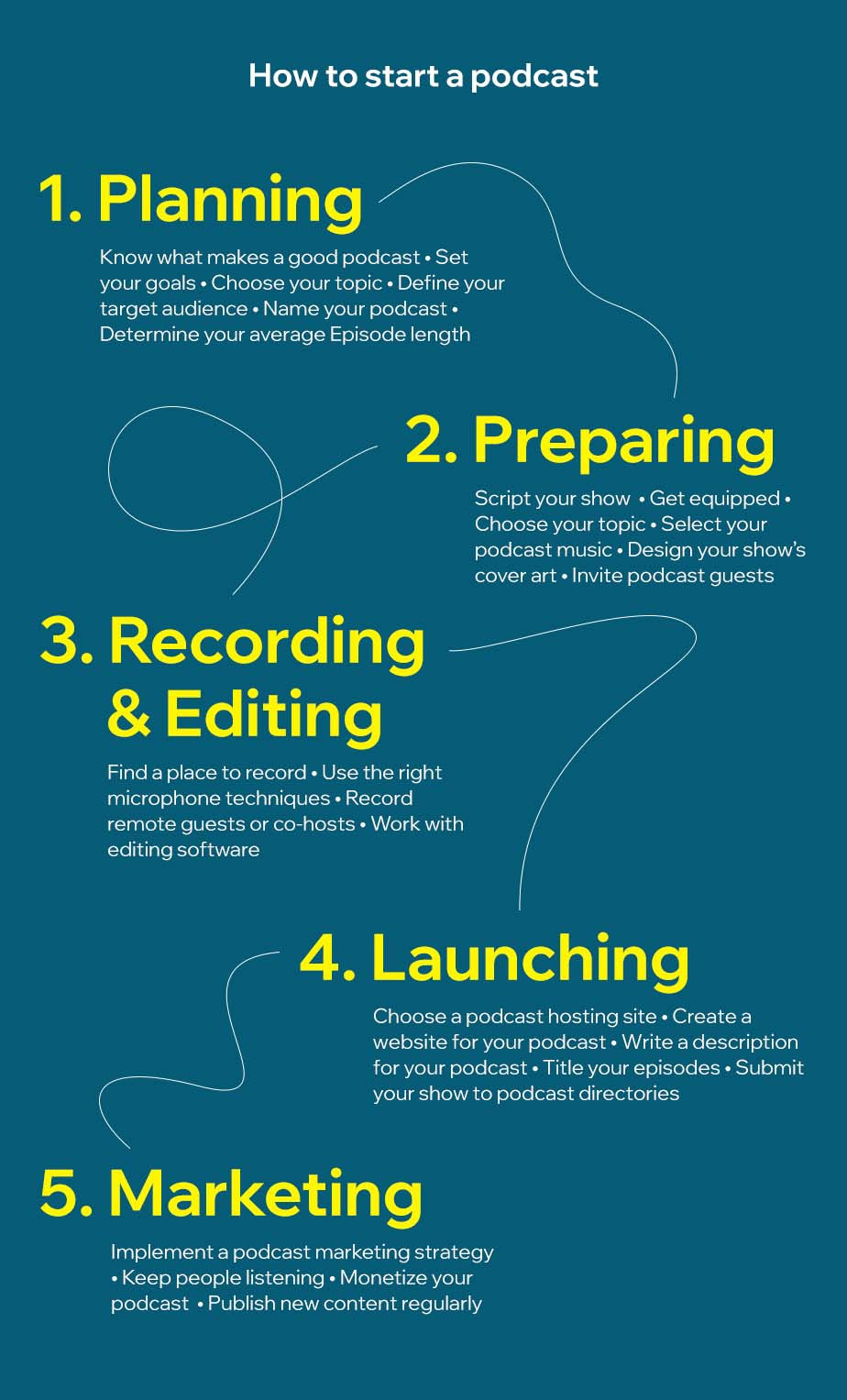
A strong podcast starts with a clear plan. This is where many beginners get stuck, but planning doesn’t have to be complicated.
Define Your Topic And Niche
Start with what you love or know well. Choose a specific topic—not just “health” but maybe “vegan cooking for busy parents.” The more focused your niche, the easier it is to attract dedicated listeners.
Ask yourself:
- What unique perspective can I offer?
- Who is my ideal listener?
- What problems can I help solve?
Research Other Podcasts
Before starting, listen to other shows in your niche. Notice what you like and dislike. Look for gaps—topics or styles that aren’t covered yet.
Choose Your Podcast Format
Podcasts come in different formats:
- Solo – Just you sharing ideas or stories.
- Co-hosted – You and a partner discuss topics.
- Interview – You talk with guests each episode.
- Narrative/storytelling – Like documentaries, with edited stories.
Pick a format that fits your strengths and what your audience wants.
Name Your Podcast
Your podcast name should be short, memorable, and give listeners a clear idea of what to expect. Avoid complicated words or inside jokes. Before deciding, check if the name is available as a domain (website) and on major podcast platforms.
Plan Your Episodes
Outline the first 5–10 episodes. Write a brief summary for each. This helps you see if your topic has enough depth and keeps you motivated.
Decide On Episode Length And Frequency
Most podcasts are between 20–60 minutes per episode. But shorter or longer shows can work if your content is strong. Choose a release schedule you can keep—weekly, biweekly, or monthly. Consistency is more important than frequency.
Essential Equipment And Software
You don’t need expensive gear to start, but investing in the right tools will improve your audio quality and make editing easier.
Basic Podcasting Equipment
Here’s what you need to get started:
| Equipment | Budget Option | Recommended for Most | Professional Option |
|---|---|---|---|
| Microphone | Smartphone mic, Lavalier mic ($20–$30) | USB condenser mic (e.g., Audio-Technica ATR2100x) | XLR mic (e.g., Shure SM7B) |
| Headphones | Basic earbuds | Closed-back headphones (e.g., Audio-Technica M20x) | Studio headphones (e.g., Sony MDR-7506) |
| Recording Device | Smartphone or laptop | Laptop with USB mic | Audio interface with XLR mic |
Tip: Start simple and upgrade later. A USB mic is often enough for a great-sounding podcast.
Recording And Editing Software
You’ll need software for recording and editing. Here are popular options:
| Software | Platform | Cost | Ease of Use |
|---|---|---|---|
| Audacity | Windows, Mac, Linux | Free | Easy for beginners |
| GarageBand | Mac | Free | User-friendly |
| Adobe Audition | Windows, Mac | Paid | Advanced features |
| Hindenburg Journalist | Windows, Mac | Paid | Podcast-focused |
Non-obvious insight: Recording in a small, quiet room with soft surfaces (like carpets and curtains) will improve your audio more than buying an expensive microphone.
Extra Tools
- Pop filter: Reduces harsh “p” and “s” sounds.
- Mic stand or boom arm: Keeps your mic steady.
- Remote recording platforms: For interviews, use tools like Riverside.fm, Zencastr, or Squadcast.
Creating Your First Episodes
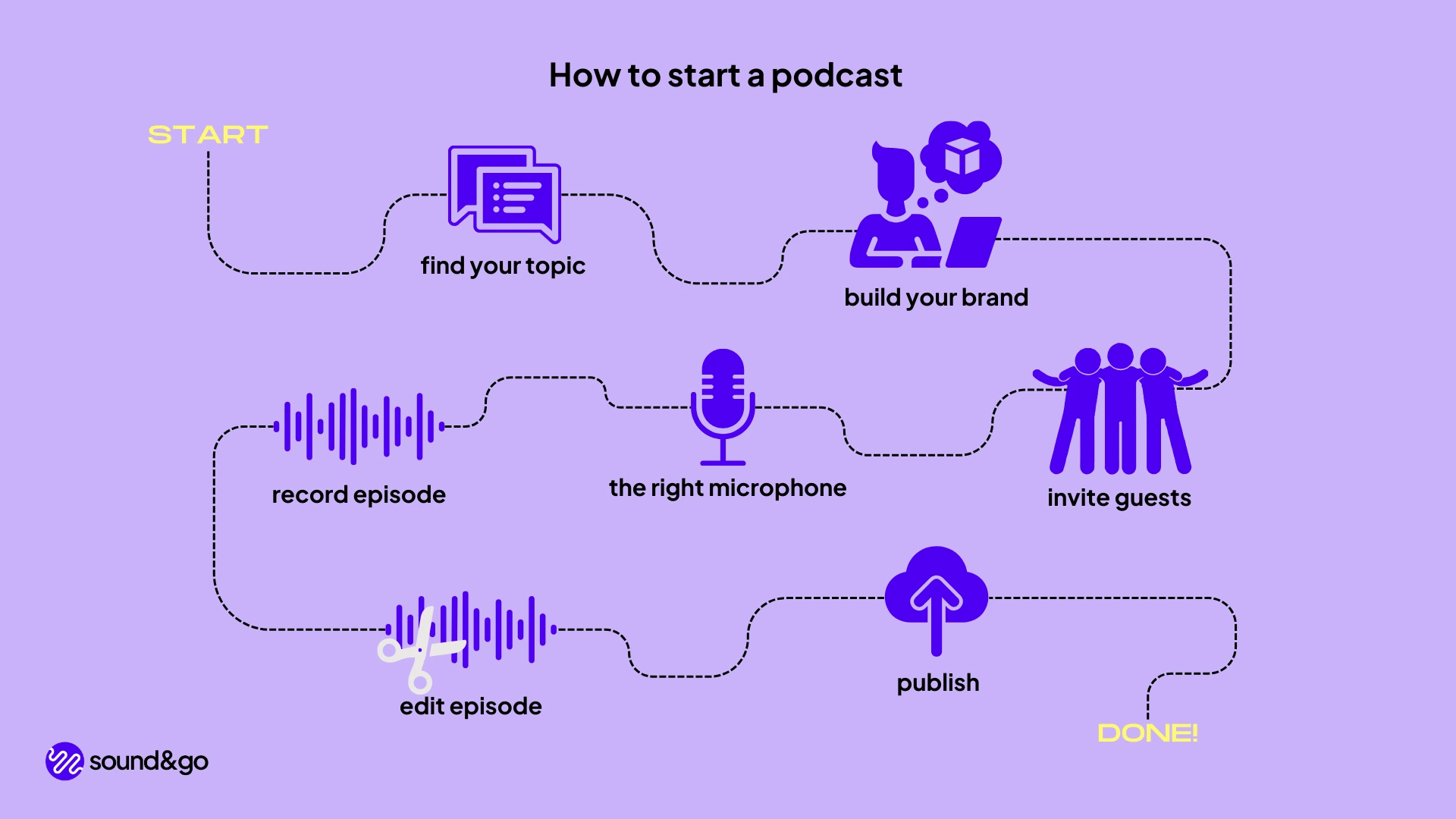
Now that you have your plan and gear, it’s time to make your first episode.
Scripting Vs. Outlining
Some hosts read full scripts, others use bullet points. If you’re nervous, a script helps you stay focused. But outlines sound more natural and let your personality show.
Best practice: Start with an outline. List the main points and key phrases, but speak naturally.
Recording Tips
- Test your setup before recording the real episode.
- Speak clearly and with energy.
- Pause if you make a mistake—edit out errors later.
- Record a short intro and outro for each episode.
Editing Your Audio
Editing removes mistakes, long pauses, or background noise. Most beginners spend too much time editing. Focus on making your message clear—not perfect.
- Cut out “um,” “ah,” and long silences.
- Balance volume levels.
- Add intro music and outro if you have it.
Adding Music And Sound Effects
You can use royalty-free music for your intro and outro. Make sure you have permission—never use popular songs without a license. Free sources include YouTube Audio Library and Free Music Archive.
Branding: Cover Art And Show Description
Your podcast’s cover art and show description are the first things people see. They help your show stand out in crowded podcast directories.
Podcast Cover Art
- Size: At least 1400 x 1400 pixels, up to 3000 x 3000.
- Keep it simple, bold, and readable even at small sizes.
- Use clear fonts and bright colors.
- Avoid too much text.
You can design your own art using Canva or hire a designer on Fiverr or Upwork.
Podcast Show Description
Your description should explain:
- What your podcast is about
- Who it’s for
- What listeners will learn or enjoy
Keep it short and engaging. Include keywords people might search for, but write for humans, not algorithms.
Pro tip: Update your description if your podcast changes direction or focus.
Publishing Your Podcast
Once you’ve recorded and edited your first episode, you’re ready to publish.
Podcast Hosting Platforms
You need a podcast host to store your audio files and create an RSS feed. This feed lets podcast directories (like Apple Podcasts and Spotify) find your show.
Popular podcast hosts include:
- Buzzsprout
- Libsyn
- Podbean
- Anchor (now Spotify for Podcasters)
- Transistor
Most hosts offer a free plan or trial. Compare features like analytics, storage limits, and price.
Submitting To Podcast Directories
After uploading your first episode and cover art, submit your podcast to directories:
- Apple Podcasts
- Spotify
- Google Podcasts
- Amazon Music
- Stitcher
Each platform has its own submission process, but you only need to do this once per platform. It can take a few days for your show to appear.
Non-obvious insight: Submit your podcast to smaller directories like Pocket Casts, Overcast, and Podchaser. These can bring in listeners who don’t use the biggest apps.
Launch Strategy: Getting Your First Listeners
The first few weeks are crucial for building momentum.
Launch With Multiple Episodes
Release 3–5 episodes on launch day. This gives new listeners more content to enjoy and increases the chance they’ll subscribe.
Ask For Reviews And Shares
Encourage friends, family, and early listeners to leave reviews and share your podcast. Early reviews on Apple Podcasts can help your show appear in rankings.
Leverage Your Network
Share your podcast on your social media, website, and email list. If you have guests, ask them to share with their networks too.
Guest Appearances
Offer to be a guest on other podcasts in your niche. This introduces your show to new audiences.
Consistency Matters
Stick to your release schedule. Consistency builds trust and keeps listeners coming back.
Growing And Monetizing Your Podcast
Once you have regular listeners, you can focus on growth and possibly earning money from your show.
Building An Audience
- Engage with listeners: Respond to emails, social media messages, or listener questions.
- Create a website: Use it for show notes, transcripts, and extra resources.
- Collaborate: Work with other podcasters or creators in your niche.
- Ask for feedback: Improve your show based on listener suggestions.
Monetization Options
Monetizing a podcast takes time and a loyal audience. Here are common ways to earn:
- Sponsorships: Companies pay to advertise on your show.
- Listener support: Use Patreon or Buy Me a Coffee for donations.
- Merchandise: Sell T-shirts, mugs, or other branded items.
- Online courses or products: Promote your own offerings.
- Affiliate marketing: Recommend products and earn a commission for sales.
Data point: According to Edison Research, about 41% of Americans listen to podcasts monthly (2023). The market is still growing, and advertisers are investing more each year.
Important: Never fill your show with ads too early. Focus on building trust and value first.
Tracking Success
Use analytics from your podcast host to see:
- Downloads per episode
- Listener locations
- Popular episodes
Set simple goals (like “reach 100 downloads per episode”) and celebrate progress.

Common Mistakes And How To Avoid Them
Even experienced podcasters make mistakes. Here’s what to watch out for:
- Inconsistent publishing: Skipping weeks loses trust.
- Poor audio quality: Listeners will turn off if they can’t hear you clearly.
- Trying to be perfect: Minor mistakes are okay—focus on improvement.
- No clear target audience: Speak to a specific group, not “everyone.”
- Neglecting show notes or descriptions: These help with SEO and listener retention.
- Ignoring feedback: Listen to your audience and adjust as needed.
- Not promoting enough: Even great podcasts need marketing.
- Overcomplicating setup: Start simple and upgrade as you grow.
Insider tip: Your first few episodes will not be your best. That’s normal. Improvement comes with practice.
Legal And Copyright Considerations
Podcasting is fun, but you need to follow some rules.
Music And Audio Clips
Only use music or clips you have the rights to. Many podcasts have been removed for copyright infringement.
- Use royalty-free music or buy a license.
- For interviews, get guest permission to record and publish.
Disclaimers
If you give advice (like health or financial tips), add a short disclaimer. This protects you from legal issues.
Privacy
Don’t share private information about people without their permission. Respect your guests’ and listeners’ privacy.
For more detailed information on podcasting laws and copyright, the Podcast Lawyer website is a helpful resource.
Measuring Growth: Data And Analytics
Tracking progress helps you see what’s working and where to improve.
Key Metrics
- Downloads: The most basic measure, but not the only one.
- Listener retention: How much of each episode people hear.
- Subscriber growth: Number of people following your show.
- Geographic data: Where your listeners live.
Many podcast hosts show these stats in your dashboard.
Comparing Podcast Hosts: Analytics Features
Here’s a comparison of analytics features from popular hosts:
| Host | Download Data | Listener Location | Retention Stats | Unique Listeners |
|---|---|---|---|---|
| Buzzsprout | Yes | Yes | Yes | No |
| Libsyn | Yes | Yes | No | Yes |
| Anchor | Yes | Yes | No | No |
| Podbean | Yes | Yes | Yes | Yes |
Note: Stats like “downloads” are not the same as “listeners.” One person may download the same episode on different devices.
Keeping Your Podcast Fresh
After your show is live, keep listeners engaged by:
- Trying new formats or topics
- Inviting interesting guests
- Answering listener questions on air
- Creating themed series or special episodes
Podcasting is a long-term game. Even slow growth is a sign you’re building something valuable.
Frequently Asked Questions
How Much Does It Cost To Start A Podcast?
You can start with less than $100 using a basic USB microphone and free software. Podcast hosting costs $5–$20 per month. You can upgrade gear as your show grows.
Do I Need A Website For My Podcast?
A website isn’t required but is highly recommended. It gives your show a home, helps with SEO, and lets you share show notes, transcripts, and bonus content.
Can I Record A Podcast With My Phone?
Yes, many beginners start with a smartphone and a simple recording app. For better audio quality, use an external mic that connects to your phone.
How Do I Get Guests For My Podcast?
Start by asking people you know. As your show grows, reach out to experts or use platforms like Podmatch. Always explain why their story fits your podcast.
How Long Does It Take To Grow An Audience?
Growth is usually slow at first—often 6–12 months before you see steady numbers. Stay consistent, improve your content, and promote your show to increase your reach.
Podcasting is a journey. You’ll learn more each episode, connect with amazing people, and maybe even change lives—including your own. Starting is the hardest part, but with each step, you’ll get better. Remember: your story is worth sharing, and there’s always someone out there who needs to hear it.

