

Is Glowforge Aura Worth It?
The Glowforge Aura is a desktop laser cutter aimed at hobbyists, crafters, and small business owners. Its promise is simple: turn your creative ideas into professional-quality products at home. But with its price tag and competition growing, many ask, “Is Glowforge Aura worth it?” This article explores what makes the Aura stand out, its strengths and weaknesses, and whether it’s the right choice for you.
What Is The Glowforge Aura?
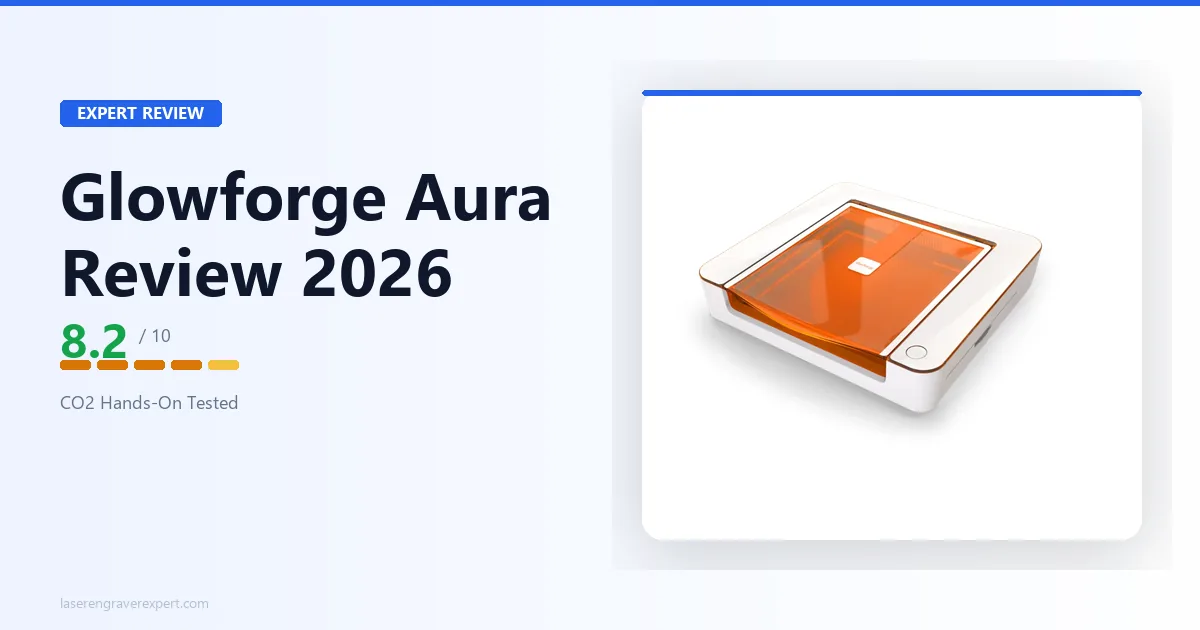
The Glowforge Aura is a compact laser cutter and engraver. It uses a diode laser to cut and engrave materials like wood, acrylic, leather, and paper. Unlike larger Glowforge models, the Aura is designed for home use. It fits on a desk, works with standard power outlets, and connects via Wi-Fi to your computer or tablet.

36% off Today’s Exclusive Deals
Limited-time Exclusive Deals. Check current discount on Amazon.
Check Price on Amazon As an Amazon Associate I earn from qualifying purchases.Some highlights of the Glowforge Aura include:
- 6 Watt diode laser for cutting and engraving
- Compact size (roughly 20.5″ x 22″ x 5″ inches)
- Works with Glowforge’s own software (cloud-based)
- Compatible with many common materials
- Priced around $1,199 USD (as of 2026)
The Aura is aimed at beginners and intermediate users who want to create crafts, personalized gifts, or small business products without industrial equipment.
Key Features And Performance
Understanding the Glowforge Aura’s features helps decide if it’s worth your money. Here’s a closer look.
Cutting And Engraving Capabilities
The Aura can cut through:
- 1/4″ thick wood
- Acrylic up to 1/4″
- Thin leather and cardboard
- Some types of paper and fabrics
It engraves on:
- Wood
- Acrylic
- Glass (surface marking only)
- Leather
- Some metals (with coating or spray)
Glowforge claims the Aura can cut 1/4″ plywood in a single pass, but real-world users say results vary. Dense hardwoods or thick acrylic may need multiple passes and patience.
Software And Ease Of Use
Aura uses Glowforge Print, a web-based platform. You upload your design, pick your material, and set your cut or engrave options. The interface is simple, ideal for beginners.
You can use:
- SVG, JPG, PNG, and PDF files
- Glowforge’s own design library
- Simple editing tools (resize, move, duplicate)
A key advantage is the live camera preview. You see exactly where your design will go on your material, reducing waste.
Safety And Ventilation
The Aura is designed for home use, but it still creates smoke and fumes. You must vent it outside (with a hose) or buy the Personal Filter (sold separately for around $399). Some users underestimate how much ventilation matters—cutting acrylic, for example, produces strong odors.
Build Quality And Support
The Aura’s build is sturdy, with metal and quality plastic parts. The lid has a safety lock, and the machine stops if opened. Glowforge support is responsive, but some users report wait times for repairs or replacement parts.

Glowforge Aura Vs. Competitors
The desktop laser market is crowded. How does the Aura compare to other popular choices like xTool M1 or OMTech Polar? Here’s a side-by-side look.
| Feature | Glowforge Aura | xTool M1 | OMTech Polar |
|---|---|---|---|
| Laser Type | Diode | Diode/Blade | CO2 |
| Laser Power | 6W | 10W | 50W |
| Price | $1,199 | $899 | $2,499 |
| Max Material Height | 0.25 in | 0.39 in | 2 in |
| Software | Cloud Only | Offline & Cloud | Offline |
The Aura is easier to use than many rivals but has lower power. The xTool M1 offers more flexibility (cutting blade and laser), while OMTech’s CO2 laser cuts thicker materials but costs more and needs more space.
Who Should (and Shouldn’t) Buy The Glowforge Aura?
The Glowforge Aura fits a specific audience. It’s best for:
- Crafters and hobbyists who want to make signs, jewelry, or personalized gifts.
- Etsy shop owners needing reliable, consistent engraving for small products.
- Teachers or makerspaces wanting safe, easy-to-learn equipment.
It may not be right for:
- Those needing to cut thick hardwood or acrylic regularly
- Users who want offline software (Aura requires internet)
- People bothered by cloud-only access or Glowforge’s recurring design subscriptions
A common beginner mistake is underestimating the cost and importance of compatible materials. Glowforge’s “Proofgrade” materials are easy to use, but they’re more expensive than generic alternatives.

Real-world User Experiences
Owners often praise how quickly they can learn the Aura. Most people are making their first project within an hour. The live camera preview is a game-changer for reducing mistakes.
But some frustrations show up:
- Cut speed: The Aura is slower than CO2 lasers, especially on thicker wood.
- Material costs: Using only Proofgrade materials adds up fast.
- Cloud dependence: If Glowforge’s servers are down, you can’t use the machine.
One user, for example, tried to engrave 1/4″ walnut and found the Aura needed three passes and still left a slightly burned edge. Another made dozens of acrylic earrings in a day, finding the quality excellent for thin sheets.
Cost Breakdown: Is It A Good Investment?
Let’s look at the estimated costs for a typical hobbyist in the first year:
| Item | Approximate Cost |
|---|---|
| Glowforge Aura | $1,199 |
| Personal Filter | $399 |
| Materials (Proofgrade) | $300 |
| Replacement parts/maintenance | $50 |
| Total First Year | $1,948 |
For a small business, this investment can pay off quickly if you sell your creations. For casual crafters, it’s a hobby expense that’s hard to justify unless you use it often.
Non-obvious Insights
Many beginners overlook two things:
- Design skills matter: The Aura is only as good as your designs. Investing time in learning vector graphics (like SVG files) will multiply your results.
- Maintenance is simple but essential: Regular cleaning of the lens and rails keeps cuts sharp and prevents downtime. Ignoring this can lead to frustrating failures.
Also, the Aura’s cloud-only system means you must have reliable internet. If your Wi-Fi is spotty, this could be a deal-breaker.
So, Is Glowforge Aura Worth It?
If you want a user-friendly laser cutter for crafts, gifts, or a side business—and don’t need to cut thick materials—the Glowforge Aura is a strong choice. Its simple software, safety features, and support community are valuable. But if you need power, speed, or complete offline control, look at competitors.
For more technical details, check out the official Glowforge Aura page.
Frequently Asked Questions
How Thick Can The Glowforge Aura Cut?
The Aura reliably cuts up to 1/4 inch wood and acrylic. Thicker materials may need multiple passes or may not cut through at all.
Does Glowforge Aura Work Offline?
No, the Aura requires an internet connection to use Glowforge’s cloud-based software. You cannot use it offline.
What Materials Can I Use With The Aura?
You can use wood, acrylic, leather, paper, some fabrics, and coated metals. For best results, use Proofgrade materials from Glowforge.
Is The Glowforge Aura Safe To Use At Home?
Yes, it’s designed for home use, but you must have proper ventilation. The Personal Filter or outdoor venting is recommended.
Can I Sell Products Made With Glowforge Aura?
Absolutely. Many Etsy sellers and small businesses use the Aura to create products for sale. Just make sure your designs are original or licensed.

