

Most GE dehumidifier issues are simple; check power, filter, and drain first.
I’ve worked with home appliances for years and seen every simple GE dehumidifier trouble you can imagine. This guide on Ge Dehumidifier Troubleshooting explains how these machines work, how to diagnose common problems, and how to fix them safely. You’ll get step-by-step checks, error-code meanings, maintenance tips, and realistic advice from hands-on experience so you can solve issues quickly and avoid repeat problems.

36% off Today’s Exclusive Deals
Limited-time Exclusive Deals. Check current discount on Amazon.
Check Price on Amazon As an Amazon Associate I earn from qualifying purchases.
How a GE dehumidifier works and why troubleshooting matters
A GE dehumidifier pulls moist air over cold coils. Moisture condenses into a bucket or a drain line. The unit measures room humidity and cycles to keep levels steady. Understanding this basic flow makes troubleshooting easier. When something goes wrong, it usually affects power, airflow, condensate handling, or sensors. Ge Dehumidifier Troubleshooting focuses on these parts to find fast fixes and prevent damage.

Common problems and quick fixes
Most owners face the same small set of issues. These are easy to spot and fix. Below are the usual problems and simple fixes I use in the field.
-
Unit won’t turn on
- Confirm outlet power. Try another device in the same outlet.
- Check the unit’s power cord and plug for damage.
- Reset any tripped circuit breaker or GFCI.
-
Unit runs but doesn’t remove moisture
- Clean or replace the air filter.
- Ensure intake and exhaust are not blocked.
- Check room temperature; many units struggle below 60°F.
-
Water leaking or overflowing
- Empty and re-seat the water bucket.
- Inspect the drain hose for kinks or clogs.
- Confirm the float switch or sensor isn’t stuck.
-
Fan runs loudly or vibrates
- Clean debris from fan and grill.
- Tighten loose screws and check mounting rubber feet.
- Replace a failing fan motor if noise persists.
-
Unit freezes up on the coils
- Turn off and let coils defrost for a few hours.
- Check airflow and low room temperature issues.
- Run a “defrost” cycle if your model supports it.
These steps cover most Ge Dehumidifier Troubleshooting cases. Start with the easiest checks first to save time and money.

Error codes and what they mean
GE dehumidifiers sometimes show codes or blinking lights. Knowing the meaning helps you act fast.
-
E1 or F1 — Sensor fault
- Indicates a humidity or temperature sensor issue. Try resetting the unit. If it returns, the sensor may need replacement.
-
E3 or F3 — Water bucket full or float stuck
- Empty the bucket and clean the float area. Replace the float if it’s damaged.
-
E4 — Compressor or high-pressure fault
- Turn off the unit and test again later. Repeated E4 signals may need a technician.
-
Blinking power light — Control board lock or error
- Unplug for five minutes to reset. If blinking remains, the control board may be faulty.
If you see persistent error codes, document them and contact support. During Ge Dehumidifier Troubleshooting, error codes speed diagnosis and reduce guesswork.

Step-by-step troubleshooting guide
Follow this order to troubleshoot safely and efficiently. I’ve used this checklist with many GE models and it works well.
- Safety first
- Unplug the unit before any internal checks. Wear gloves if you touch coils or metal parts.
- Basic power checks
- Confirm the outlet has power. Test with a lamp or a multimeter.
- Reset breakers and GFCIs.
- Inspect the exterior
- Check the power cord, plug, and control panel.
- Look for dents, damage, or signs of electrical burns.
- Airflow and filters
- Clean or replace filters every 1–3 months.
- Clear any blocked vents or nearby objects.
- Water handling
- Empty the collection bucket. Clean it with mild soap.
- Inspect the drain hose for debris and ensure a proper slope for gravity drains.
- Coils and frost
- If coils are frosted, allow defrost or higher room temperature.
- Clean coils gently with a soft brush and the manufacturer’s recommended cleaner.
- Diagnostic reset
- Unplug for 10 minutes, plug in, and run a full cycle.
- Note any recurring error codes or odd noises.
- Advanced checks
- Test the float switch with continuity meter if you know how.
- If the compressor isn’t starting but the fan runs, note the sound—clicks can mean a failing start relay.
If you complete these steps and the problem persists, it’s time to call a trained technician. Don’t attempt high-voltage repairs without proper tools and training.

Maintenance tips to prevent issues
Good maintenance reduces the need for Ge Dehumidifier Troubleshooting. I follow these habits at home and recommend them to clients.
- Clean filters regularly
- Wash or replace filters every 1–3 months depending on use.
- Keep the area clear
- Leave 6–12 inches around the unit for airflow.
- Use correct settings
- Set humidity near 45% for comfort and efficiency.
- Empty and clean the bucket
- Prevent mold and bad smells by emptying and rinsing weekly.
- Check the drain setup
- For continuous drains, ensure a steady downhill slope and no long loops.
- Annual inspection
- Have a technician check seals, refrigerant, and electrical components yearly.
These small steps make Ge Dehumidifier Troubleshooting rare and quick when needed.
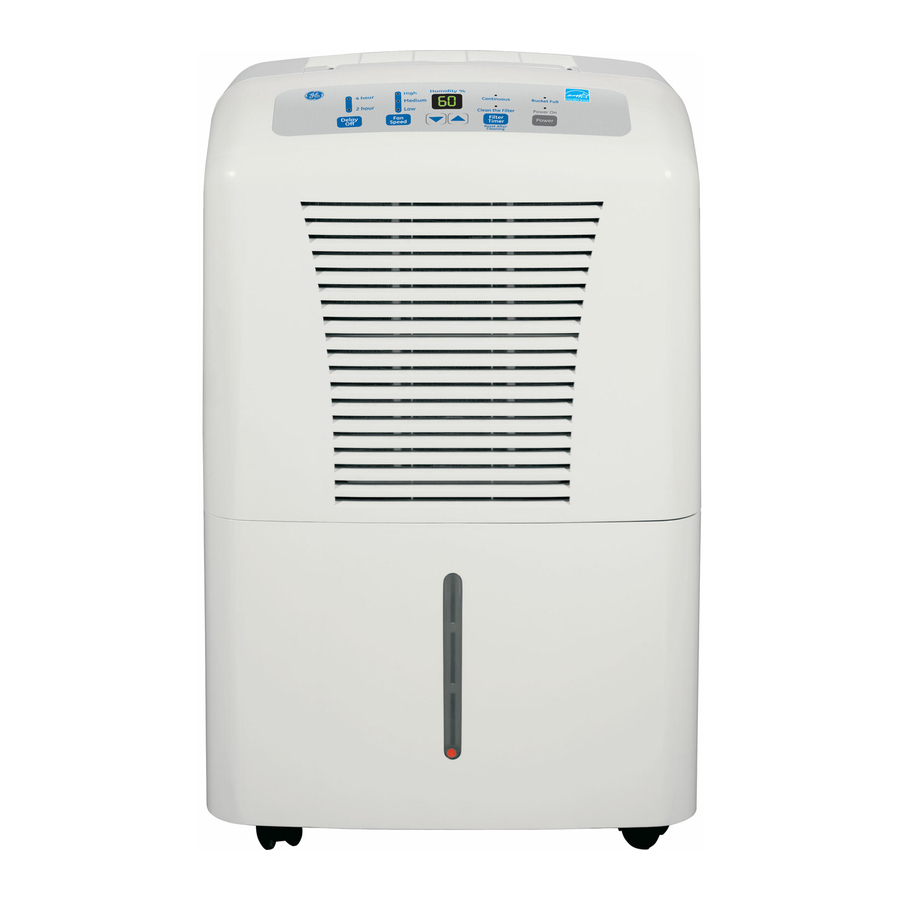
Parts, warranty, and when to call a pro
Knowing when to DIY and when to hire saves money and prevents harm.
- Warranty first
- Check your warranty status before repairs. Many parts are covered for a set time.
- Call a pro for:
- Compressor or refrigerant issues.
- Electrical failures beyond simple resets.
- Replacing sealed system components.
- DIY-friendly repairs
- Filter swaps, bucket cleaning, drain clearances, and fan cleaning.
- Keep model info
- Record model and serial numbers for parts or service calls.
If you’re unsure, document symptoms, take photos, and talk to support. That speeds up diagnosis and results in better service.

PAA-style questions you may search for
How do I reset my GE dehumidifier?
- Unplug the unit for 5–10 minutes, then plug it back in. This clears soft errors and resets the control board in most models.
Why is my GE dehumidifier making loud noises?
- Loud noises often come from a dirty fan, loose parts, or a failing motor. Clean the fan and tighten screws; replace the motor if noise continues.
How often should I clean the filter?
- Clean or rinse the filter every 1–3 months. If the unit runs constantly or in dusty areas, check monthly.
Can a GE dehumidifier work below 60°F?
- Many models lose efficiency below about 60°F and may ice up. Use an appliance rated for low temperatures if needed.
What causes a dehumidifier to freeze up?
- Poor airflow, very low room temperature, or refrigerant issues cause coil freeze. Defrost and correct airflow as a first step.

Frequently Asked Questions of Ge Dehumidifier Troubleshooting
Why won’t my GE dehumidifier turn on even though the outlet works?
Check the unit’s power cord and plug for damage and reset the internal control by unplugging for 10 minutes. If the control panel shows no lights afterward, the main board or power supply may be faulty.
What does it mean when my GE dehumidifier displays a full bucket message but the bucket is empty?
The float or sensor that detects the bucket may be stuck, dirty, or damaged. Clean the float area and reseat the bucket; replace the float switch if the problem returns.
How can I stop my GE dehumidifier from short-cycling?
Short-cycling often comes from an incorrect humidity setting, dirty coils, or sensor faults. Clean filters and coils, and set the humidity to a reasonable level; if it continues, check sensors.
Is it normal for my GE dehumidifier to drip a little during operation?
A small amount of moisture around the coil area can be normal during heavy condensation. Persistent dripping or floods indicate a misaligned bucket or clogged drain hose.
How long should a GE dehumidifier last with normal use?
With regular maintenance, many units last 5–10 years. Life span varies with usage, room conditions, and timely repairs.
Conclusion
Ge Dehumidifier Troubleshooting becomes simple when you follow a clear plan: check power, clean filters, ensure airflow, and verify drains. Use the step-by-step guide here to solve most problems yourself and save time. If an issue touches the compressor, sealed system, or complex electronics, contact a qualified technician and share your notes. Try these fixes, keep a short maintenance routine, and comment below with your model and symptoms if you want tailored help.

