

Gamers have more choices than ever before, but not every new device lives up to the hype. The PlayStation Portal is Sony’s latest attempt to bring console-quality gaming to your hands—without a TV. But is it really worth your money? With its unique design and strong PlayStation brand, the Portal has created plenty of buzz. Let’s break down what it offers, where it shines, and when it might let you down.
What Is The Playstation Portal?
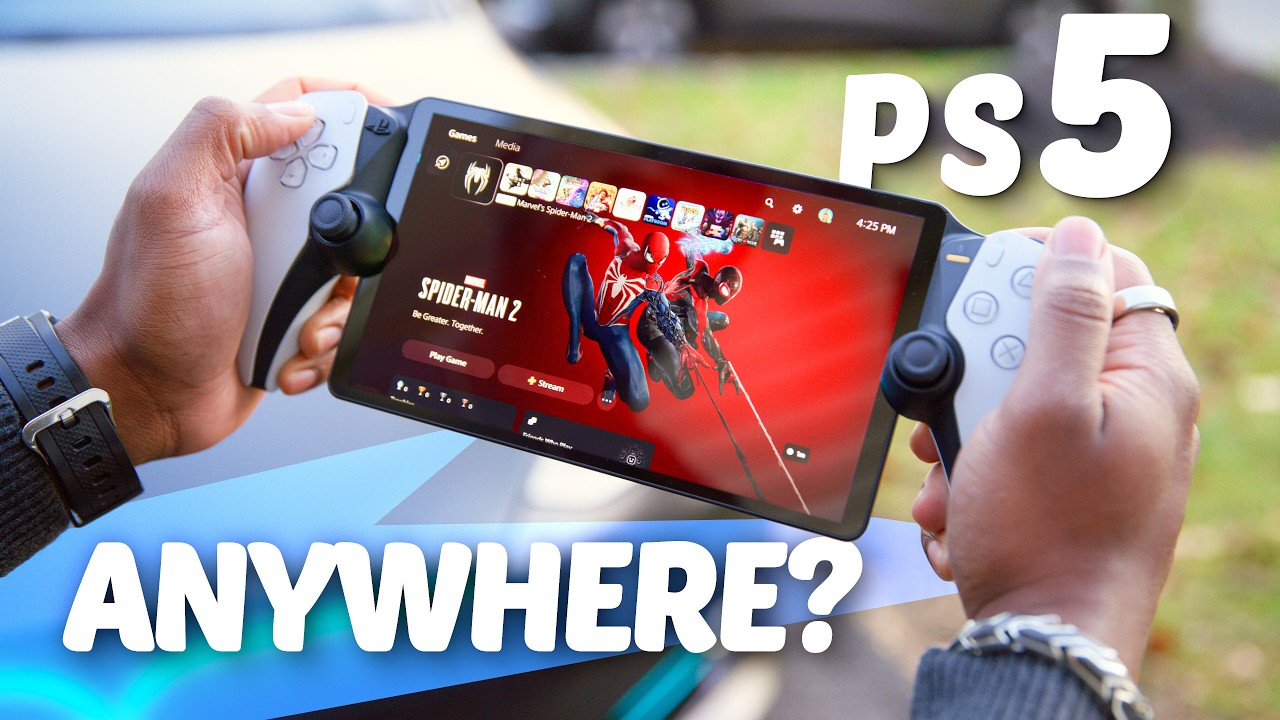
The PlayStation Portal is a handheld device made by Sony. It lets you stream games from your PlayStation 5 (PS5) over Wi-Fi. Instead of playing on your TV, you play on an eight-inch LCD screen with the same controls as a regular PS5 DualSense controller. The idea is simple: you can play your favorite PS5 games anywhere in your house, as long as your console is on and connected.

36% off Today’s Exclusive Deals
Limited-time Exclusive Deals. Check current discount on Amazon.
Check Price on Amazon As an Amazon Associate I earn from qualifying purchases.This is not a standalone console. The Portal does not run games by itself. You need a PS5 to use it. It works by using Remote Play, streaming games over your local network.
Key Features And Performance
The Portal’s biggest draw is its familiar feel. The controls are exactly like the PS5’s, including adaptive triggers and haptic feedback. This means you get a similar gaming experience to your main console, only portable.
Let’s look at its main specs:
| Feature | PlayStation Portal |
|---|---|
| Screen Size | 8-inch LCD |
| Resolution | 1080p at 60Hz |
| Controls | DualSense-style |
| Battery Life | 6-8 hours |
| Audio | 3.5mm jack, no Bluetooth |
| Connectivity | Wi-Fi only |
The Portal does not support Bluetooth headphones. Instead, it uses Sony’s proprietary PlayStation Link for wireless audio or you can use a standard wired headset.
Performance depends on your Wi-Fi. If your connection is strong, games look and feel close to the real thing. On weak or crowded networks, you may see lag or lower graphics quality.
Who Should Consider The Playstation Portal?
The Portal is not for everyone. It is best for:
- PS5 owners who share a TV and want to play while someone else watches something else.
- Gamers with good Wi-Fi who want to play in different rooms.
- Families who need a second screen for gaming without buying another PS5.
If you travel a lot or want a device for mobile games, the Portal is not ideal. It does not play games away from your home unless you set up Remote Play through the internet, which can be slow and unreliable.
What Makes It Different?
Unlike the Nintendo Switch or Steam Deck, the Portal is not a full gaming system. It is only a streaming device for your PS5.
Here’s a direct comparison:
| Device | Main Use | Game Library | Portability |
|---|---|---|---|
| PlayStation Portal | Streams PS5 games | PS5 (via Remote Play) | Home only |
| Nintendo Switch | Runs games locally | Switch physical/digital | Anywhere |
| Steam Deck | Runs games locally/PC stream | PC/Steam | Anywhere |
A common mistake is to think the Portal lets you play anywhere, like on a train or at work. In reality, it is tied closely to your home network and PS5.

Price And Value For Money
The Portal launched at $199.99 in the US. This puts it in the same range as budget tablets and some older handheld consoles. But remember, you need a PS5, which costs much more, for the Portal to work.
How Does It Compare To Other Options?
| Device | Price | PS5 Needed? |
|---|---|---|
| PlayStation Portal | $199.99 | Yes |
| Nintendo Switch Lite | $199.99 | No |
| Steam Deck (base) | $399.99 | No |
| iPad (9th Gen) | $329.99 | No |
You can use your smartphone or tablet with the Remote Play app for free. But the Portal gives you a much better control experience—especially with games that rely on triggers or rumble.
Real-world Experience
Many users say the Portal is great for short sessions. It’s easy to pick up and play in bed or on the couch. The screen is sharp, and the controls are top notch.
However, there are some practical downsides:
- No cloud gaming: Only streams from your own PS5.
- Limited portability: Needs strong Wi-Fi and the PS5 on.
- No Bluetooth audio: Only PlayStation Link or wired headphones.
One insight many buyers miss: the Portal will not work well in homes with weak Wi-Fi or crowded networks. Streaming can stutter or disconnect, ruining the experience. Also, if someone else is using your PS5, you cannot use the Portal at the same time.
When Is The Portal Worth It?
The Portal is worth it if:
- You often compete for TV time at home.
- You want a true PS5 controller feel when streaming games.
- You’re invested in the PlayStation ecosystem.
It is less useful if you:
- Want to play outside your home often.
- Expect to use Bluetooth headphones.
- Don’t own a PS5.
A practical tip: Before buying, test Remote Play on your phone or tablet. If you love the experience but want better controls, the Portal will be a clear upgrade.
Frequently Asked Questions
Is The Playstation Portal A Standalone Gaming Device?
No, the Portal requires a PlayStation 5. It cannot play games by itself. All games are streamed from your home PS5 via Wi-Fi.
Can I Use The Playstation Portal Outside My House?
You can connect remotely, but it depends on your internet speed and your PS5 being on and connected. The experience can be laggy or unstable outside your local Wi-Fi.
Does The Playstation Portal Support Bluetooth Headphones?
No, it does not support Bluetooth audio. You need a PlayStation Link headset or a wired 3.5mm headset for sound.
Are All Ps5 Games Compatible With The Portal?
Most games are, but some that require special hardware (like PSVR2 or some camera-based games) will not work properly.
How Does The Portal Compare To Using Remote Play On A Phone?
The Portal offers much better controls and lower input lag. Phones can stream, but touch controls are less precise and not ideal for action-heavy games.
The PlayStation Portal fills a unique niche for dedicated PlayStation fans. If you have a strong Wi-Fi network and often share your TV, it’s a handy tool. For those expecting a true handheld console, it may disappoint. For more details, check the official PlayStation Portal page. Ultimately, the Portal is worth it for the right kind of player—just know what you’re buying and what it can (and cannot) do.


