

Is Xtool S1 Worth It?
The world of laser engraving and cutting has changed quickly. Hobbyists and small businesses now have access to technology that was once only for factories. The Xtool S1 is one of the latest desktop laser engravers making headlines. But with a price often above $1,000, many people ask: Is the Xtool S1 really worth it?
Choosing the right laser machine is a big decision. There are many brands and models. Some are cheap, but may lack features or safety. Others are powerful but complicated. This article explores what the Xtool S1 offers, its strengths and weaknesses, and compares it with similar machines.

36% off Today’s Exclusive Deals
Limited-time Exclusive Deals. Check current discount on Amazon.
Check Price on Amazon As an Amazon Associate I earn from qualifying purchases.By the end, you’ll know if it’s the right investment for your needs.
Xtool S1 Key Features
The Xtool S1 is a desktop diode laser engraver and cutter. It’s designed for home users, makers, and small businesses who want to cut or engrave wood, acrylic, leather, fabric, and more. Here are its main features:
- 20W or 40W diode laser options
- Fully enclosed design for safety
- Automatic focus and material detection
- Up to 600mm/s engraving speed
- Integrated air assist for cleaner cuts
- Works with LightBurn and Xtool’s own software
- Smart camera for easy alignment
- Large working area: 498mm x 330mm
Most competitors at this price do not combine high power, safety enclosure, and camera alignment in one package.
Performance And Results
The biggest question for any laser machine is: How well does it cut and engrave? The Xtool S1 offers impressive numbers on paper, but real-world use is what matters.
Engraving Quality
The S1 produces detailed engravings on wood, leather, and coated metals. The camera helps you place designs exactly where you want them. Edges are sharp, and even small text is readable. Some users report that photos look great on wood and leather, though results depend on material and settings.
Cutting Power
With the 40W module, the S1 can cut through 18mm pine wood in one pass. It handles acrylic sheets up to 15mm thick. The integrated air assist reduces burn marks, making edges cleaner than most open-frame lasers.
Speed
Many desktop lasers are slow. The S1, however, can engrave at 600mm/s. In practice, you can finish a detailed 10x10cm engraving in less than 5 minutes. For cutting, speed depends on material and thickness, but the S1 is faster than most machines in its class.
Safety And Ease Of Use
Laser safety is critical, especially in homes or small shops. The Xtool S1 stands out in several areas:
- Enclosed chassis keeps laser light inside
- Interlock switch disables the laser if the lid opens
- Built-in smoke filter (optional) improves air quality
- Touchscreen controls are easy to use
Beginners often overlook the importance of an enclosure. Diode lasers with open frames can be dangerous, especially around kids or pets. The S1’s enclosure makes it much safer for home use.
Software And Workflow
The S1 works with both LightBurn (a popular third-party program) and Xtool Creative Space. LightBurn is favored by many experienced users for its flexibility, while Xtool’s software is beginner-friendly.
- Automatic material detection saves time
- Camera preview simplifies design placement
- WiFi and USB connectivity for easy file transfer
A non-obvious advantage: The S1’s camera system lets you scan a hand-drawn sketch, then engrave it directly—no extra steps needed.

Comparison With Other Popular Models
How does the Xtool S1 stack up against its main competitors? Here’s a side-by-side look:
| Feature | Xtool S1 | Glowforge Basic | OMTech Polar |
|---|---|---|---|
| Laser Type | Diode (20/40W) | CO2 (40W) | CO2 (50W) |
| Safety Enclosure | Yes | Yes | Yes |
| Max Engraving Speed | 600mm/s | 300mm/s | 500mm/s |
| Camera Alignment | Yes | Yes | No |
| Price (approx.) | $1,200–$2,000 | $3,000 | $2,000 |
Notably, the S1 is much more affordable than most CO2 lasers with similar features. However, CO2 lasers can cut clear acrylic and some thicker materials that diode lasers cannot.
Who Should (and Shouldn’t) Buy The Xtool S1?
The Xtool S1 is best for:
- Hobbyists who want professional results at home
- Small businesses making custom products
- Schools or makerspaces needing safe, easy-to-use equipment
It might not be ideal for:
- Those needing to cut thick clear acrylic or glass (diode lasers can’t do this well)
- People on a tight budget (basic open-frame lasers are cheaper)
- Large production shops (industrial CO2 lasers are faster for mass production)
Real-world User Experiences
Online reviews for the Xtool S1 are largely positive. Users praise its build quality, strong support, and the clean results on wood and acrylic. Many say setup takes less than 30 minutes. The camera and enclosure are often mentioned as reasons for choosing the S1 over open-frame machines.
A few users note that the machine is heavy—over 20kg—so it needs a sturdy table. Another point: While the S1 can engrave stainless steel with a marking spray, it cannot cut metal.
Price And Value For Money
Is the Xtool S1 “worth it” for most people? Here’s a breakdown:
| Model | Price | Main Benefit | Main Drawback |
|---|---|---|---|
| Xtool S1 | $1,200+ | Best all-in-one diode laser | Can’t cut clear acrylic |
| Open-frame diode | $400–$800 | Low cost | No safety enclosure |
| Entry CO2 (Glowforge) | $3,000+ | Can cut more materials | Expensive |
If you value safety, speed, and precision, the S1 offers excellent value. For people who only need to engrave wood or leather occasionally, a cheaper open-frame laser might make more sense.
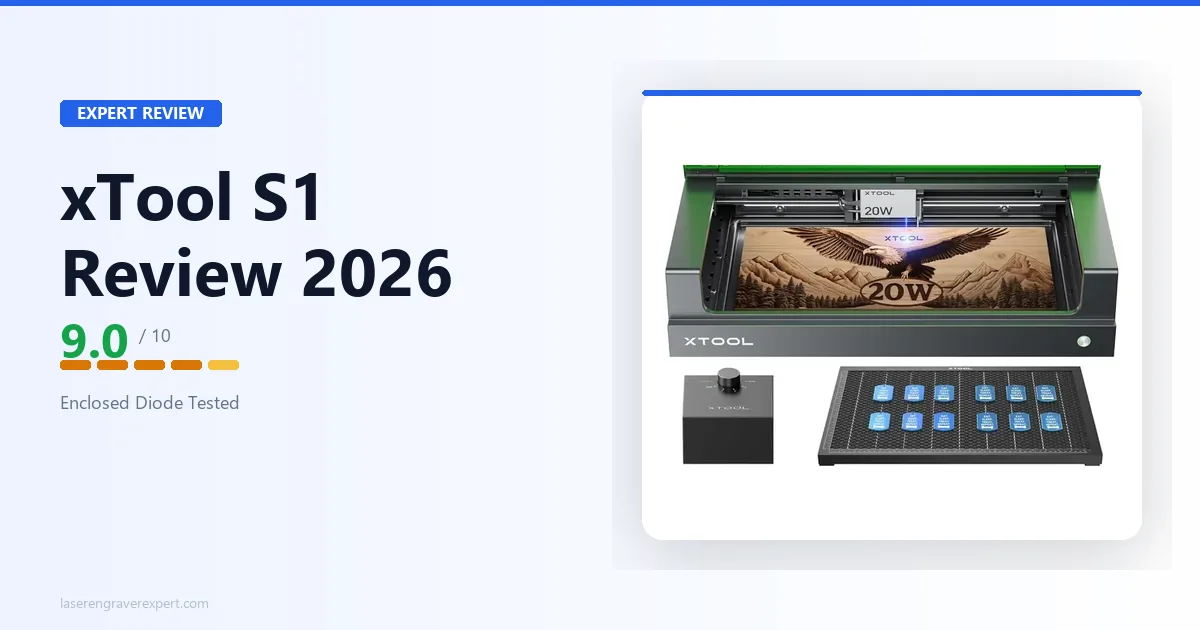
Is Xtool S1 Worth It? The Verdict
The Xtool S1 stands out as one of the best desktop diode lasers for home and small business use. It combines safety, power, and smart features that are rare in this price range. While it can’t do everything a $3,000 CO2 laser can, its value and user-friendliness are hard to beat.
If you want a machine that’s fast, safe, and flexible—and you mostly work with wood, leather, or dark acrylic—the S1 is a smart buy. If you need to cut clear acrylic or glass, you should look at a CO2 laser instead.
For official specifications and more user reviews, check the Wikipedia laser engraving page.
Frequently Asked Questions
What Materials Can The Xtool S1 Cut And Engrave?
The S1 works best on wood, leather, dark acrylic, fabric, and coated metals. It cannot cut clear acrylic or glass.
Does The S1 Require Assembly?
The S1 arrives mostly pre-assembled. You need to attach a few parts, but setup takes less than 30 minutes for most users.
Is The Xtool S1 Safe For Use At Home?
Yes, thanks to its fully enclosed design and safety interlocks. Always supervise the machine while it is running.
How Does The S1’s Camera Help?
The smart camera allows you to preview your material and place your design exactly where you want it, reducing errors and wasted materials.
Can The S1 Be Used For Business?
Absolutely. Many small businesses use the S1 to make custom gifts, signs, and art. It’s reliable for light to medium production.
The Xtool S1 brings advanced laser cutting and engraving within reach of hobbyists and small businesses. If its features match your needs, it’s a solid investment that will likely pay for itself with the projects you’ll complete.


