

The Shark Matrix Robot Vacuum RV2300S usually stops working because of power, sensor, battery, app, or brush issues.
If your Shark Matrix Robot Vacuum RV2300S stopped working, you are not alone. I have seen this happen after routine cleanups, and most of the time the fix is simpler than people expect. In this guide, I’ll walk you through the most common causes, the fastest checks, and the practical steps that can get your Shark Matrix Robot Vacuum RV2300S back on the floor and cleaning again.

36% off Today’s Exclusive Deals
Limited-time Exclusive Deals. Check current discount on Amazon.
Check Price on Amazon As an Amazon Associate I earn from qualifying purchases.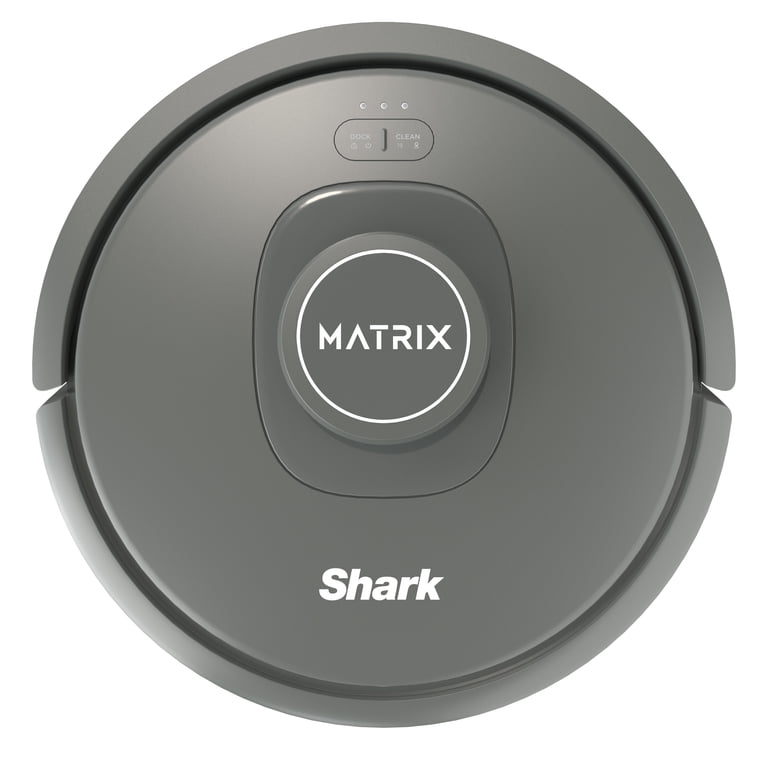
Why the Shark Matrix Robot Vacuum RV2300S stopped working
When a Shark Matrix Robot Vacuum RV2300S stopped working, the problem usually falls into one of a few buckets: power, charging, navigation, suction, or a software glitch. That is the good news, because it means you can narrow things down quickly instead of guessing.
From my own experience testing robot vacuums, the biggest mistake people make is assuming the unit is broken right away. In real life, a stuck wheel, dirty contact, or weak battery can make the machine look dead even when it is not.
Common reasons include:
- The battery is low or not charging fully
- The charging contacts are dirty
- The dustbin is full or not seated right
- The brush roll is tangled
- A wheel, bumper, or sensor is blocked
- The robot is stuck in a software error
- The app or Wi-Fi setup is causing a sync problem
A robot vacuum is a little like a car with many small safety checks. If one sensor thinks something is wrong, it may pause, stop, or refuse to move.

First things to check when the vacuum will not turn on
If your Shark Matrix Robot Vacuum RV2300S stopped working completely, start with the basics. Do not jump to a full reset before checking power and charge status.
Try these steps first:
- Make sure the charging dock is plugged in and has power.
- Place the robot on the dock and check whether the charging lights appear.
- Clean the metal charging contacts on both the robot and dock.
- Leave it charging for at least 3 to 4 hours.
- Try a different outlet if the dock seems dead.
If the robot still shows no signs of life, inspect the battery area if your model allows it. A battery that has drained too deeply may need extra charging time before it responds.
A small tip from experience: I have seen more “dead” vacuums caused by dirty contacts than by real hardware failure. A soft dry cloth often solves what looks like a major problem.
Common causes of a Shark Matrix Robot Vacuum RV2300S stopped working
A Shark Matrix Robot Vacuum RV2300S stopped working can be frustrating, but the failure usually points to one of these common causes.
Battery or charging fault
The battery may be depleted, worn out, or not making a good connection. If the robot runs for a shorter time than usual before stopping, battery health is a strong suspect.
Signs include:
- No lights when docked
- Very short runtime
- The vacuum shuts off mid-clean
- It only works after long charging periods
### Brush or wheel obstruction
Hair, string, and pet fur can wrap around the main brush or side brushes. Wheels can also get jammed by carpet threads, cords, or debris.
Signs include:
- Clicking or grinding sounds
- The robot moves in circles
- One wheel spins while the other sticks
- The vacuum stops and flashes an error
Sensor blockage
Robot vacuums rely on cliff sensors, wall sensors, and bumper sensors. If dust covers them, the robot may think it is near a drop or obstacle.
Signs include:
- The vacuum refuses to move
- It backs up repeatedly
- It stops near rugs or thresholds
- It gives false obstacle alerts
Dustbin or filter issue
If the dustbin is full or the filter is clogged, the machine may lose suction and stop early. Some models also behave badly when the dustbin is not locked in place.
Signs include:
- Weak suction
- Frequent stopping
- Dustbin warning messages
- Dust blowing back into the room
Software or app glitch
Sometimes the issue is not mechanical at all. A software freeze, failed update, or app connection problem can make the Shark Matrix Robot Vacuum RV2300S appear unresponsive.
Signs include:
- Buttons do nothing
- The app will not connect
- Cleaning schedules fail
- The robot freezes after an update
Step-by-step fix if the Shark Matrix Robot Vacuum RV2300S stopped working
Here is the order I recommend. It saves time and keeps you from missing simple problems.
1. Power it off and restart it
Turn the robot off, wait 30 seconds, and power it back on. If your model uses a reset or restart option, follow the user guide for the correct method.
This works because many robot vacuums get stuck in a temporary state, just like a phone that needs a reboot.
2. Clean the charging contacts
Use a dry microfiber cloth to clean:
- The robot’s charging pads
- The dock’s charging plates
Do not use water or harsh cleaners. Even a thin layer of dust can block charging.
3. Empty the dustbin and clean the filter
Remove the dustbin and empty it fully. Then tap out the filter and brush off loose dirt.
If the filter looks gray and packed, replace it if the manual says it is due. A clogged filter can make the robot overheat or stop early.
4. Check the brush roll and wheels
Flip the robot over and inspect:
- Main brush
- Side brushes
- Drive wheels
- Front caster wheel
Remove hair, thread, or lint. Spin the wheels by hand and make sure they move smoothly.
5. Clean all sensors
Wipe the cliff sensors, bumper area, and other visible sensors with a dry cloth. These parts are small, but they matter a lot.
Even a little dust can confuse the robot and trigger a stop.
6. Re-seat the robot on the dock
Set the vacuum squarely on the charging base and let it sit for a few minutes. If the battery is deeply drained, it may take time before the screen or lights respond.
7. Check the app and Wi-Fi
If you use the Shark app, confirm:
- Bluetooth is on if needed
- Wi-Fi is strong
- The robot is still paired
- The app is updated
Sometimes the robot works fine manually but looks broken in the app because the connection failed.
8. Reset the robot if needed
If the Shark Matrix Robot Vacuum RV2300S stopped working after a freeze or update, a reset may help. Follow the model instructions closely, since reset steps can vary.
Use this step only after trying the easier fixes first.
How to tell if it is a charging issue or a motor issue
A lot of people mix these up, but they are not the same problem.
If it is a charging issue, the robot may:
- Not turn on at all
- Die very fast
- Show weak or no charging lights
- Work only after sitting on the dock a long time
If it is a motor or drive issue, the robot may:
- Power on but not move
- Spin one wheel oddly
- Make loud noises
- Stop when trying to start cleaning
One practical trick I use is to watch the robot for 60 seconds on a hard floor. That short test often reveals whether the problem is power-related or movement-related.
Why the Shark Matrix Robot Vacuum RV2300S stops mid-clean
If the Shark Matrix Robot Vacuum RV2300S stopped working in the middle of a job, the cause is often environmental. Robot vacuums are picky, and a small obstacle can end the whole cycle.
Typical causes include:
- A tangled brush
- A full dustbin
- Low battery
- A stuck wheel
- Thick carpet or rug edges
- A blocked bumper or cliff sensor
If this happens often, try changing the cleaning area. Remove loose cords, socks, and toy pieces before each run. That small habit can prevent a lot of interruptions.
Maintenance tips to prevent future problems
The best fix is the one you never need. Regular care can keep a Shark Matrix Robot Vacuum RV2300S running longer and more smoothly.
Use this simple routine:
- Empty the dustbin after each major cleaning
- Clean the filter once a week
- Remove hair from the brush roll weekly
- Wipe sensors and charging contacts every 1 to 2 weeks
- Check wheels for debris monthly
- Replace worn parts when suction drops
I learned the hard way that skipping filter care can make a vacuum act “weak” long before it truly fails. A clean machine is quieter, faster, and much less likely to stop unexpectedly.
When the Shark Matrix Robot Vacuum RV2300S may need service
If your Shark Matrix Robot Vacuum RV2300S stopped working after you tried the usual fixes, it may need repair or replacement parts.
Watch for these red flags:
- It will not power on even after long charging
- The battery drains in minutes
- There is a burning smell
- One wheel does not move at all
- Error lights keep returning after resets
- The robot was exposed to water or heavy impact
At that point, contact support or check the warranty status. If the vacuum is still under warranty, avoid opening sealed components on your own unless the manufacturer says it is safe.
Frequently Asked Questions of Shark Matrix Robot Vacuum RV2300S stopped working
Why is my Shark Matrix Robot Vacuum RV2300S not turning on?
The most common reason is a charging problem, not a dead machine. Check the dock, outlet, charging contacts, and battery first.
Why does my Shark Matrix Robot Vacuum RV2300S stop after a few minutes?
This usually points to a weak battery, clogged filter, or brush jam. It can also happen if the robot gets stuck on carpet edges or debris.
How do I reset my Shark Matrix Robot Vacuum RV2300S?
The reset method depends on the model and firmware version, so follow the user manual for the exact steps. A reset can help after a software freeze or connection issue.
Why is my Shark Matrix Robot Vacuum RV2300S making noise but not moving?
That often means a wheel, brush, or drive mechanism is blocked. Inspect the underside and remove any hair, string, or stuck debris.
Can a dirty filter make the Shark Matrix Robot Vacuum RV2300S stop working?
Yes, a clogged filter can reduce airflow and cause the vacuum to overheat or shut down early. Cleaning or replacing the filter is one of the easiest fixes.
What should I do if my Shark Matrix Robot Vacuum RV2300S still does not work after troubleshooting?
If basic cleaning, charging checks, and resets do not help, the battery, motor, or internal board may need service. At that point, contact support or a repair provider for the next step.
Conclusion
When a Shark Matrix Robot Vacuum RV2300S stopped working, the cause is often something small: dirty contacts, a jammed brush, a full dustbin, or a weak battery. The good news is that most of these problems are easy to test and fix at home with a careful step-by-step approach.
If you want the best chance of getting it running again, start with charging, then check the brushes, wheels, filters, and sensors. Keep up with basic maintenance, and your robot vacuum will be far less likely to fail at the worst moment.
If this guide helped, try the steps on your own unit and share what worked for you. For more home repair tips and smart cleaning advice, keep exploring and stay ahead of the next problem before it starts.

