

Whirlpool Cabrio Dryer Reset: unplug the dryer one minute or use the control panel reset.
I have worked on many Whirlpool Cabrio dryers. This guide explains why and how to perform a Whirlpool Cabrio Dryer Reset. You will get clear steps, safe tips, troubleshooting, and my hands-on advice. Read on to learn quick fixes and long-term solutions for your dryer.

36% off Today’s Exclusive Deals
Limited-time Exclusive Deals. Check current discount on Amazon.
Check Price on Amazon As an Amazon Associate I earn from qualifying purchases.
How a Whirlpool Cabrio Dryer Reset Works and Why It Helps
A Whirlpool Cabrio Dryer Reset clears simple electronic faults. It restarts the control board. That can fix display errors, stuck cycles, and some error codes. A reset does not fix broken parts. It can help when sensors or software get confused.
Why a reset helps:
- Clears temporary glitches caused by power surges or spikes.
- Resets internal timers and sensor calibrations.
- Lets you test if a fault is mechanical or electronic.
Real-world note: I often reset a Cabrio dryer after a storm. Many times the dryer worked again. When it did not, the reset narrowed the issue fast.

When to Perform a Whirlpool Cabrio Dryer Reset
Do a Whirlpool Cabrio Dryer Reset when you see these signs:
- The dryer will not start but has power.
- The display shows an error or odd symbols.
- A cycle won’t end or the timer is stuck.
- The control panel is unresponsive.
- The dryer behaves strangely after a power outage.
Avoid resets if the dryer smells burning, sparks, or shows fire. In those cases, cut power and call a technician.
Step-by-Step Whirlpool Cabrio Dryer Reset Methods
Below are safe, common reset methods. Try them in order from simple to more involved.
Power cycle reset
- Turn the dryer off.
- Unplug the dryer or switch off the circuit breaker.
- Wait 60 seconds.
- Restore power and start a test cycle.
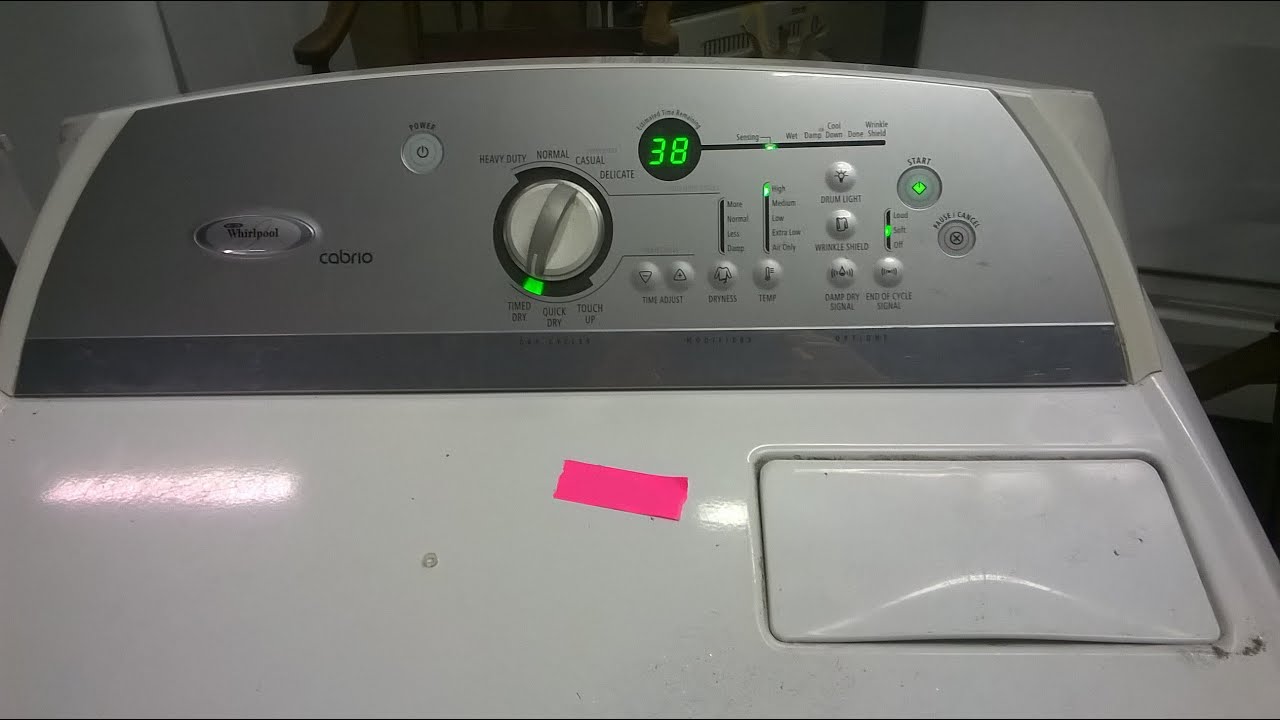
Control panel reset
- Press the Cancel or Stop button to clear the current cycle.
- Wait 5 seconds.
- Select a simple cycle and press Start.
Note: Some models have a Control Lock. Hold the Control Lock button for 3 seconds to release it.
Breaker reset
- Turn off the dryer at the breaker.
- Leave it off for 2 minutes.
- Turn the breaker on and run a cycle.
Factory or software reset (model specific)
- Some models support a factory reset or diagnostic mode. The exact sequence varies. Check your owner’s manual for the precise steps. Use this only if you are comfortable with diagnostics.
When a reset should be avoided
- If you suspect a failed heating element, thermal fuse, or damaged wiring.
- If the dryer showed a burning smell or smoke.
Troubleshooting After a Whirlpool Cabrio Dryer Reset
If the Dryer still misbehaves, try these checks.
Basic checks
- Clean the lint screen. A clogged screen blocks air.
- Check the vent. A blocked vent stops airflow and causes heat errors.
- Confirm the dryer is level. A lopsided dryer can vibrate and trip sensors.
Sensor and heating checks
- Moisture sensors need cleaning. Wipe them with a cloth and alcohol.
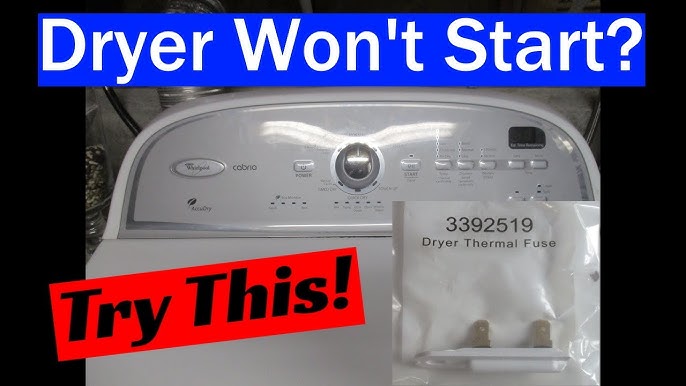
- If the dryer runs but does not heat, test the thermal fuse and heating element.
- Listen for unusual noises. A worn belt or motor makes grinding sounds.
When to call a pro
- The dryer shows repeating error codes after resets.
- The unit does not heat and you are not comfortable testing components.
- You see frayed wires, scorch marks, or persistent smoke smells.

Common Error Types and How a Whirlpool Cabrio Dryer Reset Interacts
A reset can clear many electronic or transient errors. It cannot fix failed parts. Common problem types include:
- Door switch faults that stop cycles.
- Vent or airflow errors that reduce drying.
- Sensor drift where the dryer misreads moisture or temperature.
- Control board glitches that stall cycles.
What a reset does for each
- Door switch: reset may clear a false open signal.
- Airflow: reset does not clear lint. Clean the vent first.
- Sensors: reset can force re-calibration.
- Control board: reset can restore normal logic after a glitch.
If the same error returns after a reset, plan for parts checks or professional repair.
Preventive Maintenance to Reduce the Need for a Whirlpool Cabrio Dryer Reset
Simple care cuts down on errors and resets. Do these tasks monthly or as needed.
- Clean the lint trap after every load.
- Inspect and clean the vent hose every 3–6 months.
- Run a dryer vent cleaning service yearly if vents are long or go through walls.
- Use the right load size. Overloading stresses the motor and sensors.
- Use a surge protector. Electrical spikes can confuse the control board.
My practical tip: keep a small vacuum or vent brush near the laundry area. Quick vent cleaning saved me a service visit.
Safety and Best Practices When Resetting Your Whirlpool Cabrio Dryer
Safety first. Follow these rules before you reset or inspect.
- Always unplug or switch off the breaker before opening panels.
- Wear gloves when checking sharp vents or metal parts.
- Do not bypass safety devices like thermal fuses or door switches.
- If you smell burned plastic or see damaged wiring, stop and call a technician.
A reset is a first aid step. It is not a fix for electrical or mechanical failure.
Personal Experience and Lessons Learned
I once reset a Whirlpool Cabrio dryer that would not finish cycles. The power cycle fixed it. Later, the same dryer failed again because the vent was clogged. Lesson learned: reset first, then inspect well. I also learned to keep the owner’s manual handy. Small saved steps, like cleaning sensors and vents, avoided repeat service calls.
My best tip: log when resets occur. If resets happen more than twice a month, arrange a professional check. That habit saved time and money for clients.
Frequently Asked Questions of Whirlpool Cabrio Dryer Reset
How long should I unplug to perform a Whirlpool Cabrio Dryer Reset?
Unplug the dryer or flip the breaker and wait about 60 seconds. This pause lets the control board fully discharge and clear temporary memory.
Will a Whirlpool Cabrio Dryer Reset delete settings or cycles?
A basic power reset clears temporary errors. Most user settings remain. A full factory reset may return settings to default, so check your manual first.
Can I reset my dryer if it shows an error code?
Yes, try a power cycle reset first. If the error code returns, clean vents and sensors. If it still shows, consult the manual or a technician.
Is it safe to perform a Whirlpool Cabrio Dryer Reset myself?
Yes, basic resets like unplugging are safe. Do not open electrical panels or replace parts unless you are trained. Always cut power before internal work.
How often should I reset my Whirlpool Cabrio dryer?
Resets should be rare. If you reset more than once every few weeks, have the dryer inspected. Frequent resets mean an underlying problem.
Does a reset fix heating problems?
Not usually. A reset can clear an electronic fault but will not repair a bad heating element or thermal fuse. Test the heating system if the dryer won’t heat.
Conclusion
A Whirlpool Cabrio Dryer Reset is a quick and safe first step for many dryer glitches. Use a power cycle or control panel reset to clear temporary errors. After a reset, clean vents, check sensors, and watch for repeat faults. If problems persist, seek professional help. Try the steps here, keep a simple maintenance plan, and leave a comment sharing your reset story or questions.

