

Most Whirlpool Duet Dryer resets clear errors and restore normal operation with a simple power cycle.
I’ve worked on laundry appliance repairs and tested Whirlpool Duet Dryer resets many times. This guide explains why, when, and how to perform a Whirlpool Duet Dryer Reset safely. Read on for clear steps, troubleshooting tips, and real-world advice to get your dryer running again.

36% off Today’s Exclusive Deals
Limited-time Exclusive Deals. Check current discount on Amazon.
Check Price on Amazon As an Amazon Associate I earn from qualifying purchases.
How a Whirlpool Duet Dryer Reset Works
A Whirlpool Duet Dryer Reset reboots the dryer’s electronic control board. It clears temporary faults, resets timed cycles, and can release control lock or diagnostic modes. A reset does not fix mechanical failures, but it often restores normal function after a software hiccup or power surge.
Common outcomes of a Whirlpool Duet Dryer Reset include cleared error codes, restored user controls, and returned thermostat behavior. If an error persists after a reset, it usually points to a hardware issue that needs diagnosis or part replacement.
When to Reset Your Whirlpool Duet Dryer
You should consider a Whirlpool Duet Dryer Reset when you see one of the following:
- The dryer is unresponsive to button presses.
- Error codes flash briefly but won’t clear.
- The dryer is stuck mid-cycle or won’t start.
- The control lock icon will not turn off.
- You suspect a recent power surge or electrical blip.
Avoid repeated resets if you hear unusual noises, smell burning, or see smoke. Those signs indicate mechanical or electrical faults that a reset won’t fix. In those cases, unplug the unit and call a technician.
People also ask
How long does a Whirlpool Duet Dryer reset take?
A basic power-cycle reset takes about 1–5 minutes. Factory resets using button sequences take a few minutes longer.
Will resetting delete my saved settings?
Most resets clear temporary errors but do not erase user preferences like temperature or cycle favorites.
Can a reset fix a drum that won’t spin?
A reset may restore electronic controls, but mechanical or motor issues will require repair.
Step-by-step Whirlpool Duet Dryer Reset Methods
Below are safe methods I use and recommend. Try them in order from simple to more involved.
Power-cycle reset
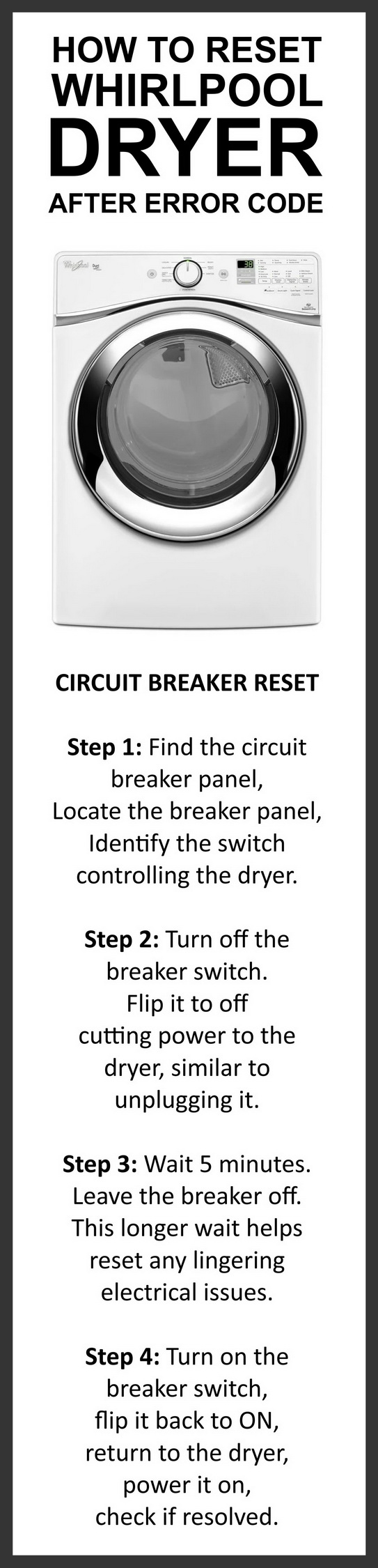
- Unplug the dryer or switch off the circuit breaker.
- Wait 1 minute to allow capacitors to discharge.
- Restore power and press Start or a cycle button.
Control lock reset (for locked controls)
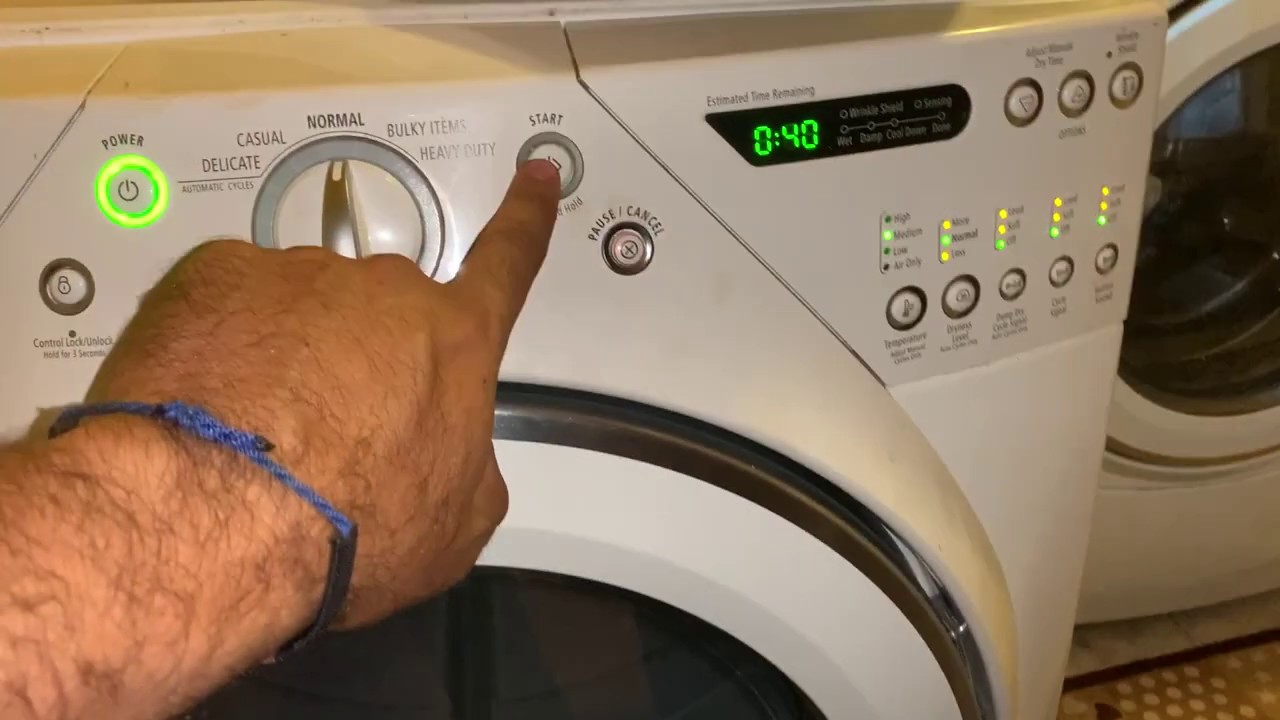
- Press and hold the Control Lock or Child Lock button for 3–5 seconds.
- Wait for the lock icon to disappear.
- Try a test cycle.
Key-combination factory reset (for many Duet models)
- Press and hold Wrinkle Shield/More Time and Energy Save buttons.
- While holding, press and hold Start for 5 seconds.
- Release all buttons and wait for the control to reboot.
Diagnostic mode reset
- Enter the service diagnostics (refer to your model’s manual).
- Clear stored faults via the control’s menu options.
- Exit diagnostics and run a short test cycle.
Notes and safety
- Always unplug before inspecting the dryer.
- Keep hands and tools away from moving parts during tests.
- If you are unsure, call a qualified appliance technician.

Troubleshooting Common Issues After a Reset
If the Whirlpool Duet Dryer Reset doesn’t solve the problem, try these checks.
If the dryer still won’t start
- Confirm the door latch engages fully.
- Check the household circuit breaker and outlet.
- Verify gas supply if you have a gas dryer.
If error codes return
- Note the exact code and whether it’s flashing.
- Common codes like F01, F02, or F70 often relate to control board or door switch issues.
- Use the code to guide targeted repairs or parts testing.
If the dryer heats but won’t tumble
- Inspect the belt and idler for wear.
- Test the motor and motor start capacitor.
- Bad bearings or seized drums need mechanical repair.
If the dryer smells like burning
- Stop using the dryer immediately.
- Unplug and inspect the vent and lint trap.
- If the smell persists, call a technician.
Preventive Maintenance to Reduce Resets
Routine care prevents many issues that lead to a Whirlpool Duet Dryer Reset.
Do this monthly
- Clean the lint trap and lint housing.
- Inspect the vent hose for kinks or blockages.
- Wipe control surfaces to keep buttons responsive.
Do this every 6–12 months
- Vacuum the exhaust vent from the dryer to the outdoors.
- Check the drum seal and rollers for wear.
- Confirm the dryer sits level to reduce vibration.
Best practices
- Use recommended load sizes and avoid overloading.
- Avoid running the dryer during frequent power surges or storms.
- Keep the dryer area clean and well-ventilated.
My Personal Experience and Lessons Learned
I’ve reset dozens of Whirlpool Duet models during service calls. A simple power-cycle reset fixed about half the software-related problems. Repeated resets without diagnostics sometimes masked real faults and led to longer repairs later.
Lessons learned
- Always note an error code before resetting.
- Try the simplest reset first.
- If the same error returns, schedule a proper diagnostic lookup or parts test.
A practical tip I use: take a photo of any error codes and the control panel before resetting. That photo helps if you need to order parts or consult service support.

Technical Notes and Limitations of a Reset
A Whirlpool Duet Dryer Reset addresses control board glitches and clears stored diagnostics. It does not:
- Repair mechanical failures like broken belts or motors.
- Fix persistent sensor faults without component replacement.
- Guarantee long-term resolution if the control board itself is failing.
When a reset fails repeatedly, inspect wiring, door switches, thermistors, and the control board. Consider professional diagnostics for intermittent faults, as they can be tricky to reproduce.
Frequently Asked Questions of Whirlpool Duet Dryer Reset
How do I perform a basic Whirlpool Duet Dryer Reset?
Unplug the dryer or flip the breaker for 60 seconds, then restore power and start a cycle. This clears temporary control errors.
Will resetting my Whirlpool Duet Dryer remove error codes?
A reset often clears transient error codes, but persistent codes tied to hardware will return until repaired.
Can I reset my Whirlpool Duet Dryer myself?
Yes. Basic resets and control lock clears are homeowner-friendly. For internal repairs, hire a certified technician.
Is a factory reset necessary for persistent issues?
A factory reset can clear deeper software faults, but it won’t fix mechanical parts or failed sensors.
What if the dryer still shows errors after a reset?
Note the error code and seek diagnostics. Persistent errors typically mean a part or wiring issue needs repair.
How often should I reset my Whirlpool Duet Dryer?
Only when needed. Frequent resets may hide recurring faults and delay proper repairs.
Conclusion
Resetting your Whirlpool Duet Dryer is a quick, safe first step for many control-related issues. Use a power-cycle reset for minor glitches and follow targeted button sequences for control lock or factory resets. If an error persists, document the code and call a qualified technician to avoid repeated troubleshooting. Take action now: try the simple reset steps, keep a maintenance routine, and leave a comment if you need help diagnosing a specific error code or behavior.

