

Many crafters are asking if the Cricut Explore 4 is worth buying. With new machines coming out every year, it’s smart to pause and consider if this model really fits your needs and budget. Maybe you already own a Cricut or you’re new to the world of cutting machines. Either way, you want a tool that’s reliable, easy to use, and opens new creative doors.
In this article, I’ll break down the four main features of the Cricut Explore 4, compare it to other models, and help you decide if it’s a wise investment. You’ll also see some real examples and key details that most beginners overlook.

36% off Today’s Exclusive Deals
Limited-time Exclusive Deals. Check current discount on Amazon.
Check Price on Amazon As an Amazon Associate I earn from qualifying purchases.What Makes The Cricut Explore 4 Different?
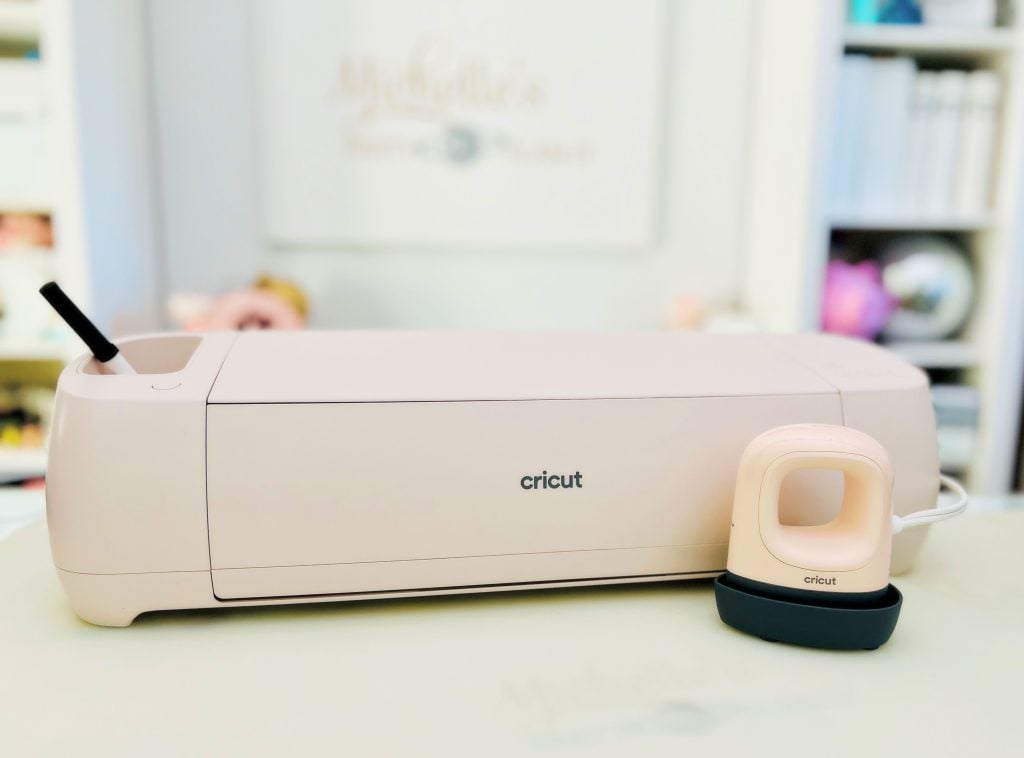
The Cricut Explore 4 is the latest model in the Explore series, known for its balance of price and performance. Unlike the older Explore 3, this machine promises upgrades in speed, material options, and smart features. Before spending money, it’s important to look at what’s actually new and how it might help you.
1. Cutting Speed And Precision
One of the main selling points is the increased speed. The Explore 4 can cut up to two times faster than the Explore Air 2 when using Smart Materials. This means less waiting and more crafting, especially for big projects.
It also offers improved cutting precision. The new sensors and updated software help reduce mistakes, giving cleaner cuts on detailed designs. For example, if you’re cutting small letters for decals, you’ll notice fewer jagged edges.
However, speed and precision matter most if you do a lot of projects or run a small business. For casual users, the upgrade might not be as noticeable.

2. Smart Materials Compatibility
The Explore 4 is designed to work with Cricut Smart Materials. These are special rolls of vinyl, iron-on, and paper that don’t require a cutting mat. You just load them in, and the machine does the rest.
Benefits include:
- Making long cuts up to 12 feet, perfect for banners or wall decals.
- Less setup time, since you don’t need to place material on a mat.
- Fewer mistakes, as the machine checks alignment automatically.
But, Smart Materials cost more than regular materials. If you’re on a budget or like to use your own materials, this feature might not be essential. Still, for people who value convenience and speed, it’s a strong advantage.
3. Enhanced Connectivity And App Features
With the Explore 4, you get improved Bluetooth connectivity and access to the latest version of the Cricut Design Space app. This means you can send designs wirelessly from your phone, tablet, or computer.
The app lets you:
- Browse thousands of ready-made designs
- Create your own projects from scratch
- Adjust settings for different materials
A non-obvious insight: The Explore 4 can save your favorite settings for materials you use often, reducing errors from manual adjustments. This feature saves time, especially if you work with a variety of materials.
However, you’ll need a stable internet connection for some app features. Offline use is limited compared to more expensive Cricut models.
4. Tool And Material Compatibility
The Explore 4 supports a range of tools:
- Fine-point blade for general cutting
- Foil transfer tool for custom cards and gifts
- Scoring stylus for folding paper crafts
But it doesn’t support the rotary blade or knife blade like the Cricut Maker series. This limits the types of materials you can cut. For example, you can cut cardstock, vinyl, iron-on, and bonded fabric, but not thick leather or wood.
Here’s a quick comparison to help you see the differences:
| Model | Material Types | Blade Support | Max Cut Length |
|---|---|---|---|
| Explore 4 | Paper, Vinyl, Iron-On, Bonded Fabric | Fine-Point, Foil, Scoring | 12 feet (Smart Material) |
| Maker 3 | All above + Leather, Wood, Felt | Rotary, Knife, All | 12 feet (Smart Material) |
| Explore Air 2 | Paper, Vinyl, Iron-On, Bonded Fabric | Fine-Point, Foil, Scoring | 24 inches |
Is The Cricut Explore 4 Worth The Price?
The Explore 4 is positioned as a mid-range cutting machine, usually priced around $300. Here’s a cost comparison with the nearest models:
| Model | Average Price | Best For |
|---|---|---|
| Explore 4 | $299 | Hobbyists, Small Businesses |
| Maker 3 | $429 | Advanced Crafters |
| Explore Air 2 | $199 | Beginners, Casual Users |
If you want a machine that’s fast, reliable, and supports Smart Materials, the Explore 4 is a strong pick. But if you only make simple projects or rarely craft, the Explore Air 2 might be enough and costs less.
A lot of beginners don’t realize that the cost of materials and Cricut Access subscription adds up over time. Factor in ongoing expenses before buying.

Who Should Buy The Cricut Explore 4?
- People who want to make long projects like banners or custom T-shirts
- Small business owners who need speed and efficiency
- Crafters who like the latest tech and features
- Anyone who wants a balance of price and options
You may want to skip the Explore 4 if:
- You mostly cut simple shapes or don’t craft often
- You need to cut thick materials like leather or balsa wood
- You have a tight budget
Real User Experiences
Many users say the Explore 4 is quieter and cuts faster than older models. One small business owner shared that she finished 50 vinyl decals in one evening, compared to two days with her old Explore Air 2.
A useful tip: If you buy Smart Materials during Cricut sales, you can save up to 40%. This makes the convenience of the Explore 4 even more valuable.
For more detailed technical info, check the official Cricut website.
Frequently Asked Questions
How Does The Explore 4 Compare To The Maker 3?
The Maker 3 cuts more types of materials, including leather and wood, and supports more tools. The Explore 4 is great for most crafts but isn’t as versatile as the Maker 3.
Do I Need To Use Smart Materials With The Explore 4?
No, you can use regular materials with a cutting mat. But to enjoy the long, mat-free cuts, Smart Materials are required.
Is The Explore 4 Suitable For Beginners?
Yes, the Explore 4 is user-friendly. The app guides you step by step, and there are many tutorials online. It’s also a good choice for those planning to grow their skills.
Can I Use Designs From Outside Cricut Design Space?
Yes, you can upload SVG files and images from other sources. Design Space supports common file types, but some advanced editing features may be limited.
Does The Explore 4 Require A Subscription?
No, the Explore 4 works without a subscription. However, a Cricut Access subscription gives you more fonts, images, and projects.
Choosing the right cutting machine depends on your needs, budget, and future plans. The Cricut Explore 4 is a powerful tool, especially if you value speed and Smart Materials. Take your time to compare, and happy crafting!

