

If you own a Navien tankless water heater, you probably love its energy savings and endless hot water. But what happens when it stops working? Many people feel lost when their heater shows an error code or the water turns cold. The good news is, most problems are simple to fix if you understand the basics. In this guide, you’ll learn how to troubleshoot your Navien tankless water heater using the manual, common sense, and a few easy tools. This article is designed for homeowners and maintenance staff who want reliable hot water without always calling a technician.
Understanding Your Navien Tankless Water Heater
Before diving into troubleshooting, it’s important to know how your Navien heater works. Navien uses advanced technology to heat water only when you need it. Unlike traditional tanks, it doesn’t store hot water. Instead, cold water passes through a heat exchanger, warming up instantly as you open the tap.

36% off Today’s Exclusive Deals
Limited-time Exclusive Deals. Check current discount on Amazon.
Check Price on Amazon As an Amazon Associate I earn from qualifying purchases.Key parts include:
- Heat exchanger: Heats the water quickly.
- Gas valve: Controls the fuel supply.
- Water flow sensor: Detects when you need hot water.
- Control board: The “brain” that manages all functions.
If any of these parts fail, you’ll notice problems like no hot water, strange noises, or error messages on the screen.
Common Error Codes And What They Mean
Navien heaters display error codes when something goes wrong. These codes help you find the problem quickly. Here’s a look at the most common codes and their simple meanings:
| Error Code | Possible Cause | Basic Solution |
|---|---|---|
| E003 | Ignition failure | Check gas supply and ignition parts |
| E004 | False flame detection | Inspect flame rod and wiring |
| E012 | Flame loss | Clean flame rod, check gas and air mix |
| E016 | Overheating | Flush heat exchanger, check water flow |
| E110 | Abnormal air pressure | Check venting and fan operation |
| E351 | Water leak detected | Inspect for leaks, tighten fittings |
It’s important to always check your manual for the most accurate code meanings for your model.
Step-by-step Troubleshooting Process
If your heater stops working, use a logical process to find the problem. Here’s how to approach most issues:
1. Check The Display Panel
Most Navien units have a digital screen that shows the current temperature, mode, and error codes. If the screen is blank, you may have a power issue. Make sure the unit is plugged in and the circuit breaker is ON. Sometimes, a simple reset (turning the power off for 30 seconds, then on) can clear minor glitches.
2. Inspect Gas And Water Supply
No hot water could mean no gas supply or no water flow.
- For gas: Make sure the gas valve to the heater is open. If you smell gas, shut off the supply and call a professional.
- For water: Check that the main water valve is open. Remove and clean the inlet filter to ensure good flow.
3. Review Recent Changes Or Events
Ask yourself:
- Did you recently lose power?
- Did someone adjust the thermostat or settings?
- Has there been plumbing work or gas line repair?
Sometimes, issues arise after changes or maintenance. Return settings to normal and see if that fixes the problem.
4. Read The Error Code
If there’s an error code, look it up in your manual. The code gives you a clear starting point for troubleshooting.
5. Use The Manual’s Troubleshooting Flowchart
Most Navien manuals include a flowchart for common problems. Follow the steps carefully, one at a time. For example, if you see E003 (ignition failure), the manual may tell you to check gas pressure, then clean the ignition rod, then reset the unit.
Fixing The Most Common Problems
Here’s how to fix the issues homeowners face most often:
No Hot Water
This is the most common complaint. Causes include:
- No power: Check the power cord and breaker.
- No water flow: Remove and clean the inlet filter. Make sure faucets are open.
- Cold weather: Pipes may freeze. Insulate pipes, especially outdoors.
- Recirculation problem: If you have a recirculation pump, make sure it’s working.
Water Too Hot Or Too Cold
If water is scalding or not warm enough:
- Adjust the temperature setting (usually 120–140°F is safe).
- Clean the cold-water inlet filter to improve flow.
- Check for cross-connections (hot and cold water mixing in pipes).
- Make sure the thermostatic mixing valve is adjusted correctly, if installed.
Error Code E003: Ignition Failure
This means the unit tried to light but failed. Possible causes:
- Gas valve closed: Open the gas valve.
- Dirty ignition rod: Clean with a soft brush.
- Poor grounding: Check power cord and outlet.
- Bad flame rod: Replace if cleaning doesn’t help.
Error Code E016: Overheating
When water gets too hot, the unit shuts down for safety.
- Scale in heat exchanger: Flush the unit with vinegar or descaling solution.
- Low water flow: Clean inlet filter, check for blocked pipes.
- Faulty temperature sensor: Replace if flushing doesn’t help.
Error Code E351: Water Leak
The leak detector has found water inside the unit.
- Turn off power and water.
- Open the unit and check for loose fittings, cracked pipes, or leaks.
- Dry the sensor and area, then restart the heater.
If leaks continue, call a professional.

Preventive Maintenance For Reliable Operation
Good maintenance prevents many problems. Here’s what you should do:
- Flush the heat exchanger: Once a year, flush with vinegar to remove mineral buildup.
- Clean the inlet water filter: Every 6–12 months, unscrew and rinse under water.
- Check venting: Make sure intake and exhaust pipes are clear of debris, bird nests, or snow.
- Inspect for leaks: Look under the unit every few months for moisture.
- Test water pressure: Use a gauge to ensure pressure is 40–60 psi.
Most homeowners can do these tasks with simple tools. Always turn off power and water before opening the unit.
When To Call A Professional
Some jobs are best left to licensed technicians. Call for help if:
- You smell gas.
- There are repeated error codes you can’t clear.
- There’s water leaking inside walls.
- The unit makes loud banging or hissing sounds.
- You can’t get hot water after checking all basics.
Trying to fix complex gas or electrical issues yourself is dangerous. A professional can safely handle advanced repairs and warranty service.
Advanced Troubleshooting For Technically Skilled Users
If you’re comfortable with tools, you can try deeper diagnostics. However, always follow safety steps and check the warranty terms.
Checking Flame Rod And Ignition
A dirty flame rod can cause ignition errors. Remove the rod (usually a single screw), clean gently with fine sandpaper, and reinstall. Make sure wires are tight. If the rod is cracked or worn, replace it.
Testing Sensors And Switches
Navien heaters use multiple sensors:
- Flow sensor: Measures water movement. If water flow is low, clean or replace.
- Temperature sensor (thermistor): If the unit overheats or gives wild temperature readings, test and replace as needed.
- Air pressure switch: If you see E110, check that the vent pipes are clear and the fan is working.
Using Diagnostic Mode
Some Navien models have a diagnostic mode. You can access it through the control panel (see your manual). This mode shows real-time data like water flow, temperature, and fan speed. Compare these with normal values to spot issues.
Comparing Navien Models: Troubleshooting Differences
Not all Navien heaters are the same. Here’s a quick comparison of popular models and their unique troubleshooting points:
| Model | Key Features | Troubleshooting Tip |
|---|---|---|
| NPE-A2 Series | Advanced recirculation, Wi-Fi control | Check app for error logs; recirculation valve can stick |
| NPE-S2 Series | Standard, no built-in recirculation | No recirculation issues; simpler water path |
| NR Series | Older models, basic controls | Manual error code reset; check for aging sensors |
| NPN Series | Non-condensing, outdoor options | Watch for freeze issues in cold climates |
Always check your specific model’s manual for exact steps.

Tools You Need For Basic Troubleshooting
Having the right tools makes troubleshooting easier. Here’s a short list for most tasks:
- Screwdriver set (Phillips and flathead)
- Adjustable wrench
- Soft brush or fine sandpaper (for cleaning rods)
- Bucket and hose (for flushing)
- Vinegar or descaling solution
- Multimeter (for advanced electrical checks)
- Towel or cloth (for drying leaks)
With these, you can handle 80% of homeowner-level fixes.
Two Overlooked Insights For Owners
1. Error Codes Are Temporary Clues, Not Always Final Answers
Many owners think an error code means a broken part. In reality, codes often point to temporary conditions like a blocked vent or dirty filter. Clear the code, fix the obvious problem, and see if it returns. Don’t rush to replace parts without checking simple causes.
2. Water Quality Affects Everything
Hard water creates mineral deposits inside the heat exchanger and sensors, leading to overheating and poor performance. If you live in a hard water area, flush your unit more often—every 6 months instead of yearly. Consider installing a whole-house water softener for best results.
Safety Reminders For Diy Troubleshooting
Never forget safety. Before you open the heater:
- Turn off power at the breaker.
- Shut off the water supply.
- Let the unit cool before touching any parts.
- Use gloves and eye protection when flushing or using chemicals.
If you see burn marks, melted wires, or smell burning, stop and call a professional. Water heaters combine gas, electricity, and water—so respect the risks.
How To Reset A Navien Tankless Water Heater
Sometimes, all you need is a reset. Here’s how:
- Turn off the power switch or unplug the unit.
- Wait 30 seconds to let the electronics reset.
- Turn the power back on.
- Open a hot water tap to test.
If the error code comes back, continue troubleshooting. Resetting clears many small electronic glitches.
What To Do If The Display Is Blank
A blank display usually means a power issue or a failed control board.
- Check the power outlet with another device (like a lamp).
- Reset the breaker at your electrical panel.
- Inspect the power cord for damage.
- If the outlet works but the heater stays off, the internal fuse or board may have failed—call for service.
Troubleshooting Recirculation Problems
Some Navien models have a recirculation pump for instant hot water. If it stops working:
- Check the recirculation timer—make sure it’s set correctly.
- Listen for the pump running. If silent, check the wiring.
- Clean the recirculation filter.
- For advanced models, use the Navien app to see error logs and recirculation status.
Common mistake: Many people forget to open the dedicated recirculation valve, leading to “no hot water” calls.
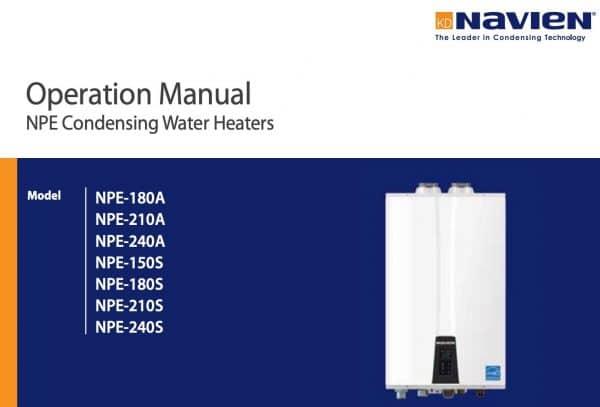
Comparing Navien Troubleshooting To Other Brands
How does Navien troubleshooting compare with other tankless brands? Here’s a quick overview:
| Brand | Common Error Codes | Owner-Friendly Features |
|---|---|---|
| Navien | Detailed codes, flowcharts | Easy access, app support on new models |
| Rinnai | Similar codes, less DIY guidance | Some models have digital display, but less app support |
| Noritz | Basic codes, more technical manuals | Requires more technical skill to troubleshoot |
Navien is known for easy-to-read screens and manuals, making DIY troubleshooting simpler for homeowners.
Where To Find Official Manuals And Support
Always use the official Navien manual for your model. You can download the latest version from the Navien official website. Manuals include wiring diagrams, parts lists, and step-by-step troubleshooting charts. Don’t trust random forums for critical fixes—always double-check with the official source.
If you’re stuck, Navien’s technical support line can walk you through advanced steps.
Frequently Asked Questions
Why Does My Navien Heater Keep Shutting Off?
A heater that keeps turning off may have overheating, low water flow, or venting problems. Check for error codes, clean filters, and make sure air vents are clear.
How Often Should I Flush My Navien Tankless Water Heater?
Flush your heater once a year, or every 6 months if you have hard water. Flushing removes mineral buildup and prevents overheating.
Can I Use Any Descaler To Clean The Heat Exchanger?
It’s safest to use white vinegar or a solution recommended by Navien. Some harsh chemicals can damage seals or pipes.
What Should I Do If I See Water Leaking From My Navien Unit?
Turn off the power and water, dry the area, and check for loose fittings. If leaks continue or you see water inside walls, call a professional.
Is It Normal For My Navien Heater To Make Noise?
Some noise is normal, like a soft whoosh when the burner starts. Loud banging, knocking, or hissing is not normal and should be checked by a technician.
Reliable hot water is possible with a little know-how and regular care. By understanding your Navien tankless water heater, reading error codes, and following the manual’s steps, you can solve most problems yourself. For complex issues, don’t hesitate to call a pro. With the right approach, your Navien will keep your showers hot for years to come.

