

Commercial Bunn Coffee Maker Troubleshooting
If you run a busy café, restaurant, or office, you know how important a commercial coffee maker is for daily operations. Bunn coffee makers are known for their reliability and speed, but even the best machines can face problems after long hours of use. When your Bunn commercial coffee maker stops working as expected, it can slow down service and frustrate both staff and customers. The good news is that many common issues are easy to fix if you know what to look for. This guide will help you quickly diagnose and resolve problems so your coffee keeps flowing and your business stays on track.
Understanding Your Commercial Bunn Coffee Maker
Before you jump into troubleshooting, it helps to understand how a Bunn commercial coffee maker works. These machines are built for high volume and fast brewing. Most models use a hot water tank to keep water at the right temperature, so you always get quick, consistent coffee. Some key features include:

36% off Today’s Exclusive Deals
Limited-time Exclusive Deals. Check current discount on Amazon.
Check Price on Amazon As an Amazon Associate I earn from qualifying purchases.- Water reservoir: Stores heated water for brewing.
- Sprayhead: Distributes water evenly over coffee grounds.
- Warming plates or thermal servers: Keeps coffee hot after brewing.
- Control board: Manages brew cycles, timers, and temperature.
Knowing these basics makes it easier to spot where problems start.
Common Issues And How To Fix Them
Machine Will Not Power On
If your Bunn coffee maker does not turn on, the cause is often simple.
- Check power supply: Make sure the machine is plugged in and the outlet works. Try plugging in another device to test the outlet.
- Look for tripped circuit breakers: Commercial kitchens use a lot of power, so breakers can trip.
- Inspect the power switch: Some Bunn models have safety switches under the machine or on the side.
- Test the power cord: If the cord is damaged, the machine will not get power.
- Internal fuse or wiring problem: If none of the above work, the issue may be inside the machine. In this case, call a service technician.
Non-obvious insight: Sometimes, power switches can get wet during cleaning, causing them to short out or stick. Make sure the area around switches is dry before trying again.
Coffee Not Hot Enough
Bunn coffee makers are designed to brew coffee at about 195–205°F (90–96°C). If your coffee is lukewarm, check these points:
- Water tank not heated: Give the machine time to heat up (usually 15–30 minutes after turning on).
- Thermostat issue: If water never gets hot, the thermostat may be faulty.
- Mineral buildup: Limescale can coat the heating element, reducing heat transfer.
- Broken heating element: If you hear no sounds or feel no heat, the element may need replacing.
Practical tip: Use a thermometer to check the temperature of water coming from the sprayhead. If it is below 195°F, call for service.
Slow Brewing Or No Brewing
Slow brewing can quickly lead to long lines and unhappy customers. Main causes include:
- Clogged sprayhead or water lines: Mineral deposits from hard water can block water flow.
- Dirty or blocked filter basket: Old coffee grounds can cause backups.
- Low water pressure: For plumbed-in models, check the water supply valve and line for kinks.
- Faulty solenoid valve: This part controls water flow and can fail over time.
If there is no brewing at all, first check if the water tank is full and the brew start switch is working.
Non-obvious insight: Many users forget to descale machines regularly. Even city water contains minerals that build up over time, especially in commercial use.
Coffee Tastes Bad Or Bitter
Nothing turns customers away faster than bad-tasting coffee. Common causes and fixes:
- Dirty machine: Old coffee oils and limescale change the flavor. Clean sprayheads, tanks, and carafes daily.
- Wrong grind size: Too fine a grind can cause over-extraction and bitterness.
- Stale coffee: Make sure you use fresh beans and store them properly.
- Incorrect water temperature: Too hot or too cold water leads to poor extraction.
Practical example: If your coffee suddenly tastes “off,” run a brew cycle with just water and check for any unusual smells or residue.
Leaking Water
Leaks can cause safety hazards and machine damage. Typical sources of leaks:
- Loose fittings or hoses: Check all connections and tighten if needed.
- Cracked tank or reservoir: Examine for visible cracks.
- Worn gaskets or seals: Rubber parts wear out over time and need replacing.
- Overflowing due to stuck float or valve: The water level control may fail if minerals build up.
Data point: In a busy café, even a small leak can waste several gallons of water daily if not fixed.
Overflowing Or Not Filling
If your Bunn overflows or does not fill correctly:
- Faulty float assembly: The float monitors water level—if it sticks, the tank can overfill or underfill.
- Scale buildup: Heavy limescale can block float movement or clog fill lines.
- Solenoid valve failure: If the valve does not close fully, water keeps entering.
- Incorrect programming: For programmable models, check brew volume settings.
Pro tip: Always turn off the machine before opening panels to check floats or valves.
Cleaning And Maintenance For Reliable Operation
Regular cleaning is essential to keep your Bunn coffee maker running smoothly and producing great coffee. Here are best practices:
- Daily tasks:
- Wash carafes and filter baskets with warm, soapy water.
- Wipe down the sprayhead area and exterior.
- Rinse the sprayhead and check for blockages.
- Weekly tasks:
- Deep clean the water tank using a vinegar solution (mix 1 quart of vinegar with 2 quarts of water).
- Run a full brew cycle with only the vinegar solution, then flush with several cycles of clean water.
- Scrub the sprayhead and fitting with a soft brush.
- Monthly tasks:
- Descale with a commercial descaling product, especially in hard water areas.
- Inspect all hoses and connections for leaks or wear.
Common mistake: Forgetting to rinse out cleaning chemicals fully before brewing coffee again. Always run several cycles of clean water after descaling.
Error Codes And What They Mean
Modern Bunn commercial coffee makers often have digital displays that show error codes. Here are some common ones and what they mean:
| Error Code | Possible Cause | What to Do |
|---|---|---|
| ERR 1 | Heater malfunction | Check heating element and thermostat; call for service if needed |
| ERR 2 | Water level low | Refill tank or check water line |
| ERR 3 | Sensor error | Reset the machine; if issue returns, service is required |
| ERR 4 | Overflow detected | Inspect float valve and check for blockages |
Quick tip: Not all Bunn models have the same codes. Always check your machine’s manual for model-specific codes.

When To Call For Professional Service
Some problems are easy to fix, but others need a trained technician:
- Electrical issues: If you suspect wiring or circuit board problems, do not open the machine yourself.
- Internal leaks: If water is leaking from inside the body, the tank or piping may be damaged.
- Repeated error codes: If resetting does not work, internal components may need replacement.
- Consistent temperature issues: If cleaning and resetting do not help, the heater or thermostat probably needs replacement.
Experience-based guidance: While it can be tempting to open up the machine to save time, you could void your warranty or cause more damage. Most commercial Bunn machines have serviceable parts, but certified technicians have the right tools and knowledge.
Parts You Can Replace Yourself
Some basic parts are user-serviceable. If you want to handle small repairs, these are usually safe to replace:
| Part Name | Signs It Needs Replacement | Replacement Difficulty |
|---|---|---|
| Sprayhead | Clogged holes, poor spray pattern | Easy |
| Filter basket | Cracks, leaks, or stains | Easy |
| Gaskets and seals | Leaking around connections | Medium |
| Warming plate | Does not heat carafe | Medium |
Safety tip: Always unplug the machine before replacing any parts.
Comparing Common Commercial Bunn Models
Sometimes, troubleshooting depends on the specific Bunn model. Here’s a comparison of three popular types:
| Model | Type | Special Features | Common Issues |
|---|---|---|---|
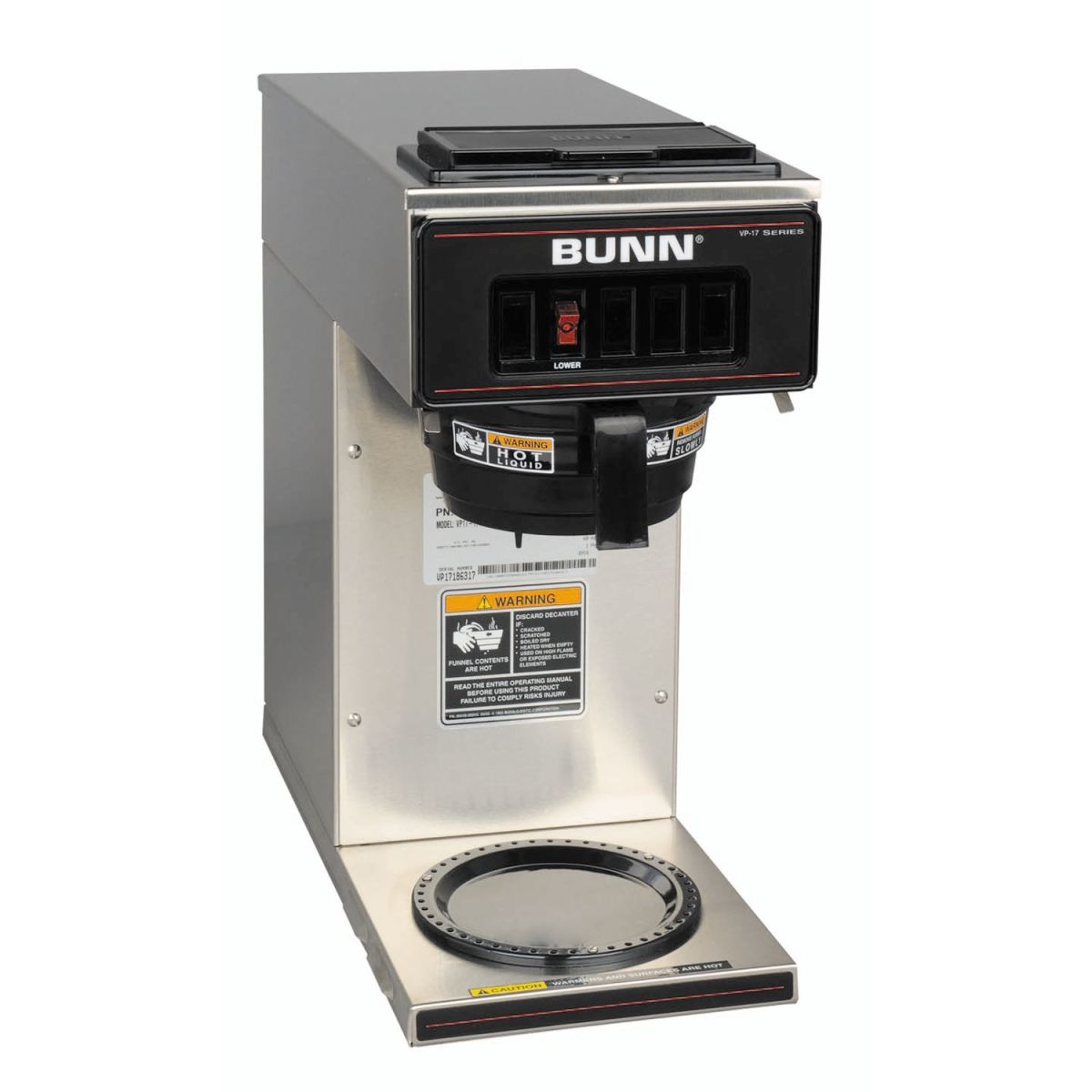
| Bunn VP17 | Pourover | No plumbing needed, portable | Sprayhead clogging, slow brew |
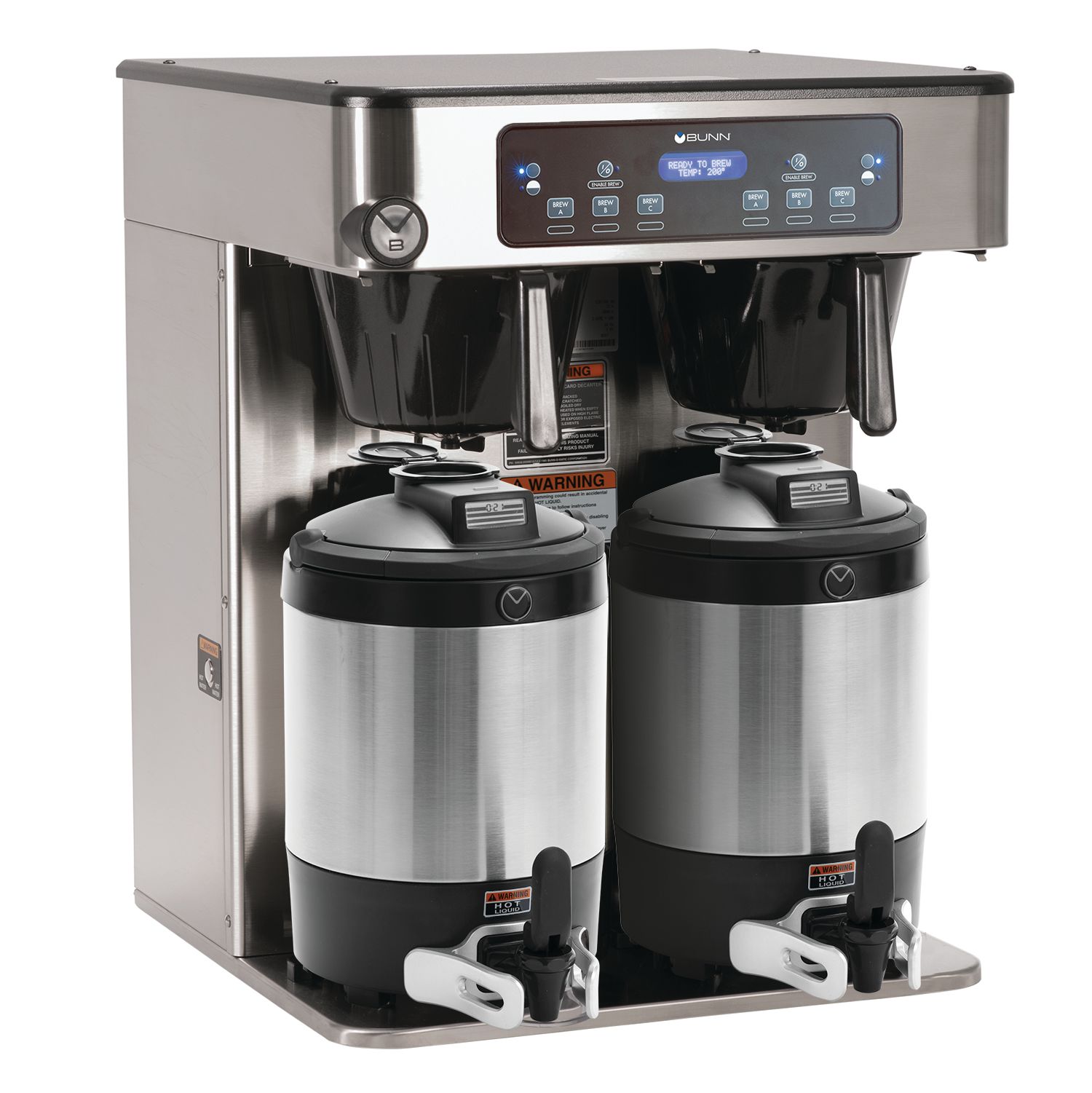
| Bunn AXIOM | Automatic | Programmable, energy saver mode | Sensor errors, water line issues |
| Bunn CWTF | Plumbed | High capacity, thermal servers | Overflow, internal leaks |
Non-obvious insight: Models with internal water lines (like the CWTF) are more likely to have leak or water supply issues. Pourover models like the VP17 are simpler but can clog faster due to direct filling.
Preventing Future Problems
Troubleshooting is easier if you prevent problems before they start. Key steps include:
- Train staff: Make sure everyone knows how to use and clean the machine properly.
- Use filtered water: Reduces mineral buildup and improves coffee taste.
- Schedule regular service: A technician should inspect the machine every 6–12 months.
- Keep spare parts: Stock common items like sprayheads and gaskets.
Common mistake: Using unfiltered tap water. Even if water tastes fine, minerals can quickly build up in commercial machines.
Real-world Troubleshooting Scenarios
Let’s look at a few examples to see how these steps work in practice.
Scenario 1: Slow Brewing During Rush Hour
A bakery owner notices that during busy mornings, the Bunn coffee maker takes much longer to brew. Staff often forget to clean the sprayhead after each cycle. After cleaning out the sprayhead holes with a toothpick and running a descaling cycle, brew times return to normal.
Lesson: Even small blockages can have a big impact in high-volume settings.
Scenario 2: Bitter Coffee After A Deep Clean
A restaurant manager finds that coffee tastes bitter even after a full cleaning. They discover that cleaning chemicals were not fully rinsed away. Flushing the machine with multiple cycles of clean water solves the problem.
Lesson: Rinsing is as important as cleaning.
Scenario 3: Repeated Overflow
A hotel’s breakfast area has a Bunn machine that overflows regularly. The technician finds the float valve is stuck due to heavy scale. Replacing the float and switching to filtered water stops the problem.
Lesson: Small internal parts can cause big issues if not maintained.
Resources For Further Help
If you have a persistent issue or need a part number, always check the official Bunn website or your user manual. For technical details, the Bunn Official Support page has diagrams and troubleshooting steps for each model.
Frequently Asked Questions
Why Does My Commercial Bunn Coffee Maker Keep Tripping The Breaker?
A breaker can trip if the machine draws too much power, which may happen if the heating element is faulty or if several high-wattage appliances are running on the same circuit. Try plugging the coffee maker into a different outlet and avoid sharing with other large appliances.
If the breaker still trips, get a technician to check for internal shorts.
How Often Should I Descale My Bunn Coffee Maker?
For commercial use, descale at least once a month, or more often in areas with hard water. Regular descaling prevents mineral buildup, which can cause slow brewing and temperature problems.
Can I Use Vinegar To Descale My Bunn Coffee Maker?
Yes, a solution of vinegar and water (1:2 ratio) is effective for removing limescale. However, commercial descaling products are often more powerful and faster. Always rinse thoroughly with clean water after descaling to avoid vinegar taste.
What Should I Do If My Bunn Coffee Maker Leaks From The Bottom?
Leaks from the bottom usually mean there is a problem inside, such as a cracked tank, failed gasket, or loose connection. Unplug the machine and stop using it. Contact a service technician for repair, as opening the machine yourself can be dangerous and void your warranty.
My Bunn Coffee Maker Brews But Makes Very Weak Coffee. Why?
Weak coffee can result from using too little coffee grounds, a sprayhead that does not distribute water evenly, or water that is not hot enough. Check the amount and grind of your coffee, clean the sprayhead, and test the water temperature.
Adjust as needed for stronger coffee.
A well-maintained Bunn commercial coffee maker is a workhorse for any food service business. Troubleshooting problems quickly means more satisfied customers and less downtime. Remember to clean regularly, use filtered water, and do not hesitate to call a professional for bigger issues. With these steps, your Bunn machine will deliver great coffee day after day.

