

Samsung Refrigerator Ice Maker Troubleshooting: A Practical Guide
A refrigerator with a built-in ice maker is one of those modern comforts that people quickly get used to. When the ice maker suddenly stops working, it can feel like a big inconvenience—especially in summer or when hosting guests. If you own a Samsung refrigerator, you may face ice maker problems at some point. These issues range from not making ice at all to producing too little or oddly shaped ice cubes. The good news: most ice maker problems are easy to diagnose and fix at home without calling a technician.
This guide gives you clear, step-by-step troubleshooting for common Samsung refrigerator ice maker issues. Whether your ice maker is slow, noisy, leaking, or simply not working, you will find practical solutions here. We’ll also share some insider tips that many first-time users miss, plus advice on when professional help is truly needed.

36% off Today’s Exclusive Deals
Limited-time Exclusive Deals. Check current discount on Amazon.
Check Price on Amazon As an Amazon Associate I earn from qualifying purchases.How A Samsung Refrigerator Ice Maker Works
Understanding how your ice maker operates helps you fix problems faster. Most Samsung refrigerators use an automatic ice maker inside the freezer compartment or door. Here’s a simple overview:
- Water supply: The refrigerator connects to your home’s water line. Water flows through a filter and into the ice maker when needed.
- Filling: A valve opens to fill the ice tray with water.
- Freezing: The tray chills the water until it turns into ice.
- Harvesting: The ice maker’s motor twists or pushes the ice cubes out of the tray and into a storage bin.
- Dispensing: When you press the dispenser on the door, the ice falls into your glass.
If any step fails, you may see no ice, small cubes, leaks, or other problems.
Common Samsung Ice Maker Problems And Causes
You can often tell what’s wrong by observing the symptoms. Here are the most frequent issues with Samsung refrigerator ice makers:
| Problem | Possible Causes | Difficulty to Fix |
|---|---|---|
| Ice maker not making ice | Water supply issue, ice maker turned off, faulty sensor | Easy to Moderate |
| Small or hollow ice cubes | Low water pressure, clogged filter | Easy |
| Ice stuck in tray | Frozen or jammed mechanism | Easy |
| Ice maker leaking water | Misaligned ice tray, blocked drain, cracked tray | Moderate |
| Noisy ice maker | Ice jam, mechanical failure | Easy to Hard |
Some issues, like clogged filters or turned-off ice makers, are quick to solve. Others, such as a faulty water valve, may need more effort.
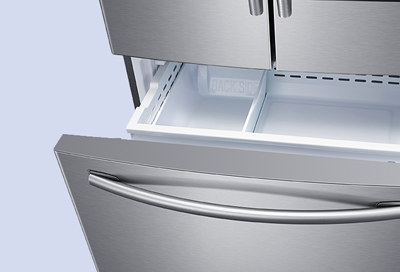
Step-by-step Samsung Refrigerator Ice Maker Troubleshooting
Let’s go through the most common problems, their causes, and how you can fix them at home.
1. Ice Maker Not Making Ice
If you’re getting no ice at all, start with these checks:
- Is the ice maker on? Some Samsung models have a physical on/off switch or a digital ice maker button. Make sure it’s set to on.
- Check the water supply: Look behind the fridge to ensure the water line is firmly connected and not kinked.
- Test water pressure: Samsung recommends at least 20 psi (pounds per square inch) for proper ice production. Low water pressure is a hidden cause of weak ice output.
- Look for ice jams: Open the ice maker compartment and look for any cubes stuck in the ejector arm or tray. Remove them gently.
Reset The Ice Maker
Many users miss this simple step. Samsung ice makers usually have a reset button (sometimes labeled “test”). Press and hold it for about 10 seconds. You’ll hear a chime if the reset was successful. Wait a few hours—if no ice appears, continue troubleshooting.
2. Slow Or Small Ice Production
If your ice maker works but produces too little or small cubes, try these steps:
- Replace the water filter: Samsung recommends changing the filter every six months. A clogged filter reduces water flow, leading to smaller cubes.
- Check freezer temperature: Set your freezer to 0°F (-18°C). Warmer settings slow down ice production.
- Inspect for frost buildup: Frost or ice blocking the maker can reduce output. Defrost the ice maker if needed (see more below).
3. Ice Maker Leaks Or Drips
Leaks are not just messy—they can damage your refrigerator over time. Common causes and fixes:
- Check the ice tray: A misaligned or cracked tray causes spills. Realign or replace if needed.
- Examine the water line connection: Loose or damaged connections can leak. Tighten or replace as necessary.
- Inspect for blocked drains: Some Samsung models have a drain line to remove extra water. Clear any blockages gently.
4. Ice Stuck Or Jammed
Sometimes, ice cubes freeze together or jam the ejector arm:
- Defrost the ice maker: Turn off the ice maker, remove the bin, and let the ice melt. For faster results, use a hair dryer on a low setting (never overheat or use sharp tools).
- Clean the ice bin and tray: Wash with warm water to remove any sticky residue.
5. Noisy Ice Maker
Some noise is normal, but loud grinding or clicking means something is wrong:
- Check for jammed ice: Remove any stuck cubes or frost.
- Listen for the water valve: A loud buzzing could mean the valve is struggling—this often points to low water pressure or a failing valve.
- Inspect the fan: If your Samsung fridge has an ice fan, it may collect frost. Defrost and clean as needed.
6. Odd-tasting Or Cloudy Ice
Poor-tasting or cloudy ice is usually not a mechanical problem but still bothersome:
- Change the water filter regularly
- Clean the ice bin and tray
- Run several batches and discard after changing the filter
Some water sources naturally have minerals that cause cloudiness, which is safe but can look strange.
How To Reset A Samsung Refrigerator Ice Maker
Resetting the ice maker can solve many basic problems. Here’s how to do it safely:
- Locate the reset button: Most Samsung ice makers have a small button under or beside the ice tray. It may be labeled “reset” or “test.”
- Press and hold: Hold the button for 10 seconds. You should hear a chime or a movement sound.
- Wait for ice production: After resetting, give your fridge 6–12 hours to produce new ice.
Tip: Don’t reset the ice maker more than once in 24 hours. Too many resets can overwork the motor.
When To Replace Parts In Your Ice Maker
Not every problem can be fixed with cleaning or a reset. Sometimes, a part needs to be changed.
Signs A Part Needs Replacement
- Ice maker doesn’t respond after reset
- Visible cracks in tray or bin
- Water valve is noisy or leaks
- Ice production stops for more than 48 hours
Common replacement parts include the water inlet valve, ice maker assembly, ice tray, and sensors.
How To Order The Right Parts
Always use the model number of your Samsung refrigerator to find compatible parts. You can find this on a label inside the fridge or freezer door.
Pro tip: Buying genuine Samsung parts ensures the best fit and performance. Third-party parts may not work as well or last as long.
Samsung Refrigerator Error Codes For Ice Makers
Modern Samsung fridges display error codes when something goes wrong. If your ice maker stops working and you see a code on the panel, check this quick reference:
| Error Code | Meaning | What to Do |
|---|---|---|
| 5E, 22E | Ice maker sensor error | Reset and check connections |
| 8E | Ice maker fan error | Defrost and clean fan area |
| 14E | Ice maker sensor/temperature error | Check temperature, reset ice maker |
| 33E | Water supply error | Check water line and pressure |
You can find a full list of codes in your refrigerator’s user manual or on the official Samsung support site.
Defrosting A Frozen Samsung Ice Maker
A common issue in Samsung refrigerators is ice buildup around the ice maker. This can stop ice production or jam the mechanism.
How To Defrost Your Ice Maker
- Turn off the ice maker: Use the switch or digital controls.
- Remove the ice bin: Pull it out gently.
- Let the ice melt: Leave the freezer door open for a few hours. For faster results, use a hair dryer on low, keeping it moving to avoid heat damage.
- Clean the area: Wipe away water and frost.
- Restart the ice maker: Replace the bin and turn the ice maker back on.
Insider tip: Frost buildup often means the door was left open, or the door seal is worn out. Check the gasket for cracks and replace if necessary.
Preventing Ice Maker Problems
Avoiding problems is easier than fixing them. Here are some practical steps:
- Change the water filter every 6 months
- Set the freezer to the right temperature (0°F)
- Keep the door seal clean and tight
- Don’t overfill the freezer—blocked vents can cause frost and reduce ice output
- Check for leaks or kinks in the water line regularly
Many new Samsung owners forget to change the filter on time. A clogged filter is one of the most common hidden causes of ice maker trouble.
When To Call A Professional
Some issues require expert help. Call a service technician if:
- You see repeated error codes after resets
- Water leaks inside the fridge or on the floor
- Electrical issues (flickering lights, burning smell)
- Ice maker doesn’t work after part replacement
Attempting complex repairs without training can make the problem worse or void your warranty. If your fridge is under warranty, contact Samsung support first.
Real-life Example: Diagnosing A Stubborn Ice Maker
Consider this situation: The ice maker in a Samsung French-door refrigerator stops making ice. The owner checks the water line—no kinks. The filter is only three months old. The ice maker is on, but no ice appears.
The owner resets the ice maker. It makes a grinding noise but still no ice. After defrosting the ice tray and cleaning the bin, ice production returns to normal. The problem was a small frost buildup blocking the ejector arm—something many users overlook.
This example shows why a careful inspection, reset, and defrost can solve more issues than you might expect.
Comparing Samsung Ice Maker Models And Features
Samsung refrigerators come in many styles, each with its own ice maker design. Here’s a quick comparison of popular models:
| Model Type | Ice Maker Location | Special Features |
|---|---|---|
| French Door | Freezer or Door | Dual ice makers, crushed/cubed ice |
| Side-by-Side | Freezer Door | In-door storage, water dispenser |
| Top Freezer | Freezer Compartment | Basic ice maker, manual fill option |
The troubleshooting steps in this article work for most Samsung models, but always check your user manual for special features.
Common Mistakes To Avoid When Using Samsung Ice Makers
Many users (even experienced ones) make these mistakes, leading to avoidable problems:
- Forgetting to remove protective film: Some new fridges have a thin film covering the ice maker. Remove it to prevent jams.
- Not fully inserting the ice bin: If the bin isn’t seated correctly, the ice maker won’t work.
- Trying to force out stuck ice: Using sharp objects to remove ice can damage the mechanism. Use warm water or gentle heat instead.
- Ignoring water filter changes: Old filters restrict flow and lower ice quality.
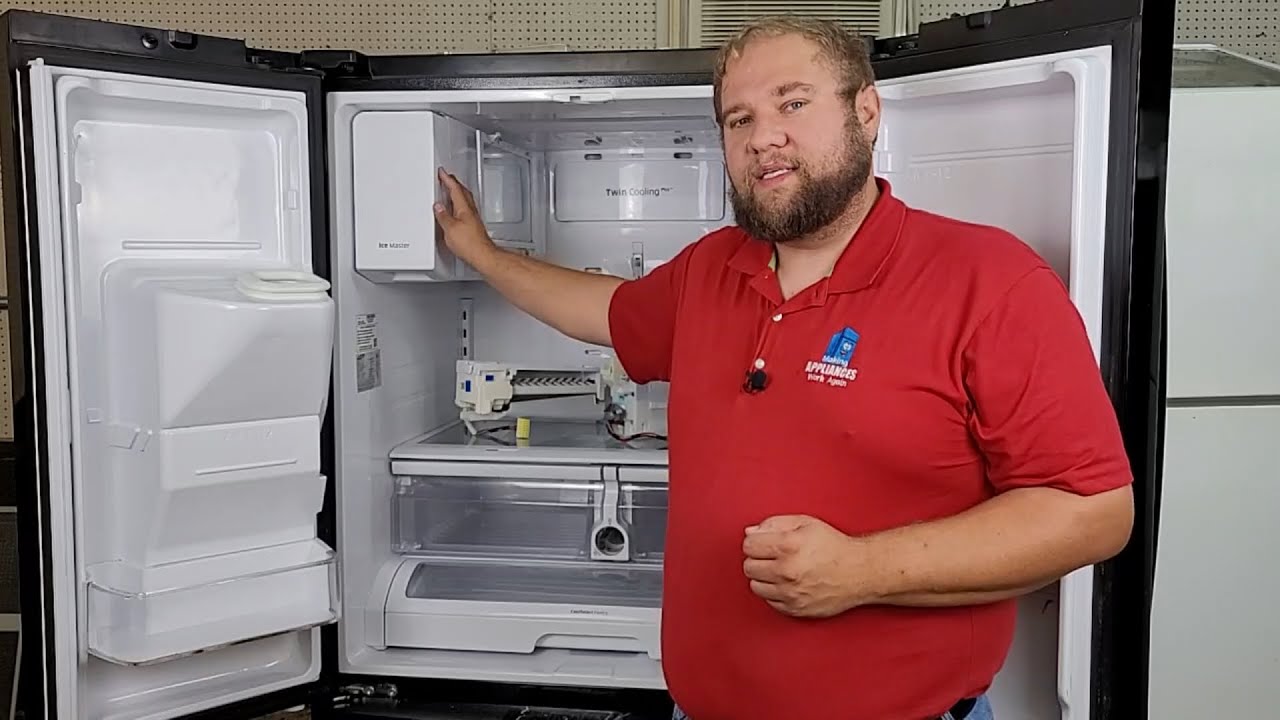
Simple Maintenance Tips For Samsung Ice Makers
Regular care keeps your ice maker running smoothly:
- Clean the ice bin every month: Wash with warm, soapy water and dry thoroughly.
- Inspect the water line yearly: Look for leaks, cracks, or mineral buildup.
- Check the door seal: A clean, tight seal keeps cold air in and frost out.
Don’t use harsh chemicals or abrasive tools—these can damage plastic parts.
Useful Resources For Further Help
If your problem isn’t solved, Samsung offers official support and guides:
- Samsung Support: Find manuals, error codes, and troubleshooting at Samsung’s official support page.
- User Manual: Always keep your refrigerator’s manual handy for model-specific instructions.
For more on water pressure and ice maker operation, you can also check the informative article on the Wikipedia Ice Maker page.

Frequently Asked Questions
Why Is My Samsung Ice Maker Making Too Much Ice?
This usually happens if the ice level sensor is blocked or dirty. Clean the sensor and check for ice jams. If the problem continues, the sensor may need replacement.
How Do I Turn Off The Ice Maker On My Samsung Refrigerator?
Most models have a switch or digital control labeled “Ice Maker.” Set it to off. For models with a physical lever, lift the arm. Consult your user manual for exact instructions.
How Long Does It Take For A Samsung Ice Maker To Make Ice After Reset?
After resetting, allow 6–12 hours for normal ice production. It may take up to 24 hours for a new fridge to make its first batch.
Can I Use My Samsung Refrigerator Without The Ice Maker?
Yes, you can turn off the ice maker and use the fridge as normal. Remove the ice bin to free up space. Remember to turn off the water supply if not in use for a long period.
What Does It Mean If My Samsung Refrigerator Ice Maker Is Frozen Solid?
A frozen ice maker usually means the freezer is too cold, the door was left open, or humidity is high. Defrost the ice maker and check the door seal for leaks.
Samsung refrigerators are known for their innovative features, but even the best appliances need a little help sometimes. With these troubleshooting steps and maintenance tips, you can enjoy plenty of fresh, clean ice—without the headaches. If problems persist, don’t hesitate to reach out to Samsung support or a trusted technician.
A little care goes a long way in keeping your ice maker working smoothly for years.

