

Marvel ice makers are popular for their reliable performance, sleek design, and ability to produce clear, restaurant-quality ice. But even the best machines can sometimes stop working as expected. If your Marvel ice maker is making less ice, producing odd shapes, or not working at all, you’re not alone.
Many users face these problems, and most can be fixed at home with careful troubleshooting. This guide will help you identify and solve common Marvel ice maker issues, saving you time, money, and frustration.
Common Marvel Ice Maker Problems
Marvel ice makers are built to last, but several issues can affect their performance. Understanding these problems is the first step to restoring your machine.
- No Ice Production: The ice maker isn’t making any ice at all.
- Slow Ice Production: Ice cubes are produced, but much slower than usual.
- Odd-Shaped Ice: Ice cubes are misshapen or smaller than normal.
- Water Leakage: Water appears around or inside the ice maker.
- Noise Issues: Unusual sounds come from the machine.
- Freezing Problems: Ice is stuck or won’t dispense.
These problems often have simple causes. Let’s break down the main reasons and how you can address them.
Diagnosing Your Marvel Ice Maker
Before you start repairs, it’s important to know what’s wrong. Marvel ice makers have built-in indicators and simple parts that make diagnosis straightforward.
Checking Power And Connections
Always start by checking the power supply. If your ice maker isn’t producing ice, make sure:
- The machine is plugged in securely.
- The outlet is working (test with another device).
- The circuit breaker hasn’t tripped.
If the power is fine, check that the water supply is connected and turned on. A disconnected or blocked water line is one of the most common causes of ice maker failure.
Control Panel And Settings
Marvel ice makers have a control panel with settings for ice size, cleaning cycles, and power modes. Check that:
- The machine is set to “Ice” mode, not “Off” or “Clean.”
- Ice size settings are not too small.
- No error codes are displayed. Refer to your Marvel manual for code meanings.
Water Filter Status
A clogged water filter can slow ice production and lead to odd-shaped cubes. Marvel recommends replacing filters every 6 months. If you haven’t changed the filter recently, it’s time to do so.
Temperature Checks
Ice makers need the right temperature to work well. The freezer or ice compartment should be between 0°F and 5°F. If the compartment is too warm, ice production drops or stops.
Visual Inspection
Look for:
- Frost buildup on the evaporator plate.
- Water pooling in the ice bin.
- Loose hoses or connectors.
These signs help pinpoint issues quickly.

Fixing Common Marvel Ice Maker Issues
Once you’ve diagnosed the problem, it’s time to fix it. Here are the most frequent Marvel ice maker issues and how to solve them.
No Ice Production
If your Marvel ice maker isn’t making any ice, try these steps:
- Check Power: Confirm the unit is plugged in and turned on.
- Reset the Machine: Unplug for 60 seconds, then restart.
- Inspect Water Line: Make sure the water supply is open and hoses are not kinked.
- Replace Water Filter: A clogged filter stops ice production.
- Review Settings: Ensure the control panel is set to “Ice.”
If none of these steps work, the issue could be with the inlet valve or ice maker module. These parts can be replaced, but may require professional help.
Slow Ice Production
Marvel ice makers usually produce up to 35 pounds of ice per day. If your machine is making less:
- Clean the evaporator plate with Marvel-approved cleaner.
- Replace the water filter.
- Lower freezer temperature.
- Check for frost buildup.
Tip: If your home’s water pressure is low, ice production slows. Marvel recommends at least 20 psi.
Odd-shaped Or Small Ice
Strange ice shapes often mean:
- Water filter is clogged.
- Water pressure is too low.
- The evaporator plate is dirty.
Change the filter, check pressure, and clean the plate. Also, ensure the machine is level—tilted units can produce uneven ice.
Water Leakage
Leaks can come from:
- Loose water line connectors.
- Clogged drain hoses.
- Excess frost melting.
Tighten connections and clean drain hoses. If you see water inside the ice bin, check if the ice maker is overfilling.
Noise Issues
Marvel ice makers are usually quiet. If yours is noisy:
- Clear any objects blocking the fan or compressor.
- Check for loose panels or screws.
- Clean the condenser coils.
Non-obvious tip: Sometimes, ice can stick to the evaporator plate, causing loud cracking noises. Running a cleaning cycle can help.
Freezing Problems
If ice sticks together or won’t dispense:
- Lower freezer temperature slightly.
- Run a cleaning cycle.
- Break up ice with a plastic utensil.
Never use metal tools—they can damage the machine.
Cleaning And Maintenance Tips
Regular maintenance keeps your Marvel ice maker working smoothly.
- Clean the evaporator plate monthly.
- Replace water filters every 6 months.
- Check hoses and connectors for leaks.
- Run a cleaning cycle every 3 months.
Using Marvel-approved cleaning solutions prevents buildup and keeps ice clear.
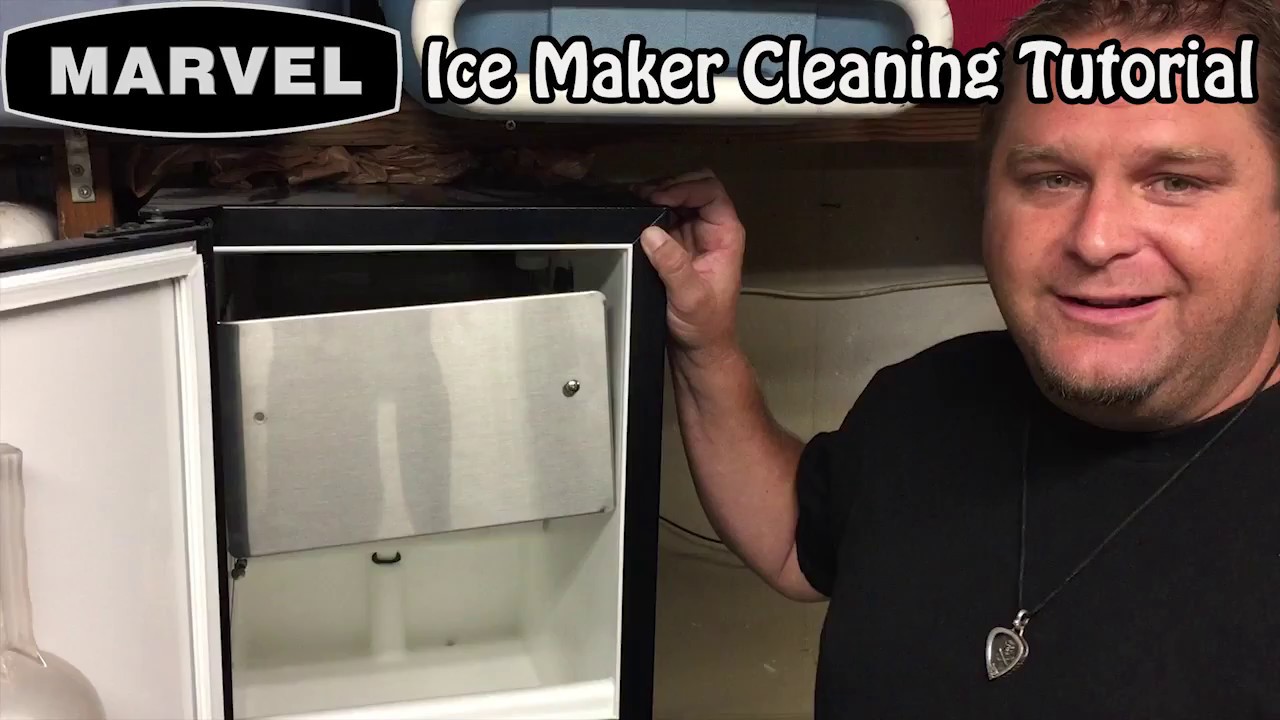
Marvel Ice Maker Cleaning Cycle Steps
- Turn off the ice maker.
- Remove all ice from the bin.
- Add cleaning solution to the reservoir.
- Start the cleaning cycle (follow the control panel instructions).
- Rinse with fresh water.
- Restart the machine.
Proper cleaning also avoids strange odors and tastes.
When To Call A Professional
Some Marvel ice maker problems require expert help. Call a technician if:
- You see error codes you can’t clear.
- The machine leaks heavily.
- Ice production stops after all troubleshooting.
- Wiring or electrical parts seem damaged.
Marvel’s warranty covers many parts and repairs—check your coverage before paying for service.
Comparing Marvel Models And Common Features
Marvel offers several ice maker models with different features. Understanding the differences can help you diagnose issues faster.
| Model | Ice Production (lbs/day) | Water Filter | Cleaning Cycle | Noise Level |
|---|---|---|---|---|
| Marvel 15IM | 35 | Yes | Automatic | Low |
| Marvel 30IM | 50 | Yes | Automatic | Medium |
| Marvel Outdoor 15IM | 25 | No | Manual | Low |
Most Marvel models share similar troubleshooting steps, but check your manual for specific advice.
Marvel Vs. Other Brands: Reliability And Troubleshooting
How do Marvel ice makers compare to other brands? Here’s a quick overview:
| Brand | Average Repair Frequency (per year) | DIY Troubleshooting | Warranty Length |
|---|---|---|---|
| Marvel | 0.8 | Easy | 2 years |
| Whirlpool | 1.2 | Moderate | 1 year |
| KitchenAid | 1.0 | Moderate | 1 year |
Marvel ice makers have fewer breakdowns and longer warranties, making them a good choice for most homes.
Non-obvious Troubleshooting Insights
Many beginners overlook these important tips:
- Water quality matters: Hard water can cause mineral buildup, leading to clogged filters and slow ice production. Use a water softener if needed.
- Ambient temperature: If your ice maker is in a hot room, ice production drops. Marvel units work best in rooms below 90°F.
Paying attention to these factors can solve problems that standard troubleshooting misses.
Marvel Ice Maker Error Codes Explained
Marvel ice makers show error codes on the control panel. Here are the most common:
- E1: Water supply issue. Check hose and filter.
- E2: Ice bin full. Empty the bin and restart.
- E3: Temperature too high. Lower freezer setting.
Refer to your manual for other codes and solutions.
Frequently Asked Questions
Why Is My Marvel Ice Maker Making Less Ice Than Usual?
Low ice production is often caused by a dirty evaporator plate, clogged water filter, or high freezer temperature. Clean the plate, replace the filter, and set the freezer between 0°F and 5°F.
How Often Should I Clean My Marvel Ice Maker?
Marvel recommends monthly cleaning for the evaporator plate and a full cleaning cycle every 3 months. Replace the water filter every 6 months for best performance.
What Should I Do If My Marvel Ice Maker Is Leaking Water?
Check for loose water line connectors and clogged drain hoses. Tighten fittings and clean hoses. If leaks continue, contact a Marvel technician.
Can I Use Generic Cleaning Solutions For My Marvel Ice Maker?
It’s best to use Marvel-approved cleaning solutions. Generic cleaners may damage parts or leave residue. Follow the instructions in your Marvel manual.
Where Can I Find Official Marvel Troubleshooting Guides?
You can find official Marvel guides on their website or visit Marvel Refrigeration Support for manuals, videos, and troubleshooting help.
Marvel ice makers are designed for easy maintenance and reliable performance. Most problems can be solved with careful troubleshooting and regular cleaning. If you follow the steps above, you’ll keep your ice maker running smoothly for years. Remember, many issues are simple to fix—don’t rush to call a professional unless you’ve tried basic troubleshooting first.
With a bit of patience and attention, your Marvel ice maker will deliver clear, cold ice whenever you need it.
