

If your Kitchenaid undercounter ice maker suddenly stops working, it can turn a normal day into a frustrating one. Maybe the ice isn’t coming out, or the cubes are thin, cloudy, or even melting in the bin. Because these machines are designed for convenience, breakdowns can feel especially confusing. But the good news is: many common ice maker problems can be solved at home, often without calling for service. This guide will walk you through practical troubleshooting steps, explain what causes typical issues, and help you decide when it’s time to call a professional.
How A Kitchenaid Undercounter Ice Maker Works
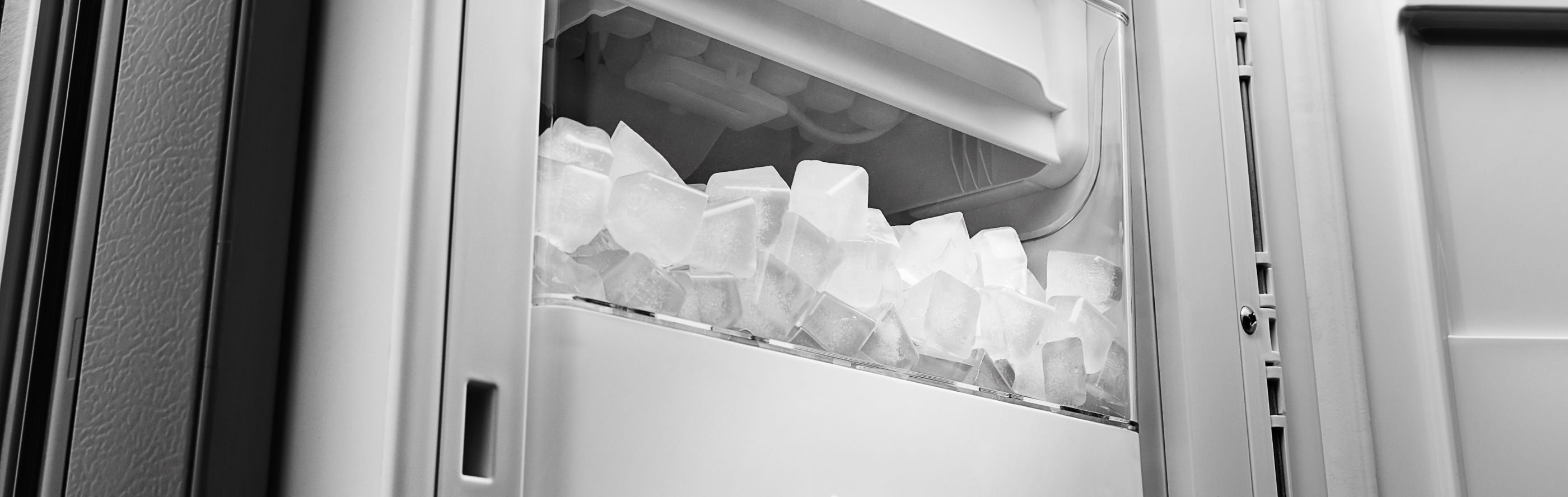
Understanding how your Kitchenaid ice maker operates is the first step to fixing it. These machines use water, a refrigeration system, and a mechanical assembly to create and store ice. When you turn on the ice maker, water flows into a tray, freezes into slabs, and is then cut into cubes. The machine drops these cubes into a storage bin, ready for use. A sensor monitors the ice level and stops production when the bin is full.

36% off Today’s Exclusive Deals
Limited-time Exclusive Deals. Check current discount on Amazon.
Check Price on Amazon As an Amazon Associate I earn from qualifying purchases.Key Components
- Water supply line: Delivers water from your home’s plumbing.
- Water filter: Removes particles and impurities before freezing.
- Evaporator plate: Freezes water into sheets of ice.
- Cutter grid: Slices ice sheets into cubes.
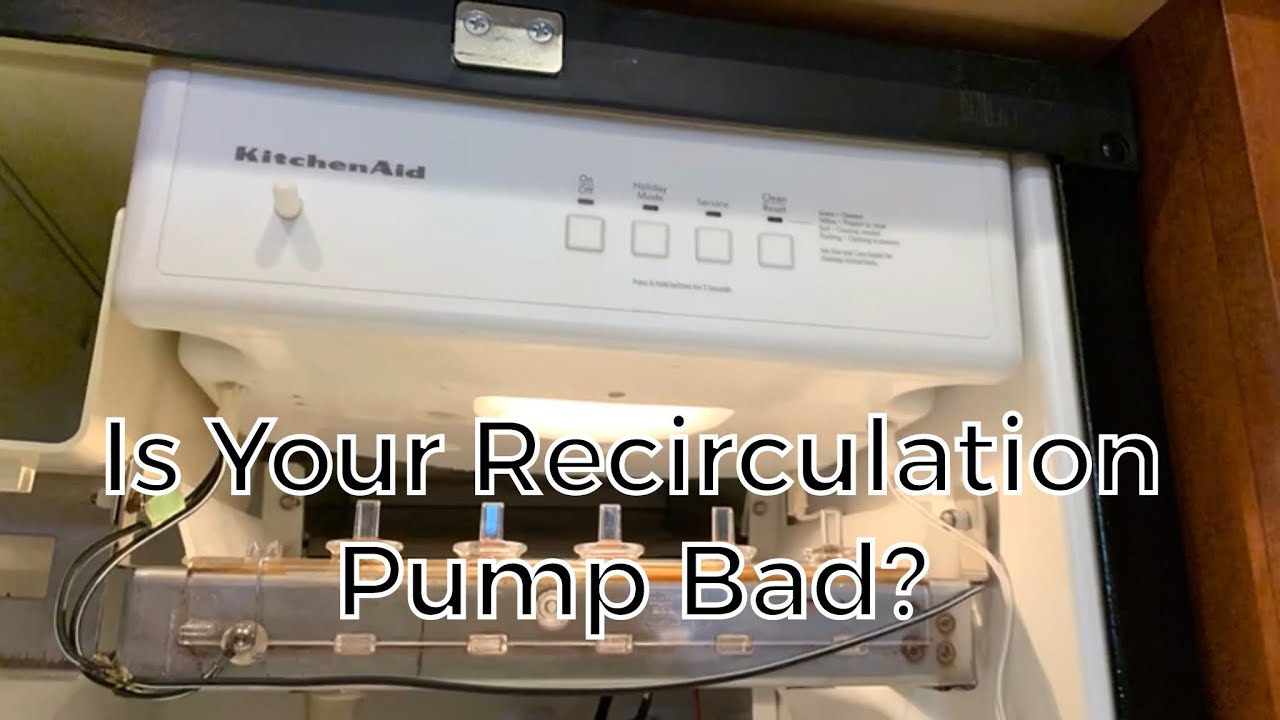
- Recirculation pump: Moves water over the evaporator plate.
- Compressor and condenser: Provide cooling.
- Bin thermostat: Senses ice level and temperature.
If any of these parts fail, ice production will suffer. Now, let’s look at the most common problems and how to fix them.
Ice Maker Not Making Ice
One of the most frequent complaints is that the Kitchenaid undercounter ice maker has stopped making ice. Several factors can cause this, from simple issues like a closed water valve to more complex mechanical problems.
Step-by-step Troubleshooting
- Check Power Supply: Make sure the unit is plugged in and the outlet works. Try plugging in another appliance to confirm.
- Inspect the Water Supply: Ensure the water line is open and not kinked or frozen. A closed valve or blockage will stop ice production.
- Look at the Water Filter: A clogged or old filter restricts water flow. Replace the filter every 6 months, or sooner if your water is hard or dirty.
- Examine the Ice Bin: If the bin is full, the machine may pause until some ice is removed.
- Reset the Machine: Unplug for five minutes, then reconnect to force a reset.
Non-obvious Tip
Many users overlook the water pressure. The ice maker needs at least 20 psi to work correctly. If your home has low water pressure, consider installing a booster pump.
If you’ve checked all the above and there’s still no ice, you may have a failed pump, valve, or control board, which often requires professional repair.
Thin, Cloudy, Or Misshapen Ice
Ice quality problems are annoying. Thin or hollow cubes, or ones that look cloudy or taste odd, can ruin drinks and point to problems inside your machine.
Causes And Solutions
- Low Water Flow: Blocked filters, kinked hoses, or low pressure cause thin or hollow ice. Replace filters and check lines.
- Dirty Evaporator Plate: Minerals and debris reduce heat transfer. Clean the plate with a soft cloth and a solution of warm water and vinegar.
- Scale Buildup: Hard water minerals collect over time, causing cloudy ice. Run a descaling cycle using the manufacturer’s recommended cleaner.
When To Worry
If you see black specks or a strong chemical smell, it’s likely mold or severe contamination. Deep cleaning and filter replacement are necessary. Wear gloves and follow the cleaning guide in your user manual.
Ice Maker Runs But Makes No Ice
Sometimes, the machine runs (fans or compressor sound on), but no ice forms. This typically points to cooling issues.
Troubleshooting Steps
- Check the Room Temperature: If it’s above 90°F or below 55°F, the ice maker may not operate properly.
- Clean the Condenser Coils: Dust buildup makes the compressor work harder and less efficiently. Use a vacuum or brush to clean.
- Inspect the Door Seal: If air leaks into the cabinet, temperatures may rise, and ice won’t freeze. Replace cracked or loose seals.
- Listen for Strange Noises: Clicking or buzzing can mean a bad compressor or stuck pump.
If these actions don’t help, the refrigeration system may have lost refrigerant or developed a mechanical fault. These require certified technician service.
Ice Melting In The Bin
Finding water or wet ice in the storage bin is a sign of temperature problems or mechanical failure.
Reasons And Fixes
- Poor Insulation: Check the door and gasket for damage or gaps.
- Dirty Condenser: As with cooling issues, clean the coils to improve performance.
- High Room Temperature: Move the unit away from ovens, dishwashers, or direct sunlight.
- Faulty Thermostat: If the bin thermostat fails, the machine won’t keep ice cold. Replacement is usually required.
A less obvious cause: if your ice maker is in “cleaning mode,” it will not cool the bin, so ice will melt. Make sure the cycle is complete and the machine is back in regular operation.
Machine Makes Noise
All ice makers make some noise, but loud or strange sounds can signal trouble.
What’s Normal Vs. Abnormal
- Normal: Gentle humming, water trickling, ice dropping.
- Abnormal: Grinding, rattling, loud buzzing, or repeated clicking.
Common Noise Sources
- Loose panels or fasteners: Tighten screws around the cabinet.
- Blocked fan: Remove debris from the fan area.
- Pump problems: If the recirculation pump whines or squeals, it may need cleaning or replacement.
If noise appears suddenly, unplug the machine and inspect before turning it back on.
Water Leaking From The Ice Maker
Water leaks create mess and risk damaging floors or cabinets. Quick action is needed.
Likely Causes
- Loose water line connections: Check all supply and drain hose fittings.
- Clogged drain: Clear the drain with a flexible brush or pipe cleaner.
- Cracked bin or water reservoir: Inspect for damage and replace if needed.
Unseen Leak Source
A common but overlooked cause is condensation from poor ventilation. If the machine is tightly enclosed with no airflow, moisture can drip down. Make sure there’s at least 1 inch of clearance on all sides and the vent is unobstructed.
Unit Won’t Turn On
A non-responsive ice maker can be alarming, but the solution is often simple.
What To Check First
- Power supply: Try a different outlet or test with another device.
- Circuit breaker: Check your home’s breaker box for tripped switches.
- Control panel lock: Some models have a lockout mode. Hold the “power” or “lock” button for 3 seconds to reset.
- Faulty switch or wiring: If lights and display don’t work, the control board may be bad.
If the unit’s internal fuse blows, it must be replaced by a qualified service technician.
Cleaning And Maintenance For Trouble Prevention
Regular cleaning and maintenance prevent most ice maker problems. Neglecting these steps leads to mineral buildup, bacteria growth, and mechanical failures.
Cleaning Schedule
- Every week: Wipe down exterior surfaces and bin with warm, soapy water.
- Every month: Run a cleaning cycle with an approved ice machine cleaner.
- Every 6 months: Replace water filter, clean condenser coils, check door seals.
Cleaning Tips
- Unplug before cleaning to avoid shocks.
- Don’t use bleach or harsh chemicals; these can damage components.
- Descale regularly if you have hard water.
Here’s a quick maintenance comparison for typical ice maker parts:
| Part | Frequency | Why It Matters |
|---|---|---|
| Water filter | Every 6 months | Ensures clean ice and proper flow |
| Condenser coils | Every 6 months | Keeps cooling efficient |
| Evaporator plate | Monthly | Prevents scale buildup |
| Bin interior | Weekly | Stops mold and odors |
When To Call A Professional
Some Kitchenaid undercounter ice maker problems require technical skills and tools. Call a certified technician if you notice:
- Refrigerant leaks (oily residue, poor cooling)
- Electrical faults (burning smell, tripped breakers)
- Mechanical failures (broken motors, stuck gears)
- Repeated error codes after reset
Attempting to fix these issues without training can be dangerous and may void your warranty.
Error Codes And What They Mean
Many newer Kitchenaid ice makers display error codes on the control panel. These codes help identify specific problems.
| Error Code | Possible Cause | Action |
|---|---|---|
| E1 | Bin thermistor failure | Replace thermistor |
| E2 | Water sensor fault | Check water supply, replace sensor if needed |
| E3 | Compressor problem | Call for service |
| E4 | Drain pump issue | Clear blockage, replace pump if necessary |
Always consult your user manual for model-specific codes. Resetting the unit after clearing the problem can often clear the error.
Upgrades And Replacement Parts
If you need to replace worn components or want to improve performance, Kitchenaid offers genuine parts and upgrade options.
Common Replacement Parts
- Water filter cartridges
- Recirculation pumps
- Ice bin sensors
- Thermostats
- Door gaskets
Using genuine Kitchenaid parts is critical. Off-brand parts may not fit or perform as expected. For parts ordering, consult your manual or use the official website.
Upgrading For Better Performance
If you live in an area with very hard water, consider adding a water softener upstream of your ice maker. This can extend machine life and keep ice clear.
Tips For Long-lasting Performance
Here are some expert tips to help your Kitchenaid undercounter ice maker work better and last longer:
- Keep the area ventilated: Avoid enclosing your machine in tight cabinets.
- Never use the bin as a cooler: It’s for ice only. Don’t store other items or liquids.
- Use only potable water: Poor water quality shortens life and creates taste issues.
- Check after power outages: If your power blinks out, reset your ice maker.
- Write cleaning dates: Put a small sticker with the last cleaning date inside the door.
A little prevention saves you time, money, and stress.
Troubleshooting Scenarios
Let’s walk through two common scenarios with step-by-step solutions:
Scenario 1: Ice Maker Suddenly Stops
- You open the bin and find no ice.
- The power light is on, but nothing happens.
Steps:
- Remove the bin and check for ice jams.
- Unplug the unit for 5 minutes, then plug in.
- Run a cleaning cycle.
- Confirm water supply and filter status.
- If still no ice, call for service.
Scenario 2: Ice Is Thin And Cloudy
- Ice cubes are small, hollow, and look white.
- Taste is off.
Steps:
- Replace the water filter.
- Check water pressure.
- Descale the machine.
- Clean the evaporator plate.
- If no improvement, check for scale in the water valve or call for service.
How Kitchenaid Compares To Other Brands
How does Kitchenaid stack up against other undercounter ice makers? Here’s a quick comparison:
| Brand | Average Ice Production (lbs/day) | Typical Maintenance | Warranty |
|---|---|---|---|
| Kitchenaid | 50–60 | Moderate | 1 year parts & labor |
| Scotsman | 65–80 | Higher | 1 year parts & labor |
| Whirlpool | 40–50 | Low | 1 year parts & labor |
| U-Line | 60–90 | Moderate | 1 year parts & labor |
Kitchenaid offers reliable performance and moderate maintenance requirements. It’s a solid choice for most homes.
Where To Find More Help
If you need more detailed help, the official Kitchenaid website has user manuals, parts diagrams, and support contacts. Third-party appliance repair forums are also good sources for troubleshooting tips and real-world experience. For technical details, the AHRI (Air-Conditioning, Heating, and Refrigeration Institute) provides information about refrigeration technology.
Frequently Asked Questions
Why Does My Kitchenaid Ice Maker Make Thin Or Hollow Ice Cubes?
Thin or hollow ice usually means low water flow. This can be due to a clogged water filter, kinked hose, or low water pressure. Replace the filter, check for hose bends, and ensure your water supply provides at least 20 psi.
How Often Should I Clean My Undercounter Ice Maker?
Clean the bin and interior every week and run a cleaning cycle with descaling solution every month. If you have hard water, clean more often to prevent scale buildup.
What Should I Do If The Machine Shows An Error Code?
Consult your user manual for the meaning of the code. Most codes point to specific parts (like sensors or pumps). Try resetting the machine after fixing the problem. If the code returns, call a professional.
Can I Use My Ice Maker’s Bin To Store Other Food Or Drinks?
No. The bin is designed for ice only. Storing food or drinks can cause odors, mold, and may damage the machine.
When Should I Call A Technician Instead Of Fixing The Problem Myself?
Call a professional if you see refrigerant leaks, electrical faults, or repeated error codes that you can’t clear. Also, if basic troubleshooting doesn’t restore function, expert help is safest.
A well-maintained Kitchenaid undercounter ice maker can provide years of reliable service. By understanding how it works and following these troubleshooting tips, you can solve most common problems yourself—saving time, money, and hassle. Regular cleaning and smart habits are your best defense against ice maker headaches. If you ever feel unsure, don’t hesitate to ask for professional help. With the right care, your ice maker will keep your drinks cold and your kitchen running smoothly.

