

Most Vtech answering machine issues are resolved by simple resets, power checks, and line tests.
I have repaired dozens of home phone setups and written guides for troubleshooting phones. This article gives clear, step-by-step Vtech Answering Machine Troubleshooting advice you can use now. I explain causes, quick fixes, advanced steps, prevention, and when to contact support. Read on for practical tips drawn from hands-on experience and manufacturer guidance to get your Vtech answering machine working reliably.

36% off Today’s Exclusive Deals
Limited-time Exclusive Deals. Check current discount on Amazon.
Check Price on Amazon As an Amazon Associate I earn from qualifying purchases.
Common Problems and Quick Checks
Many users report similar issues with Vtech units. Common problems include no outgoing messages, no incoming recording, lost messages, garbled audio, and power or display failures. Before diving deep, perform these quick checks:
- Verify the power: make sure the AC adapter is firmly connected to the base and the outlet works.
- Check the phone line: confirm the line cord is secure and the wall jack has dial tone.
- Inspect settings: ensure answering is turned on and the message capacity is not full.
- Test another handset: try a different phone on the same jack to rule out service issues.
These simple steps solve many issues fast and save time. If the problem persists, follow the structured troubleshooting below for targeted fixes.
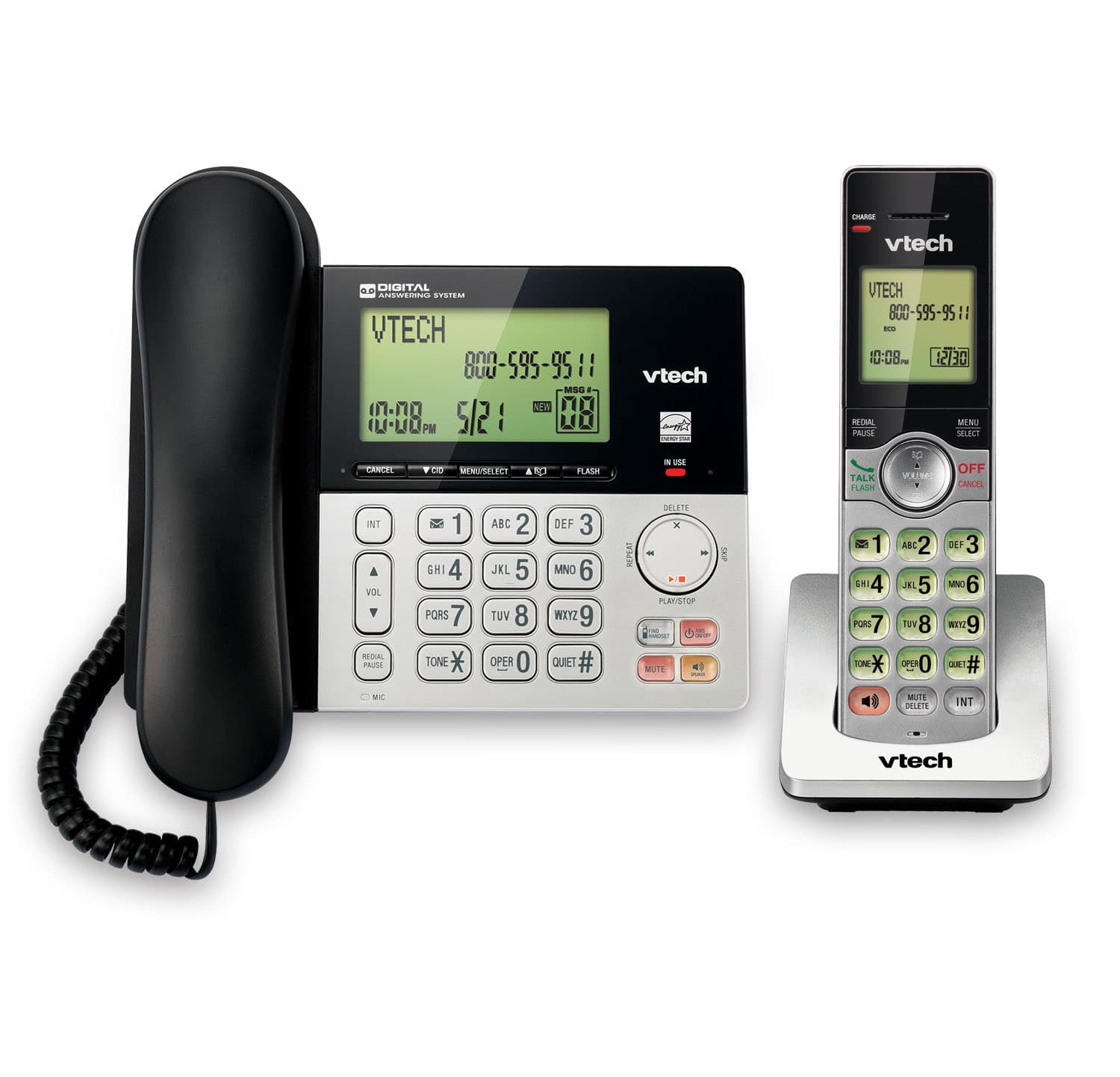
Step-by-step Vtech Answering Machine Troubleshooting Guide
Follow these steps in order to diagnose and fix issues. Work through each step and test the machine after completing it.
- Step 1: Power cycle. Unplug the AC adapter for 30 seconds and plug it back in. Check if the display and functions return.
- Step 2: Reset to defaults. Locate the reset button or follow the manual to restore factory settings. This clears corrupted settings that block recording or playback.
- Step 3: Check message capacity. If memory is full, delete old messages or turn on message overwrite if available.
- Step 4: Test recording. Record a short memo using the unit and play it back. If playback is clear, the microphone and speaker are working.
- Step 5: Verify ring settings. Ensure the number of rings before answer is set correctly and not set to zero or an unintended value.
I once fixed a unit that wouldn’t record by resetting it and updating ring settings. Small fixes often restore normal function. Repeat tests after each step to isolate the cause.

Advanced Troubleshooting and Repairs
When basics fail, use these deeper checks. These steps assume you are comfortable with small repairs and safety precautions.
- Inspect cords and connectors. Look for frayed wires or bent pins in the line and power cords. Replace suspect cords.
- Swap the AC adapter. Some Vtech models use proprietary voltages. Use a matching adapter or test with a known-good adapter rated for the unit.
- Check for firmware issues. Some models can be updated or require a soft reset sequence described in the manual to fix bugs.
- Clean the speaker and microphone areas. Dust and debris can muffle sound. Use compressed air and a soft brush.
- Replace the internal battery if the clock or settings reset when unplugged. A failing internal battery can cause erratic behavior.
If you open the unit, take photos before disassembly to aid reassembly. Keep screws organized. If you find burnt components or severe damage, professional repair or replacement is safer.
Prevention and Best Practices
Prevent problems by following simple care habits. These tips extend the life of your Vtech answering machine and reduce future troubleshooting.
- Keep the unit in a cool, dry spot away from sunlight and heat sources.
- Use a surge protector to shield the power adapter from spikes.
- Regularly check and replace telephone and power cords as they age.
- Back up important voice messages by transferring them to your phone or a PC if the model supports it.
- Update settings and test the unit monthly to catch issues early.
From my experience, users who check their phones monthly avoid sudden failures and lost messages. Prevention is easier than repair.

When to Contact Support or Replace
Know when to stop troubleshooting and escalate. Contact support or replace the unit under these conditions:
- Persistent hardware failure: no power, dead speaker, or non-functional controls after tests.
- Repeated message corruption after resets and firmware updates.
- Visible internal damage or burning smells.
- The unit is old and parts are discontinued or costly, making replacement more economical.
If you contact support, have your model number, purchase date, and a summary of steps you tried. This speeds up diagnosis and may qualify you for warranty service.

Frequently Asked Questions of Vtech Answering Machine Troubleshooting
How do I reset my Vtech answering machine?
Press and hold the reset button or follow the factory reset steps in the user guide. Reset clears custom settings and often resolves software glitches.
Why won't my Vtech record incoming messages?
Check that answering is enabled, memory is not full, and the phone line has dial tone. If those are fine, try a factory reset or test recording directly on the unit.
What if messages play back with static or low volume?
Inspect and replace the line and power cords, clean the speaker area, and test on a different power outlet. If the problem remains, the speaker or amplifier may need repair.
Can I transfer messages from a Vtech machine to my computer?
Some Vtech models allow message transfer via USB or phone line recording; check your manual. If not supported, record messages by calling the line and using a voice recorder on another device.
How often should I check my Vtech answering machine settings?
Check monthly for ring count, message capacity, and firmware updates. Regular checks catch small issues before they become major problems.
Conclusion
You now have a clear, practical roadmap for Vtech Answering Machine Troubleshooting. Start with quick checks, follow step-by-step fixes, use advanced methods when needed, and practice prevention to avoid repeats. If the unit fails after careful troubleshooting, contact support or replace it with a newer model. Try the steps today, and leave a comment about your results or questions — sharing your experience helps others and keeps home phone systems reliable.

